
YEAY Not Available in Your Region: How to Fix It


 4 min. read
  Updated on
Yeay not available in your region shows up when you try to get the YEAY app outside supported countries. YEAY rolls out by market, so some places don’t have access yet. If you want brand work and rewards from short videos, that wall gets in the way. The steps below help you get past it.
Note: Some fixes may conflict with an app’s rules. Use your best judgment.

Access content across the globe at the highest speed rate.
🔥 Save 81% + 2 bonus months! 🔥
70% of our readers choose Private Internet Access
70% of our readers choose Private Internet Access
2
Browse the web from multiple devices with industry-standard security protocols.
🔥 Save 73%! 🔥

Faster dedicated servers for specific actions (currently discounted)
🔥 Save 69%! 🔥
How to Fix the “Not Available in Your Region” Error
Table of contents
Fix 1: Check YEAY’s Website First
- Go to yeay.com.
- Check if YEAY lists your country.
- If not, join the waitlist. That confirms a rollout limit, not a device issue.
- After approval, install the app or continue with the workarounds below.
Want background on region blocks? Read this overview of geo-fencing restrictions. For a gaming angle, here’s a list of geo-restricted games that face similar limits.
Fix 2: Use a VPN (fast and reliable)
A VPN hides your location and places you in a supported country. If you want the basics, see what a VPN is and learn what a VPN server is.
- Install a VPN app. ExpressVPN performs well. hide.me works as a free option.
- Open the VPN and choose a server in the U.S. or a major EU country.
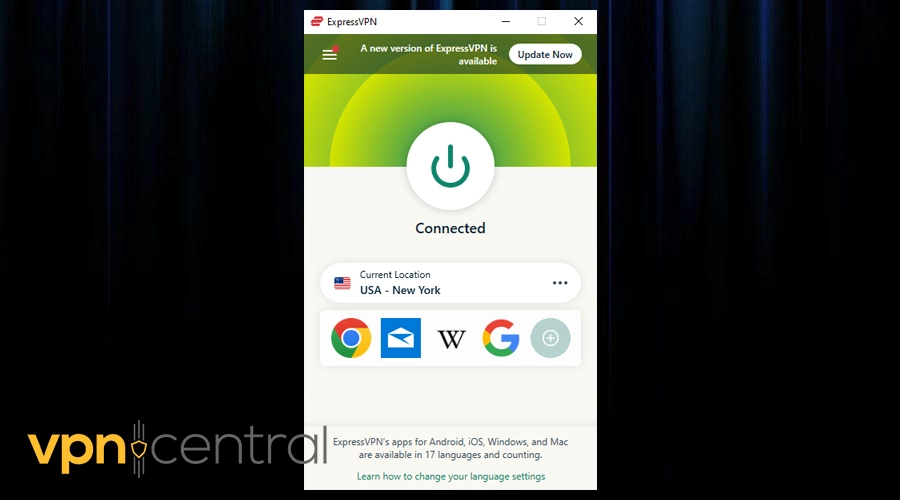
- Connect.
- Close your app store. On Android, go to Settings > Apps > Google Play Store > Storage and tap Clear Cache. On iOS, sign out of your Apple ID, then sign back in.
- Reopen the store and search for YEAY.
- Download the app and sign in.
If it still hides the app, follow this guide for this app is not available in your current region.
Fix 3: Change Your App Store or Google Play Region
Your account region controls what you see. That’s why errors like Play Games not available in your country show up.
iOS
- Go to Settings > Apple ID > Media & Purchases > View Account.
- Tap Country/Region and choose a supported country.
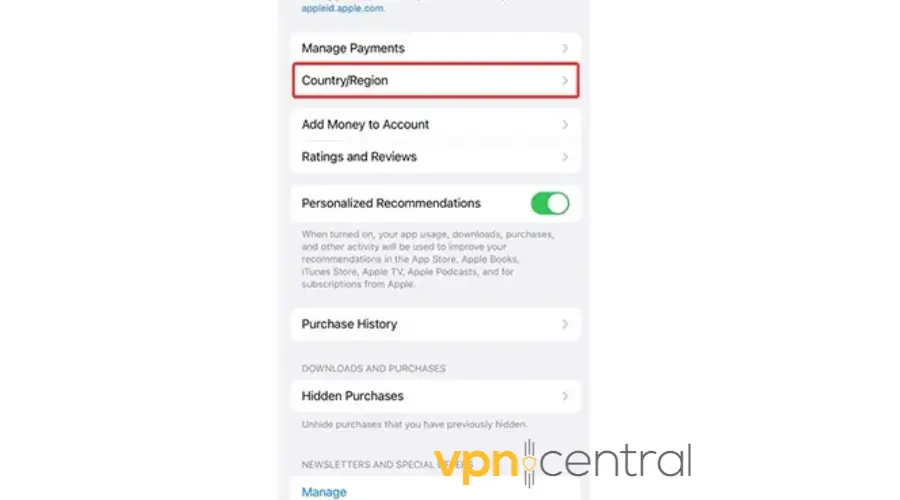
- Accept terms and add a valid payment method if asked.
- Open App Store and install YEAY.
Android
- Open Google Play Store and tap your profile.
- Go to Settings > General > Account and device preferences.
- Select Country/Region and pick a supported country.
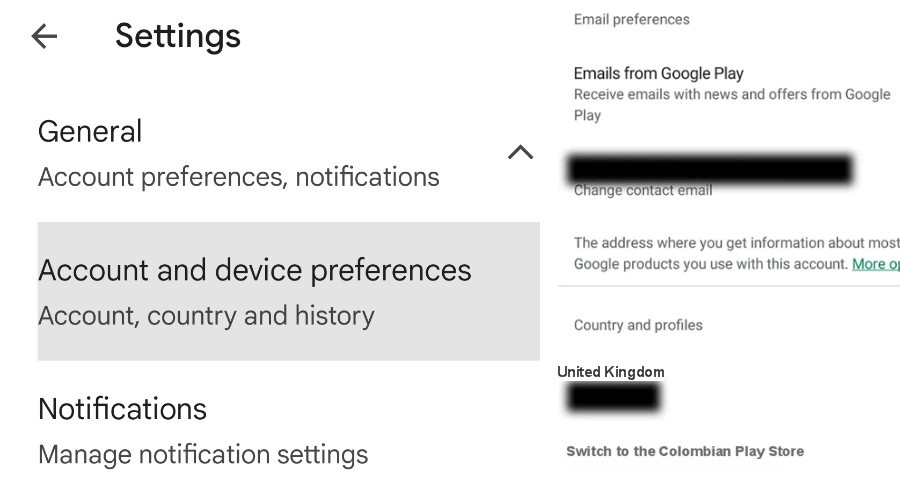
- Add a payment method if Google asks.
- Search for YEAY and install.
Some users also switch regions to save money. Here are the cheapest countries for in-app purchases.
Fix 4: Create a New Store Account
If region changes cause trouble, start fresh with a new account.
iOS
- Sign out of your Apple ID.
- Create a new Apple ID at appleid.apple.com with a supported country.
- Sign in on your iPhone.
- Open App Store and download YEAY.
Android
- Create a new Google account.
- Switch to it in Google Play.
- Pick a supported country if prompted.
- Install YEAY.
Fix 5: Use Smart DNS (quick, less private)
Smart DNS swaps location signals without encryption. It feels fast but doesn’t protect traffic like a VPN. To set it up, first learn how to change DNS, or see how to change DNS on Windows 11.
- Sign up with a provider such as Smart DNS Proxy.
- Copy their DNS addresses.
- Open your phone’s Wi-Fi settings and enter those DNS values.
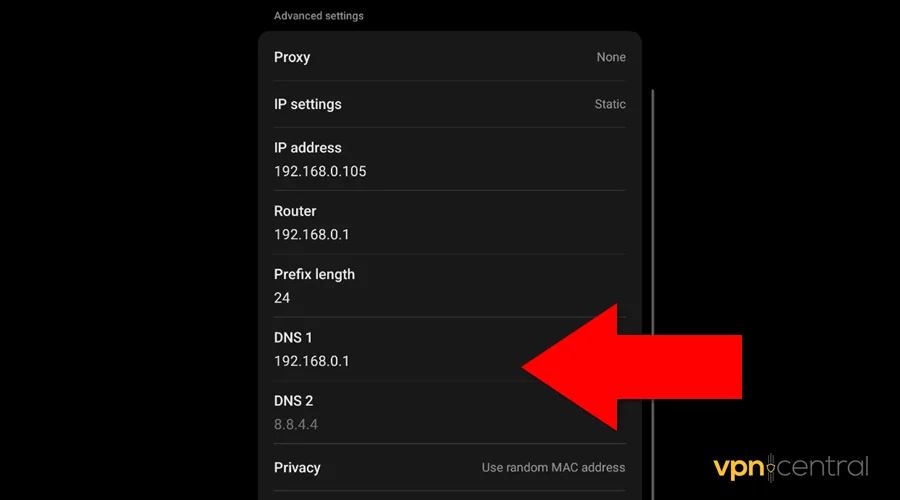
- Restart Wi-Fi.
- Reopen the store and install YEAY.
If the block stays, you may hit messages like this site is not available in your country. In that case, return to a VPN.
Conclusion
YEAY connects creators and brands fast, but region locks shut many users out. Start with the website check. If the app still won’t show, use a VPN, change your store region, create a new account, or set up Smart DNS. Each path has trade-offs, but all move you closer to the app and the work you want to do.
FAQ
YEAY rolls out in stages. Laws, payments, and business plans decide who gets access first.
Yes. hide.me offers a free plan. For better speed and fewer blocks, ExpressVPN delivers more consistent results.
Yes. You need a valid payment method for the new country. Some users also target the cheapest countries for in-app purchases.
No. Smart DNS is faster but doesn’t encrypt traffic. VPNs add privacy and bypass more blocks.


Read our disclosure page to find out how can you help VPNCentral sustain the editorial team Read more


Improve this guide




User forum
0 messages