
Fix App Store Not Working With VPN (Quick Solutions)


 7 min. read
  Published on
App Store not working with VPN is a frustrating issue for iPhone users.
You may see “Cannot connect to App Store” errors, or apps fail to download even when your internet is fine. This problem often comes up after enabling a VPN on your Apple device, and it’s linked to how Apple checks regions and IP addresses. Let’s walk through why it happens and how to fix it step by step.

Access content across the globe at the highest speed rate.
🔥 Save 81% + 2 bonus months! 🔥
70% of our readers choose Private Internet Access
70% of our readers choose ExpressVPN
2
Browse the web from multiple devices with industry-standard security protocols.
🔥 Save 73%! 🔥

Faster dedicated servers for specific actions (currently at summer discounts)
🔥 Save 69%! 🔥
Here’s a quick snapshot of solutions (find step-by-step instructions below)
- Switch VPN servers
- Change VPN protocol
- Disable VPN temporarily
- Clear network cache / reset network settings
- Restart your iPhone or iPad
- Use split tunneling or Smart DNS
- Update your VPN app and iOS
- Check your VPN account status
- Try a VPN with specialized servers
- Switch to a premium VPN
Why can’t I access App Store when using VPN?
The reason why Apple App Store isn’t working with VPN is because the system checks for mismatches between your Apple ID region, IP address, and purchase location. VPNs can trigger fraud-prevention systems, or the App Store might block flagged IP ranges. This leads to errors such as:
- Can’t download or update apps
- Error messages like “Cannot connect to App Store”
- Missing apps or unavailable content
- Payment declines or failed purchases
- General slowness or timeouts
How to fix Apple App Store not working with VPN
1) Switch VPN servers
Many times, the server you’re using has been flagged by Apple. Switching servers refreshes your IP and usually restores access.
- Open your VPN app.
- Disconnect from the current server.
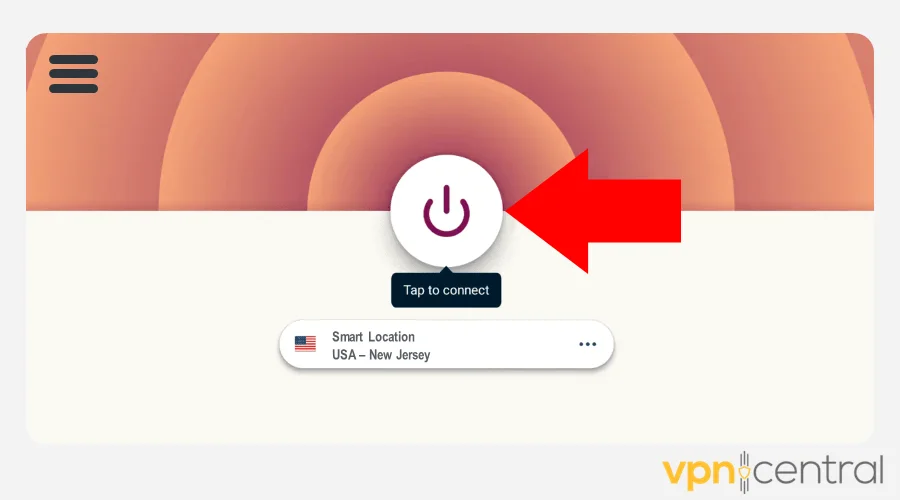
- Select another server in your Apple ID country.
- Reconnect and open the App Store.
2) Change VPN protocol
Some protocols work better with Apple services. If OpenVPN is blocked, try WireGuard or IKEv2 for smoother performance.
- Open your VPN settings.
- Find the “Protocol” option.
- Switch to WireGuard, IKEv2, or OpenVPN TCP or Automatic (if the app has the option).Find the “Protocol” option.
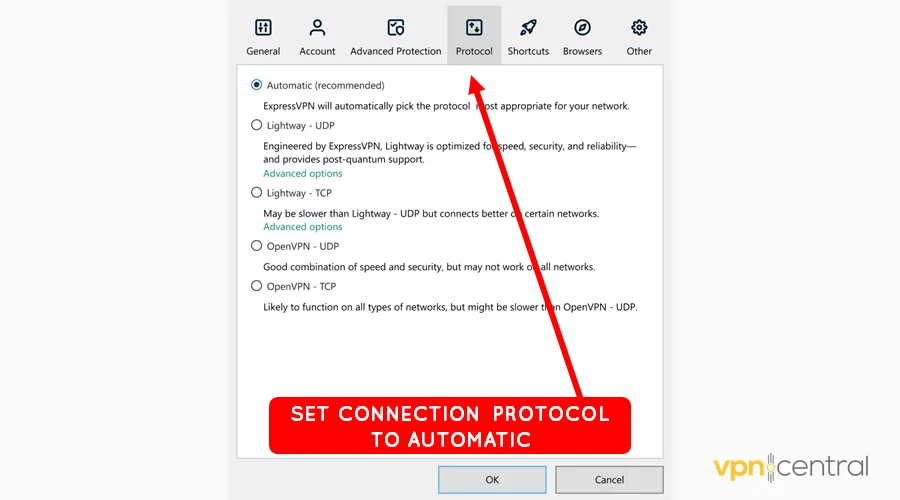
- Reconnect and test the App Store.
3) Disable VPN temporarily
To confirm the VPN is the cause, turn it off and try again.
- Open your VPN app.
- Tap Disconnect.
- Go back to App Store and refresh it.
4) Reset network settings
Corrupted caches can block the connection. Resetting often clears up App Store issues.
- Go to Settings on your iPhone.
- Tap General → Transfer or Reset iPhone.
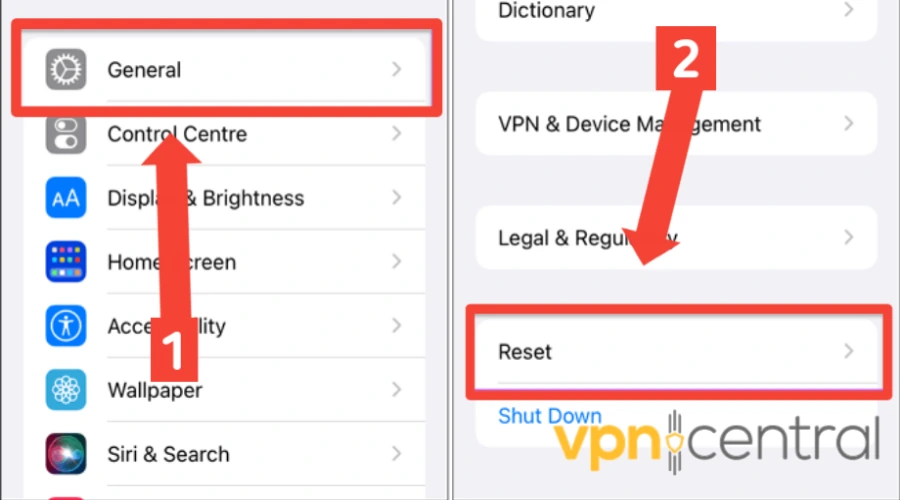
- Select Reset → Reset Network Settings.
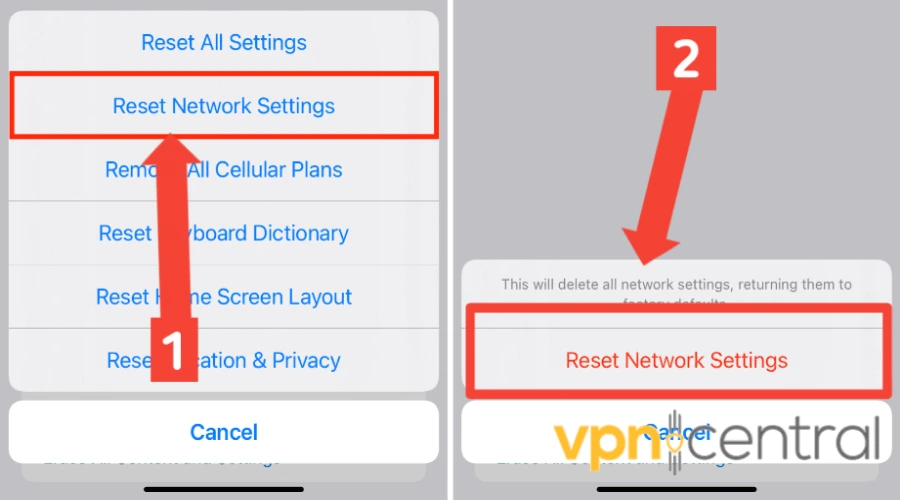
- Reconnect Wi-Fi and test again.
5) Restart your device
Rebooting clears temporary glitches that might interfere with App Store + VPN connections.
- Power off your iPhone completely.
- Wait 30 seconds.
- Turn it back on and retry App Store.
6) Use Split Tunneling or Smart DNS
Some VPNs let you exclude the App Store from VPN traffic. This keeps VPN protection for other apps while letting the App Store connect normally.
- Open VPN settings.
- Enable Split Tunneling.
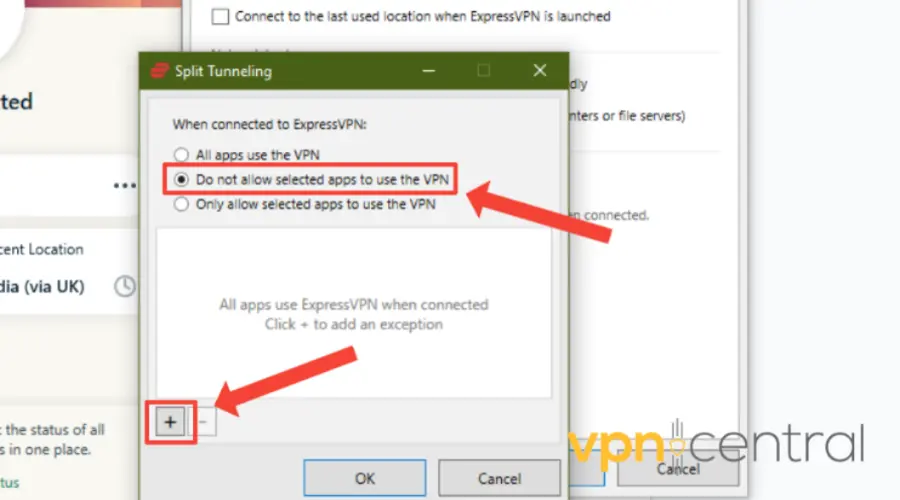
- Exclude the App Store app.
- Reconnect and try again.
On iPhone, check if your provider supports Smart DNS. It can bypass geo-blocks without affecting App Store stability and it can also help if Apple News isn’t working with VPN.
7) Update VPN and iOS software
- Go to the App Store and update your VPN app.
- Go to Settings > General > Software Update.
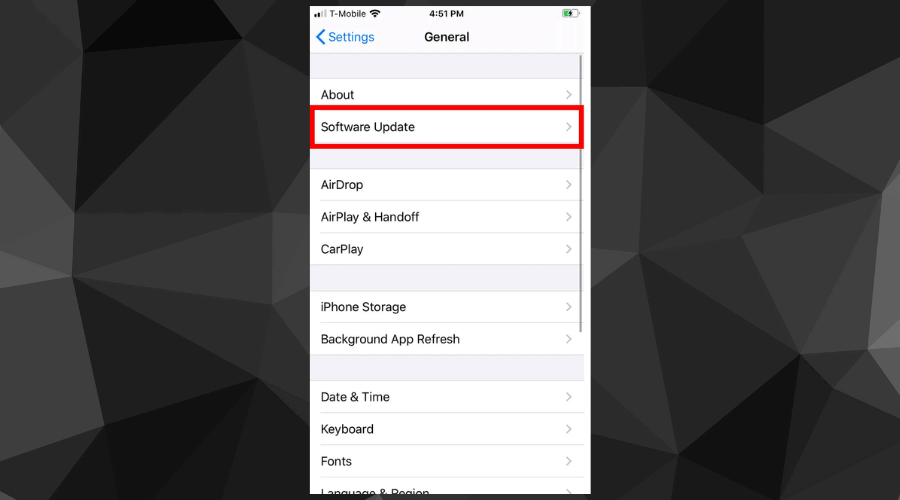
- Install available iOS updates.
8) Check your VPN account status
If your subscription expired, the VPN might not be working properly. Always confirm your account is active and paid.
9) Try VPN servers optimized for unblocking
Some VPNs have special streaming or unblocking servers that work better with restricted apps and stores.
10) Try a different VPN provider
If nothing works, switch to a provider with stronger iOS support. In our experience, ExpressVPN is the most reliable for App Store access.
- Install ExpressVPN from the App Store.
- Sign in and connect to a server in your Apple ID country.
- Keep protocol on Automatic first, then test Lightway or IKEv2.
- Reopen App Store and retry downloads.
Not sure if ExpressVPN is the best option for you? Check our rundown of all the best options below.
Best VPNs For Apple App Store
For smoother iOS experience, here are three trusted VPNs with proven App Store performance:
ExpressVPN – Fast speeds and excellent reliability for iPhone and iPad users.
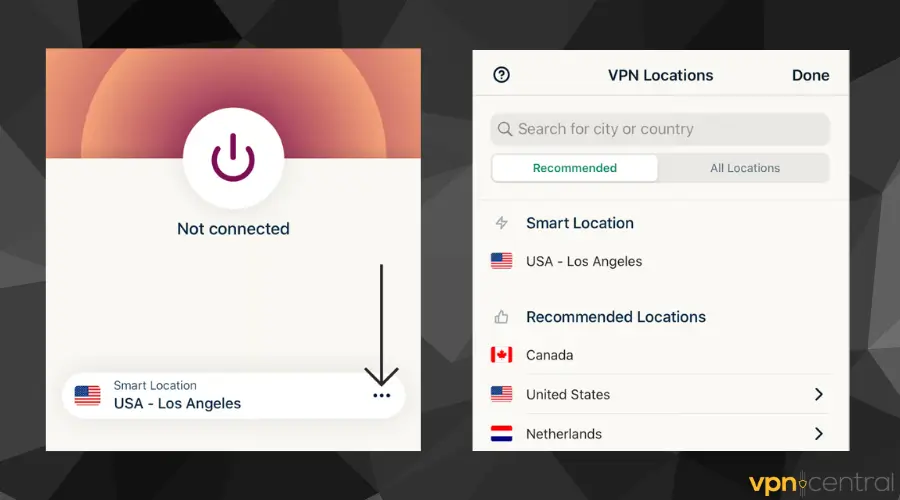
ExpressVPN is one of the fastest and most reliable VPNs for iPhone and iPad users. With strong encryption, Lightway protocol for smooth performance, and servers in 90+ countries, it consistently avoids App Store errors. Its clean IP rotation, easy iOS app, and no-logs policy make it the best choice for secure App Store access.
NordVPN – Huge server network and advanced privacy tools that prevent blocks.
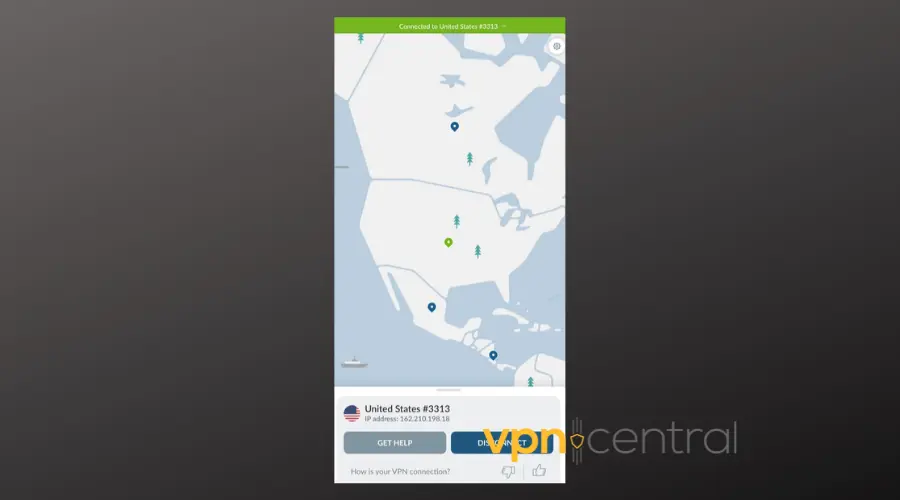
NordVPN is a powerhouse VPN with thousands of servers worldwide, making it ideal for iOS users facing App Store region issues. It supports advanced features like split tunneling, Double VPN, and CyberSec protection. With WireGuard-based NordLynx protocol, it delivers high speeds and reliable connections, ensuring the App Store works seamlessly across downloads, updates, and purchases.
Surfshark – Affordable, unlimited devices, and reliable for Apple services.
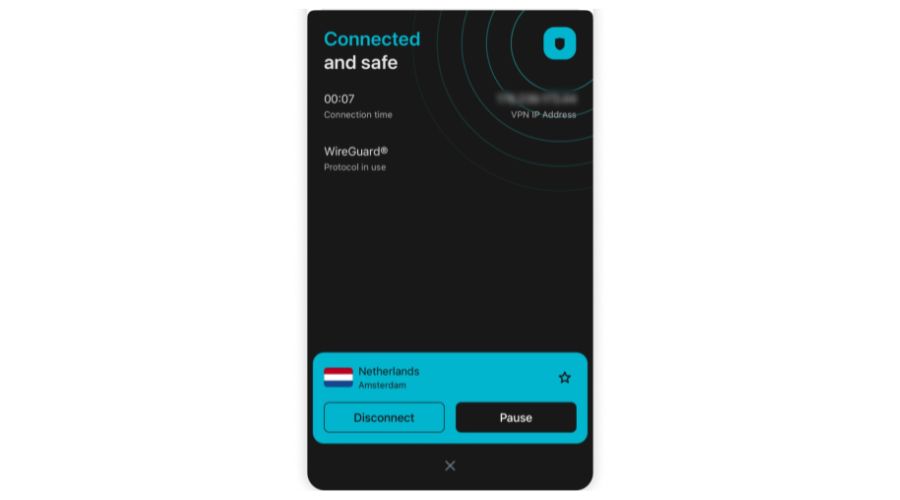
Surfshark offers an affordable way to secure unlimited devices, including iPhones and iPads. It excels at bypassing App Store geo-restrictions while providing CleanWeb for ad blocking and strong AES-256 encryption. With split tunneling and rotating IP features, Surfshark ensures smooth downloads and updates. It’s a budget-friendly VPN option that doesn’t compromise on speed, privacy, or reliability.
Does the App Store block VPN?
Not entirely. Apple allows VPNs, but flagged IPs often get blocked. In countries like China or Russia, Apple has removed VPN apps from the store due to local laws (Apple removes VPNs in Russia).
Can I access the App Store from another country?
Yes, with a VPN you can connect to servers abroad. But you may also need a matching Apple ID region and valid payment method. For example, using a Japanese server may not be enough unless your Apple ID is set to Japan.
Some people use this trick to unlock apps like BBC iPlayer not available in App Store or get cheaper in-app purchases by switching to the cheapest country for in-app purchases.
Benefits of using App Store with VPN
Using a VPN with the App Store brings real benefits:
- Bypass geo-restrictions – Download apps only available in other countries.
- Cheaper purchases – Some regions offer lower app or subscription prices.
- Access restricted services – Example: download BBC iPlayer in the UK store.
- Extra security – Protects traffic on public Wi-Fi when browsing or updating apps.
iOS VPN limitations
VPNs on iPhone have some limits you should know:
- Some traffic may leak outside the VPN unless “Always-on” is enabled.
- Battery drain increases when the VPN is always running.
- Free VPNs are usually flagged, causing frequent App Store errors.
- iCloud, Apple Pay, and App Store sometimes flag suspicious logins if your location changes suddenly.
Stay connected without App Store errors
Fixing “App Store not working with VPN” is straightforward once you know why it happens. By switching servers, adjusting protocols, or upgrading to a premium VPN, you’ll keep downloads and updates running smoothly.
FAQ
Common symptoms include App Store errors, apps failing to load, or internet working elsewhere but not in Apple services. Often caused by region mismatch or flagged IPs.
Yes. Apple may see VPN IPs as suspicious and block purchases, downloads, or even sign-ins.
Switch servers, reset network settings, or try a trusted VPN provider like ExpressVPN, NordVPN, or Surfshark.
Yes, but not all. Free VPNs fail often. Premium providers rotate IPs to stay ahead of blocks.
Because the App Store sees a mismatch between your Apple ID region and your VPN IP. Payment verification can also fail for the same reason.


Read our disclosure page to find out how can you help VPNCentral sustain the editorial team Read more


Improve this guide



User forum
0 messages