
M365Pwned Brings Microsoft 365 Post-Compromise Abuse Into a Simple GUI


 6 min. read
  Published on
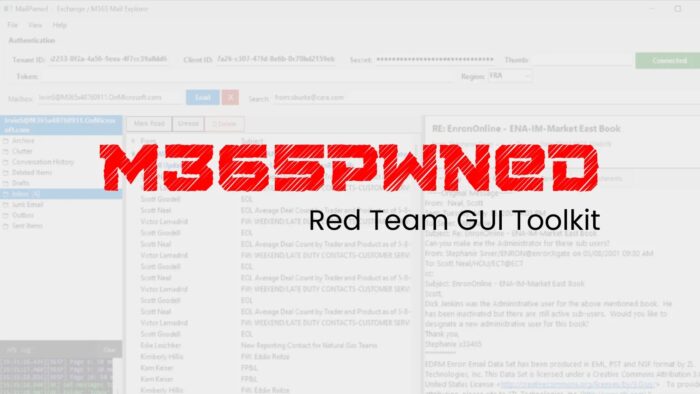
A newly released red team toolkit called M365Pwned shows how dangerous Microsoft 365 app permissions can become after an attacker gains access to a tenant’s OAuth application credentials. The toolkit, published on GitHub by a user named OtterHacker, includes two Windows PowerShell WinForms tools that can enumerate, search, and pull data from Microsoft 365 using application-level OAuth tokens, with no signed-in end user required.

Access content across the globe at the highest speed rate.
70% of our readers choose Private Internet Access
70% of our readers choose ExpressVPN

Browse the web from multiple devices with industry-standard security protocols.

Faster dedicated servers for specific actions (currently at summer discounts)
That matters because Microsoft says application permissions work in an app-only access scenario, which means the app can access data without a user being present. Microsoft also notes that these permissions require administrator consent, and in many cases they can expose data across the organization if admins grant broad scopes such as Mail.Read, Files.Read.All, or Sites.Read.All.
The toolkit itself is not a remote exploit. It does not break into Microsoft 365 on its own. Instead, it turns already granted Graph API access into a cleaner, easier post-compromise interface for browsing email, SharePoint, and OneDrive data at scale. That makes the release important for defenders, because it lowers the skill needed to abuse a misconfigured or already compromised Microsoft 365 application.
What M365Pwned includes
| Tool | Target | Published capability |
|---|---|---|
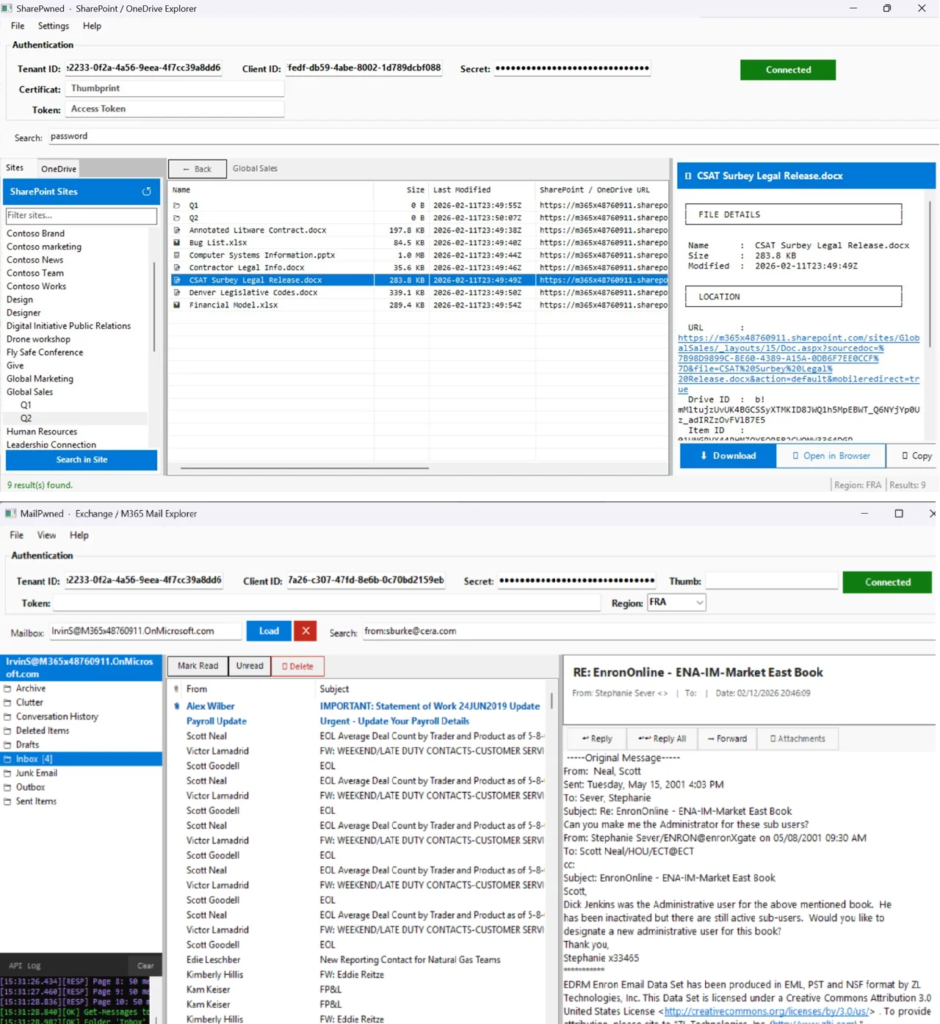
| MailPwned-GUI.ps1 | Exchange Online / Outlook | Browse mailboxes, search mail, download attachments, send impersonation emails |
| SharePwned-GUI.ps1 | SharePoint / OneDrive | Browse sites and drives, search files, preview and download documents |
The GitHub repository describes M365Pwned as “Red Team tooling for Microsoft 365 exploitation via Microsoft Graph API” and says the package contains two WinForms GUI tools for enumerating, searching, and exfiltrating data from Microsoft 365 environments. The repo currently lists the two main scripts, a README, and an image, with the code intended for authorized security testing.
Both tools support three authentication methods according to the README: client secret, certificate thumbprint, and raw access token. In practice, that means anyone who already has valid app credentials or a usable token could turn broad Graph access into a point-and-click workflow.
Why defenders should pay attention
Microsoft’s own documentation makes the risk clear. The company says an application with app-only permissions can access any data tied to the granted permission, and gives Files.Read.All as an example of a permission that can read any file in the organization without a signed-in user. In the wrong hands, that model can turn one compromised app registration into a tenant-wide data exposure event.
MailPwned focuses on Exchange Online. The README says it can enumerate mailboxes, search mail, read messages, and exfiltrate email from Microsoft 365 environments. It lists Mail.Read for reading mail in all mailboxes, Mail.ReadWrite as an optional permission for send, reply, forward, and delete actions, and User.Read.All to enumerate mailboxes for global search.
SharePwned focuses on SharePoint and OneDrive. The repo says it can enumerate SharePoint sites, browse drives, search files, preview documents, and download content across the tenant. It lists Sites.Read.All to enumerate SharePoint sites and browse drives, Files.Read.All to read and download files from any drive, and User.Read.All as an optional permission to enumerate OneDrive drives for all users.
A key Graph API detail stands out
One of the more interesting points in the project documentation involves Microsoft Search. The M365Pwned README says /v1.0/search/query with message entityType does not support application permissions, so MailPwned works around that by enumerating users first and then running searches mailbox by mailbox. Microsoft’s Graph search documentation confirms that permission support varies by entity and API use case, while Microsoft separately documents application-permission search support for SharePoint content.
That distinction matters because it shows the tool’s design follows real Graph permission limits rather than inventing capabilities. It also means defenders should not only watch for one suspicious search endpoint, but also for broad mailbox enumeration followed by repeated per-user access under a single app identity. That behavior could blend into legitimate API traffic if monitoring is weak.
Region support adds another operational detail
The repository also includes support for non-default Microsoft cloud regions. According to the README, the tools can use the Prefer: exchange.region=<region> header so requests route to the correct datacenter. The listed region codes include Europe, North America, Asia Pacific, Australia, Canada, India, Japan, the UK, and sovereign France.
That feature does not make the tool more powerful by itself, but it makes it more practical for real-world environments, especially large enterprises and public sector tenants that do not sit in the default commercial routing path.
Main risk areas for Microsoft 365 tenants
- Overly broad application permissions granted to app registrations
- Admin consent granted to apps that do not need tenant-wide data access
- Long-lived client secrets or certificates that attackers can steal and reuse
- Weak review of service principals with Mail.Read, Files.Read.All, or Sites.Read.All permissions
- Limited logging or alerting for unusual Graph API activity from app identities
What security teams should do now
Defenders should start by reviewing every app registration and service principal with tenant-wide Graph permissions. Broad read scopes should be treated as sensitive, especially when tied to apps that use secrets instead of stronger certificate controls or managed identities. Microsoft’s permission model makes clear that these app roles can operate without a user present, so a single compromised app can become a silent collection channel.
Security teams should also audit admin consent grants, look for unusual Graph usage under application identities, and reduce unnecessary access wherever possible. For SharePoint and OneDrive, the defensive priority should include apps with Sites.Read.All and Files.Read.All. For Exchange, it should include Mail.Read and Mail.ReadWrite, especially where the app does not clearly need tenant-wide mailbox access.
In practical terms, this release is a reminder that post-compromise tradecraft around Microsoft 365 keeps getting easier to package. Attackers no longer need a rough script and a good memory for Graph endpoints. A simple GUI can now do much of the heavy lifting once the permissions are in place.
Quick defender checklist
- Review app registrations with application permissions in Microsoft Entra.
- Reassess every app with Mail.Read, Files.Read.All, or Sites.Read.All.
- Remove old client secrets and rotate active credentials.
- Monitor Graph API access by service principal and app identity.
- Alert on broad mailbox enumeration, large-scale file browsing, and unusual app-only data access patterns.
FAQ
M365Pwned is a public red team toolkit on GitHub that provides two WinForms PowerShell GUI tools for interacting with Microsoft 365 through the Microsoft Graph API using application-level OAuth tokens.
No. Publicly available information shows it as a post-compromise or authorized testing toolkit that relies on existing Microsoft Graph access and granted application permissions rather than a new Microsoft vulnerability.
Microsoft says application permissions work without a signed-in user and let the app access any data tied to the granted permission. That can make tenant-wide scopes extremely powerful.
The two published tools focus on Exchange Online / Outlook and SharePoint / OneDrive.


Read our disclosure page to find out how can you help VPNCentral sustain the editorial team Read more


Improve this guide




User forum
0 messages