
Malware was served through ilspy.org, not ILSpy’s official site, maintainers say


 5 min. read
  Published on
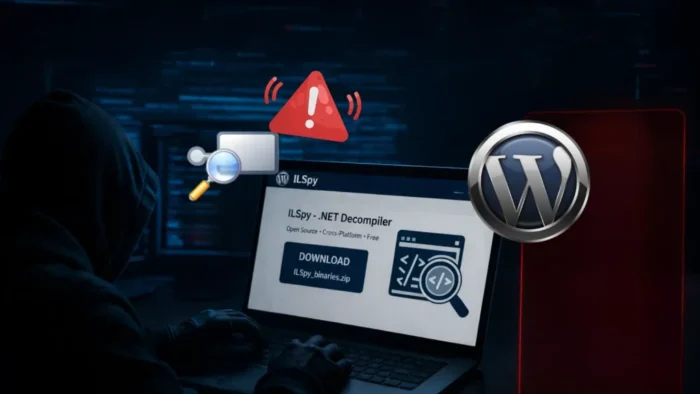
A malicious site posing as ILSpy appears to have redirected visitors toward malware on April 6, 2026, but one key part of the sample article is wrong. The ILSpy maintainers say they do not own ilspy.org, and they publicly warned that the .org domain was “AI slop” and “laced with malware” at the time of writing.
That means this was not a compromise of ILSpy’s official project website, at least based on the maintainers’ public statement. Instead, the evidence points to a malicious or misleading third-party domain that looked affiliated with ILSpy and may have abused that trust to push a harmful browser extension or similar malware-laced download flow.

Access content across the globe at the highest speed rate.
70% of our readers choose Private Internet Access
70% of our readers choose ExpressVPN

Browse the web from multiple devices with industry-standard security protocols.

Faster dedicated servers for specific actions (currently at summer discounts)
The practical takeaway for developers stays serious either way. Anyone who visited ilspy.org or tried to download ILSpy from that domain should treat it as suspicious, avoid installing any prompted browser extension, and verify downloads only through ILSpy’s official channels such as ilspy.net, the .com domain mentioned by the maintainers, or the project’s GitHub releases.
What actually happened
A GitHub issue opened by ILSpy maintainer christophwille on April 6 says, “We only own ilspy.net and the respective .com domain. The org domain is AI slop that is at the time of writing laced with malware.” The same post also criticizes public reports that described ILSpy itself as the hacked party.
A GitHub release page for ILSpy 10.0 repeats the same warning in a PSA, which gives the project’s public stance in two separate official project locations. That strengthens the case that ilspy.org should not be treated as an official ILSpy property.
Separately, social posts and secondary reports described a redirect chain from ilspy.org that led users to a page asking them to install a browser extension before downloading the tool. Those details circulated quickly, but the strongest confirmed fact remains the maintainers’ warning that the .org domain is not theirs and should not be trusted.
Why the distinction matters
Calling this a compromise of the “official ILSpy WordPress domain” overstates what we can verify. Based on the project’s own statement, the problem site was not an official ILSpy domain, so the cleaner framing is that threat actors abused an unaffiliated lookalike ILSpy domain to target developers.
That difference matters because it changes the security lesson. This looks less like a classic breach of the ILSpy project’s own infrastructure and more like brand impersonation, traffic hijacking, or a watering-hole style trap aimed at people searching for ILSpy downloads. That is an inference, but it fits the maintainers’ ownership claim and the reported redirect behavior.
It also explains why downloading developer tools through search results can be risky. ILSpy’s own repository already points users toward official releases and update mechanisms tied to project-controlled channels rather than random third-party domains.
ILSpy malware incident at a glance
| Item | What is verified |
|---|---|
| Was ILSpy’s official site hacked? | The maintainers say ilspy.org is not theirs, so the official site compromise claim is not supported by their statement. |
| Which domains do maintainers say they own? | ilspy.net and the respective .com domain. |
| What warning did they post? | They said the .org domain was “laced with malware.” |
| What did reports say the malicious site did? | Redirected users and prompted installation of a browser extension before the download. |
| Safer place to get ILSpy | Official GitHub releases and project-controlled domains. |
Developers should also note that malicious browser extensions can be a serious foothold. They can read page content, intercept sessions, monitor browsing, and sometimes access corporate web apps depending on the permissions granted. This is general security background rather than a new fact specific to this incident.
What developers should do now
- Do not download ILSpy from
ilspy.org. The maintainers explicitly say they do not own it. - Use
ilspy.net, the project’s.comdomain mentioned by the maintainers, or the GitHub releases page. - Remove any unexpected browser extension installed as part of an ILSpy download flow and review browser extension permissions afterward.
- Change passwords and revoke active sessions if you installed anything suspicious from the fake site.
- Check endpoints for unusual browser extensions, unexpected outbound traffic, and new persistence mechanisms if a developer machine touched the site.
FAQ
The public evidence does not show that. ILSpy maintainers say ilspy.org is not an official ILSpy domain, so the sample article’s framing is misleading.
Reports and public warnings point to ilspy.org, which the maintainers say they do not own.
The safest sources are the project’s GitHub releases and the official domains the maintainers named, including ilspy.net.
Remove it, review browser permissions, sign out of sensitive services, rotate passwords, and check for signs of account or token theft.


Read our disclosure page to find out how can you help VPNCentral sustain the editorial team Read more


Improve this guide


User forum
0 messages