
108 Chrome extensions tied to one infrastructure in large-scale data theft campaign


 5 min. read
  Published on
A newly exposed campaign shows how dangerous malicious browser extensions can become when attackers run them like a centralized service. Security firm Socket says it identified 108 Chrome extensions linked to the same command-and-control infrastructure, with code built to steal identities, hijack sessions, and maintain browser-level access across a broad set of targets.
The report matters because these extensions did not act like isolated scams. Socket says they shared backend infrastructure, which gave the operators a scalable way to manage stolen data, push updates, and control many extensions at once. That kind of setup can make browser compromise look less like random malware and more like an organized platform for long-term data theft.

Access content across the globe at the highest speed rate.
70% of our readers choose Private Internet Access
70% of our readers choose ExpressVPN

Browse the web from multiple devices with industry-standard security protocols.

Faster dedicated servers for specific actions (currently at summer discounts)
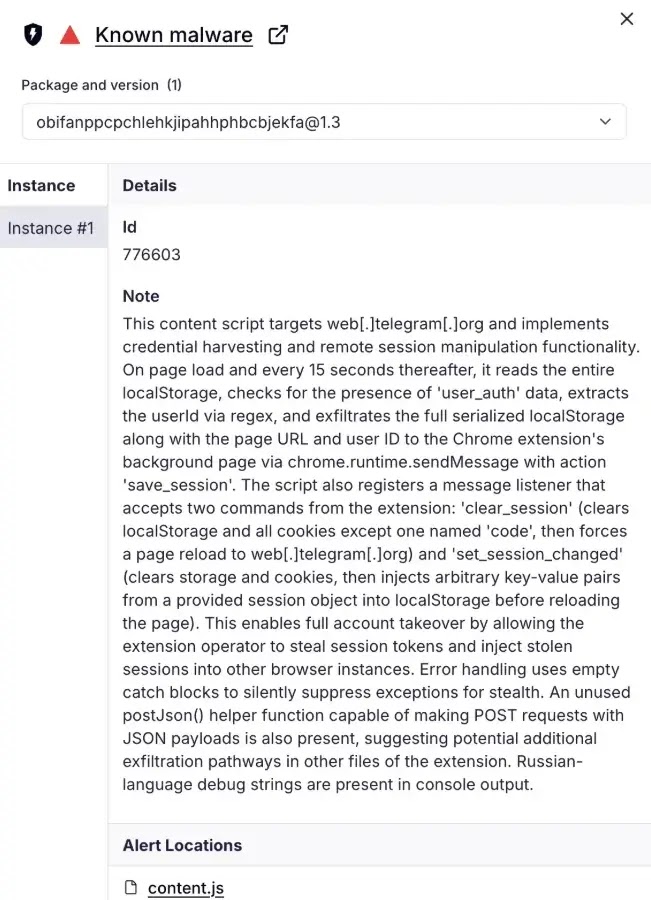
According to Socket, the extensions posed as normal tools and then performed much more invasive actions in the background. The company says the campaign included session exfiltration, credential theft, and browser backdoor behavior, all tied to shared infrastructure rather than one-off developer abuse.
Why shared infrastructure changes the risk
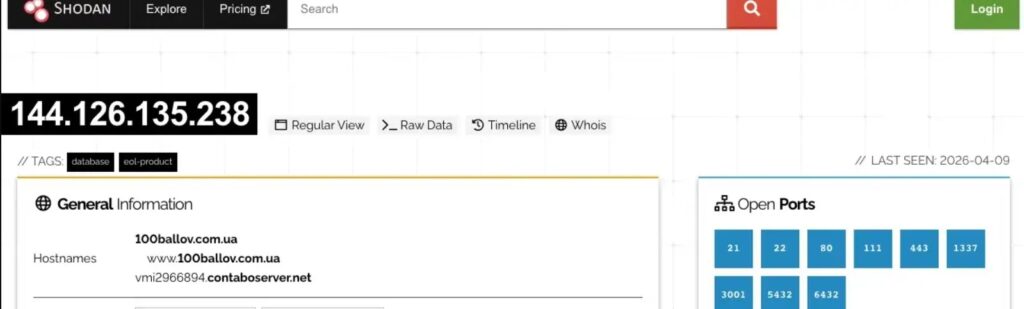
A single malicious extension already creates a serious privacy and account-security problem. More than 100 extensions connected to the same backend create something bigger. Socket says the campaign funneled stolen data through common infrastructure, which meant the operators could collect information from many victims without rebuilding their backend for each extension.
That also raises the chance of coordinated account takeover. If attackers steal browser cookies or active session data, they may not need the password again. Session theft can let attackers ride an already authenticated session into email, business tools, dashboards, or internal portals. This is an inference based on the reported session-exfiltration behavior and how authenticated browser sessions work.
Socket also says the campaign used obfuscation and backdoor-style behavior inside the extensions. That matters because malicious extensions do not need to look noisy to be effective. If they sit inside the browser, they can observe page activity, collect tokens, and quietly interact with web sessions over time.
Why browser extensions remain a weak point
Google’s extension model is powerful by design. Chrome’s developer documentation says extensions can request permissions that allow access to tabs, storage, scripting, and other browser capabilities, while Google also notes that permissions exist in part to limit damage if an extension is compromised or malicious.
That is why malicious extensions can be so effective when users install them willingly. They often arrive as productivity tools, utilities, or workflow helpers, then abuse the very permissions users approved. Google’s Chrome Web Store policies say products that place users at risk are prohibited, but enforcement still depends on finding and removing bad actors before they spread widely.
For enterprises, the answer cannot rely only on telling employees to be careful. Google’s Chrome Enterprise documentation gives administrators direct policy controls to allowlist or blocklist extensions and to manage extension behavior centrally. Those controls matter a lot more when one campaign can operate through dozens of related extensions at once.
What defenders should do now
Security teams should start with extension inventory. If you do not know which extensions run in your environment, you cannot judge risk or see patterns across users and departments. Socket’s report suggests defenders should think in terms of campaigns and infrastructure, not only individual extension IDs.
Managed environments should use Chrome enterprise controls to restrict installations to approved extensions. Google documents both allowlist and blocklist options, and its ExtensionSettings policy lets admins define broader extension controls for managed Chrome browsers on Windows, Mac, and Linux.
Teams should also look beyond the browser UI. A malicious extension may show up first through odd outbound traffic, suspicious session reuse, or account activity that does not line up with user behavior. That recommendation is an inference from Socket’s shared-C2 findings and the nature of session theft.
Campaign snapshot
| Item | Confirmed detail |
|---|---|
| Number of linked extensions | 108 |
| Main source | Socket research |
| Core behaviors | Data exfiltration, session theft, browser backdoor activity |
| Infrastructure model | Shared C2/backend across many extensions |
| Main enterprise risk | Account takeover and data theft through browser compromise |
Source: Socket’s April 13, 2026 report.
What organizations should do
- Audit all installed Chrome extensions across managed devices.
- Use allowlists and blocklists for extension control.
- Review extension permissions closely, especially for access to tabs, storage, scripting, or broad site data.
- Investigate suspicious browser-originated traffic and signs of session theft. This step follows from Socket’s findings.
- Remove unused or untrusted extensions from user environments. Google’s own user guidance says extensions can be enabled or removed directly through Chrome.
FAQ
Socket said it identified 108 Chrome extensions linked to shared command-and-control infrastructure and associated them with data exfiltration, session theft, and browser backdoor behavior.
Because an attacker may be able to use an already authenticated session instead of logging in from scratch. That can reduce the value of a password alone and may help bypass some normal login friction. This is an inference based on the reported session-exfiltration behavior.
Google documents enterprise controls for extension allowlisting, blocklisting, and centralized extension settings. Those are the strongest first-line controls for managed Chrome environments.
Yes. Google’s Chrome Web Store program policies say malicious and prohibited products that place users at risk are not allowed.


Read our disclosure page to find out how can you help VPNCentral sustain the editorial team Read more


Improve this guide



User forum
0 messages