
Microsoft confirms some Windows 11 April updates can trigger BitLocker recovery


 5 min. read
  Published on
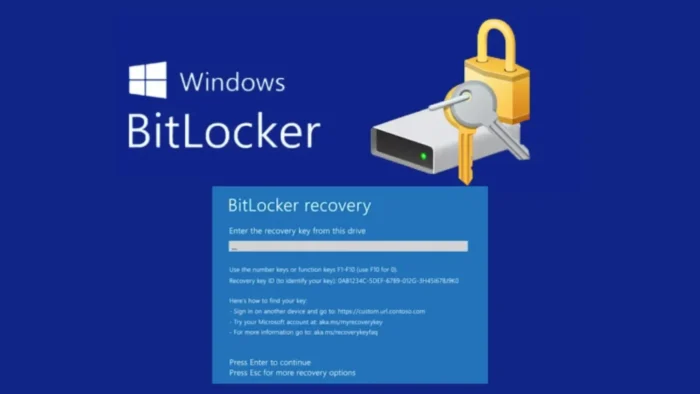
Microsoft has confirmed a known issue in the April 2026 Windows 11 security updates that can force some PCs into a BitLocker recovery prompt on the first restart after installation. The problem affects a limited set of managed devices rather than the wider Windows 11 user base.
The issue appears on systems that have BitLocker enabled on the OS drive and use a specific Group Policy setting for native UEFI firmware validation. Microsoft says the prompt can appear after installing KB5083769 on Windows 11 versions 24H2 and 25H2, or KB5082052 on Windows 11 version 23H2.

Access content across the globe at the highest speed rate.
70% of our readers choose Private Internet Access
70% of our readers choose ExpressVPN

Browse the web from multiple devices with industry-standard security protocols.

Faster dedicated servers for specific actions (currently at summer discounts)
Microsoft also says this is unlikely to affect personal PCs that are not managed by IT departments. In its documentation, the company ties the problem to devices where PCR7 is explicitly included in the BitLocker validation profile, the system reports PCR7 binding as “Not Possible,” the Windows UEFI CA 2023 certificate is present, and the device has not yet switched to the 2023-signed Windows Boot Manager.
Why the BitLocker prompt appears
BitLocker recovery is a protection feature that asks for the recovery key when Windows detects a boot-related change it does not fully trust. Microsoft’s April notes show this issue intersects with Secure Boot and boot manager changes on a subset of devices with a nonrecommended policy configuration.
The good news is that Microsoft says the recovery screen should appear only once in this scenario, as long as the Group Policy configuration stays the same. After the key is entered and the system starts normally, later restarts should not keep asking for the recovery key.
That still creates a real support problem for enterprise IT teams. If many endpoints hit the prompt after patching, help desks may have to retrieve recovery keys from Microsoft Entra ID, Active Directory, or another key management system before users can get back into Windows. This is an operational risk more than a broad consumer outage.
Affected updates
| Windows version | Update | What Microsoft says |
|---|---|---|
| Windows 11 24H2 | KB5083769 | Some devices may require the BitLocker recovery key on first restart |
| Windows 11 25H2 | KB5083769 | Same known issue applies |
| Windows 11 23H2 | KB5082052 | Same known issue applies |
Microsoft has not pulled either update. Both remain the April 14, 2026 security updates for their supported Windows 11 versions.
The update pages also include a recommended workaround before deployment. Microsoft tells enterprises to remove the policy setting called “Configure TPM platform validation profile for native UEFI firmware configurations” by setting it to “Not Configured” before installing the update.
For IT admins, the more important point is that the problem does not hit every BitLocker device. Microsoft lists five conditions that all need to be true, which sharply narrows the risk to certain managed environments with specific boot and policy states.
What organizations should do now
Before broad deployment, admins should review BitLocker Group Policy settings across managed devices and check whether PCR7 is explicitly included in the validation profile. Microsoft also recommends checking System Information to see whether Secure Boot State PCR7 Binding shows “Not Possible.”
Teams should also make sure recovery keys are easy to retrieve before rolling out the updates at scale. This matters most in larger fleets, where even a small percentage of affected machines can create a support spike after patching. That planning step is an inference based on Microsoft’s one-time recovery behavior and the enterprise-only scope it describes.
A staged deployment remains the safest approach. Roll the updates to a pilot group first, confirm whether any systems match Microsoft’s condition list, and only then expand the rollout. Microsoft’s own guidance points to changing the policy before installation if the risky configuration exists.
Steps for admins
- Check whether BitLocker is enabled on the OS drive.
- Review the Group Policy for native UEFI firmware validation and see whether PCR7 is explicitly included.
- Run System Information and verify whether Secure Boot State PCR7 Binding shows “Not Possible.”
- Confirm recovery keys are accessible before deployment. This is a practical inference based on Microsoft’s documented recovery prompt scenario.
- Consider setting the affected policy to “Not Configured” before installing the April updates.
FAQ
Microsoft says the issue affects KB5083769 on Windows 11 24H2 and 25H2, and KB5082052 on Windows 11 23H2.
No. Microsoft says the problem affects only a limited number of systems that meet a specific set of BitLocker, PCR7, and Secure Boot conditions, and that personal devices not managed by IT are unlikely to have this setup.
Microsoft says no. In this scenario, the key should only be required once on the first restart after the update, assuming the policy configuration does not change.
Microsoft has not withdrawn the updates. A better move is to audit affected BitLocker policies, test on a pilot group, and make sure recovery keys are available before broad rollout.


Read our disclosure page to find out how can you help VPNCentral sustain the editorial team Read more


Improve this guide



User forum
0 messages