
Microsoft turns Copilot in Outlook into an agent for inbox and calendar work


 5 min. read
  Published on
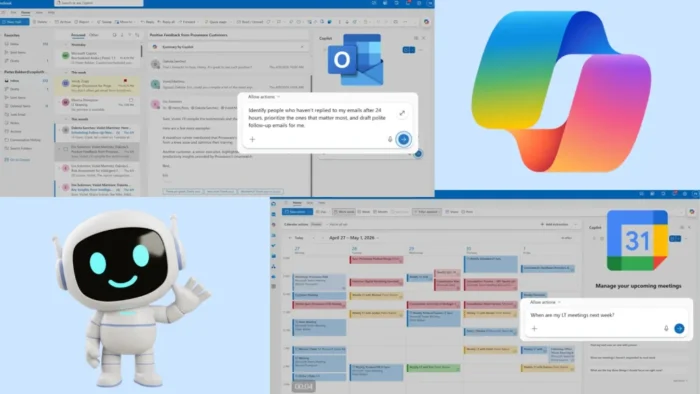
Microsoft has started rolling out new agentic Copilot features in Outlook that can manage inbox and calendar tasks with more autonomy. The update lets Copilot triage emails, draft follow-ups, create inbox rules, reschedule meetings, rebook rooms, and protect focus time inside supported Outlook clients.
The rollout began on April 27, 2026, through Microsoft’s Frontier early access program. Microsoft says the new default Outlook experience is available only to users whose organizations have enrolled in Frontier, with rollout expected to complete by April 28.

Access content across the globe at the highest speed rate.
70% of our readers choose Private Internet Access
70% of our readers choose ExpressVPN

Browse the web from multiple devices with industry-standard security protocols.

Faster dedicated servers for specific actions (currently at summer discounts)
The key point is that Copilot is no longer limited to writing emails or summarizing threads. Microsoft now wants it to handle multi-step work across Outlook, while still giving users visibility into the actions it takes.
What Copilot agent mode does in Outlook
Copilot in Outlook can now work through inbox tasks that normally require repeated manual checks. Microsoft says users can ask it to identify emails that need attention, draft follow-up messages, and help organize messages based on priority.
One example from Microsoft involves asking Copilot to track messages that have not received a reply after 24 hours. Copilot can find those emails and draft polite reminders, which users can review before sending.
The assistant can also help create inbox rules using natural language. For example, users can ask it to mark leadership emails as high priority when the user appears in the direct “To” line.
| Area | What Copilot can help with |
|---|---|
| Inbox triage | Surfaces important messages and emails needing action |
| Follow-ups | Finds unreplied emails and drafts reminder messages |
| Rules | Creates inbox rules from natural language prompts |
| Catch-up work | Summarizes missed emails after time away |
| Organization | Suggests messages to archive, flag, move, or prioritize |
Calendar work moves beyond basic scheduling
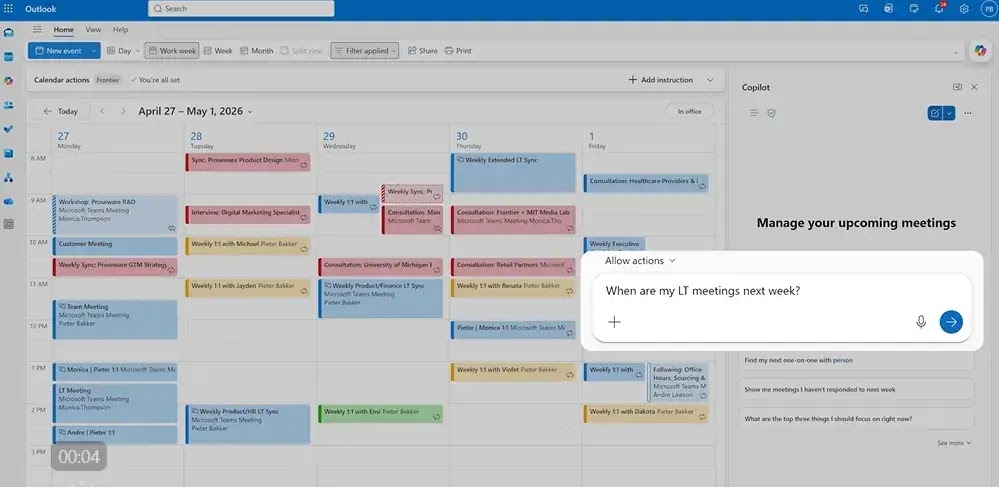
Microsoft is also giving Copilot more control over calendar management. The new calendar experience can help resolve conflicts, move overlapping meetings, rebook conference rooms, and block time for focused work.
This matters because scheduling is only one part of calendar management. Workers still need to decide which meetings deserve attention, which can move, and where they need time to prepare.
Copilot can now review an upcoming calendar and suggest which meetings to decline, follow, delegate, or convert into async updates. Microsoft also says users can ask Copilot to help prepare for a client meeting by identifying what they need to know, what they should ask, and what risks they should watch for.
What is confirmed and what is still limited
What is confirmed is that Microsoft has officially announced agentic inbox and calendar experiences for Copilot in Outlook. The company lists the feature under its April 2026 Frontier program updates and says Copilot can carry out multi-step inbox and calendar tasks.
The inbox management experience is described as available through Frontier across Outlook endpoints. Microsoft’s support page says the new default experience updates the mailbox at the service level, and Outlook may need to restart before changes appear.
The calendar agent features have a narrower listed rollout. Microsoft says they are available through Frontier for Outlook for Windows and Outlook on the web beginning April 27.
| Item | Current status |
|---|---|
| Product | Microsoft Copilot in Outlook |
| Feature type | Agentic inbox and calendar management |
| Rollout program | Microsoft Frontier |
| Rollout start | April 27, 2026 |
| Inbox availability | Frontier users across Outlook endpoints |
| Calendar availability | Frontier users on Outlook for Windows and web |
| EU availability | Not currently available for the new default experience |
| User action | Organizations need Frontier access |
Why this matters for Microsoft 365 users
The broader shift is about Copilot becoming an operational layer inside Microsoft 365. It is moving from a tool that answers prompts into one that can monitor work, plan tasks, and carry out routine actions over time.
For busy Outlook users, the biggest value is time. Email follow-ups, inbox sorting, meeting conflicts, room changes, and preparation tasks can take small chunks of attention throughout the day.
For companies, the bigger question is control. These features touch emails, meetings, priorities, and business context, so IT teams will likely want clear rules before they enable the feature widely.
What users can do now
- Check whether your organization has access to Microsoft’s Frontier program.
- Restart Outlook if your organization enrolled in Frontier and the feature has not appeared yet.
- Test Copilot with low-risk prompts first, such as summarizing missed emails or drafting follow-ups.
- Review every draft, rule, and meeting change before accepting it.
- Use Copilot priority settings in Outlook to teach it which senders, companies, topics, or projects matter most.
- Ask your admin whether Frontier features are enabled or restricted in your organization.
FAQ
Copilot agent mode in Outlook lets Microsoft’s AI assistant handle multi-step inbox and calendar tasks. It can triage messages, draft follow-ups, create rules, reschedule meetings, and help manage focus time.
No. Microsoft says the new experience is available through the Frontier early access program. Organizations need to join Frontier before users can access these features.
Microsoft’s related Cowork documentation says Copilot can send emails, reply to messages, forward threads, save drafts, and manage attachments in Microsoft 365 Copilot. Users should still review sensitive actions carefully before approval.
Microsoft says the inbox management experience is available across Outlook endpoints through Frontier. The deeper calendar management features are specifically listed for Outlook for Windows and Outlook on the web.


Read our disclosure page to find out how can you help VPNCentral sustain the editorial team Read more


Improve this guide




User forum
0 messages