
UAC-0184 malware chain uses bitsadmin and HTA files to target Ukrainian military users


 8 min. read
  Published on
A newly analyzed UAC-0184 malware chain uses Windows shortcut files, bitsadmin, HTA scripts, PowerShell, and signed software components to deliver a layered payload against Ukraine-related targets.
The campaign appears focused on Ukrainian military-linked users and fits earlier reporting about UAC-0184 activity against representatives of the Ukrainian Defense Forces. The lure themes include reports, tables, scans, criminal proceedings, combat-related material, and personal contact requests.

Access content across the globe at the highest speed rate.
70% of our readers choose Private Internet Access
70% of our readers choose ExpressVPN

Browse the web from multiple devices with industry-standard security protocols.

Faster dedicated servers for specific actions (currently at summer discounts)
The attack stands out because it avoids a simple one-step malware drop. Instead, it uses several legitimate Windows tools and signed binaries to make malicious behavior look like normal system or software activity.
How the UAC-0184 infection chain starts
The chain begins with a ZIP archive containing Windows shortcut files. These shortcuts are disguised as familiar office documents, including a PDF scan, a Word-style report, and an Excel-style table.
When a victim opens one of the shortcuts, it launches cmd.exe and runs a bitsadmin command. Bitsadmin then downloads an HTA file from remote infrastructure hosted at 169.40.135.35.
The downloaded HTA file is saved with a temporary-looking name and executed with mshta.exe. This lets the attackers use built-in Windows components instead of dropping an obvious executable at the first stage.
| Stage | Component | Purpose |
|---|---|---|
| Initial lure | ZIP archive with LNK files | Tricks the victim into opening a fake document |
| Downloader | bitsadmin | Fetches the HTA payload from remote infrastructure |
| Script execution | mshta.exe | Runs the downloaded HTA file |
| Second stage | PowerShell | Downloads and extracts a ZIP payload archive |
| Payload staging | Plane9 and OpenVR files | Loads encoded components through DLL sideloading |
| Network cover | VSLauncher.exe and PassMark Endpoint | Runs network-capable payload components under trusted-looking software |
The payload delivery appears gated
The HTA delivery appears to use gating, which means the server may only serve the next payload to systems that match the attacker’s criteria. This can help the operators avoid sandboxes, automated scanners, and researchers.
Once the HTA runs, it starts a hidden PowerShell command. That command downloads a ZIP archive named dctrprraclus.zip and extracts it into an ApplicationData32 folder under the user’s AppData path.
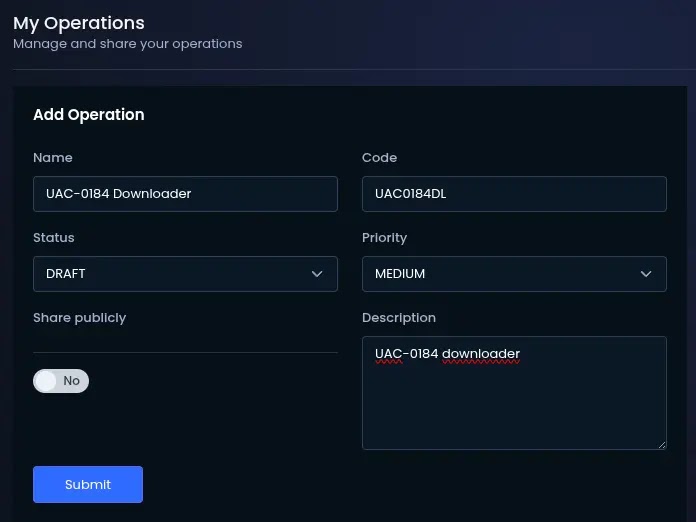
The extracted files include Cluster-Overlay64.exe, openvr_api.dll, filter.bin, kernel-diag.lib, and a decoy file named Scan_001.pdf. The decoy PDF appears to distract the victim while the actual payload chain continues in the background.
Signed software gives the malware a cleaner cover
The attackers abuse legitimate software components to lower suspicion. Cluster-Overlay64.exe belongs to Plane9, a music visualizer, and acts as a host for the next DLL sideloading stage.
The malicious logic is not placed in the main executable. Instead, the chain hides loader behavior inside openvr_api.dll and encoded local blobs such as filter.bin and kernel-diag.lib.
The decoded payload later uses VSLauncher.exe, the Microsoft Visual Studio Version Selector, as a signed host process. That gives the activity a trusted-looking Microsoft process name while the attacker-controlled DLL runs underneath it.
- Cluster-Overlay64.exe acts as a sideload host from a suspicious AppData path.
- openvr_api.dll contains loader logic used in the staged chain.
- filter.bin stores encoded payload data.
- kernel-diag.lib contains another encoded loader component.
- VSLauncher.exe provides a Microsoft-signed host process for the later stage.
PassMark components are repurposed for network activity
The final stage uses PassMark Endpoint components associated with BurnInTest, a legitimate commercial testing utility. In normal use, these components support network testing and peer discovery.
In this campaign, those same capabilities become useful cover for suspicious network behavior. The analyzed component listens for multicast discovery traffic on UDP 224.0.0.255 port 31339 and uses TCP port 31339 for peer data transfer.
The primary analysis treats the internal controller or C2 element as tentative. The important point for defenders is the reuse of signed third-party network functionality, not a hardcoded external C2 address inside the analyzed payload.
Why this attack is difficult to detect
The campaign chains together common Windows tools and legitimate signed binaries. That makes single-event detection harder because each individual tool can also appear in normal environments.
Bitsadmin can transfer files in the background. Mshta can run HTML application files. PowerShell can download and extract archives. VSLauncher.exe and PassMark components can look legitimate when viewed without context.
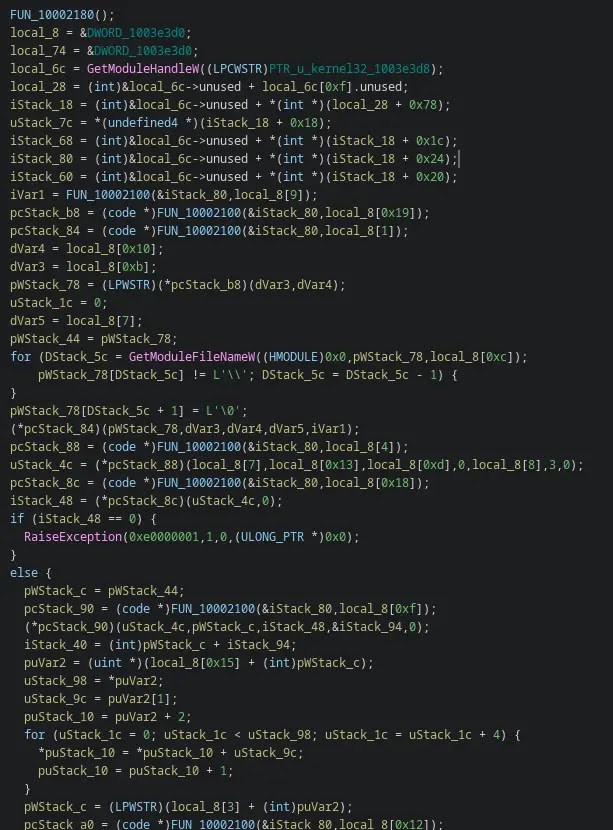
The suspicious pattern comes from the sequence. A fake document shortcut launching bitsadmin, downloading an HTA from a bare IP address, running mshta, creating unusual AppData files, and then producing PassMark-like traffic on port 31339 should trigger immediate review.
| Signal | Why it matters |
|---|---|
| bitsadmin followed by mshta.exe | Common living-off-the-land delivery pattern |
| HTA files with ~tmp naming | Matches the temporary payload naming pattern |
| Files created in %APPDATA%\ApplicationData32 | Matches the campaign’s staging directory |
| Cluster-Overlay64.exe outside a normal install path | Suggests Plane9 component abuse |
| VSLauncher.exe outside expected Visual Studio behavior | May indicate DLL sideloading |
| UDP traffic to 224.0.0.255:31339 | Matches repurposed PassMark discovery traffic |
Indicators of compromise
Security teams can use the following indicators to hunt for related activity. Network indicators are defanged to prevent accidental access or linking.
| Type | Indicator | Description |
|---|---|---|
| IP address | 169[.]40[.]135[.]35 | Observed staging infrastructure for HTA files and payload archive |
| URL | hxxp://169[.]40[.]135[.]35/dctrpr/slippersuppity.hta | HTA payload URL used by one lure variant |
| URL | hxxp://169[.]40[.]135[.]35/dctrpr/basketpast.hta | HTA payload URL used by one lure variant |
| URL | hxxp://169[.]40[.]135[.]35/dctrpr/agentdiesel.hta | HTA payload URL used by one lure variant |
| URL | hxxp://169[.]40[.]135[.]35/dctrprraclus.zip | Payload ZIP archive |
| Network | 224[.]0[.]0[.]255:31339 UDP | Repurposed PassMark multicast discovery traffic |
| Network | 31339/tcp | Repurposed BurnInTest peer data channel |
| File pattern | ~tmp(…).hta | Temporary HTA file pattern during initial execution |
Files defenders should hunt for
The chain creates several distinctive file paths. Their presence does not always prove compromise by itself, but the combination of these files with bitsadmin, mshta, and port 31339 traffic should raise priority.
Security teams should focus on unusual AppData directories, DLL sideloading artifacts, and signed binaries running outside expected installation paths.
Endpoint teams should also inspect any process tree where a shortcut launches cmd.exe, cmd.exe launches bitsadmin, and mshta.exe runs soon after.
| File or path | Role in the chain |
|---|---|
| %APPDATA%\ApplicationData32\Cluster-Overlay64.exe | Plane9-related sideload host |
| %APPDATA%\ApplicationData32\openvr_api.dll | DLL loader component |
| %APPDATA%\ApplicationData32\filter.bin | Encoded payload blob |
| %APPDATA%\ApplicationData32\kernel-diag.lib | Encoded loader blob |
| %windir%\SysWOW64\input.dll | PassMark Endpoint DLL used for sideloading |
| %windir%\SysWOW64\VSLauncher.exe | Microsoft-signed sideload host |
SHA-256 indicators
The following hashes were reported in the analysis and can support endpoint hunting, malware triage, and retrospective searches.
| SHA-256 | File |
|---|---|
| 81d93004a02a455af01b0f709e34d5134108ec350f9391dc0f91a00a54998590 | dctrprraclus.zip |
| dc6cddc391b373b18f105f49a80ff83d53b430d8dea35c1f1576832fa9fbd2b3 | kernel-diag.lib |
| f5ca9c53d1537142889d7172c6643e886b2164233b91f0fc2d41ca010f035372 | filter.bin |
| df6942dc1a89226359adf1aac597c3b270f4a408214b4f7c2083f9524605e0f7 | openvr_api.dll |
| b811f28b844eff8c1f4f931639bed5bcc41113364fdfc44d7703259457839edb | input.dll |
| 33e44dea247eaa8b0fc8ed1f8ed575905f6ce0b7119337ddd29863bbb03288b3 | PE_08 / SqlExpressChk.exe |
What defenders should do now
Organizations with Ukraine-related exposure, defense-sector users, or staff who communicate through messaging apps should prioritize hunting for this activity.
The most useful detections combine process, file, and network telemetry. A single bitsadmin execution may be benign, but bitsadmin downloading HTA files from a bare IP address and immediately invoking mshta.exe is much more suspicious.
If related activity appears, isolate the host, collect volatile evidence, preserve the dropped files, and reset credentials associated with the affected user. Teams should also review connected accounts and messaging applications for follow-on compromise.
- Block or monitor bitsadmin downloads from untrusted external hosts.
- Restrict mshta.exe where business processes do not require HTA execution.
- Alert on LNK files that launch cmd.exe with bitsadmin command lines.
- Hunt for temporary HTA files using ~tmp naming patterns.
- Monitor %APPDATA%\ApplicationData32 for unexpected executable or DLL creation.
- Investigate VSLauncher.exe when it runs outside normal Visual Studio usage.
- Monitor UDP 224.0.0.255:31339 and TCP 31339 traffic from hosts without PassMark tools.
- Check for MiniDumpWriteDump calls from unexpected signed processes.
Why this campaign matters
UAC-0184’s latest chain shows how threat actors can blend malicious activity into trusted Windows behavior. The campaign does not rely on one exotic exploit. It relies on social engineering, native tools, layered staging, and signed software abuse.
That approach creates a serious detection challenge. Security tools must understand the full sequence rather than only flagging known malware files.
For defenders, the lesson is clear. Living-off-the-land activity, signed binaries, and legitimate network utilities need context. When they appear together in the wrong order, they can expose a carefully staged intrusion.
FAQ
It is a multi-stage malware chain linked to UAC-0184 that uses Windows shortcut files, bitsadmin, HTA files, mshta.exe, PowerShell, DLL sideloading, and signed software components to deliver and run payloads.
Public reporting links UAC-0184 activity to Ukraine-related targets, including users connected to the Ukrainian Defense Forces. The group has used social engineering themes involving reports, criminal proceedings, combat videos, and personal contact requests.
The attackers use bitsadmin to download HTA files and mshta.exe to execute them. Both are built-in Windows tools, which helps the activity blend into legitimate system behavior unless defenders monitor the full process chain.
Defenders should monitor LNK files launching bitsadmin, HTA execution through mshta.exe, suspicious files in %APPDATA%\ApplicationData32, VSLauncher.exe outside normal Visual Studio paths, unexpected input.dll files, and UDP or TCP traffic on port 31339.


Read our disclosure page to find out how can you help VPNCentral sustain the editorial team Read more


Improve this guide




User forum
0 messages