
Surfshark VPN Review 2026: Excellent Value With Unlimited Device Connections


 19 min. read
  Published on
Surfshark is one of the best-value VPN services in 2026. It offers unlimited simultaneous connections, more than 4,500 servers in 100 countries, reliable streaming support, and a deep collection of privacy tools at a competitive long-term price.
The service performed well for everyday browsing, nearby connections, and major streaming platforms. Download speeds remained strong, although upload performance declined more sharply on distant servers. Surfshark also passed the supplied IP, DNS, IPv6, and WebRTC leak tests.

Access content across the globe at the highest speed rate.
70% of our readers choose Private Internet Access
70% of our readers choose ExpressVPN

Browse the web from multiple devices with industry-standard security protocols.

Faster dedicated servers for specific actions (currently at summer discounts)
Surfshark is not perfect. Monthly subscriptions cost considerably more than long-term plans, several features differ by operating system, and advanced users do not receive port forwarding. Even so, its unlimited connection policy and extensive feature set make it a strong choice for families, travellers, and streaming users.
Surfshark VPN review summary
| Category | Surfshark details |
|---|---|
| Overall rating | 4.4 out of 5 |
| Best for | Streaming, families, travel, and multiple devices |
| Starting price | $2.49 per month under the current long-term offer |
| Server network | More than 4,500 servers in 100 countries |
| Simultaneous connections | Unlimited |
| Protocols | Dausos, WireGuard, OpenVPN, and IKEv2, depending on the platform |
| Headquarters | The Netherlands |
| Free trial | Seven days on eligible plans |
| Money-back guarantee | 30 days for eligible first purchases |
| No-logs verification | Deloitte assurance reviews in 2023 and 2025 |
Surfshark pros and cons
| Pros | Cons |
|---|---|
| Unlimited simultaneous connections More than 4,500 RAM-only servers Servers in 100 countries Strong streaming performance Customisable MultiHop routes Independently verified no-logs policy Post-quantum protection on supported protocols Affordable introductory long-term plans Useful privacy and security extras | Expensive monthly subscriptions Upload speeds can fall over long distances Some features differ between platforms No port forwarding Dausos has limited platform support Dedicated IP addresses cost extra Renewal prices exceed introductory rates |
How much does Surfshark cost?
Surfshark sells three subscription bundles: Starter, One, and One+. Customers can choose monthly, annual, or two-year billing, but the longest option receives the largest introductory discount.
The current promotion prices Surfshark Starter at $2.49 per month for 24 months plus three extra months. One costs $2.79 per month, while One+ costs $4.49 per month under the same 27-month introductory structure.
Customers pay the entire subscription period upfront. Surfshark’s official pricing page displays the current total, included months, taxes, and renewal conditions.
| Plan | Introductory price | Main products |
|---|---|---|
| Surfshark Starter | $2.49 per month | VPN, Alternative ID, CleanWeb, Bypasser, and privacy tools |
| Surfshark One | $2.79 per month | Starter features, Antivirus, Alert, and Search |
| Surfshark One+ | $4.49 per month | One features and Incogni data removal |
Surfshark Starter
Starter includes the complete VPN service and most connection-related features. Customers receive unlimited device support, CleanWeb, Alternative ID, Rotating IP, Dynamic MultiHop, NoBorders, and Bypasser on compatible platforms.
This plan offers the strongest value for users who already have antivirus protection. It uses the same VPN server network as the more expensive bundles.
Surfshark One
Surfshark One adds Antivirus, Alert, and private Search. Antivirus provides real-time malware protection on supported devices, while Alert checks registered details against known data breaches.
One provides a more complete security package without the higher price of data removal. It makes sense for customers who would otherwise pay separately for VPN and antivirus software.
Surfshark One+
One+ includes every feature in One and adds Incogni. The service submits removal requests to supported data brokers and tracks their responses.
Data broker removal can take weeks or months, and availability varies by country. Customers who only need a VPN will receive better value from Starter.
Check the renewal price before buying
The low monthly equivalent applies to the initial long-term subscription. Surfshark normally renews the plan under different annual pricing after the introductory period.
Review the full charge and renewal notice on the Surfshark subscription page. Taxes, currency, location, and promotional codes can change the final amount.
Surfshark server network
Surfshark now operates more than 4,500 servers across 100 countries on six continents. Its network covers Europe, North America, South America, Asia, Africa, the Middle East, and Oceania.
All servers use RAM-only infrastructure and at least 10Gbps ports. Surfshark has also introduced faster 100Gbps capacity in selected locations, including the Netherlands.
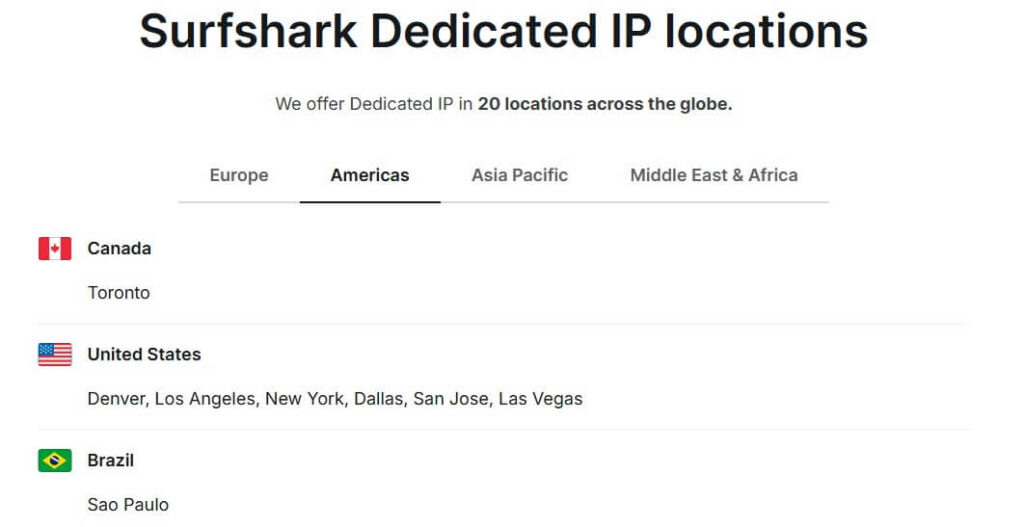
The official Surfshark server directory lists available countries, cities, static addresses, virtual locations, and dedicated IP options.
RAM-only infrastructure
RAM requires power to retain information. Restarting a RAM-only server clears its active contents and reloads a controlled operating image.
This design reduces persistent information on the server and makes unauthorised modifications harder to preserve. It does not replace a clear logging policy, secure applications, or independent audits.
Physical and virtual locations
Surfshark operates both physical servers and virtual locations. A virtual location provides an IP address for the selected country while its hardware operates somewhere else.
Virtual locations allow Surfshark to cover countries where reliable physical infrastructure may prove difficult to operate. They are not automatically less secure, but the hardware’s actual distance can affect latency.
Surfshark marks these options in its apps and on the VPN locations page. Users should test several nearby servers when speed matters.
Surfshark speed test results
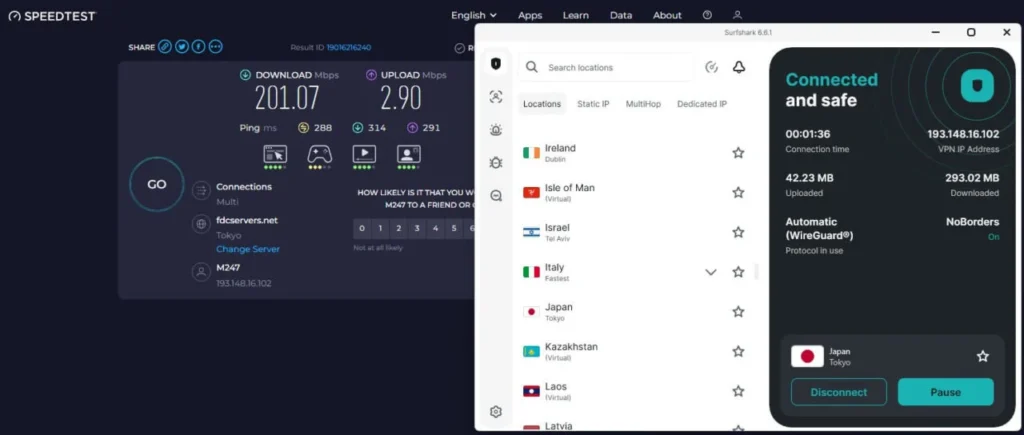
Surfshark delivered strong download speeds during the supplied tests, particularly on the closest server. Upload performance showed greater variation and declined much more over long-distance routes.
The test used a 342Mbps connection on a Windows 11 desktop. Each location was tested several times across different parts of the day.
| Connection | Download loss | Upload loss | Latency |
|---|---|---|---|
| No VPN | 0% | 0% | 11ms |
| UK server | 7.6% | 23.8% | 38ms |
| US server | 26% | 51% | 114ms |
| Japan server | 41.3% | 85.2% | 291ms |
The 7.6% download reduction on the nearby UK server should remain difficult to notice during browsing, streaming, or video calls. The US result also remained reasonable given the additional distance.
Upload losses on the Japanese connection were substantial. Content creators, cloud backup users, and people transferring large files should test the specific regions they expect to use.
VPN speed varies between users
These results cannot predict every connection. Performance depends on the user’s country, internet provider, device, selected protocol, server load, local network, and physical distance.
A nearby server will usually provide the lowest latency. WireGuard often offers the strongest balance of speed and security, although another protocol may work better on a particular network.
Surfshark streaming performance
Surfshark performed very well with major streaming platforms. The supplied tests successfully accessed Netflix libraries in the US, UK, Canada, Japan, Germany, France, and several other regions.
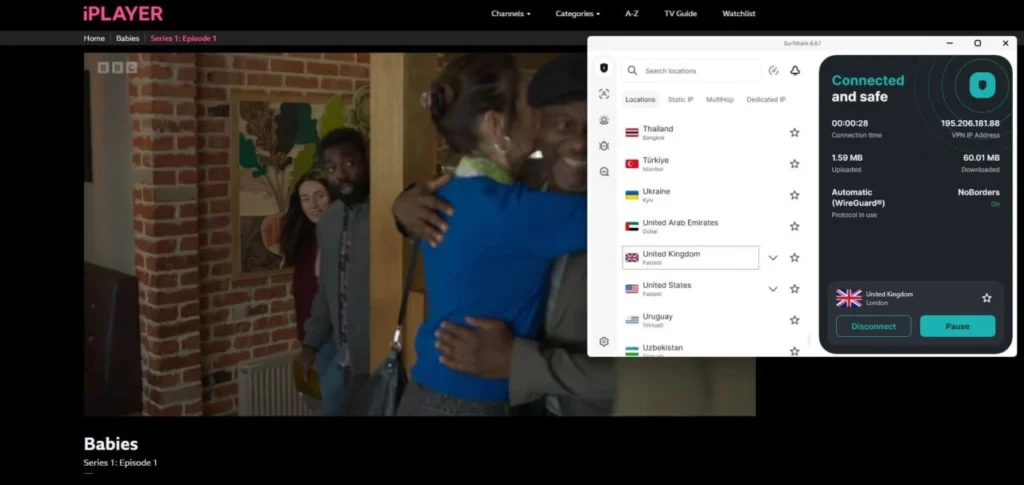
BBC iPlayer streamed in 1080p without buffering during a 90-minute session. Disney+, Hulu, Prime Video, and Max also worked through the tested regional servers.
| Streaming service | Result |
|---|---|
| Netflix US | Worked |
| Netflix UK | Worked |
| Netflix Japan | Worked |
| BBC iPlayer | Worked |
| Disney+ US | Worked |
| Hulu US | Worked |
| Prime Video US | Worked |
| Max US | Worked |
Surfshark does not maintain a separate streaming-only server category. Users can usually connect to a standard server in the required country.
No VPN can guarantee permanent access. Streaming companies regularly block VPN addresses and change their location checks, so results can vary by account, region, and time.
Is Surfshark good for torrenting?
Surfshark allows peer-to-peer traffic across its network. Users do not need to find a separate P2P server before opening a torrent client.
A test download of a 1.89GB Linux Mint image averaged approximately 37MB per second through a UK server. Torrent performance also depends on the number and quality of available peers.
Surfshark includes a kill switch but does not support port forwarding. That omission can reduce incoming connections and makes the service less appealing for users who need to maintain ratios on private trackers.
Surfshark security and VPN protocols
Surfshark offers Dausos, WireGuard, OpenVPN, and IKEv2, although availability depends on the operating system. IKEv2 no longer appears directly in the Windows app but remains available through manual system configuration.
WireGuard uses ChaCha20 encryption, while OpenVPN and IKEv2 use AES-256-GCM. Surfshark’s proprietary Dausos protocol uses AEGIS-256X2 encryption.
Surfshark explains current compatibility and encryption details in its VPN protocol documentation.
Dausos
Dausos creates separate connection paths designed to isolate user sessions. It also includes post-quantum protection and currently works on supported Surfshark applications for macOS.
The protocol remains newer and less widely supported than WireGuard or OpenVPN. Users should keep an established alternative available when compatibility matters.
Post-quantum protection
Surfshark has added post-quantum protection to WireGuard on macOS, Android, and Linux. Dausos also includes post-quantum cryptography on macOS.
The technology aims to address the future risk that attackers could store encrypted traffic now and decrypt it after powerful quantum computers become available.
The Surfshark protocol comparison identifies the platforms that currently support these protections.
IP, DNS, and WebRTC leak protection
The supplied review tested 14 Surfshark server locations across the US, UK, Netherlands, Germany, Japan, Singapore, Brazil, and other regions.
The tests found no exposure of the original IP address, DNS requests, IPv6 address, or WebRTC information. A 31-minute Wireshark capture also found no DNS queries leaving the encrypted connection.
These results provide useful evidence, but users should run their own checks. Device configuration, browser settings, network adapters, and operating-system updates can affect leak behaviour.
Kill switch
Surfshark’s kill switch blocks internet traffic when the VPN disconnects unexpectedly. This prevents applications from immediately returning to the normal internet connection.
The supplied Windows tests included disconnecting the network cable, ending the Surfshark process, and putting the computer through a sleep and wake cycle. The kill switch activated during all three tests.
Users should test the feature on their own device because operating systems handle network interruptions differently. The kill switch also cannot protect traffic sent before the VPN connects.
Bypasser split tunnelling
Bypasser lets selected applications or websites use a different route from the rest of the device. Users can send them outside the VPN or, on supported platforms, route only selected traffic through it.
This helps with banks, local streaming platforms, games, printers, and work services that reject VPN connections. It can also keep latency-sensitive apps outside the tunnel.
Feature availability differs by platform. Windows offers broad app and domain controls, Android supports app-based routing, and iOS provides fewer options.
CleanWeb
CleanWeb blocks connections to many advertising, tracking, phishing, and malicious domains. The supplied test reported that it blocked 181 of 200 known tracker and malicious URLs.
DNS-level filtering cannot remove every advertisement. Ads delivered from the same domain as a website’s main content may bypass it, including many video ads.
The standard app also offers limited reporting about what it blocked. Users who need detailed filter lists and logs may prefer a dedicated content-blocking tool.
Dynamic MultiHop
MultiHop sends traffic through two Surfshark servers. The destination sees the second server’s address, while the first server handles the initial VPN connection.
Surfshark allows users to create custom entry and exit pairs instead of relying only on predefined routes. This provides more control over location and jurisdiction.
The extra route reduces performance. The supplied tests found approximately 9% download loss on a standard connection and around 34% through a MultiHop pair.
Rotating IP
Rotating IP periodically changes the VPN address without disconnecting the protected session. This can make it harder for websites to associate a long session with one server address.
The feature does not remove cookies, change browser fingerprints, or hide activity after a user signs into an account. Websites can still link sessions through several other signals.
Rotating IP can work alongside MultiHop, although combining advanced routing features may reduce speed and create compatibility issues on some websites.
NoBorders mode
NoBorders helps Surfshark operate on networks that restrict or block standard VPN connections. The app can detect restrictions and present suitable server options.
Performance varies by country, provider, local firewall, and device. Governments and network operators regularly change their filtering systems, so a connection that works today may fail later.
Travellers should install and test their VPN before entering a country that limits VPN use. App stores and provider websites may become unavailable after arrival.
Everlink self-healing connections
Everlink aims to maintain VPN protection when a server experiences a technical failure. Surfshark’s infrastructure attempts to restore the secure route without requiring the user to reconnect manually.
This differs from the kill switch. Everlink tries to repair the protected connection, while the kill switch blocks traffic when the VPN fails.
Surfshark describes the technology in its Everlink support guide.
Everlink has practical limits
Everlink cannot restore a connection when the local internet service fails completely. It also cannot correct device-level network problems or an unavailable Wi-Fi connection.
The supplied review experienced only two short reconnects during four weeks of frequent use. Each interruption lasted less than three seconds.
The Surfshark Everlink documentation explains that the feature works within the server infrastructure rather than as a user-controlled app setting.
FastTrack route optimisation
FastTrack evaluates routes through Surfshark’s network and selects an efficient path to the chosen VPN location. It aims to avoid slow public internet routes and reduce latency.
The system can move traffic through several Surfshark-controlled points before reaching the exit server. Availability varies as Surfshark expands the technology across locations.
Surfshark includes FastTrack among the technologies described in its Trust Center.
Alternative ID
Alternative ID generates a separate name, date of birth, country, and forwarding email address. Users can provide these details to low-risk websites instead of exposing their primary contact information.
The tool works well for newsletters, trials, forums, and accounts that do not require verified legal information. It can reduce spam and limit the impact of a small website breach.
Alternative ID should not be used for banking, government, medical, legal, age-restricted, or identity-verification services. It also does not replace unique passwords or multi-factor authentication.
Surfshark Alert
Alert checks registered email addresses and other supported information against known breach databases. It notifies the user when exposed information appears in a breach.
The supplied test returned six breach results for an older editorial address within approximately 90 seconds. Reports identified the affected service and the types of exposed data.
Alert does not change passwords or repair compromised accounts automatically. Users must review account activity, replace reused passwords, and enable multi-factor authentication themselves.
Surfshark Antivirus
Surfshark Antivirus comes with One and One+ plans. It provides real-time scanning, scheduled scans, malware detection, web protection, and threat database updates on supported systems.
The supplied testing found that web protection blocked a small selection of known malicious downloads. However, the reviewer found its detection depth less comprehensive than some dedicated antivirus products.
Windows users should check how Surfshark Antivirus interacts with Microsoft Defender or another security suite. Running two real-time antivirus engines can cause conflicts or reduce performance.
Surfshark Search
Surfshark Search provides search results without personalised advertising profiles. It can reduce the amount of tracking linked to routine search queries.
The supplied review found it adequate for general informational searches but weaker for technical research. It also offered fewer advanced operators and filtering controls than Google.
Search remains a useful addition to Surfshark One, but most customers will not consider it a complete replacement for a mainstream search engine.
Incogni
Incogni comes with Surfshark One+ in supported countries. It submits removal requests to data brokers that collect and sell personal information.
The supplied test recorded 43 requests during the first three weeks, with 21 confirmed removals. The remaining requests remained pending or required additional action.
Slow results do not necessarily indicate a problem with Incogni. Data brokers use different verification procedures and legal response periods.
Surfshark apps and supported devices
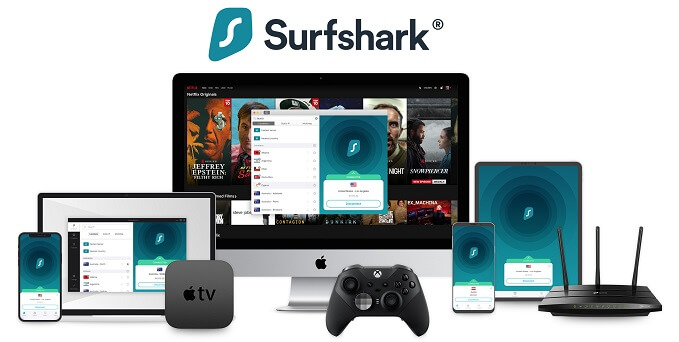
Surfshark offers applications for Windows, macOS, Linux, Android, iOS, Android TV, Apple TV, Fire TV, and other supported devices. It also provides browser extensions and manual router configuration.
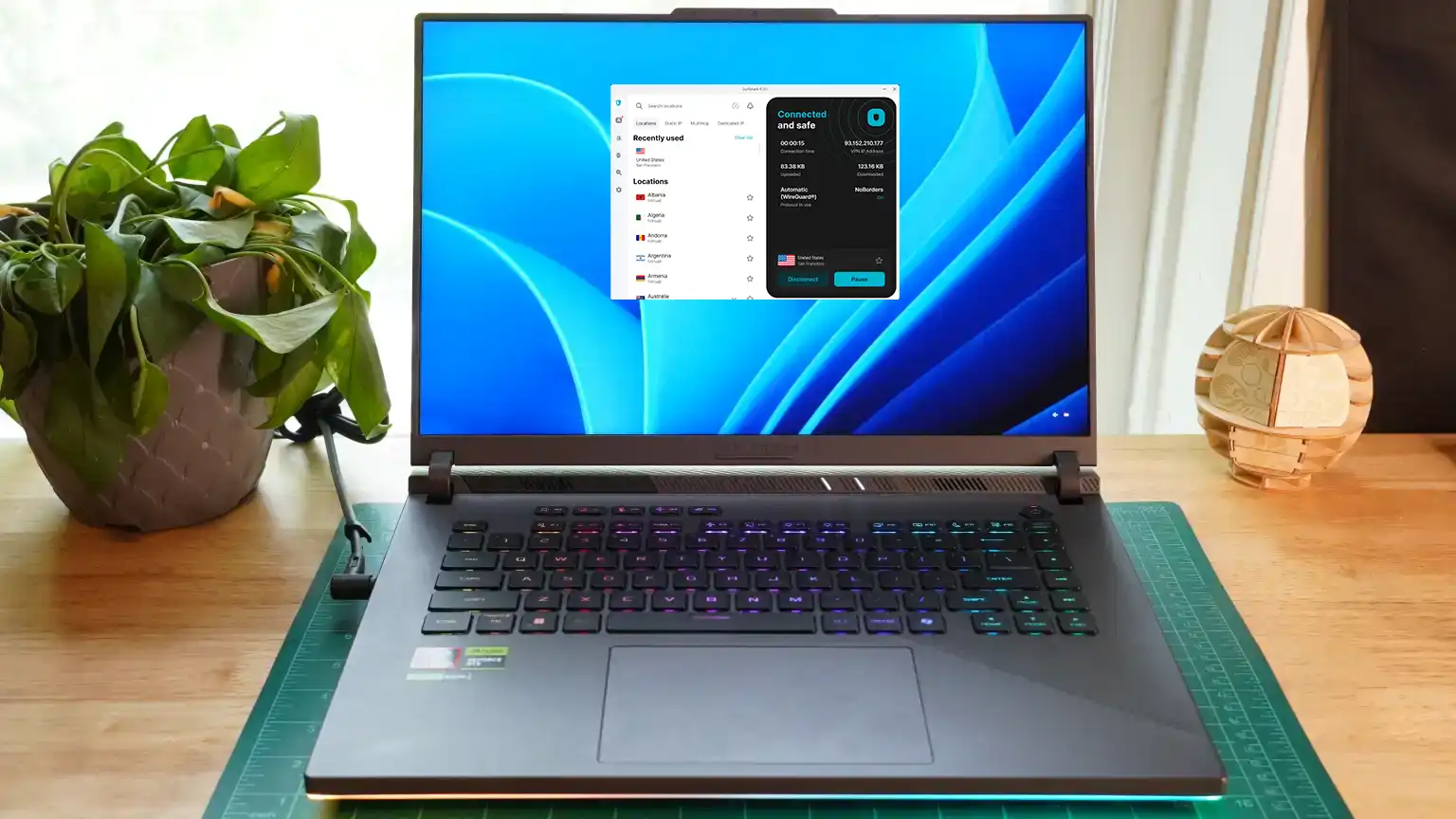
The interface remains broadly consistent across desktop and mobile platforms. Users select a location from the main screen and access additional products through a sidebar.
Surfshark confirms its supported apps and unlimited connection policy on its download page.
Windows app
The Windows app offers one of the broadest feature sets. It includes WireGuard, OpenVPN, Bypasser, kill switch controls, MultiHop, Rotating IP, CleanWeb, and NoBorders.
The sidebar also displays Alternative ID, Alert, Antivirus, and Search. Some of these items open products that require a One or One+ subscription.
macOS app
The macOS interface follows the same general design, but protocol and split-tunnelling support differs. Dausos currently appears only on supported Mac versions.
Customers should compare the App Store and direct-download versions because Apple’s distribution rules can affect available features.
Android and iOS apps
The Android and iOS applications place the connection button and location browser on the main screen. Both offer automatic connection rules and several advanced privacy tools.
Android provides broader split-tunnelling controls, while iOS limits app-level traffic routing. Protocol choices also differ between the two systems.
Browser extensions
Surfshark provides browser extensions for Chrome, Firefox, Edge, and other Chromium-based browsers. These extensions protect browser traffic rather than every application on the device.
A torrent client, email application, game, or background service will remain outside the extension unless the desktop VPN app also runs.
The Surfshark apps page lists the available desktop, mobile, television, browser, and router options.
Unlimited simultaneous connections
Every paid Surfshark VPN plan supports unlimited simultaneous connections. Customers can protect phones, computers, tablets, televisions, and other compatible devices without purchasing extra slots.
The supplied review tested nine devices at the same time for 72 hours without reporting throttling or forced disconnections. This makes Surfshark particularly useful for larger households.
The unlimited policy does not permit commercial resale or abuse. Customers must still follow Surfshark’s subscription and fair-use terms.
Does Surfshark keep logs?
Surfshark says it does not record browsing history, traffic content, DNS queries, source IP addresses, VPN-assigned addresses, session timestamps, or used bandwidth.
The company still processes information needed to operate accounts and optional products. This may include an email address, payment details, app diagnostics, Alert registration information, and data required by Antivirus.
Surfshark describes these categories and retention periods in its privacy policy.
Surfshark operates from the Netherlands
Surfshark B.V. operates under Dutch and European Union law. The Netherlands participates in international intelligence-sharing arrangements.
Jurisdiction alone does not determine whether a VPN protects privacy. Logging practices, technical controls, audit results, and responses to legal demands provide more useful evidence.
Optional tools collect more information than the basic VPN connection, so customers should read the relevant sections of the Surfshark privacy documentation.
Deloitte verified Surfshark’s no-logs policy again
Deloitte conducted assurance procedures on Surfshark’s no-logs compliance in 2023 and again in 2025. Surfshark publicly announced the latest result in June 2026.
The assurance process examined whether selected systems and configurations supported the company’s stated no-logs commitments during the review period.
Surfshark summarises the outcome in its latest Deloitte verification announcement.
Independent audits have limits
An independent assessment offers stronger evidence than an unsupported marketing statement. It allows an outside organisation to inspect defined systems and processes.
However, an audit covers a particular scope and period. It cannot guarantee that a provider will never make a configuration error, change its systems, or suffer a breach.
The 2025 no-logs assurance review remains an important part of Surfshark’s privacy record.
Customer support
Surfshark provides 24/7 live chat, email support, and an online knowledge base. Support covers account management, installation, connection problems, billing, and streaming.
The supplied review reported response times between 45 seconds and four minutes. Agents generally answered product questions without relying entirely on scripted replies.
Live chat can prove difficult to find because users must enter the Help Center and locate the chat option near the bottom of the page.
Does Surfshark offer a free trial?
Surfshark offers a seven-day trial for eligible annual and two-year plans. Users must provide a supported payment method before the trial begins.
The paid subscription starts automatically when the seven days end unless the customer cancels automatic renewal. Trial users can test connection speed, apps, streaming access, and device compatibility.
Surfshark’s free trial page explains the current eligibility requirements and subscription process.
30-day money-back guarantee
Eligible first purchases also receive a 30-day money-back guarantee. Customers must contact Surfshark within the guarantee period to request a refund.
Simply cancelling automatic renewal does not request a refund. Renewals, previous refunded subscriptions, app store transactions, and some add-ons may follow different rules.
The trial and refund options described on the Surfshark trial page allow customers to test the service from their own network.
Is Surfshark safe?
Surfshark is safe for ordinary browsing, streaming, travel, file transfers, and public Wi-Fi protection. It uses established VPN protocols, encrypted connections, RAM-only servers, DNS protection, and a kill switch.
The supplied leak tests found no exposure across 14 server locations. Deloitte’s repeated no-logs assurance reviews also add independent scrutiny to the company’s privacy claims.
No VPN provides complete anonymity. Websites can still identify users through account logins, cookies, browser fingerprints, advertising identifiers, payment information, and personal details.
Who should use Surfshark?
Surfshark works best for customers who want to protect many devices, stream through international locations, or access advanced privacy tools without paying premium long-term prices.
- Families with many connected devices
- Streaming subscribers who need broad country coverage
- Travellers using hotel, airport, or café Wi-Fi
- Users who want custom MultiHop connections
- Customers looking for VPN and antivirus bundles
- People who value an independently verified no-logs policy
It may not suit users who need port forwarding, consistently fast long-distance uploads, a cheap monthly plan, or identical features on every operating system.
Surfshark VPN verdict
Surfshark offers an impressive combination of price, features, privacy, and device support. Its unlimited connection policy remains a major advantage, while the expanded 4,500-server network provides broad global coverage.
Streaming results were excellent, nearby download speeds remained strong, and the supplied leak tests found no exposure. Dynamic MultiHop, Rotating IP, Alternative ID, Everlink, and post-quantum support also give advanced users more flexibility than many budget VPNs provide.
High monthly pricing, weaker distant uploads, uneven platform support, and the lack of port forwarding prevent a perfect score. Surfshark still ranks among the strongest VPN choices for households, travellers, and streaming users in 2026.
FAQ
Yes. Surfshark offers more than 4,500 servers in 100 countries, unlimited simultaneous connections, strong streaming support, RAM-only infrastructure, and an independently verified no-logs policy.
Surfshark Starter currently begins at $2.49 per month under the introductory 27-month offer. Surfshark One starts at $2.79 per month, while One+ starts at $4.49 per month before applicable taxes.
A paid Surfshark VPN subscription supports unlimited simultaneous device connections. Customers can protect phones, computers, tablets, televisions, and other compatible devices through one account.
Surfshark says it does not store browsing history, traffic content, DNS requests, source IP addresses, VPN-assigned addresses, used bandwidth, or connection timestamps. Deloitte reviewed its compliance with this policy in 2023 and 2025.
Surfshark performed well with Netflix, BBC iPlayer, Disney+, Hulu, Prime Video, and Max during testing. Access can still change when streaming platforms update their VPN detection systems.
Surfshark offers a seven-day free trial for eligible long-term plans and supported payment methods. Eligible first purchases also include a 30-day money-back guarantee.


Read our disclosure page to find out how can you help VPNCentral sustain the editorial team Read more


Improve this guide

User forum
0 messages