
Buy the Best VPN at the Best Price for Streaming, Gaming & Work


 15 min. read
  Published on
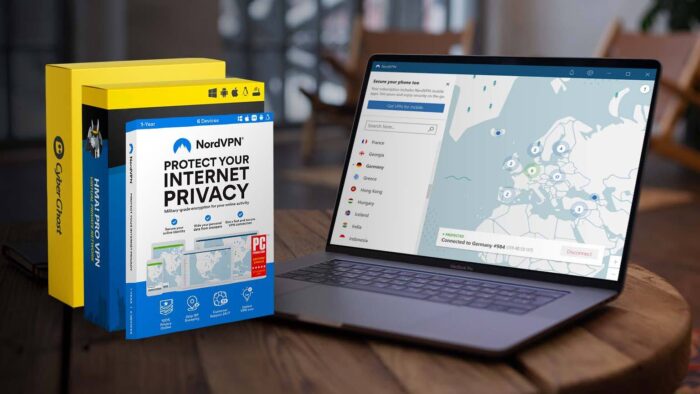
Connecting to a VPN is now an important part of everyday internet use, but with so many providers out there, where can you buy the best VPN at the best price?
Whether you intend to stream, game, work, or all of the above, here’s everything you need to know to make the right choice:
What Is a VPN and Why Do You Need One?
A VPN offers a number of security, privacy, and performance functions, depending on where you are located and what you use the internet for.
Its main purpose is to encrypt your internet traffic. This means everything you access online is hidden from your internet provider, government, network admin, and cybercriminals trying to snoop on the connection. This is essential when using public or otherwise unsecure Wi-Fi.
In short, a VPN places a server between your device and the wider internet. All data coming in and out is routed through this encrypted tunnel. Third parties cannot view past the intermediary server, keeping your activity secure and private.
The server has its own IP address and because it is not in the same location as you, your real location is protected.
Buy the best VPN software to access thousands of individual servers located in countries all over the world. These allow you to choose where to be visibly located, giving the added benefit of letting you bypass regional restrictions imposed by streaming services and other sites. To them, it looks like you are in the location of your choosing.
For example, if you are located in the UK but want to watch the US version of Netflix, you can choose a server located in the US using the VPN provider’s app.
Likewise, VPNs help bypass firewalls, filters, and other forms of censorship because your traffic cannot be viewed, and therefore the censors don’t know you are accessing blocked content.
Where to Buy Best VPN Software?
Wondering where to buy VPN software or subscriptions? The most common method is to go directly to the VPN service providers themselves. However, despite often running discounts, this isn’t the cheapest option. Moreover, it’s difficult to know the best VPN to buy.
That’s why we recommend Mr Key Shop. As a leading online software key store, it offers massive discounts on yearly or longer subscriptions to some of the top VPN services, including NordVPN, CyberGhost, Avast SecureLine, and HMA VPN. Here, you can also buy antivirus software like Bitdefender, Norton, ESET, and more.
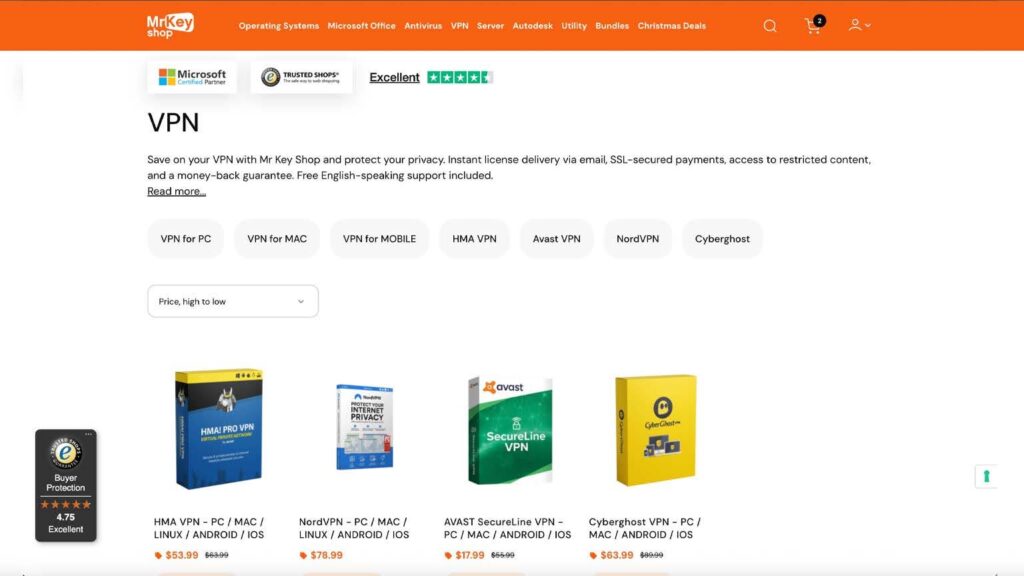
We have reviewed all of these VPNs and they regularly rank high in our best paid VPN lists. Mr Key Shop simply gives you the best VPN deals to buy them.
The digital store has a high 4.7 out of 5 average customer rating on Trustpilot and a 4.78 on Trusted Shops. We can vouch for its smooth process, having received our license and download link immediately by email, along with full instructions.
You can make payment via credit card and PayPal, so the purchase is protected, and it’s also subject to a money back guarantee. Other payment methods include Amazon Pay, Google Pay, and more.
Besides VPNs, Mr Key Shop offers genuine product keys for a wide range of software, including a wide range of utilities, Microsoft Office, Adobe, Autodesk, and even Windows operating systems, like Windows 11 product key.
Top VPNs for All-Around Use
When you’re choosing a VPN, the best option is always a true all-rounder—one that delivers strong performance, solid protection, and flexibility for every type of online activity. A versatile VPN should provide a global server network, allowing you to connect from virtually anywhere and easily switch locations based on what you need at the moment. It should also offer optimized servers, specifically tuned for demanding tasks like gaming, streaming, and torrenting, ensuring smooth, reliable performance.
Another essential feature is the ability to protect multiple devices at once, so you can stay secure across your entire digital ecosystem without juggling separate subscriptions. Strong leak prevention is equally crucial: look for built-in safeguards like an automatic kill switch, plus options such as split tunneling so you can control exactly which apps use encrypted traffic.
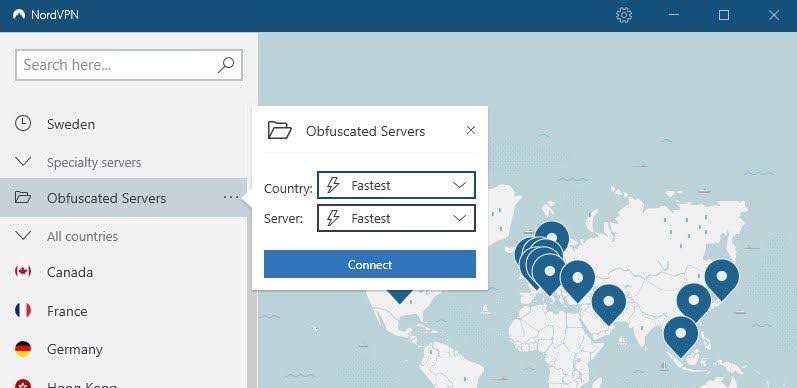
A top-tier provider will also include obfuscation features, masking VPN usage by making your encrypted traffic appear like normal web activity—ideal in regions with stricter internet controls. Flexibility in VPN protocols is another sign of quality, letting you choose modern, secure options like OpenVPN or WireGuard depending on your priorities (speed, stability, or enhanced security).
Finally, a trustworthy service must enforce a strict no-logs policy, ensuring your personal data and online actions are never stored or tracked. This combination of security, performance, and privacy is what truly defines the best all-around VPNs.
All our top-rated VPNs provide a great all-round experience, offering leak prevention, split tunneling, protocol selection, and no-log policies. However, here’s how they compare in terms of servers and unique features:
| Server Network | No. Devices | Obfuscation | Standout Feature | |
| NordVPN | 8,700+ servers, 171+ locations | 10 | Choose regular or obfuscated servers | Onion over VPN and Multi-hop for extra encryption |
| ExpressVPN | Thousands of servers in 105 countries | Up to 14 | All servers | Fast Lightway protocol |
| CyberGhost | 11,500+ servers, 125 locations | 7 | Basic obfuscation | Optimized servers for streaming, gaming, torrenting |
| Avast Secureline | 700+ servers, 55+ countries | 10 | Mimic protocol | 2GB/s network speed |
| HMA VPN | 3,400+ servers, 190+ locations | 5 to 10 (plan) | Mimic protocol | P2P-optimized servers |
| Mullvad | 690+ servers, 90 locations | 5 | QUIC setting | Fully anonymous accounts |
How VPNs Enhance Streaming, Gaming, and Work
VPNs don’t just encrypt your traffic—they can significantly improve everyday online experiences across streaming, gaming, and remote work. One of the biggest advantages is bypassing geo-restrictions. By letting you choose your virtual location, a quality VPN unlocks international streaming catalogs, region-specific gaming servers, local news sites, and other content normally unavailable in your country. In some cases, you can even save money on digital purchases that are priced differently across regions.
Another real benefit is protection against ISP throttling. Internet providers sometimes slow down users who stream or game heavily, especially during peak hours. Because a VPN hides both the source and type of your traffic—and may even obfuscate it entirely—these automated throttling systems often fail to trigger, resulting in smoother speeds and lower latency.
Gamers can also see improvements thanks to lower ping. Ping represents the time it takes for data to travel between you and the game server; the farther away the server is, the higher the delay. By connecting through a VPN server located in the same region as the game’s servers, players may reduce latency and enjoy a more stable gaming experience.
Finally, VPNs are fundamental for remote work. They allow employees to securely access company networks from anywhere, ensuring that sensitive corporate data remains protected while maintaining seamless workflow continuity.
NordVPN: The Digital Fortress for Streaming, Gaming & Total Privacy
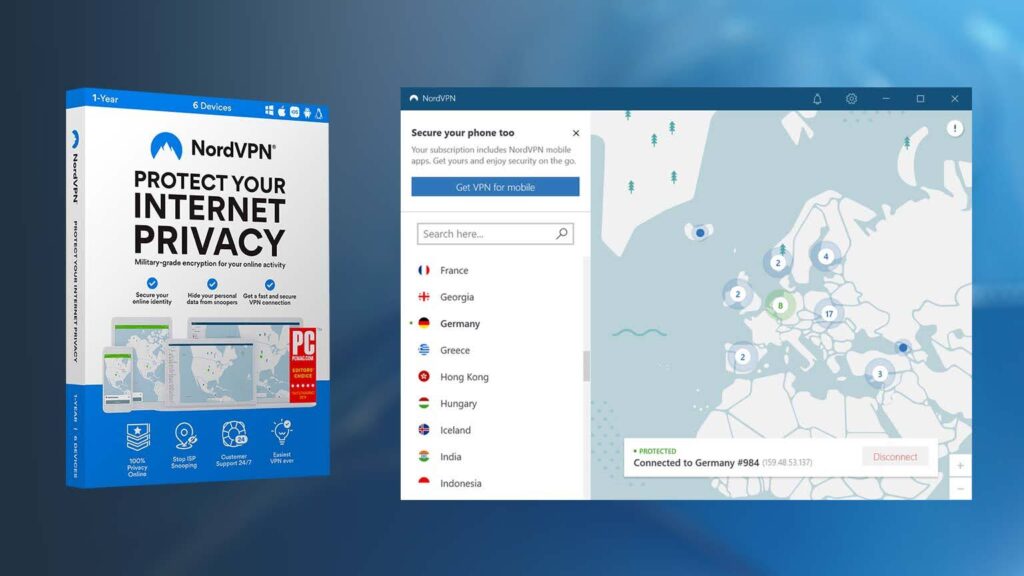
NordVPN has stood out consistently as one of the best VPN service providers for desktop and mobile users. Not only does it offer a competitive number of fast servers and selectable locations, but it has categories of specialty servers for different purposes.
P2P are good for torrenting, obfuscated servers hide VPN usage and traffic type, and Double VPN (multi-hop) allows you to use two servers for twice the level of encryption. For the highest level of protection, Onion Over VPN combines VPN encryption with the many encrypted nodes of the Tor network!
Furthermore, all its standard servers are at least 1Gbps (up to 6.73Gbs), making it an excellent choice for streaming and gaming too.
NordVPN covers all the basics, such as a kill switch, split tunneling, your choice of protocols, etc. As well as many extras, including safe browsing, credentials leak monitor, and dedicated IPs.
You can currently get up to 67% a yearly subscription or even higher if you buy NordVPN from Mr Key Shop.
HMA VPN: Your Unlimited Digital Passport to a Borderless Internet
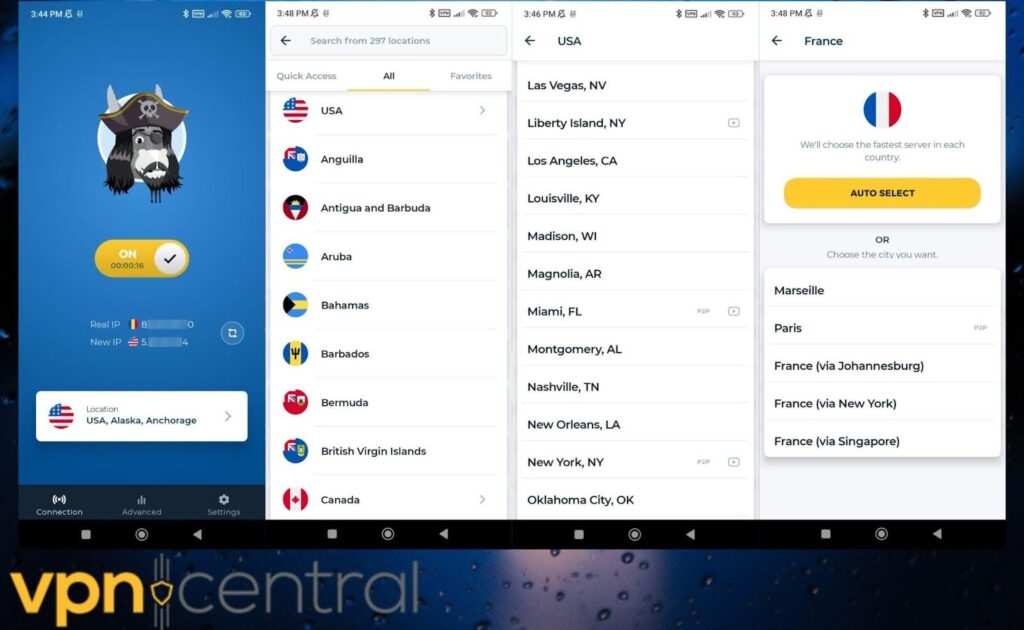
HMA VPN is a long-running solution that has thousands of servers, covering an impressive 190+ individual locations, including many countries with multiple cities. With so many options, it’s one of the fastest and most stable out there, especially when accessing international streaming platforms.
Standout features include dedicated P2P servers for gaming and torrenting performance, as well as the Mimic connection setting for obfuscation.
As well as a kill switch and other common features, its advanced leak prevention stops IPv4, IPv6, and DNS leaks when you browse.
Plans support between 5 and 10 devices at once across Windows, macOS, iOS, and Android.
CyberGhost VPN: Go Invisible Online with a Single Click
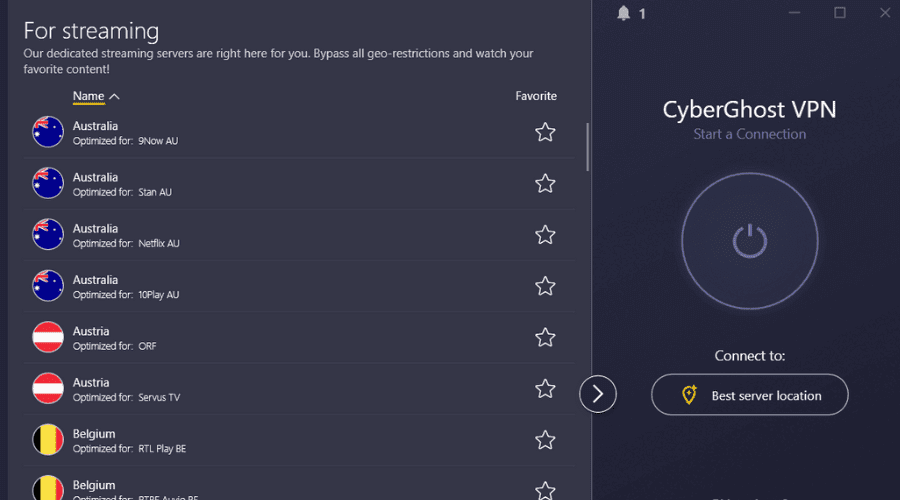
CyberGhost is the shining example of a VPN for everyone, boasting a huge range of servers optimized for streaming, gaming, and torrenting. That’s a staggering 11,500+ strong network and 125 locations to hide your IP behind.
Furthermore, you’ll never notice an impact on speed, even when streaming in 4K, as many of its servers are equipped for up to 10Gbps.
All the essentials like an automatic kill switch, manual protocol selection, and split tunneling are here. Its intuitive and user-friendly apps are consistent across desktop, mobile, and smart TVs, and you can use 7 of these at any given time.
AVAST Secureline VPN: Antivirus-Grade Protection for Your Online Freedom
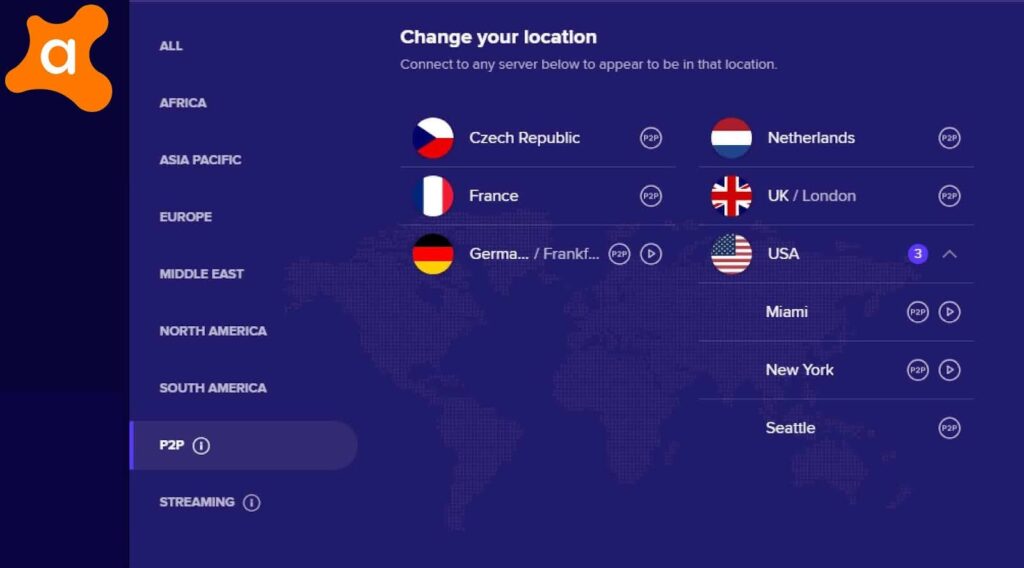
Secureline VPN was developed by the Avast antivirus giant, so you know its security is at the highest level. No matter what location you choose (55+ countries), it always connects via the Mimic obfuscation protocol, so nobody can even tell that a VPN is being used.
In terms of performance, it hangs in there with the best, capable of streaming in 4K and other high-bandwidth tasks, thanks to a network of 700+ 2Gbps servers. It also supports Torrenting, gaming, and basically any other internet activity.
Existing Avast users benefit from being able to manage all security products from one account. You can also purchase it in a bundle with the antivirus.
Free VPNs vs Paid VPNs: What’s the Difference?
The main difference between free and paid VPNs is the size and strength of the server network. Free users commonly share a limited number of servers and locations, which often become congested and slow. This makes them less suitable for high-bandwidth tasks like streaming.
Another issue is that free VPNs are more likely to be monitored and blocked by governments and services that prohibit their use. This is because free servers are well-known and less likely to use advanced obfuscation measures.
This highlights another common difference, that free VPNs have fewer technical features than paid versions.
On the other hand, paid VPNs have a stronger and faster server infrastructure, with fewer overall users. This makes them more stable and suitable for streaming, gaming, and other high-bandwidth activities.
VPN providers also reserve their best technology and features for premium users. If you want the best chance of bypassing geo-restricted content or unblocking censored sites, paid is the way to go.
Are VPNs Legal? What You Should Know
Yes, VPNs are completely legal in most countries in the world and are viewed as important security tools.
It is legal to buy and use VPNs in the United States, Canada, UK, Australia, across the European Union and wider Europe, India, South Africa, and many countries across the Middle East, and African continent.
Certain websites, streaming platforms, and other online services may prohibit VPN usage as part of their terms of service. However, this is not a legal matter and, at worst, would result in an error message, your account being warned, or terminated.
In practice, it is rare for a site or service to even be able to detect that you are using a VPN and even rarer for accounts to be terminated.
Of course, if you use a VPN in the commission or covering up of a criminal offence, it could be viewed as an aggravating factor, even if VPNs themselves are not illegal.
In some countries, the internet is restricted and VPNs are regulated. For example, in China, Iran, Russia, and the UAE, VPNs are permitted for security purposes but are state approved and must adhere to web content restrictions and the maintaining of user logs.
Despite this, citizens and travelers to these countries regularly use unsanctioned VPNs for secure communication and to bypass censorship, but this is at their own risk.
How to Choose the Right VPN for Your Needs
Even though most top-rated VPNs share a similar core feature set, the best choice ultimately depends on your personal requirements. Start by looking at server locations—having hundreds of options sounds impressive, but what truly matters is whether the VPN includes the specific regions you intend to use. Next, consider device compatibility. Check how many devices you can protect under a single subscription and whether the provider offers dedicated apps for all your platforms, from phones and laptops to smart TVs and routers.
Performance is another key factor. For activities like 4K/HD streaming, torrenting, or competitive online gaming, prioritize a service known for high-speed servers, ideally capable of delivering 1GB/s or more, with specialized servers optimized for demanding tasks. If you live in or travel to regions with strict online controls, selecting a VPN with strong obfuscation features is essential to ensure your connection remains unnoticed and unrestricted.
Finally, think about price. Choose a plan that fits your budget without paying extra for features you’ll never use. Longer-term subscriptions often offer the best value, helping you save significantly compared to monthly billing.
How to Use a VPN: Step-by-Step Guide
A VPN might sound complicated, but great VPN services provide user-friendly apps that do all the hard work for you. Almost all popular VPNs follow these same basic steps, so we will use NordVPN as an example:
1. Depending on your device, go to the official website or app store to download and install the relevant VPN app.
2. Launch the app and accept any terms or device permissions.3. Login with your premium account details and/or enter the activation code.
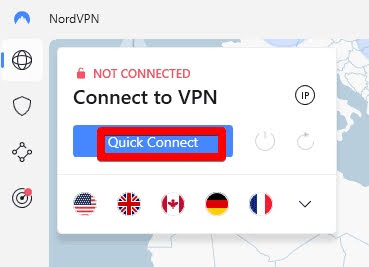
4. Click or tap the connect button to automatically connect to the fastest server based on your real location.
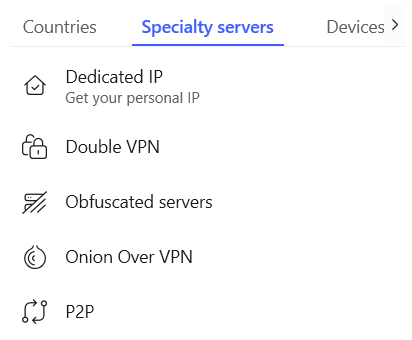
5. Alternatively, browse or search the list of servers to connect to a desired location or specialty server.
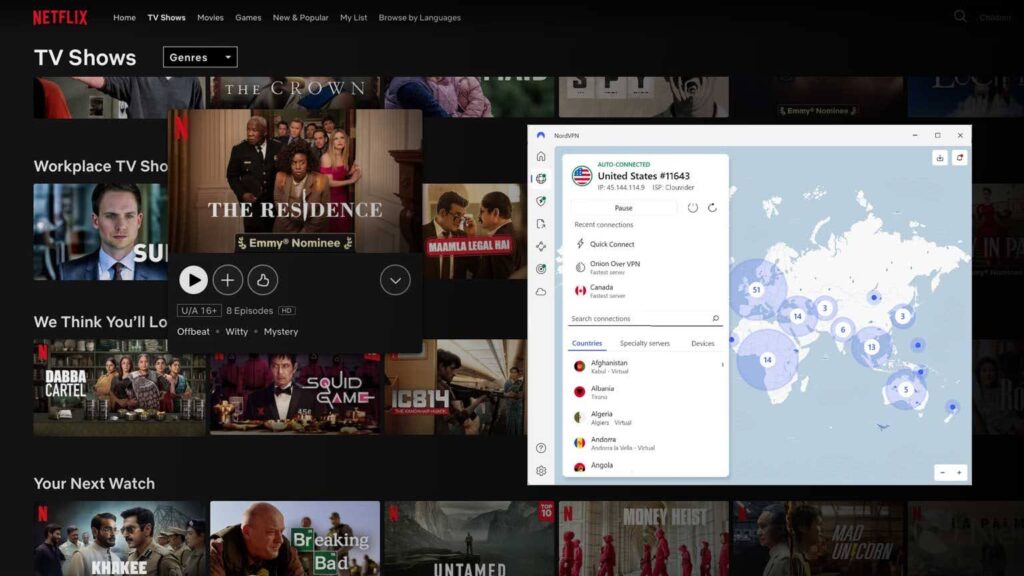
6. Once connected, you may now launch any web browser or apps to benefit from encryption and unblocking capabilities.
Common Myths About VPNs Debunked
There’s no question VPNs are important for privacy and security, but there are a lot of myths about what they do and how they work.
VPNs make you completely anonymous?
VPNs encrypt and hide your real-time internet activity at the connection level. This prevents snooping from ISPs, governments, network admins, and Wi-Fi hackers. However, your device still maintains a browsing history and can be tracked by web cookies, even if your real location is masked.
VPNs slow down your internet?
Because all data must now pass through a separate server, using a VPN will have a slight impact on internet speed. However, in some cases of ISP throttling or when games or sites prioritize users based on location, a VPN can also improve speed and stability. Overall, good VPNs do not significantly impact speed.
VPNs prevent viruses and phishing?
No, a VPN by itself cannot prevent viruses and other malware from infecting your PC if you access malicious websites. Likewise, it cannot prevent your passwords and other info being collected by fraudsters using fake websites if you click their phishing links and enter your details.
VPNs are undetectable?
For the most part, VPNs use military-grade AES-256 encryption and leak prevention technology. This means the content of your real-time internet activity cannot be intercepted or logged. However, the fact that this data is inaccessible and there may be patterns in the way VPNs handle data packets, can indicate that a VPN is being used. VPNs that offer obfuscation make this much more difficult.
VPN Security Protocols Explained
VPNs use different protocols to handle encrypted data, with many providers letting you choose which to use in the settings. Here are the most common and how they compare.
OpenVPN – A popular, open-source protocol known for its strong security, flexibility, and compatibility. It can run on both TCP and UDP ports. Often preferred when configuring a VPN at the router level.
WireGuard – A newer, lightweight protocol offering faster speeds and better performance than traditional protocols. It’s considered highly secure and easy to set up. Works well on desktops running Windows, Mac, or Linux.
IKEv2/IPSec – Provides a good balance between speed and security and is the preferred default for mobile devices.
Older Protocols – Standard PPTP and L2PT protocols are older, slower, and considered slightly weaker than modern protocols.
Proprietary Protocols – Some VPN providers like ExpressVPN and NordVPN offer their own proprietary protocols, enhancing speed, obfuscation, or other functions. These are typically based on WireGuard, OpenVPN, or other underlying protocols and tweaked.
Fortunately, most reputable VPNs will default to the best all-round protocol or switch automatically based on the current traffic. Ultimately, the option is there to choose the one you prefer.


Read our disclosure page to find out how can you help VPNCentral sustain the editorial team Read more


Improve this guide


User forum
0 messages