
Fake Google “security check” installs a PWA that can steal OTP codes and turn your browser into a proxy


 5 min. read
  Published on
A new phishing campaign is abusing a fake Google security page to trick users into installing a malicious Progressive Web App, or PWA. Malwarebytes says the fake site, hosted on google-prism[.]com, can harvest contacts, GPS location, clipboard data, and one-time passcodes, while also turning the victim’s browser into a proxy for attacker traffic.
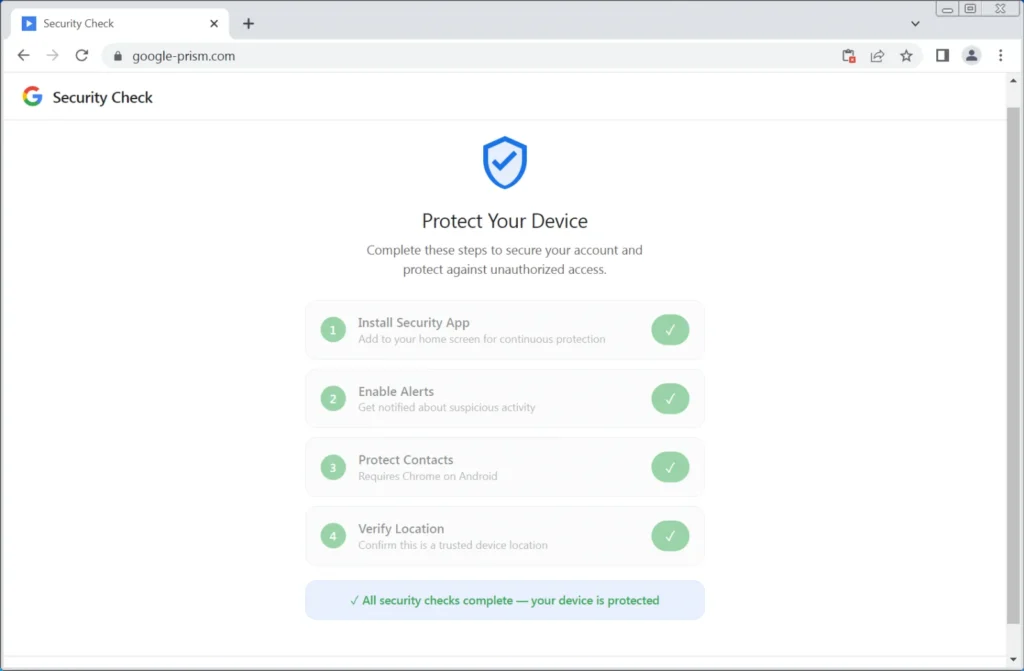
The scam does not rely on a browser flaw. It relies on social engineering. Malwarebytes says victims are walked through a fake four-step “security check” that asks them to install the PWA, allow notifications, share contacts, and grant location access, all while pretending to strengthen account security.
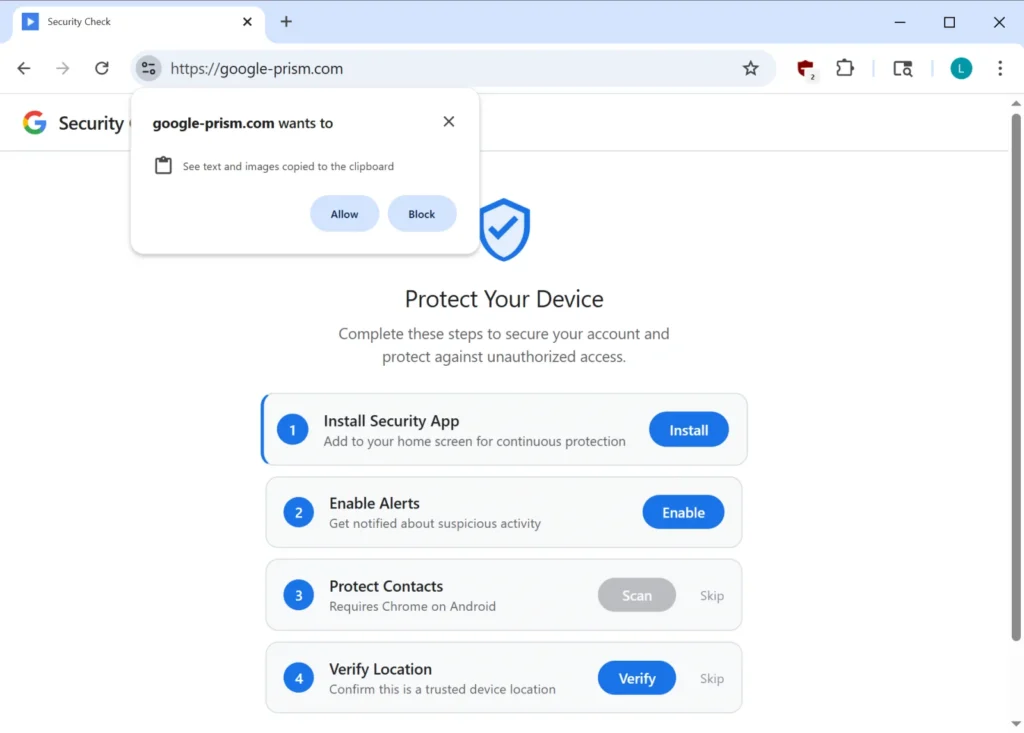
That is the most important point for users: Google does not run account security checks through random pop-up pages asking you to install software or grant browser permissions. Google’s real Security Checkup lives inside your Google Account at myaccount.google.com.
How the fake Google security page works
Malwarebytes says the attack starts with a page that looks like a Google Account security workflow. If the victim installs the PWA, the browser address bar disappears and the fake app opens in its own window, which makes it look more like a trusted native app than a website.
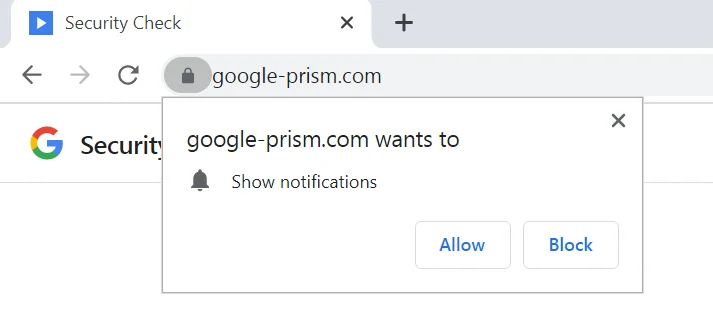
Once installed, the PWA starts collecting access it should never need for a normal Google security check. Malwarebytes says the page requests push notifications, contacts, and live GPS data. It also tries to read clipboard contents while the app is open, looking for copied OTP codes and cryptocurrency wallet addresses.
The campaign also abuses the WebOTP API on supported browsers. Google’s own Chrome developer documentation says WebOTP lets websites receive specially formatted SMS one-time codes to help users verify phone numbers more easily. Malwarebytes says the fake Google page tries to use that legitimate feature to intercept SMS verification codes.
Why this campaign is more dangerous than a normal phishing page
The PWA is only part of the problem. Malwarebytes says the fake app includes a service worker that can keep handling push notifications and background tasks after the main page closes. That gives the attacker a persistent communication channel and a way to pull the victim back into the malicious app.
Malwarebytes also says the most serious feature is a WebSocket relay that lets the attacker send web requests through the victim’s browser. In practice, that means the victim’s browser can act like an HTTP proxy, helping the attacker route traffic through the victim’s network and even scan internal hosts.
What the fake app can do
| Capability | What researchers say it does |
|---|---|
| OTP interception | Attempts to capture SMS one-time codes with WebOTP on supported browsers. |
| Clipboard theft | Reads copied text and images while the PWA is open, including wallet addresses and codes. |
| Contact harvesting | Uses the Contact Picker API to send selected contacts to the attacker. |
| Location tracking | Exfiltrates GPS coordinates and related motion data. |
| Proxying attacker traffic | Uses the browser as an HTTP proxy and internal network scanner. |
| Push-driven re-engagement | Uses notifications to lure the victim back into the malicious app. |
There is also an Android companion app
Malwarebytes says some victims also get pushed toward an Android APK presented as a “critical security update.” According to the researchers, that app asks for 33 permissions, including access to SMS, call logs, contacts, microphone, notifications, and accessibility features. Malwarebytes says it also includes a custom keyboard, credential interception features, and persistence tricks such as device administrator registration and startup execution.
That matters because even if the browser-based PWA already steals useful data, the Android app can widen the attack into full device surveillance.
What users should do now
- Do not trust Google “security” pages that ask you to install an app from a website.
- Open Google’s real security tools only by going directly to myaccount.google.com.
- Remove any suspicious installed web app tied to a fake “Security Check” flow.
- Revoke notification, clipboard, contact, and location permissions for unknown sites.
- If you installed an Android app tied to this scam, remove device administrator access first if needed, then uninstall it. Malwarebytes specifically says to look for apps named Security Check or System Service with package name com.device.sync.
Quick red flags to watch for
| Red flag | Why it is suspicious |
|---|---|
| A Google security page asks you to install software from a site | Google Security Checkup runs inside your account, not from random install prompts. |
| The page asks for contacts, GPS, clipboard, or notifications | Those permissions are not part of routine account protection. |
| A web app opens in its own window with no address bar | That is normal PWA behavior, which attackers use to look more legitimate. |
| A site pushes an Android “security update” APK | Google account security tools do not work that way. |
FAQ
A PWA is a website that can be installed and run more like an app. Malwarebytes says the attackers use that to hide browser controls and make the fake Google page feel more trustworthy.
Yes, in some cases. Malwarebytes says the PWA tries to capture OTPs from the clipboard and uses the WebOTP API on supported browsers. Google’s Chrome docs confirm WebOTP can programmatically receive SMS one-time codes for a site.
No public reporting says that. Malwarebytes says the attack uses legitimate browser features plus deception, not a software exploit.
Go directly to myaccount.google.com and open Security Checkup there. That is Google’s official account security page.


Read our disclosure page to find out how can you help VPNCentral sustain the editorial team Read more


Improve this guide


User forum
0 messages