
How to Hide Your IP From Netflix (Quick Fix)


 5 min. read
  Published on

This guide explains why Netflix checks your IP, the steps to mask it safely, and what tools actually work. If you’re new to the concept, here’s what an IP address is and why it matters for online privacy.
Can You Actually Hide Your IP Address From Netflix?
You can, but success varies. Netflix constantly updates its detection systems to block VPNs, proxies, and Smart DNS services. Only premium, well-maintained VPNs with obfuscation and IP rotation consistently bypass those blocks. Cheaper or free tools fail fast. If you’ve ever seen missing titles or region-locked content, you’ve already hit Netflix having trouble accessing these titles.
Table of contents
Method 1: Use a High-Quality Streaming VPN (Most Reliable)
A VPN routes your internet traffic through a secure server, hiding your true IP from Netflix. It replaces it with the server’s IP in the country you select. The top-tier VPNs rotate IPs and offer stealth options that make detection harder.
Step-by-step:
- Pick a VPN known to work with streaming platforms. Surfshark stands out for its large server pool, consistent Netflix access, and Smart DNS feature.
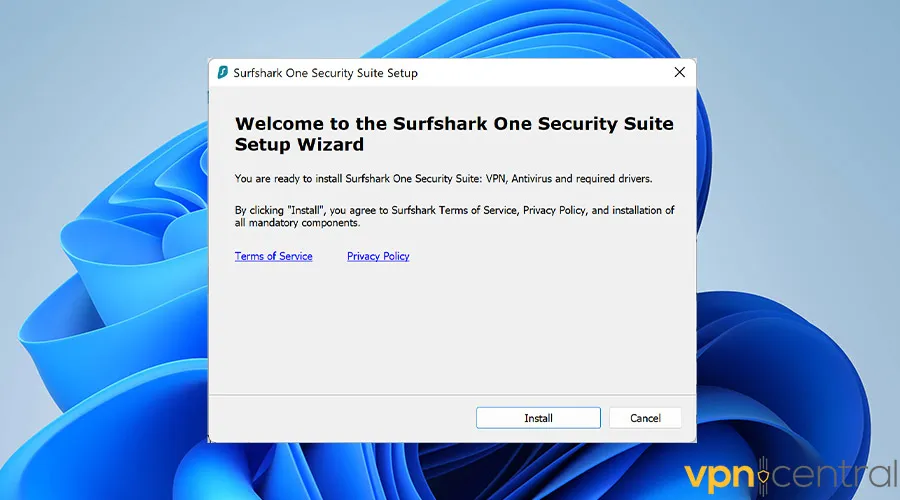
- Download Surfshark’s app on your device and log in.
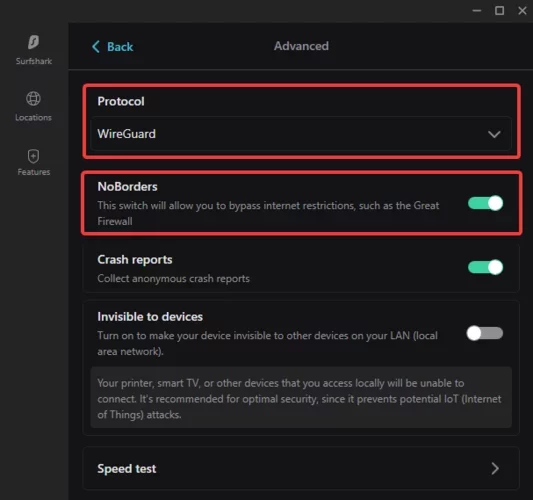
- Turn on Kill Switch and Camouflage/NoBorders Mode to avoid leaks or detection.
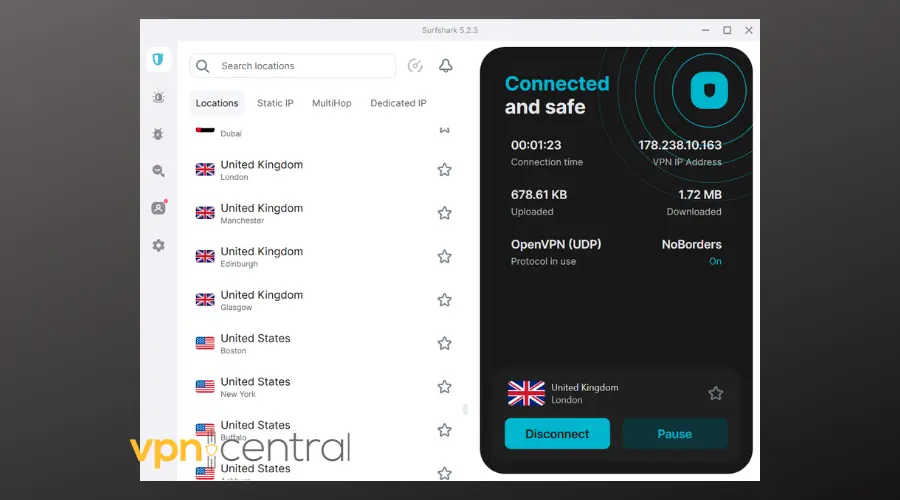
- Connect to a VPN server in the region whose Netflix catalog you want.
- Reset Netflix clues: Force-quit the Netflix app or clear browser cookies before streaming.
- Test playback Open Netflix and try a local title from the selected region.
- If blocked, switch servers – Some IPs may already be blacklisted. Rotate to another server or contact support for an updated list.
Method 2: Try Smart DNS (Fast but Less Private)
Smart DNS reroutes only your DNS requests to make Netflix think you’re in another region. Your traffic stays unencrypted, so it’s faster but not private.
How to set it up:
- Activate the Smart DNS option in your VPN account (Surfshark includes this).
- Register your home IP and copy the DNS addresses provided.
- Enter those DNS values in your device or router settings.
- Restart Netflix and test.
This trick speeds up streaming but doesn’t hide your IP completely, meaning Netflix can still trace your general location.
Method 3: Use Mobile Data or Hotspot (Quick, No Subscription)
Switch your device from home Wi-Fi to mobile data or tether via hotspot. Netflix then sees your carrier’s IP instead of your home ISP.
Steps:
- Turn off Wi-Fi on your phone or enable hotspot.
- Connect your streaming device to it.
- Launch Netflix and play any video.
It’s an easy test, but your mobile IP often remains in the same country and can consume large amounts of data.
stabilize access when standard VPN servers fail.
Method 4: Fix Netflix Proxy or Unblocker Errors
If you see “You seem to be using an unblocker or proxy,” follow these quick fixes before assuming your VPN is broken:
- Change to another server or location.
- Turn on obfuscation/stealth mode in the VPN app.
- Clear Netflix cookies or cache.
- Disable IPv6 if your VPN doesn’t support it.
- Ensure “Use VPN DNS” is enabled in your settings.
- Contact your VPN support for verified Netflix servers.
- Still stuck? Follow this complete guide on VPN not working with Netflix for deeper troubleshooting.
Comparison: Which Option Works Best?
| Method | Hides IP | Netflix Success | Setup Time | Pros | Cons | Ideal Use |
|---|---|---|---|---|---|---|
| Premium VPN (e.g., Surfshark) | ✅ Full | High | 5–10 min | Encrypted, easy apps, large network | Occasional blocks | Everyday streaming |
| Smart DNS | ❌ Partial | Medium | 10 min | Fast, works on TVs | No encryption | Consoles/TVs |
| Mobile Data | ⚠️ Limited | Low | 2 min | Simple, free | Data caps | Quick testing |
| Residential Proxy | ✅ Yes | Medium-High | 30+ min | Stable IP | Costly, complex | Power users |
Why Netflix Blocks Some IPs
Netflix matches your IP’s region with your account’s home country and the rights tied to each show. If there’s a mismatch between your IP and your DNS data, the platform blocks or hides certain content. That’s why a VPN with consistent IP rotation is crucial for uninterrupted viewing.
Keep Your Netflix Private
A VPN like Surfshark remains the most practical way to hide your IP from Netflix while adding encryption and extra privacy. Combine it with occasional cookie resets and careful server choice, and you’ll enjoy smoother access to regional catalogs without errors or slowdowns.
FAQs
Not usually. Netflix blocks streams from detected VPN IPs but doesn’t suspend accounts for using one.
Cached cookies or mismatched DNS settings can expose your real location. Clear them and reconnect to the VPN.
No, Smart DNS doesn’t encrypt or hide your IP. It’s mainly for speed and device compatibility.
Try connecting to one U.S. and one EU server, clear cookies, and check if Netflix loads region-specific titles. If both fail, follow the VPN not working with Netflix steps to fix it.


Read our disclosure page to find out how can you help VPNCentral sustain the editorial team Read more


Improve this guide




User forum
0 messages