
How to protect your SaaS from bot attacks with SafeLine WAF


 8 min. read
  Published on
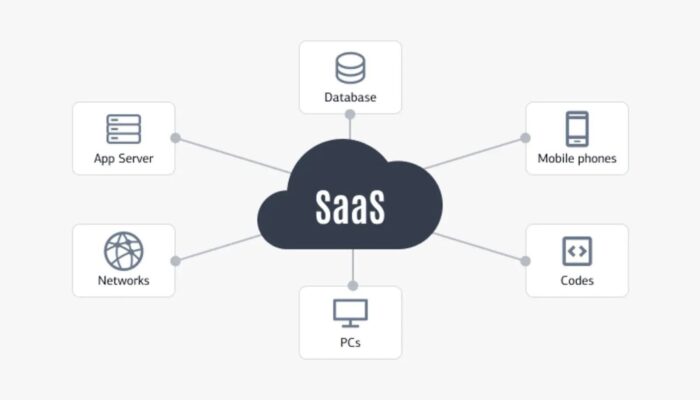
Bot attacks on SaaS products rarely start with a dramatic outage. They usually show up as fake sign-ups, repeated login attempts, API scraping, and quiet traffic spikes that push up cloud costs before they trigger a full incident. A web application firewall can help at that stage by filtering and shaping traffic before it reaches your app, especially on login, sign-up, and high-cost API paths. SafeLine positions itself as a self-hosted WAF and reverse proxy built for that job.
That said, a WAF is not a full bot defense strategy by itself. It can block obvious abuse, challenge suspicious clients, and rate-limit noisy endpoints, but SaaS teams still need good application logic, account protections, and monitoring. The best way to think about SafeLine is as a front-line control that reduces automated abuse before your app and database have to deal with it.
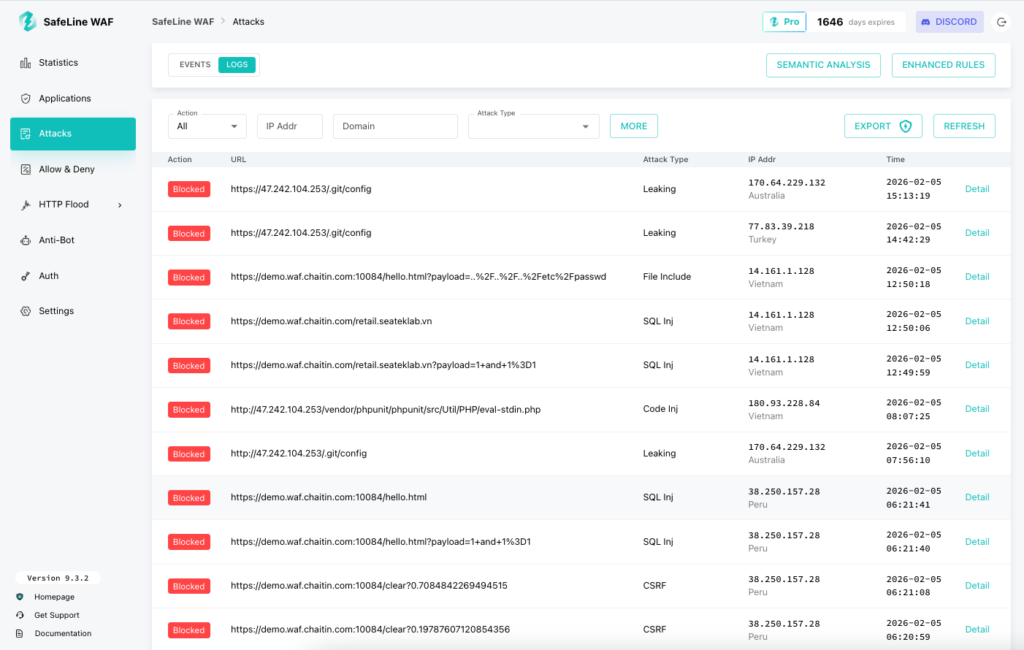
SafeLine’s official GitHub repository says it is self-hosted, works as a reverse proxy, and includes web attack protection, rate limiting, anti-bot challenge, authentication challenge, and access control features. Its release history also shows recent updates to rate limiting, anti-bot challenge services, and its semantic analysis engine, which suggests the project is still active and being maintained.
Why SaaS products struggle with bots
For most SaaS teams, the pain does not come from classic SQL injection first. It comes from business abuse that looks normal at the HTTP layer. A bot can create free-trial accounts, hammer login routes with leaked credentials, scrape pricing or content, or trigger expensive workflows over and over. Those requests may be well formed, use HTTPS, and hit legitimate endpoints, which makes them harder to spot with simple IP blocklists alone. This is exactly where rate limiting, anti-bot checks, and behavioral inspection help most.
A self-hosted WAF also matters more for some SaaS teams than for others. If you want to keep request logs in your own environment, avoid routing all traffic through a third-party inspection cloud, or debug blocking decisions yourself, a self-hosted reverse proxy can be easier to justify than a fully managed cloud WAF. SafeLine’s official materials repeatedly describe it as a self-hosted reverse proxy, which supports that deployment model.
What SafeLine officially says it can do
| Feature | What SafeLine officially claims |
|---|---|
| Reverse proxy deployment | SafeLine says it is a self-hosted WAF that runs as a reverse proxy in front of web apps. |
| Web attack protection | SafeLine says it blocks attacks such as SQL injection, XSS, XXE, SSRF, path traversal, brute force, and HTTP flood activity. |
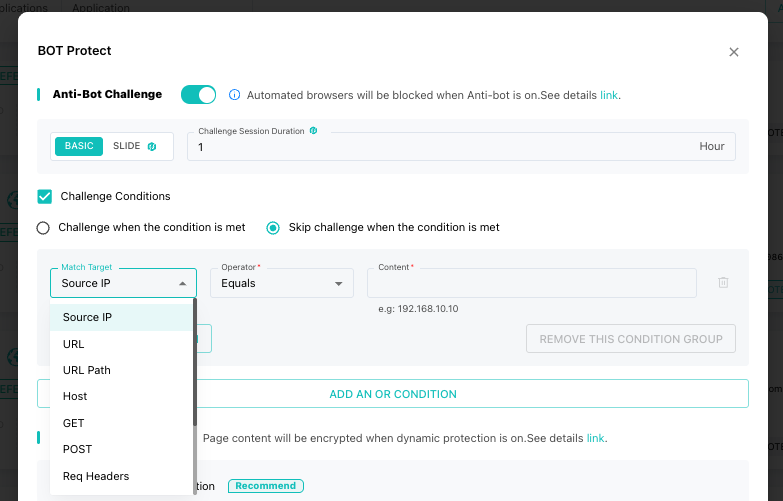
| Anti-bot challenge | SafeLine says it can present anti-bot challenges so human users pass while crawlers and bots get blocked. |
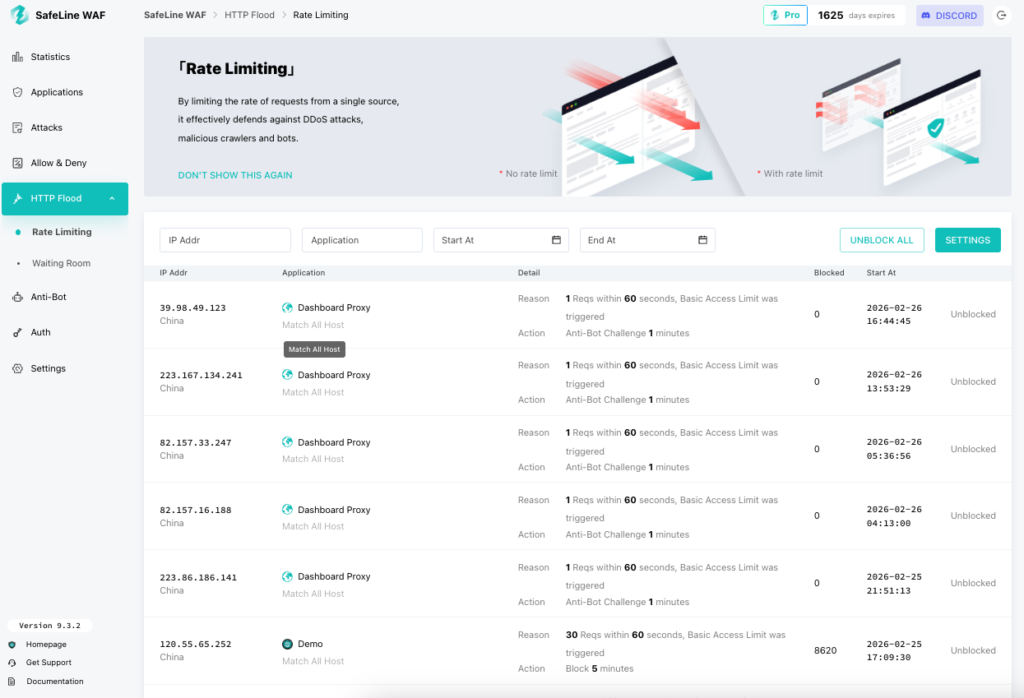
| Rate limiting | SafeLine says it can throttle traffic that exceeds defined limits to protect against brute force, abuse, and surges. |
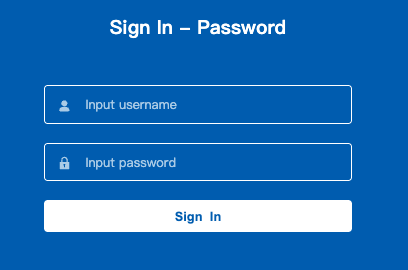
| Authentication challenge | SafeLine says you can require a password before visitors reach protected apps or paths. |
| Semantic analysis | Release notes show ongoing improvements to a semantic analysis engine for injection, decoding, and bypass detection. |
Where SafeLine fits best in a SaaS stack
If your product has public sign-up, public login, customer-facing APIs, or expensive background jobs, SafeLine fits best at the edge, in front of your app or API gateway. Its reverse-proxy model means incoming traffic hits SafeLine first, then your origin. That makes it useful for blocking or slowing abuse before your app code, worker queue, or database absorbs the cost.
In practical terms, that means SafeLine can help most on endpoints like these:
- Sign-up pages where bots farm trials, coupons, or invite codes
- Login routes that attract credential stuffing and brute force attempts
- Pricing and catalog pages that scrapers hit hard
- Export, search, and report endpoints that cost real CPU or database time
- Internal dashboards or staging routes that should never be open to the public
How SafeLine helps against common SaaS bot problems
1. Fake sign-ups and free-trial abuse
Bot sign-ups hurt twice. They pollute your funnel data, and they waste infrastructure. SafeLine’s anti-bot challenge and rate limiting features are the clearest official fit here. You can put a challenge in front of sign-up paths and cap the number of requests per IP or path to slow automated account creation.
2. Credential stuffing and login abuse
Login endpoints stay popular targets because attackers can reuse breached credentials at scale. SafeLine officially lists brute force protection and IP-based rate limiting as supported use cases. Its release notes also mention more granular rate limiting by URL path, which is useful when you want stricter limits on /login than on the rest of your app.
3. API scraping and abusive automation
Scrapers often look like valid clients. They just move too fast, too predictably, or too broadly. SafeLine says it inspects requests, paths, and traffic patterns, and its anti-bot layer gives teams another way to challenge suspicious traffic on selected routes. That will not stop every advanced scraper, but it can reduce basic crawling and repeated abuse against public APIs or web endpoints.
4. Internal route exposure
Many SaaS teams have forgotten routes, admin tools, partner dashboards, or staging apps that should not stay public. SafeLine’s authentication challenge feature lets operators gate those paths behind a password without changing the app itself. That is not a replacement for proper identity controls, but it is a useful emergency or lightweight protection layer.
A realistic deployment approach
SafeLine’s official repo links to an install guide and app configuration guide, and its GitHub release history shows an actively maintained Community Edition with GPL-3.0 licensing and a latest listed CE release of 9.2.7 from November 2025 in the indexed results I found. That gives SaaS teams a reasonable path to test it without rebuilding their stack first.
A sensible rollout for a SaaS team looks like this:
- put SafeLine in front of one non-critical app or one public domain first
- enable logging and observe traffic before turning on stricter blocking
- start with login, sign-up, and expensive API endpoints
- add rate limits first, then anti-bot challenge where abuse stays high
- use authentication challenge only for routes that truly should not be public
- review false positives before you expand coverage across more domains
What I would not overclaim
Some parts of the sample article read more like product marketing than verified guidance. I would be careful with three claims in particular.
First, the 99.45% accuracy figure appears in SafeLine’s GitHub README as part of a comparison table, but the repository snippet does not provide enough public methodology detail there to treat it like an independently validated benchmark. It is better to label that as a vendor-reported metric, not an industry fact.
Second, the claim that SafeLine deploys in under 10 minutes may be true for some teams, but that depends on DNS, certificates, reverse-proxy setup, and your existing stack. I would present deployment as quick to test, not promise a universal install time. SafeLine does provide an install guide and a one-command quickstart path in its official materials, which supports the “easy to trial” angle without overpromising.
Third, a WAF will not fully solve business-logic abuse on its own. It helps reduce pressure and block obvious automation, but SaaS teams still need controls like email verification, MFA, coupon abuse limits, account reputation checks, and app-level throttling for high-cost workflows. That is not a knock on SafeLine. It is just the honest limit of what any WAF can do.
Best practices if you use SafeLine for bot defense
- Put it in front of your login, sign-up, and high-cost API routes first.
- Use rate limiting as the baseline control before you enable more aggressive anti-bot friction.
- Turn on anti-bot challenge only where abuse justifies the extra check.
- Use authentication challenge to hide exposed internal tools while you fix permanent access controls.
- Monitor logs for changes in user agent patterns, path concentration, and error spikes.
- Keep WAF rules aligned with app changes so protection stays useful as your SaaS evolves.
FAQ
No. SafeLine officially describes itself as a self-hosted WAF and reverse proxy that runs in front of your web apps.
It can help reduce many of them. SafeLine officially supports anti-bot challenge, rate limiting, and web attack protection, which are all relevant to fake sign-ups, brute force, scraping, and smaller abuse spikes. It will not replace app-level abuse controls entirely.
The official GitHub project is published under GPL-3.0, and the indexed release page shows SafeLine-CE releases, which indicates an open Community Edition is available.
For most SaaS teams, the most useful SafeLine features are rate limiting, anti-bot challenge, and authentication challenge for sensitive routes, plus standard WAF protection for common web attacks.
SafeLine’s official repository says yes, and it lists vendor-reported scale numbers for installations, protected sites, and daily handled requests. Those figures come from SafeLine itself, so they should be treated as vendor claims rather than independent measurements.


Read our disclosure page to find out how can you help VPNCentral sustain the editorial team Read more


Improve this guide




User forum
0 messages