
How to Use Luna Proxy: A Clear, Step-by-Step Guide


 4 min. read
  Updated on
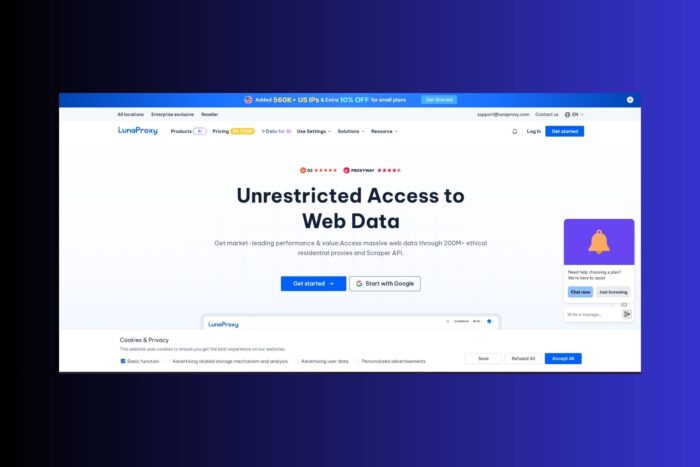
You can set up Luna Proxy in minutes by following this guide. Learn how to choose the right plan, authenticate securely, generate working endpoints, and connect on any platform.
Table of contents
Step-by-Step Instructions
1. Create Your Account
- Sign up on the Luna Proxy website.
- Log into your dashboard to access product, authentication, and configuration options.
2. Choose the Right Proxy Type
- Open the Products section and select one of: Dynamic Residential, Unlimited Residential, Rotating ISP, or Datacenter.
- Pick a plan that fits your volume, session length, and geo-targeting needs. If you also compare providers for mobile use cases, review this guide to the best mobile proxies to understand trade-offs.
3. Configure Authentication
Option A: IP Whitelist (recommended for servers)
- Add your device or server IP to the whitelist in the dashboard; you won’t store credentials in clients.
Option B: Username/Password
- Create or select a subaccount and copy the provided username and password for your client or script.
4. Generate Proxy Endpoints
- Select the target Country (and optional region or city).
- Choose your Session Type:
- Sticky to keep one IP for up to 90 minutes.
- Rotate to change IP on each request or at a set interval. For a broader overview of rotation strategies, see the roundup of the best rotating proxies.
- Copy the proxy string (
protocol://username:password@host:port) or the host/port when using IP whitelisting.
5. (Optional) Use Luna Proxy Manager
- Install and open Luna Proxy Manager.
- Log in, create local ports, set rotation or sticky rules, and pick countries.
- Point your apps to the local manager port to centralize control.
6. Connect From Your Tool or Device
- Browser or OS network settings: enter HTTP(S) or SOCKS5 details.
- Automation tools or scrapers: paste the full proxy string where required.
- Command line or code: set
HTTP_PROXY/HTTPS_PROXYor pass the proxy in your library configuration.
7. Validate Your Setup
- Send a quick request to confirm connectivity.
- Verify IP location, rotation behavior, or stickiness in your dashboard or logs.
8. Control How IPs Rotate
- Use Rotate for high-frequency scraping or ad testing.
- Use Sticky for logins, checkouts, or multi-part interactions.
- Adjust intervals to balance stability and performance.
9. Scale and Organize Usage
- Create sub-accounts for teammates or separate tasks.
- Use favorites for frequently used configurations.
- Monitor usage and adjust plans as needed.
Choosing the Right Plan: What to Consider
| Plan Type | IP Source | Session Style | Best for… |
|---|---|---|---|
| Dynamic Residential | Real household IPs | Rotate or sticky (≤90 min) | Anti-bot environments, SEO checks, social platforms |
| Unlimited Residential | Real residential | Unlimited rotation | High-volume scraping, price & market analysis |
| Rotating ISP | ISP-assigned IPs | Long, stable sessions | Login flows, low IP churn, sustained interactions |
| Datacenter | Data center IPs | Fast rotation | Speedy bulk tasks, tolerant or low-security sites |
Dynamic Residential: Ideal when sites deploy bot protection or geo restrictions.
Unlimited Residential: Best when you need consistent, heavy usage without bandwidth caps.
Rotating ISP: Perfect for long sessions like logins or checkouts.
Datacenter Proxies: Great for speed on tolerant sites; learn more in this guide to the best datacenter proxies.
If you want a detailed perspective on alternatives, see this in-depth ProxyEmpire review. And for e-commerce users, check out which providers are considered the best proxies to use with eBay.
Helpful Tips for Smooth Integration
- Match the proxy type to the task instead of defaulting to one plan.
- Opt for short sticky sessions unless necessary.
- Use IP whitelisting for servers for simplicity and security.
- Rely on Proxy Manager for convenient switching and control.
- Monitor usage closely to optimize cost and performance.
- For advanced routing cases, learning about how an IGMP proxy works can help improve network efficiency when handling multicast traffic.
FAQs
Both IP Whitelist and Username/Password are supported across all plans.
Yes, Luna Proxy supports both protocols.
Up to 90 minutes, depending on your plan.
Dynamic suits precise traffic control, Unlimited fits high-intensity workloads.
You can generate new endpoints in the dashboard or configure them via Proxy Manager.
Conclusion
Luna Proxy offers flexibility and reliability for many online tasks. By selecting the right plan, configuring authentication, and aligning session behavior with your needs, you’ll maintain efficient and stable connections while scaling smoothly.


Read our disclosure page to find out how can you help VPNCentral sustain the editorial team Read more


Improve this guide




User forum
0 messages