
How to Watch Bugsy on Netflix in the US with a VPN (2026)


 18 min. read
  Published on

Bugsy (1991) is listed on Netflix Canada. Directed by Barry Levinson, the crime drama stars Warren Beatty as notorious gangster Benjamin “Bugsy” Siegel, alongside Annette Bening, Harvey Keitel, and Ben Kingsley. The film follows Siegel’s Hollywood connections, his relationship with Virginia Hill, and his ambition to build a gambling empire in Las Vegas. The official Netflix Canada page for Bugsy confirms the movie’s identity and lists English original audio alongside several dubbed and subtitled languages.
Bugsy is not currently available through Netflix US. American viewers can rent or purchase the movie through authorized digital services, while Netflix Canada lists it as part of its subscription catalog. Private Internet Access, ExpressVPN, and NordVPN each offer Canadian VPN locations, including Toronto, Montreal, and Vancouver. These services can establish encrypted connections through Canada, but their server availability does not guarantee access to Netflix Canada’s regional movies.

Access content across the globe at the highest speed rate.
🔥 Save 81% + 2 bonus months! 🔥
70% of our readers choose Private Internet Access
70% of our readers choose Private Internet Access
2
Browse the web from multiple devices with industry-standard security protocols.
🔥 Save 73%! 🔥

Faster dedicated servers for specific actions (currently discounted)
🔥 Save 69%! 🔥
Netflix can detect VPN connections and may limit users to movies and television programs licensed worldwide. Its ad-supported experiences do not support VPN viewing. Before selecting a connection, review Netflix’s official VPN viewing policy and the relevant VPN provider’s terms. A Canadian IP address alone does not ensure that Bugsy will appear or play through an American Netflix subscription.
How to watch Bugsy on Netflix with a VPN
Netflix Canada lists the movie under its original title, Bugsy, with Netflix title ID 70058803. These steps explain how to check the film while using an encrypted Canadian connection when your activity complies with the streaming service and VPN provider’s rules.
- Choose a reputable VPN provider. Private Internet Access is our first recommendation, followed by ExpressVPN and NordVPN.
- Download and install the VPN application from its official website or a trusted application store.
- Open the VPN’s location selector and connect to Canada using a documented server.
- Fully close Netflix, including any open browser tabs or background applications.
- Reopen Netflix after the VPN connection has been established.
- Sign in using your existing Netflix account and confirm that your subscription permits VPN viewing.
- Search for Bugsy (1991) or Netflix title ID 70058803.
- If Netflix offers the movie and permits playback, select Play. If the title remains unavailable, disconnect the VPN and check licensed streaming alternatives.
The Canadian Netflix listing identifies Bugsy as a 1991 drama with an R rating. Its description focuses on Siegel’s plans for a Nevada casino empire and his complicated Hollywood romance.
The page lists German, English original audio, Latin American Spanish, French, and Italian. Available subtitles include German, English, Latin American Spanish, French, and Italian.
Netflix also identifies the title as eligible for downloads, although actual downloading depends on device compatibility, subscription type, licensing, and Netflix’s current restrictions.
Be sure to select the 1991 movie starring Warren Beatty. The name Bugsy also appears in unrelated movies and entertainment titles.
Netflix Canada’s public page does not display an unavailable warning, and JustWatch Canada independently lists Netflix as a streaming service. Nevertheless, those results do not establish that a US subscriber can play the film through a Canadian VPN connection.
Best VPNs for watching Bugsy on Netflix
Private Internet Access, ExpressVPN, and NordVPN each provide Canadian server locations. Their official directories identify the following choices.
| VPN | Server locations in Canada | Option to try first |
|---|---|---|
| Private Internet Access (Editor’s Choice) | CA Montreal, CA Ontario, CA Ontario Streaming Optimized, CA Toronto, CA Vancouver | CA Toronto for an ordinary connection; Ontario Streaming Optimized for permitted local streaming |
| ExpressVPN | Canada – Montreal, Canada – Toronto, Canada – Toronto – 2, Canada – Vancouver | Canada – Toronto |
| NordVPN | Calgary, Montreal, Toronto, Vancouver | Automatic Canada server selection |
These documented locations support Canadian VPN connectivity, not guaranteed Netflix access. Netflix may restrict regionally licensed titles when it identifies VPN traffic.
Private Internet Access also expressly prohibits using its service to circumvent geographic restrictions imposed by streaming providers. That restriction is particularly relevant to viewers considering a Canadian VPN connection specifically for Bugsy.
1. Private Internet Access
Private Internet Access, commonly known as PIA, is our Editor’s Choice for its detailed server selection, customizable connection settings, and multiple Canadian endpoints.
The provider’s official October 15, 2026 server directory identifies five Canadian entries: CA Montreal, CA Ontario, CA Ontario Streaming Optimized, CA Toronto, and CA Vancouver.
PIA offers WireGuard and OpenVPN protocols, a kill switch, and split tunneling on compatible operating systems.
These features are useful for maintaining encrypted connections and deciding which applications use the VPN.
Which PIA Canada server should you choose?
CA Toronto provides a sensible first choice for a standard encrypted Canadian connection.
The location is clearly identified in PIA’s official directory and gives users a city-specific option rather than a generic country label.
CA Montreal and CA Vancouver offer alternatives when users need to compare ordinary connection stability or network routing.
CA Ontario is another documented Canadian entry, although its label does not identify a particular city.
PIA also offers CA Ontario Streaming Optimized, which is designed for eligible streaming activities.
However, PIA requires customers to connect to a server matching their current country when streaming and prohibits circumventing geographic restrictions imposed by content providers.
For that reason, American viewers should not regard the Canadian streaming-optimized location as a way to bypass Netflix’s licensing rules.
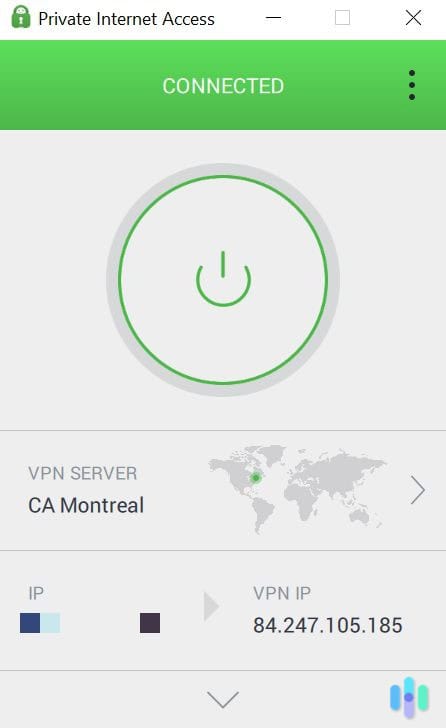
How to select a Canadian server in PIA
PIA lets users choose locations directly through its desktop and mobile applications.
- Open Private Internet Access and sign in.
- Select the VPN SERVER option.
- Find Canada in the location list.
- Expand the country to display the available locations.
- Select CA Toronto for an ordinary encrypted connection.
- Activate the VPN and confirm that the connection succeeds.
- For permitted local streaming in Canada, choose CA Ontario Streaming Optimized if it meets the applicable terms.
PIA publishes these exact labels in its official server location directory.
Physical and virtual Canadian locations
PIA operates both physical and virtual server locations across its international VPN network.
A physical location uses server infrastructure in the country associated with the connection. A virtual location can provide an IP address from one country while operating its hardware elsewhere.
PIA’s Canadian server directory identifies connection destinations in Montreal, Ontario, Toronto, and Vancouver, but the location names alone do not verify each server’s precise hardware address.
The provider maintains separate virtual server documentation explaining these differences.
Users concerned about physical hosting or jurisdiction should review that documentation rather than assuming every endpoint is physically located in the city shown by the application.
WireGuard, OpenVPN, and connection performance
PIA supports WireGuard and OpenVPN, two established VPN protocols that encrypt internet traffic.
WireGuard uses a streamlined design and generally makes a useful starting point for responsive browsing and video connections.
OpenVPN provides another option when a device or network experiences compatibility problems.
PIA also offers a kill switch designed to reduce exposure to unprotected traffic if the VPN connection unexpectedly drops.
Split tunneling lets supported applications use different network paths. For example, users can configure certain applications to use their normal internet connection while other programs remain connected through the VPN.
This may help when a streaming service restricts VPN traffic, although it does not change the streaming catalog available through the ordinary connection.
For video playback, connection stability matters as much as raw download speed. High latency, temporary interruptions, and network congestion can cause buffering.
PIA advertises unlimited VPN bandwidth, but actual speeds depend on the user’s internet provider and the selected network endpoint.
PIA streaming troubleshooting
If a permitted streaming application fails, first check whether ordinary websites load through the VPN.
If general browsing works, restart the streaming application and remove outdated browser cookies or cache.
PIA also recommends keeping its application updated and using a streaming-optimized server that matches the user’s actual country.
For ordinary connection problems, compare CA Toronto, CA Montreal, and CA Vancouver to see whether another location provides more stable routing.
However, switching Canadian endpoints cannot guarantee that Netflix will display Bugsy through a VPN.
PIA’s official streaming guide explains its troubleshooting advice and its restrictions on circumventing geographical access controls.
2. ExpressVPN
ExpressVPN offers Canadian server locations in Montreal, Toronto, and Vancouver.
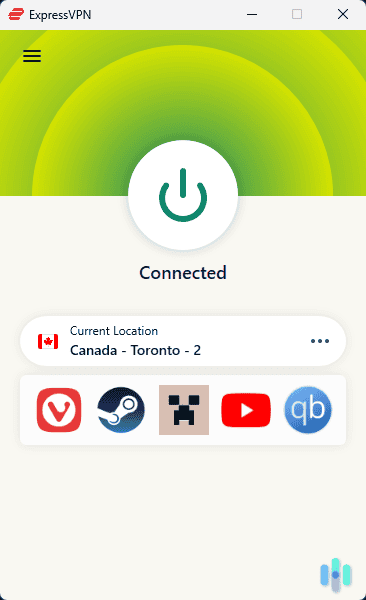
Its full official directory identifies four selectable entries: Canada – Montreal, Canada – Toronto, Canada – Toronto – 2, and Canada – Vancouver.
The second Toronto endpoint provides additional flexibility for users who want to compare connection stability without switching cities.
ExpressVPN supports Lightway, WireGuard, and OpenVPN protocols on compatible devices.
Which ExpressVPN Canadian location should you select?
Canada – Toronto offers a practical first connection when you need a Canadian VPN endpoint.
If you experience ordinary network problems, Canada – Toronto – 2 provides a documented alternative.
Canada – Montreal offers another eastern Canadian location, while Canada – Vancouver provides a western Canadian option.
Choosing the geographically closest VPN server may help reduce latency, although actual results depend on internet routing and server conditions.
No official documentation establishes that one of these locations reliably provides access to Bugsy on Netflix Canada.
How to connect through ExpressVPN
ExpressVPN allows users to select individual server locations through its applications.
- Open ExpressVPN and sign in.
- Open the location selector.
- Search for Canada.
- Select Canada – Toronto.
- Activate the VPN connection.
- If the connection becomes unstable, compare Canada – Toronto – 2.
- Try Montreal or Vancouver when a different Canadian network endpoint is appropriate.
The official ExpressVPN server directory lists all four Canadian entries.
ExpressVPN’s Canadian VPN location page also confirms its Montreal, Toronto, and Vancouver coverage.
Lightway, WireGuard, and OpenVPN
Lightway is ExpressVPN’s connection protocol designed for efficient, responsive encrypted traffic.
Lightway UDP generally suits networks where low overhead and responsiveness matter, while TCP-based connections can help under certain network restrictions.
WireGuard provides another efficient connection option. OpenVPN offers extensive compatibility and is widely supported across VPN services.
ExpressVPN recommends automatic protocol selection for most users.
Manual protocol selection is more useful when diagnosing a specific connection failure or compatibility problem.
Changing protocols does not guarantee access to Netflix Canada’s regional titles. Netflix can recognize VPN traffic regardless of the encryption method.
Physical and virtual Canadian servers
ExpressVPN operates physical and virtual infrastructure across its international network.
Its Canadian entries are not identified as virtual destinations in the provider’s published virtual-location directory.
ExpressVPN states that locations absent from that directory generally use infrastructure physically hosted in the country associated with the IP address.
This supports treating its documented Canadian connections as Canadian-hosted infrastructure rather than assigning them an unverified foreign location.
Nevertheless, server infrastructure can change, and the company does not publish a street address for each individual endpoint.
Consult ExpressVPN’s virtual server location documentation for its current hosting distinctions.
ExpressVPN streaming troubleshooting
If a streaming application stops working while ExpressVPN is connected, begin by confirming that ordinary internet access still works.
Next, restart the streaming application and check whether outdated browser data is affecting your session.
If the VPN connection itself is unstable, compare Toronto with Toronto – 2 or choose Montreal or Vancouver.
ExpressVPN also allows users to change supported protocols when a network experiences connection problems.
However, changing cities or protocols does not guarantee that Netflix will stop identifying the VPN.
Netflix’s regional licensing rules remain applicable even when ExpressVPN reports a successful Canadian connection.
3. NordVPN
NordVPN provides Canadian VPN connections, automatic server selection, the NordLynx protocol, and SmartPlay functionality.
Its official Canada server page identifies Calgary, Montreal, Toronto, and Vancouver as available Canadian locations.
NordVPN also publishes a country-specific server count, although the number can change as the company updates its infrastructure.
For most users, automatic country selection is the simplest connection method.
Which NordVPN Canada server should you choose?
Start by selecting Canada in the NordVPN application. The service can automatically choose a suitable available server.
If you need to select a location manually, NordVPN documents Calgary, Montreal, Toronto, and Vancouver.
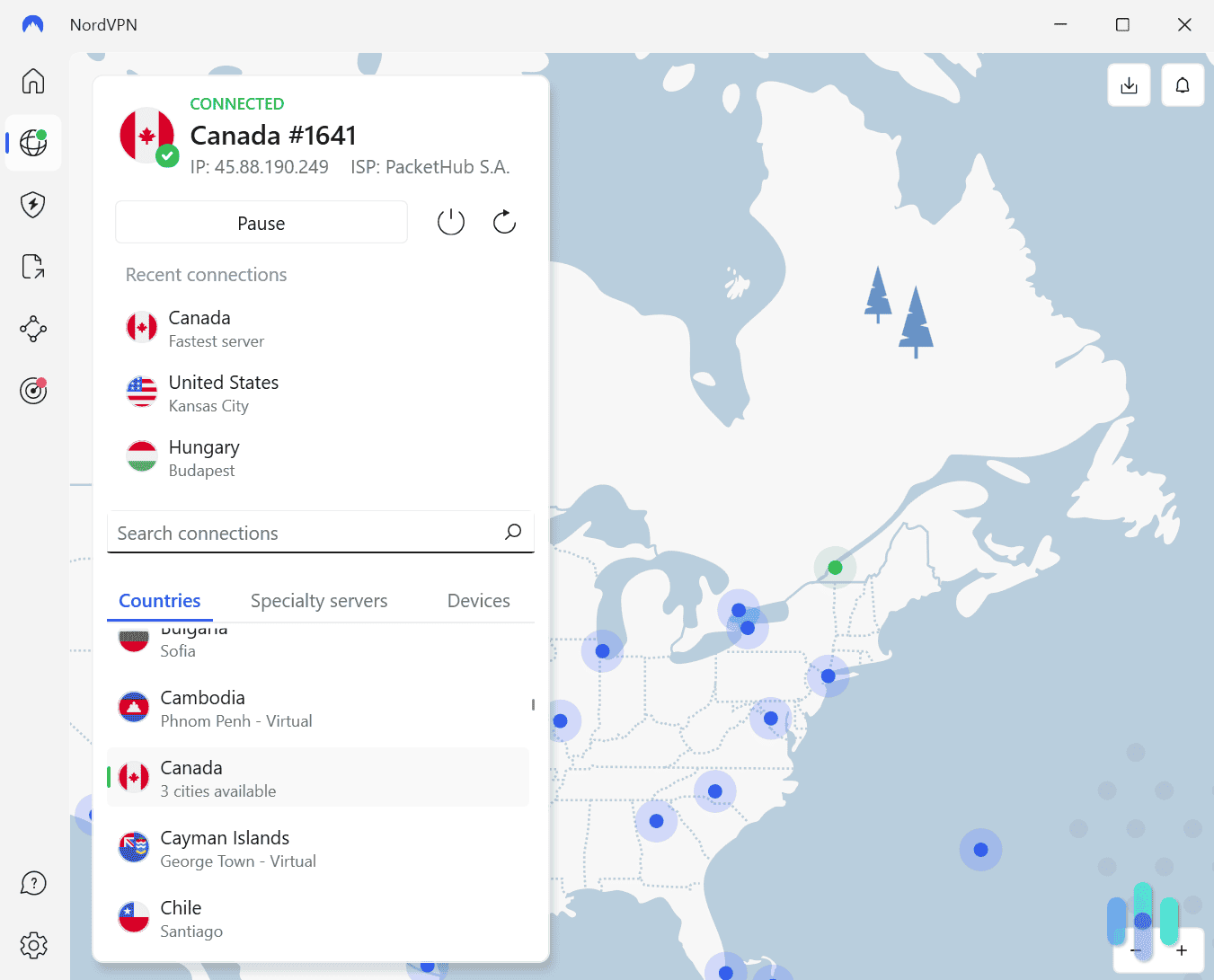
These choices let users compare connections in western and eastern Canada.
For ordinary privacy purposes, a nearby location may provide better latency than a distant server, although individual results vary.
No NordVPN documentation guarantees that any Canadian server will provide access to Bugsy through Netflix.
How to connect through NordVPN
NordVPN supports automatic country selection and manual city selection.
- Open NordVPN and sign in.
- Find Canada in the application map or country list.
- Select Canada to establish an automatic connection.
- Confirm that the application reports an active session.
- For manual selection, open the location options beside Canada.
- Choose Calgary, Montreal, Toronto, or Vancouver.
- If general connectivity becomes unstable, reconnect or select another documented Canadian endpoint.
NordVPN explains these options on its official Canadian server page.
NordLynx and network performance
NordLynx is NordVPN’s WireGuard-based connection technology.
It aims to provide efficient encrypted networking while maintaining responsive performance.
For ordinary browsing and authorized video streaming, NordLynx offers a convenient default without requiring extensive manual configuration.
Actual performance depends on internet speed, network congestion, routing, and the selected server.
If video playback buffers while the connection otherwise works, compare your normal internet performance with the VPN connection.
However, a fast connection does not guarantee access to a specific Netflix movie.
How SmartPlay works
NordVPN includes SmartPlay in its applications.
According to NordVPN’s official documentation, SmartPlay operates automatically when users establish a VPN connection.
The feature combines VPN encryption with DNS-related functionality designed to support compatible streaming services.
Users do not need to install another application or manually enable SmartPlay.
This makes the feature convenient for ordinary encrypted connections.
However, SmartPlay does not guarantee access to Bugsy through Netflix Canada.
Netflix may identify the VPN and restrict the available catalog, regardless of SmartPlay.
For additional details, consult the official NordVPN SmartPlay guide.
NordVPN streaming troubleshooting
If Netflix or another streaming application fails while NordVPN is active, first check whether the issue affects ordinary internet connectivity.
Restart the affected application, check for software updates, and confirm that your account is working normally.
For general VPN performance problems, reconnect automatically or select another city in Canada.
NordVPN’s documented alternatives are Calgary, Montreal, Toronto, and Vancouver.
If Netflix identifies the connection as a VPN, however, changing cities may not restore regionally licensed movies.
Neither NordLynx nor SmartPlay overrides Netflix’s licensing and VPN restrictions.
What to do if Bugsy does not appear
If Netflix does not show Bugsy, the explanation may involve regional licensing, VPN detection, cached browser information, or profile settings. The following troubleshooting process can help identify normal connection problems, but it cannot guarantee access to Netflix Canada’s catalog.
- Close Netflix completely, including browser tabs and background applications.
- Disconnect from your VPN.
- Reconnect to Canada if your intended activity complies with the VPN provider’s terms.
- Try another documented Canadian server or location to diagnose ordinary connection instability.
- Clear Netflix cookies and your browser cache.
- Open a private or incognito browser window.
- Reopen Netflix and sign in using your existing account.
- Search for Bugsy (1991) and confirm that the result stars Warren Beatty.
Private Internet Access users can select CA Montreal, CA Ontario, CA Toronto, or CA Vancouver. CA Ontario Streaming Optimized is another documented option for permitted local streaming, but PIA prohibits using its service to circumvent geographic content restrictions.
ExpressVPN users can compare Montreal, Toronto, Toronto – 2, and Vancouver when troubleshooting general network performance.
NordVPN users can reconnect automatically or manually select Calgary, Montreal, Toronto, or Vancouver.
The movie uses the same title, Bugsy, in Canada and the United States. Search for the 1991 drama starring Warren Beatty and Annette Bening rather than an unrelated production.
Netflix also notes that missing titles can result from regional rights, account profile settings, language preferences, and VPN detection.
Review its official missing-title troubleshooting guide before assuming the VPN connection has failed.
If the film remains unavailable, use a licensed US rental or purchase service instead.
Netflix may detect the VPN
A VPN routes internet traffic through another server, changing the public IP address visible to websites.
However, having a Canadian IP address does not automatically grant access to the Netflix Canada movie catalog.
Netflix may recognize VPN traffic and restrict the available content.
The company’s official guidance explains that users connected through a VPN may only see movies and television shows licensed worldwide.
As a result, Bugsy could disappear from Netflix search results or fail to play even when the VPN reports a successful Canadian connection.
Netflix may also display a proxy or VPN-related playback error.
These restrictions can affect Private Internet Access, ExpressVPN, and NordVPN regardless of their server choices.
VPN providers offer encrypted network connections, but they cannot guarantee Netflix streaming rights.
See Netflix’s official VPN policy for further information.
Can you use a Netflix ad-supported plan with a VPN?
No. Netflix states that its ad-supported experiences do not support VPN viewing.
If you use an ad-supported subscription while connected through a VPN, Netflix may display a playback error.
The company recommends turning off the VPN to resolve this restriction.
This limitation applies even when a VPN uses a server in a country where Netflix normally offers the movie.
An ad-free subscription avoids this specific restriction, but Netflix can still recognize VPN connections and limit regional content.
Consequently, upgrading to an ad-free plan does not guarantee access to Bugsy through a Canadian VPN server.
Netflix outlines these rules in its VPN and ad-supported viewing documentation.
Does changing the VPN location change your Netflix account?
No. Choosing Canada in a VPN application does not automatically change your Netflix login credentials, profile settings, payment method, password, or billing country.
The VPN changes the network endpoint associated with your internet connection.
Netflix maintains different movie catalogs because studios and distributors license content separately for individual markets.
That means a film may appear on Netflix Canada while remaining unavailable through Netflix US.
However, a Canadian VPN connection does not automatically provide the complete Canadian catalog. Netflix may detect the VPN and show a restricted selection.
American viewers can check current US streaming options for Bugsy (1991).
JustWatch identifies digital rentals and purchases through Amazon Video, Apple TV Store, and Fandango at Home. Recent listings showed rentals starting around $3.99, although prices may change.
Older listings also identified free, ad-supported viewing through YouTube Free and Tubi, but those options require current verification because licensing periods can expire.
Renting the movie locally may provide a simpler viewing experience than relying on Netflix’s regional VPN compatibility.
Which VPN should you use?
Private Internet Access is our Editor’s Choice because it offers WireGuard and OpenVPN support, customizable settings, and five documented Canadian options: CA Montreal, CA Ontario, CA Ontario Streaming Optimized, CA Toronto, and CA Vancouver. However, its streaming policy requires customers to use a server matching their current country and prohibits circumventing geographic restrictions. Choose PIA for permitted privacy and networking needs rather than guaranteed access to Netflix Canada.
ExpressVPN provides Montreal, Toronto, Toronto – 2, and Vancouver locations, along with Lightway, WireGuard, and OpenVPN on supported devices. NordVPN offers Calgary, Montreal, Toronto, and Vancouver, automatic connections, NordLynx, and SmartPlay, which activates automatically. Both services provide useful Canadian network options, although their servers cannot guarantee access to Bugsy.
Bugsy (1991) appears on Netflix Canada’s official page and in JustWatch’s Canadian subscription listings, while current Netflix US listings identify other viewing services. Netflix licensing, VPN detection, subscription limitations, and VPN provider terms can prevent playback through a Canadian connection. American viewers should compare authorized local rentals before purchasing a VPN specifically to watch the film.
Netflix Canada lists Bugsy (1991) on its official movie page, and JustWatch Canada independently identifies Netflix as a subscription provider. Netflix UK’s official page displays an unavailable warning. Actual playback through a signed-in Canadian account has not been independently tested.
Bugsy is not currently available on Netflix US. Netflix Canada lists the movie, but connecting through a Canadian VPN server does not guarantee access because Netflix may restrict regionally licensed titles when it detects VPN traffic. American viewers can also rent or buy the movie through authorized digital stores.
Private Internet Access is our first recommendation for customizable privacy settings and its Canadian server options, including Toronto, Montreal, Vancouver, Ontario, and Ontario Streaming Optimized. ExpressVPN and NordVPN also offer Canadian servers. None guarantees Netflix playback, and PIA prohibits circumventing streaming geographic restrictions.
Search for Bugsy (1991) starring Warren Beatty and Annette Bening. Check your Netflix profile settings, restart the app, clear outdated browser data, and disconnect a VPN if Netflix restricts the connection. If the movie remains unavailable, use an authorized US rental or purchase service.
No. Netflix does not support VPN viewing through its ad-supported experiences. Disconnect the VPN if Netflix displays a related playback error. Ad-free plans avoid this specific restriction, but Netflix may still limit regional titles when it detects a VPN.


Read our disclosure page to find out how can you help VPNCentral sustain the editorial team Read more


Improve this guide



User forum
0 messages