
How to Watch Over the Hedge on Netflix in the US with a VPN (2026)


 13 min. read
 Published on

Over the Hedge (2006) is currently available on Netflix in Canada, according to its official Netflix Canada listing. Directed by Tim Johnson and Karey Kirkpatrick, this animated adventure comedy features the voices of Bruce Willis, Garry Shandling, Steve Carell, and Wanda Sykes. The movie follows a group of woodland animals whose lives change when a suburban neighborhood appears beside their forest.
Unfortunately, Netflix US does not currently offer Over the Hedge. Private Internet Access, ExpressVPN, and NordVPN all provide Canadian VPN connections that can assign Canadian IP addresses to connected devices. However, access to the Canadian Netflix catalog depends on regional licensing, VPN detection, and individual provider restrictions.

Access content across the globe at the highest speed rate.
🔥 Save 84% + 4 bonus months! 🔥
70% of our readers choose Private Internet Access
70% of our readers choose Private Internet Access
2
Browse the web from multiple devices with industry-standard security protocols.
🔥 Save 81% + 4 bonus months! 🔥

Faster dedicated servers for specific actions (currently discounted)
🔥 Save 77% + 3 bonus months! 🔥

According to Netflix’s official VPN policy, VPN users may only see movies and television shows with worldwide distribution rights. Connecting to a Canadian VPN server does not guarantee access to Over the Hedge, and viewers must respect the applicable streaming service and VPN provider terms.
How to watch Over the Hedge on Netflix with a VPN
If you have permission to access Netflix Canada and your VPN provider permits the connection, follow these steps to check whether Over the Hedge appears in your streaming library:
- Choose a VPN with Canadian servers. We recommend Private Internet Access first, followed by ExpressVPN and NordVPN.
- Download and install the VPN application on your streaming device.
- Connect to an appropriate Canadian VPN server, provided your location and the provider’s terms permit it.
- Completely close the Netflix application or browser.
- Reopen Netflix after establishing the VPN connection.
- Sign in using your existing Netflix account credentials.
- Search for Over the Hedge (2006).
- Start watching the movie if it appears and Netflix permits playback.
You can also access the Over the Hedge Netflix Canada page directly through your browser.
The Canadian listing includes original English audio, English audio descriptions, German, Latin American Spanish, French, and Italian audio options.
Available subtitles include German, English, Latin American Spanish, French, and Italian. Netflix also lists offline downloads for the movie on compatible devices.
The movie runs for approximately 83 minutes and carries a PG rating. Netflix Canada includes it in several family entertainment categories, including family animation and animal-themed movies.
Opening the Canadian title page does not automatically change your Netflix library. Netflix determines account access and regional playback eligibility separately from its public movie listings.
Best VPNs for watching Over the Hedge on Netflix
Private Internet Access, ExpressVPN, and NordVPN offer multiple Canadian connection options. Their main differences include available locations, supported protocols, automatic server selection, and streaming-related functionality.
| VPN | Server locations in Canada | Option to try first |
|---|---|---|
| Private Internet Access (Editor’s Choice) | Montreal, Ontario, Ontario Streaming Optimized, Toronto, Vancouver | CA Ontario Streaming Optimized |
| ExpressVPN | Montreal, Toronto, Toronto – 2, Vancouver | Canada – Toronto |
| NordVPN | Calgary, Montreal, Toronto, Vancouver | Automatic Canadian server selection |
All three providers offer Canadian IP addresses. However, the presence of Canadian servers does not guarantee access to Netflix Canada’s complete streaming library.
1. Private Internet Access
Private Internet Access is our Editor’s Choice for its Canadian connection flexibility, configurable VPN protocols, and dedicated streaming-optimized location. The service gives subscribers several options for maintaining an encrypted connection while accessing eligible streaming content.
According to the official PIA server location directory, the application offers five Canadian connection options:
- CA Montreal
- CA Ontario
- CA Ontario Streaming Optimized
- CA Toronto
- CA Vancouver
The CA Ontario Streaming Optimized location provides a practical starting point for eligible Canadian Netflix subscribers who want to maintain VPN protection while streaming locally available movies.
To establish this connection, launch the Private Internet Access application and open the VPN SERVER section. Enter streaming in the search field to locate specialized connections or expand Canada in the server list.
Select CA Ontario Streaming Optimized and wait for the application to establish the connection before opening Netflix.
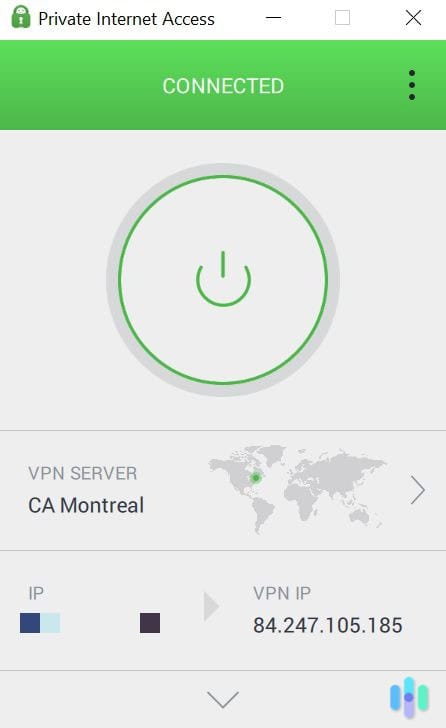
If this location experiences connection problems, PIA offers four additional Canadian options. Montreal and Toronto provide alternatives for eastern Canada, while Vancouver offers a western Canadian destination.
The standard Ontario connection also provides another option when troubleshooting technical problems with the streaming-optimized location.
Private Internet Access distinguishes between physical and virtual server locations. Its virtual server documentation explains how certain VPN destinations use hardware located outside the advertised country.
PIA does not identify Canada as a foreign-hosted virtual destination in its published directory. Its five Canadian connection options represent selectable locations rather than five individual physical servers.
The provider supports WireGuard and OpenVPN. WireGuard offers an efficient connection design that can help minimize VPN-related processing overhead. OpenVPN provides an alternative when network compatibility becomes an issue.
Users can switch between available protocols through the application’s settings. If one protocol experiences connection problems, another may provide better compatibility with the local network.
For family movie streaming, consistent bandwidth helps prevent interruptions and unexpected reductions in playback quality. Pause unnecessary downloads and compare the performance of eligible VPN locations if buffering occurs.
PIA’s official streaming policy also provides troubleshooting guidance. Updating the application, restarting the streaming service, and removing outdated browser information may help resolve technical problems.
However, PIA requires customers to select VPN locations that correspond to their actual country when streaming. The provider explicitly prohibits circumventing geographic restrictions imposed by content providers.
Therefore, US viewers should not use PIA to bypass Netflix Canada’s geographic restrictions. Its Canadian streaming-optimized connection remains useful for eligible Canadian subscribers who want additional privacy while watching locally available movies.
2. ExpressVPN
ExpressVPN provides four Canadian connection locations across three major cities. Its network offers multiple connection alternatives and several supported VPN protocols for different devices and network conditions.
The official ExpressVPN server directory lists the following Canadian locations:
- Canada – Montreal
- Canada – Toronto
- Canada – Toronto – 2
- Canada – Vancouver
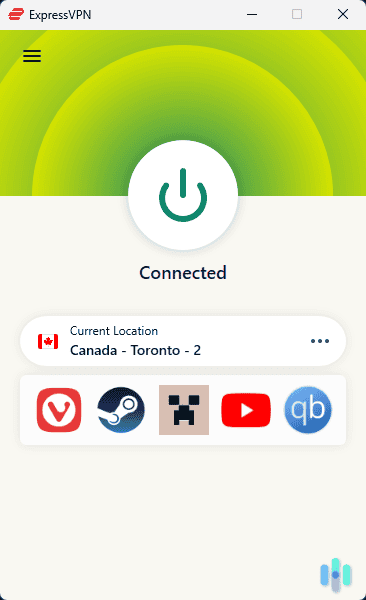
Toronto provides a practical starting point for an authorized Canadian VPN connection. Toronto – 2 gives users another option within the same city if the primary connection experiences technical problems.
Montreal and Vancouver provide additional geographic alternatives. Your internet provider’s routing, geographic proximity, and server conditions can influence connection performance.
To establish a Canadian connection, open the ExpressVPN application and access its location selection menu. Search for Canada and select the appropriate location.
Wait until the application confirms that the VPN connection is active before launching Netflix. If you use automatic location selection, verify which country the application has chosen.
ExpressVPN’s Canadian server directory lists support for Lightway UDP, Lightway TCP, WireGuard, OpenVPN UDP, OpenVPN TCP, and IKEv2. Individual protocol availability depends on the operating system and application version.
Lightway UDP provides a reasonable starting point for streaming because UDP connections generally introduce less transport overhead. Lightway TCP provides another option when restrictive networks interfere with UDP connectivity.
WireGuard and OpenVPN offer additional connection choices on compatible devices. Users who prefer simpler configuration can allow ExpressVPN to select a protocol automatically.
ExpressVPN also maintains a virtual server location directory that identifies destinations where the advertised geographic location differs from the physical hardware location.
The company does not classify its four Canadian connection locations as foreign-hosted virtual destinations.
When watching Over the Hedge, prioritize consistent playback rather than repeatedly changing VPN protocols. If several household devices stream video simultaneously, the available internet bandwidth must support each connection.
If you encounter frequent buffering, compare your internet performance with and without the VPN. Restart your streaming device, check for ExpressVPN updates, and use a wired Ethernet connection where possible.
Changing connection protocols may help address network compatibility problems, but it cannot change Netflix’s licensing arrangements.
ExpressVPN’s Canadian connections do not guarantee access to Over the Hedge. Netflix may identify VPN traffic and restrict regionally licensed movies regardless of the selected connection location or protocol.
3. NordVPN
NordVPN offers hundreds of Canadian VPN servers, four city-level destinations, automatic server selection, and integrated streaming-related functionality.
As of November 28, 2026, the official NordVPN Canada server page lists 402 servers across four Canadian locations:
- Calgary
- Montreal
- Toronto
- Vancouver
NordVPN may change its published server count as the company expands its infrastructure, replaces equipment, or performs maintenance.
Automatic Canadian server selection provides a convenient starting point for eligible subscribers who do not have a specific city preference.
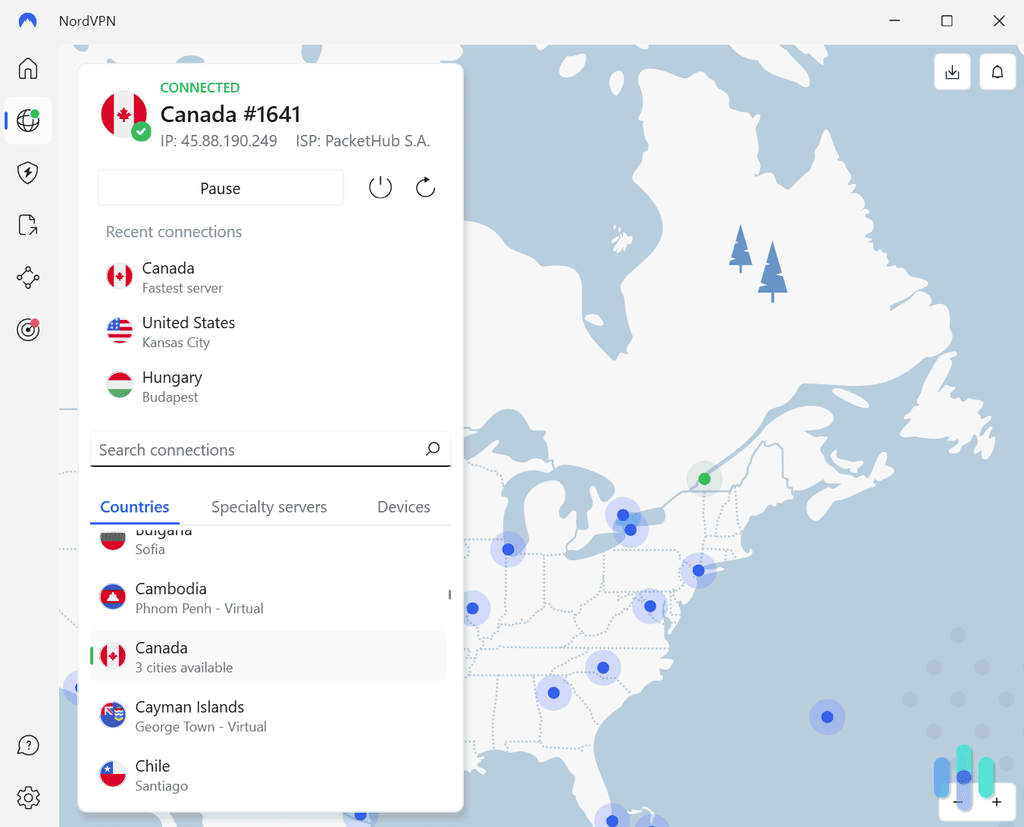
Open the NordVPN application and select Canada from the interactive map or country list. The application chooses an appropriate server without requiring users to identify an individual connection manually.
If you prefer a specific city, open the three-dot menu beside Canada and select Calgary, Montreal, Toronto, or Vancouver.
Toronto and Montreal provide eastern Canadian connection options, while Calgary and Vancouver provide western Canadian alternatives. NordVPN notes that the precise locations of individual servers within Canada may vary.
One of the provider’s main connection technologies is NordLynx. According to NordVPN’s official protocol documentation, NordLynx builds on WireGuard technology to provide efficient encrypted connections.
NordLynx can help minimize VPN-related processing overhead while streaming movies. However, actual performance depends on internet bandwidth, server congestion, device capabilities, and network routing.
NordVPN also integrates SmartPlay into its applications. This feature combines DNS-related functionality with VPN encryption and IP address management.
The official SmartPlay documentation confirms that the functionality activates automatically when users establish a VPN connection through the application.
You do not need to install additional software, activate a separate SmartPlay setting, or manually configure DNS servers.
Nevertheless, SmartPlay does not guarantee access to Over the Hedge. Netflix can recognize VPN traffic and enforce regional licensing restrictions regardless of the underlying connection technology.
If NordVPN experiences connection interruptions, restart the application and reconnect using automatic Canadian server selection. Alternatively, manually choose another eligible Canadian city and compare its performance.
Standard VPN connections generally introduce less routing overhead than specialty options such as Double VPN or Onion Over VPN. These specialty connections address different privacy requirements and may increase latency.
What to do if Over the Hedge does not appear
Over the Hedge may not appear in your Netflix library because of regional licensing, VPN detection, profile settings, or application problems. If you have permission to access Netflix Canada through your VPN connection, follow these troubleshooting steps:
- Completely close Netflix.
- Disconnect from your VPN.
- Reconnect to an appropriate Canadian VPN server if your location and provider’s terms permit it.
- Try another eligible server location in Canada.
- Clear your Netflix cookies and browser cache.
- Open an incognito or private browsing window.
- Reopen Netflix and sign in to your account.
- Search for Over the Hedge (2006).
Private Internet Access customers can compare CA Ontario Streaming Optimized with the standard Ontario, Montreal, Toronto, and Vancouver connections.
ExpressVPN subscribers can switch between Toronto, Toronto – 2, Montreal, and Vancouver. NordVPN users can select Calgary, Montreal, Toronto, or Vancouver instead of relying exclusively on automatic server selection.
Check your Netflix profile settings, particularly if you use a children’s profile. Maturity restrictions or manually blocked titles may prevent Over the Hedge from appearing in search results.
You can also look for the movie through the Canadian Netflix animation catalog, which currently includes Over the Hedge in several categories.
Netflix’s missing-title troubleshooting guide identifies licensing restrictions, VPN connections, profile maturity settings, and language preferences as possible explanations for missing movies.
Changing VPN servers does not guarantee access to missing content. Disconnect your VPN if Netflix requests it and respect your provider’s geographic usage restrictions.
Netflix may detect the VPN
A VPN encrypts internet traffic and changes the public IP address visible to websites and streaming platforms.
Connecting to a Canadian VPN server can provide a Canadian IP address. However, Netflix independently determines which movies and television shows your account can access.
Netflix negotiates distribution rights separately across different countries. This explains why Over the Hedge can appear in the Canadian catalog while Netflix US does not offer the movie.
Under Netflix’s VPN support policy, the platform may restrict VPN users to globally licensed productions.
Over the Hedge may therefore disappear from Netflix search results or become unavailable for playback when the streaming service recognizes VPN traffic.
VPN providers cannot control Netflix’s licensing agreements or guarantee continued access to individual movies. Streaming availability can also change when existing distribution agreements expire.
Can you use a Netflix ad-supported plan with a VPN?
No. Netflix does not support VPN connections on its ad-supported streaming experience.
Although Netflix Canada offers Over the Hedge through its standard and advertising-supported subscriptions, using a VPN with an ad-supported plan may trigger playback restrictions.
According to Netflix’s VPN and proxy troubleshooting documentation, viewers should disconnect their VPN when encountering related playback errors.
An ad-free subscription avoids this specific subscription restriction. However, Netflix can still recognize VPN connections and restrict access to regionally licensed movies.
Upgrading your Netflix subscription therefore does not guarantee access to Over the Hedge through a Canadian VPN connection.
Does changing the VPN location change your Netflix account?
Changing your VPN location does not automatically change your Netflix account credentials, password, subscription registration country, payment details, or existing viewing profiles.
The VPN changes the public IP address associated with your internet connection. Netflix independently determines which content your account can access.
Although Canadian and American Netflix catalogs differ, obtaining a Canadian IP address does not automatically provide access to every movie available in Canada.
Fortunately, American viewers have alternative options for watching Over the Hedge. According to JustWatch US, viewers can currently rent or purchase the movie through Amazon Video, Apple TV Store, and Fandango at Home.
DVD and Blu-ray editions also provide alternatives for viewers who prefer physical media. These options allow American audiences to watch the movie without depending on foreign Netflix availability or VPN compatibility.
Which VPN should you use?
Private Internet Access is our first recommendation for VPN privacy and Canadian connection flexibility. It offers five Canadian connection options, including CA Ontario Streaming Optimized, alongside WireGuard and OpenVPN support. However, its streaming policy prohibits circumventing geographic content restrictions.
ExpressVPN provides four Canadian connections across Montreal, Toronto, and Vancouver, with Lightway and several alternative protocols. NordVPN offers 402 Canadian servers across four cities, automatic server selection, NordLynx, and integrated SmartPlay functionality.
Over the Hedge (2006) is currently listed on Netflix Canada but not Netflix US. Although all three VPN providers offer Canadian connections, regional licensing, Netflix’s VPN detection, and individual provider terms mean that none can guarantee access to the movie from the United States.
Netflix Canada currently offers Over the Hedge (2006), with original English audio, multiple dubbed languages, subtitles, and offline downloads on compatible devices.
Netflix US does not currently offer Over the Hedge. Netflix Canada lists the movie, but Canadian VPN connections do not guarantee access. American viewers can also rent or purchase the movie through authorized digital retailers.
Private Internet Access is our first recommendation for VPN privacy and Canadian connection flexibility, followed by ExpressVPN and NordVPN. All three offer Canadian connections, but users must respect geographic licensing and VPN provider restrictions.
Restart Netflix, clear outdated browser cookies, and check your profile settings. Search for Over the Hedge (2006). If Netflix detects your VPN or restricts regional content, disconnect the VPN.
No. Netflix does not support VPN connections on ad-supported plans. Disconnect your VPN to resolve related playback errors. Ad-free subscriptions remain subject to regional licensing restrictions and VPN detection.


Read our disclosure page to find out how can you help VPNCentral sustain the editorial team Read more


Improve this guide




User forum
0 messages