
How to Watch Skyline on Netflix in the US with a VPN (2026)


 14 min. read
 Published on
Skyline (2010) appears in Netflix Australia’s science fiction, alien invasion, and action movie collections. The official Netflix Australia title page identifies the science fiction thriller directed by Colin and Greg Strause and starring Eric Balfour, Scottie Thompson, and Brittany Daniel. The movie follows a group of friends struggling to survive an extraterrestrial invasion in Los Angeles. JustWatch also identifies Australian Netflix availability, although individual Netflix title pages provide conflicting regional availability information.
Skyline does not currently appear in Netflix US streaming listings. Private Internet Access (PIA), ExpressVPN, and NordVPN all maintain Australian VPN networks that provide Australian IP addresses. These providers offer multiple connection locations, although access to regional Netflix content depends on licensing agreements and applicable service terms.

Access content across the globe at the highest speed rate.
🔥 Save 84% + 4 bonus months! 🔥
70% of our readers choose Private Internet Access
70% of our readers choose Private Internet Access
2
Browse the web from multiple devices with industry-standard security protocols.
🔥 Save 81% + 4 bonus months! 🔥

Faster dedicated servers for specific actions (currently discounted)
🔥 Save 77% + 3 bonus months! 🔥

Connecting to an Australian VPN server does not guarantee access to Skyline. According to Netflix’s official VPN policy, VPN users may only see productions with worldwide streaming rights. Netflix also does not support VPN connections on its advertising-supported experience.
How to watch Skyline on Netflix with a VPN
Australia currently provides the strongest evidence of Netflix availability for Skyline. If your location and applicable service terms permit access to the Australian catalog, follow these steps.
- Choose a VPN with Australian servers. We recommend Private Internet Access for general VPN connectivity, followed by ExpressVPN and NordVPN.
- Download and install the official VPN application on your streaming device.
- Connect to an appropriate Australian VPN server where applicable service terms permit it.
- Fully close the Netflix application or browser window.
- Reopen Netflix after establishing your VPN connection.
- Sign in using your existing Netflix account credentials.
- Search for Skyline and select the original movie released in 2010.
- Start playback if the movie appears and Netflix permits access.
Alternatively, open Skyline on Netflix Australia directly instead of searching through the application.
Make sure you select the original 2010 movie rather than its sequels, Beyond Skyline (2017) and Skylines (2020). Netflix maintains separate listings for these productions.
Skyline runs for approximately 93 minutes. Netflix’s title information lists original English audio and English subtitles, making this edition suitable for American viewers who prefer watching movies in their original language.
The movie also appears in Netflix’s Australian alien movie collection. JustWatch Australia’s November 13, 2026, update identifies both regular Netflix and Netflix Standard with Ads as streaming options.
However, opening an Australian Netflix URL does not automatically change your accessible catalog. Netflix may identify your actual viewing location or detect your VPN connection and restrict access.
Best VPNs for watching Skyline on Netflix
Private Internet Access, ExpressVPN, and NordVPN maintain Australian server networks. Their applications offer multiple connection locations, allowing users to compare network performance and troubleshoot ordinary connectivity problems.
| VPN | Server locations in Australia | Option to try first |
|---|---|---|
| Private Internet Access (Editor’s Choice) | Adelaide, Brisbane, Melbourne, Perth, Sydney, Woolloomooloo, Australia Streaming Optimized | Australia Streaming Optimized |
| ExpressVPN | Adelaide, Brisbane, Melbourne, Perth, Sydney, Woolloomooloo | Sydney |
| NordVPN | Adelaide, Brisbane, Melbourne, Perth, Sydney | Automatic Australian server selection |
These recommendations reflect officially documented Australian VPN infrastructure rather than successful Skyline playback tests. Australian server availability does not guarantee access to Netflix Australia’s regional movie library.
1. Private Internet Access
Private Internet Access is our Editor’s Choice for general Australian VPN connectivity because it offers several Australian locations, configurable VPN protocols, and a dedicated streaming-optimized connection.
According to its official application server directory, PIA offers seven Australian connection options:
- AU Adelaide
- AU Brisbane
- AU Melbourne
- AU Perth
- AU Sydney
- AU Woolloomooloo
- Australia Streaming Optimized
The Australia Streaming Optimized connection provides a dedicated starting point for permitted streaming activities. PIA lists this connection separately from its standard Australian locations.
To locate it, launch the Private Internet Access application and open the VPN server selection menu. Enter streaming into the search field and select the appropriate Australian connection.
If the connection experiences performance problems, Sydney and Melbourne provide alternative eastern Australian locations. Brisbane, Adelaide, Perth, and Woolloomooloo offer additional connection choices.
Woolloomooloo is a neighborhood in Sydney, giving users another connection option within the metropolitan area.
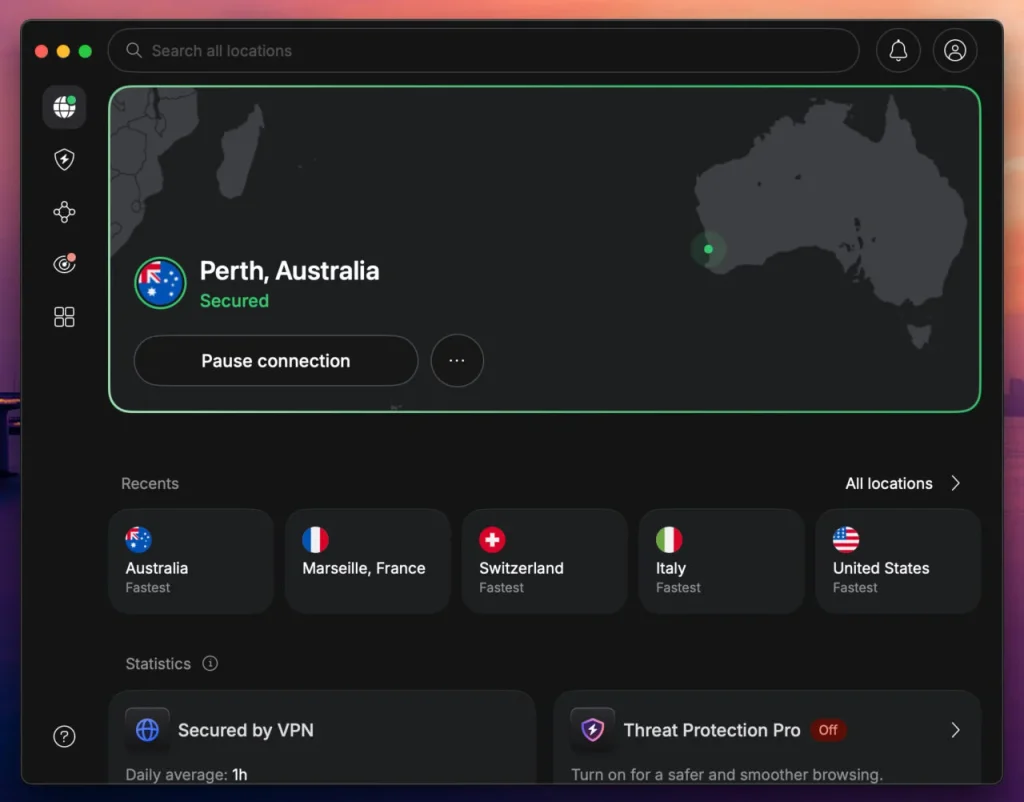
PIA’s Australian VPN infrastructure page advertises six local locations and 10 Gbps network infrastructure. Its application directory separately identifies the streaming-optimized connection.
This advertised network capacity does not represent the download speed that individual customers will necessarily receive. Internet connection quality, network congestion, and geographical distance influence actual performance.
Private Internet Access distinguishes physical infrastructure from virtual locations in its virtual server documentation. A virtual location can provide an IP address associated with one country while using hardware physically located elsewhere.
PIA does not separately disclose the precise hardware location behind its Australia Streaming Optimized connection. Users should therefore avoid assuming that this connection operates from a specific Australian city.
Private Internet Access supports WireGuard and OpenVPN. WireGuard provides a lightweight VPN connection, while OpenVPN offers additional compatibility and configuration flexibility.
Start with WireGuard if your device and internet connection support it reliably. If you encounter frequent connection interruptions, compare its performance with OpenVPN.
Skyline contains numerous fast-moving action sequences and visual effects. A stable internet connection helps maintain consistent picture quality throughout these scenes.
Long-distance connections between North America and Australia can introduce considerable latency. A VPN cannot eliminate the additional network distance between these regions.
If permitted streaming encounters technical problems, check your wireless connection, pause background downloads, restart the VPN application, and clear outdated browser data.
Importantly, PIA’s official streaming policy prohibits circumventing geographic restrictions imposed by content providers. The company also instructs customers to choose streaming connections corresponding to their actual country.
Consequently, US residents should not use PIA’s Australian servers to bypass Netflix’s regional restrictions. Its Australian infrastructure remains useful for authorized streaming activities and privacy protection within Australia.
2. ExpressVPN
ExpressVPN offers Australian VPN connections across several major cities. Its applications provide straightforward location selection, automatic connection settings, and several supported VPN protocols.
According to its official Australian VPN page, ExpressVPN offers connections in the following locations:
- Adelaide
- Brisbane
- Melbourne
- Perth
- Sydney
- Woolloomooloo
Sydney provides a reasonable starting point for authorized Australian connections. Woolloomooloo offers another connection option within the same metropolitan area.
Melbourne and Brisbane provide alternative eastern Australian connections, while Adelaide and Perth offer additional geographical flexibility.
To establish a connection, launch ExpressVPN and open its location selection menu. Enter Australia into the search field, expand the available locations, and select your preferred connection.
ExpressVPN documents upgraded 40 Gbps infrastructure in Sydney, Melbourne, Brisbane, Perth, and Adelaide. Its Woolloomooloo location offers a 10 Gbps connection option.
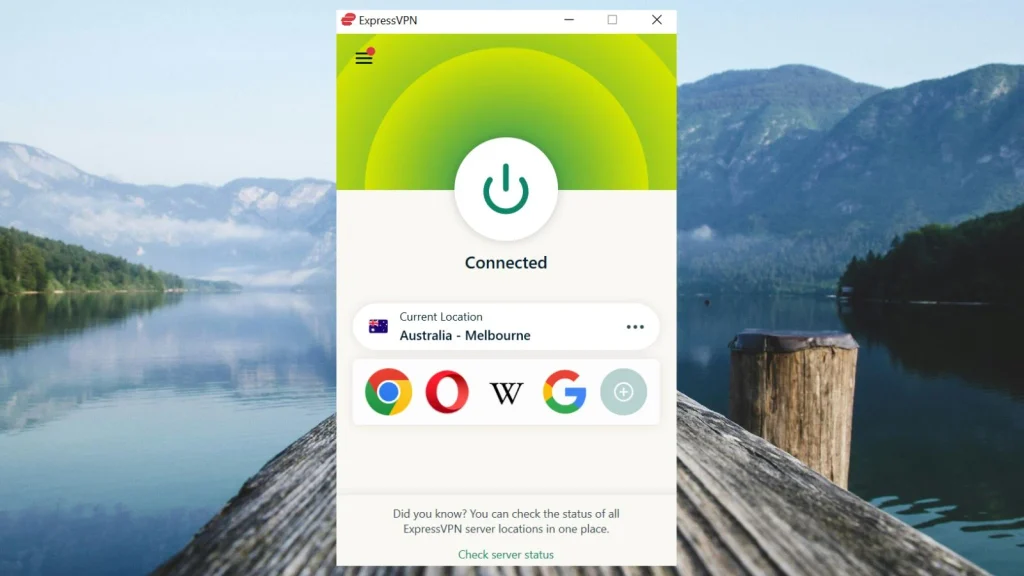
These figures describe server-side network capacity rather than guaranteed subscriber download speeds. Actual performance depends on internet service limitations and network conditions.
The provider supports several connection protocols, including Lightway UDP, Lightway TCP, WireGuard, OpenVPN UDP, OpenVPN TCP, and IKEv2, according to its official VPN server directory.
Protocol availability depends on your operating system and application version. ExpressVPN currently provides WireGuard on compatible Windows, Android, and iOS applications.
Lightway UDP provides a practical starting point for everyday VPN connectivity. Lightway TCP may help diagnose problems on networks that handle UDP traffic poorly.
OpenVPN offers another alternative for users who encounter network compatibility problems. Users who prefer minimal configuration can leave protocol selection on its automatic setting.
The provider distinguishes physical and virtual infrastructure in its virtual server location documentation. ExpressVPN does not identify the Australian locations discussed here as virtual locations.
If Skyline buffers during authorized playback, test another movie to determine whether the problem affects Netflix generally or only a particular production.
You can also compare your internet performance with and without the VPN, restart your router, or temporarily pause large downloads.
For television streaming, an Ethernet connection may provide more consistent network performance than an unreliable wireless connection.
Changing VPN locations or protocols can help resolve ordinary connectivity problems. However, these actions cannot grant additional streaming rights. ExpressVPN cannot guarantee access to Skyline through its Australian server network.
3. NordVPN
NordVPN offers an extensive Australian server network alongside automatic connection selection, its NordLynx protocol, and integrated SmartPlay functionality.
As of November 28, 2026, its official Australian server page lists 230 servers across five cities:
- Adelaide
- Brisbane
- Melbourne
- Perth
- Sydney
These locations provide several Australian connection choices. NordVPN may change its published server inventory as it maintains or expands its network.
To establish an automatic connection, open NordVPN and select Australia from the application map or country list. NordVPN will select an appropriate server through its automatic selection system.
If you prefer a particular city, open the additional location options next to Australia and select your preferred destination.
NordVPN notes that precise server locations within the country may vary. Its city directory identifies connection options rather than exact data center addresses.
NordLynx uses WireGuard-based technology to provide an efficient VPN connection. Its lightweight design makes it a practical option for activities that require sustained network performance.
If you encounter connection interruptions, compare NordLynx with OpenVPN where your application supports both protocols.
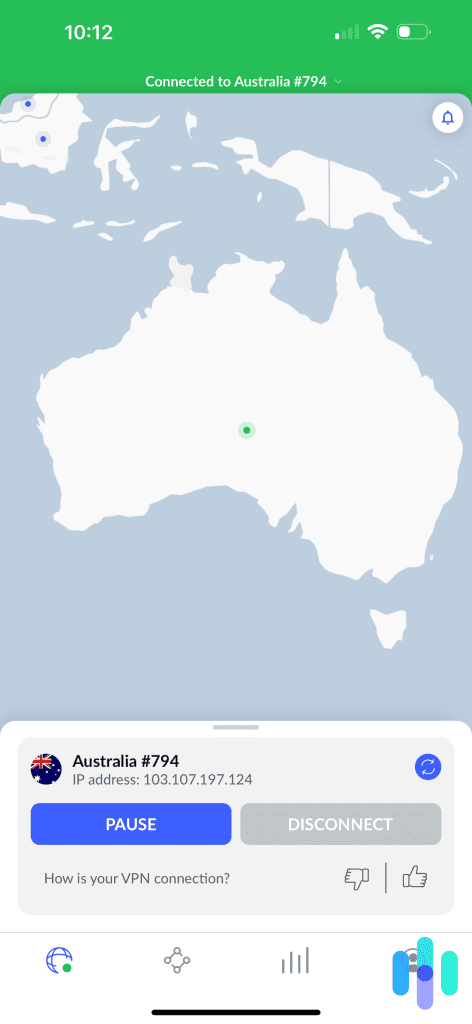
Another relevant feature is NordVPN SmartPlay. This technology combines DNS-related functionality with VPN protection to support secure streaming.
SmartPlay activates automatically when users establish a NordVPN connection. Users do not need to install a separate application or manually configure their DNS settings.
However, SmartPlay does not override Netflix’s regional licensing agreements or guarantee access to Skyline. Users must comply with applicable copyright regulations and streaming service restrictions.
For ordinary video streaming, standard VPN connections generally provide a more practical option than specialty configurations that introduce additional network routing.
If permitted playback experiences technical problems, reconnect to Australia, choose another Australian city, or compare the available connection protocols.
NordVPN’s Australian infrastructure provides flexibility for legitimate VPN usage, but Netflix independently determines which movies its subscribers can access.
What to do if Skyline does not appear
Regional licensing restrictions, VPN detection, profile settings, and outdated browser data can affect Netflix catalog visibility. If you have authorized access to Netflix Australia’s catalog, try these troubleshooting steps.
- Close Netflix completely.
- Disconnect from your VPN.
- Reconnect to an appropriate Australian VPN location if permitted.
- Try another Australian server to diagnose connection problems.
- Clear Netflix cookies and your browser cache.
- Open an incognito or private browser window.
- Reopen Netflix and sign in to your account.
- Search for Skyline (2010).
Private Internet Access users in Australia can compare Australia Streaming Optimized with standard connections in Sydney, Melbourne, Brisbane, Adelaide, Perth, or Woolloomooloo.
ExpressVPN users can compare Sydney with Woolloomooloo, Melbourne, Brisbane, or another Australian location if their original connection experiences technical problems.
NordVPN users can compare automatic Australian server selection with manual connections in Adelaide, Brisbane, Melbourne, Perth, or Sydney.
Make sure your search results identify the original 2010 movie starring Eric Balfour and Scottie Thompson. Searching for Skylines instead may display the 2020 sequel.
Also check your Netflix profile’s maturity restrictions. Skyline carries an M Australian classification, so profiles with restrictive viewing settings may hide the movie.
According to Netflix’s missing-title troubleshooting guide, regional rights, profile language preferences, maturity restrictions, blocked titles, and VPN usage can influence which movies appear.
If Netflix restricts access because of your geographic location or VPN connection, disconnect the VPN and use an authorized streaming alternative. Changing servers cannot guarantee access and may conflict with your VPN provider’s terms.
Netflix may detect the VPN
A VPN routes internet traffic through another server and changes the public IP address that websites and streaming services normally receive.
Connecting to an Australian VPN server can provide an IP address associated with Australia. However, receiving that IP address does not automatically establish permission to access Netflix Australia’s complete movie library.
Netflix may recognize connections associated with commercial VPN infrastructure and restrict access to globally licensed productions.
Skyline could consequently disappear from search results even when Netflix offers the movie through ordinary Australian internet connections.
Netflix explains these restrictions in its VPN support documentation. Users may need to disable their VPN to restore access to productions available in their actual location.
VPN detection can also produce playback errors rather than simply hiding a movie from search results.
Private Internet Access, ExpressVPN, and NordVPN cannot guarantee playback because Netflix independently controls its licensing agreements, catalog visibility, and connection restrictions.
Can you use a Netflix ad-supported plan with a VPN?
No. Netflix does not support VPN connections on its advertising-supported experience.
JustWatch Australia identifies Skyline on both regular Netflix and Netflix Standard with Ads. However, users with advertising-supported subscriptions may encounter playback restrictions while connected to a VPN.
Netflix may display error code E106 or another message concerning VPN or proxy usage.
The company’s VPN and proxy error troubleshooting guide recommends disabling the VPN when these problems occur.
An ad-free subscription avoids the specific VPN restriction associated with advertising-supported plans. Nevertheless, Netflix can still recognize VPN connections and restrict regional content.
Upgrading your subscription does not guarantee access to Skyline through an Australian VPN connection.
Does changing the VPN location change your Netflix account?
No. Changing your VPN location does not automatically modify your Netflix subscription, password, account credentials, profiles, viewing history, or billing information.
The primary change involves the public IP address that Netflix receives when your device connects to the service.
Netflix maintains different content libraries across countries because distribution agreements vary between markets. Australian subscribers may consequently have access to productions that do not appear on Netflix US.
Connecting to an Australian VPN server does not automatically change your account’s registered country or grant additional streaming rights.
Fortunately, American viewers have numerous domestic alternatives for watching Skyline without relying on another country’s Netflix library.
According to current US streaming availability information, the movie appears on Amazon Prime Video, Peacock Premium, Peacock Premium Plus, and Shout! Factory Amazon Channel.
American viewers can also watch Skyline for free with advertisements through Tubi, The Roku Channel, Pluto TV, Plex, and YouTube Free.
Digital rental and purchase options include Amazon Video, Apple TV Store, and Fandango at Home. Physical DVD, Blu-ray, and 4K UHD editions provide additional alternatives.
Which VPN should you use?
Private Internet Access is our first choice for general Australian VPN connectivity because it offers seven documented connection options, including Australia Streaming Optimized, alongside WireGuard and OpenVPN. However, its streaming policy prohibits bypassing geographic restrictions, so users must follow its terms.
ExpressVPN provides multiple Australian connection locations, including Sydney, Melbourne, and Woolloomooloo, alongside Lightway and other supported protocols. NordVPN offers 230 documented Australian servers, five city locations, automatic server selection, NordLynx, and integrated SmartPlay functionality.
Netflix’s Australian science fiction and alien movie collections, together with independent streaming listings, identify Skyline (2010) in Australia, while American streaming listings exclude Netflix. However, conflicting individual title-page responses require additional availability confirmation. Regional licensing, Netflix’s VPN detection, subscription limitations, and provider terms mean that playback through an Australian VPN connection cannot be guaranteed.
Netflix Australia’s science fiction and alien movie collections, together with JustWatch listings, identify Skyline (2010) in Australia. JustWatch lists regular Netflix and Netflix Standard with Ads, although conflicting individual title-page responses require additional availability confirmation.
Skyline does not currently appear in Netflix US streaming listings. VPN providers offer Australian IP addresses, but Netflix may restrict regional access through VPN connections. American viewers can alternatively watch the movie through Amazon Prime Video, Peacock, Tubi, or Pluto TV.
Private Internet Access is our first choice for general Australian VPN connectivity, followed by ExpressVPN and NordVPN. PIA offers an Australia Streaming Optimized connection, but its terms prohibit bypassing geographic streaming restrictions. None of these VPNs guarantees Netflix playback.
Restart Netflix, clear browser cookies, check your profile’s maturity restrictions, and verify regional availability. Search for the original 2010 movie rather than Beyond Skyline or Skylines. If Netflix restricts access because of a VPN, disconnect it and use an authorized streaming alternative.
No. Netflix does not support VPN connections on its advertising-supported experience. Ad-free subscriptions avoid this specific restriction, but Netflix can still detect VPN connections and limit regional content.


Read our disclosure page to find out how can you help VPNCentral sustain the editorial team Read more


Improve this guide




User forum
0 messages