
How a VPN Protects You (and What It Doesn’t)


 7 min. read
  Updated on
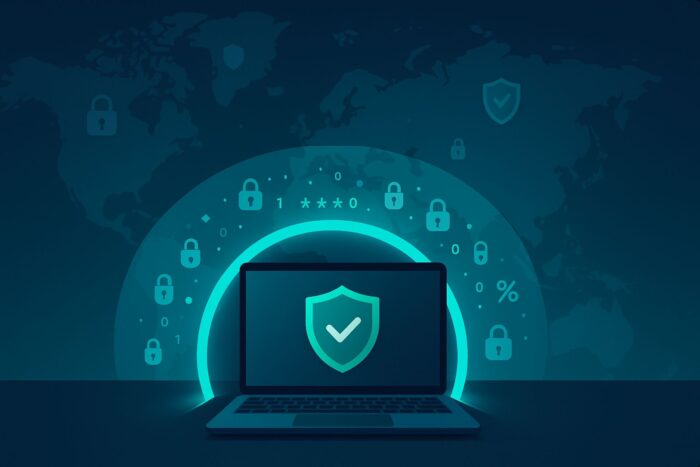
A virtual private network (VPN) creates a private, encrypted tunnel between your device and a VPN server.
That tunnel hides your traffic from local observers, masks your IP address on the public internet, and reduces the amount of data third parties can tie back to you.
Below, we break down exactly what a VPN protects you against, where it helps the most, and the limits you should know.
Table of contents
- How a VPN Protects You
- 1) It encrypts your internet traffic end-to-end (device → VPN server)
- 2) It masks your real IP address on the public internet
- 3) It protects you on unsafe or open Wi-Fi
- 4) It reduces certain hacker attack surfaces
- 5) It limits ISP and local monitoring, plus some throttling triggers
- 6) It helps prevent simple location-based tracking and targeting
- 7) It adds fail-safe protections like kill switch and leak blocking
- What a VPN Doesn’t Protect You From
- Practical, Layered Protection Plan
- FAQs
- Key Takeaways
How a VPN Protects You
1) It encrypts your internet traffic end-to-end (device → VPN server)
When your VPN is on, your data is wrapped in strong encryption before it leaves your device. Anyone on the same network—coffee shop snoops, airport Wi-Fi admins, rogue hotspots, or your ISP—sees only ciphertext and cannot read website content, queries, or app traffic. This is the core defense that stops casual interception and most local surveillance. In fact, using one is one of the simplest ways to secure your entire network setup and reduce exposure to eavesdropping.
2) It masks your real IP address on the public internet
Websites, apps, and advertising networks typically see the VPN server’s IP instead of yours. This reduces IP-based geolocation, helps avoid basic IP-targeted attacks, and limits profile building tied to your home or mobile IP. It also makes simple IP bans or blocks less sticky because you can switch servers.
3) It protects you on unsafe or open Wi-Fi
On public Wi-Fi, attackers can try to sniff unencrypted traffic or run “man-in-the-middle” tricks. A VPN’s tunnel blocks that visibility so they can’t read or tamper with your sessions, even if you accidentally connect to a sketchy network.
4) It reduces certain hacker attack surfaces
Attackers often begin with IP reconnaissance or local-network attacks. By hiding your IP and encrypting traffic, a VPN reduces exposure to trivial scans and makes you a harder target on shared networks. Still, cybercriminals can exploit other weaknesses, weak passwords, malware, or compromised websites—so it’s worth reading about the real limits of a VPN when it comes to stopping hackers.
5) It limits ISP and local monitoring, plus some throttling triggers
Your ISP can see you’re connected to a VPN but not the specific sites you visit or what you’re doing. That limits data collection and may reduce content-type throttling that relies on traffic inspection. It does not hide your total bandwidth usage or connection times.
6) It helps prevent simple location-based tracking and targeting
Because you can choose server locations, a VPN can make your traffic appear to originate from another city or country. This helps with regional privacy, testing, or avoiding rudimentary geo-targeting. Note that sophisticated trackers combine many signals (browser fingerprinting, cookies), so pair your VPN with privacy-minded browser settings.
7) It adds fail-safe protections like kill switch and leak blocking
A good VPN app offers a kill switch to cut internet access if the VPN tunnel drops, preventing data from leaking in plain text. It should also mitigate DNS and IPv6 leaks so domain lookups and IP requests don’t bypass the tunnel.
What a VPN Doesn’t Protect You From
Malware and viruses
A VPN can carry traffic safely across hostile networks, but it does not disinfect files or block malicious executables. You still need antivirus, automatic updates, and cautious download habits. For more details, see how a VPN interacts with viruses and malware protection on your PC.
Phishing and social engineering
If you click a convincing fake login page and hand over credentials, encryption won’t save you. Use a reputable password manager, enable multi-factor authentication, and verify URLs carefully. That’s why many users ask whether a VPN offers any real protection against phishing attempts, the short answer is no, not by itself.
Law-enforcement visibility and lawful requests
A VPN can make your traffic harder to trace, but legal systems have tools beyond the network layer. Depending on jurisdictions, providers may receive lawful orders or target other signals to correlate activity. That’s why guides exploring how the FBI can track VPN traffic stress that a VPN is privacy, not immunity.
Account-level tracking, cookies, and fingerprints
If you’re logged into a service (Google, Facebook, your bank), that service can still associate behavior with your account regardless of your IP. Cookies, super-cookies, and browser/device fingerprints can persist across sessions unless you manage them.
Compromised endpoints and credentials
If your device is already infected, a VPN simply encrypts infected traffic. Likewise, if attackers have your password, they can log in through the front door. Use device hardening, MFA, and regular security audits. For a reality check, it helps to know what a VPN does not protect you from so you can build defenses accordingly.
Practical, Layered Protection Plan
- Use a reputable VPN with strong protocols (WireGuard, IKEv2, or OpenVPN), an audited no-logs policy, kill switch, and leak protection.
- Lock down endpoints: enable OS auto-updates, run reputable antivirus/anti-malware, and remove unused software.
- Harden your accounts: unique passwords via a manager, plus multi-factor authentication everywhere it’s offered.
- Browse defensively: verify URLs, avoid risky downloads, and use privacy-focused browser settings or profiles to curb cookie/fingerprint tracking.
- Secure your whole network: pair the VPN with router-level security, strong Wi-Fi encryption, and segmented guest networks where possible.
- Know the limits: remember that a VPN alone won’t prevent phishing, malware, or account takeovers.
- Stay realistic about adversaries: lawful investigations and advanced tracking can bypass network protections.
FAQs
No. It greatly increases privacy by encrypting traffic and masking your IP, but websites can still identify you through logins, cookies, and fingerprints.
It makes you harder to target on a network, but it won’t block password theft or phishing. Learn more about the real impact of a VPN on hacker attacks.
Not directly. It encrypts traffic but doesn’t stop you from entering credentials on a fake page.
No. It doesn’t scan files or block malware. You still need endpoint protection and safe-download habits.
Phishing, malware, account-level tracking, and lawful requests. Check the full list in our guide on what a VPN won’t protect you from.
Key Takeaways
- A VPN encrypts your traffic, hides your IP, and protects you on unsafe networks, huge wins for everyday privacy and security.
- It does not stop phishing, malware, or account-level tracking on its own; use it as part of a layered defense.
- Be aware of its limits and reinforce them with antivirus, MFA, and smart browsing.


Read our disclosure page to find out how can you help VPNCentral sustain the editorial team Read more


Improve this guide


User forum
0 messages