
Microsoft Releases KB5121767 to Fix Shutdowns and Performance Problems on Dell PCs


 8 min. read
  Published on
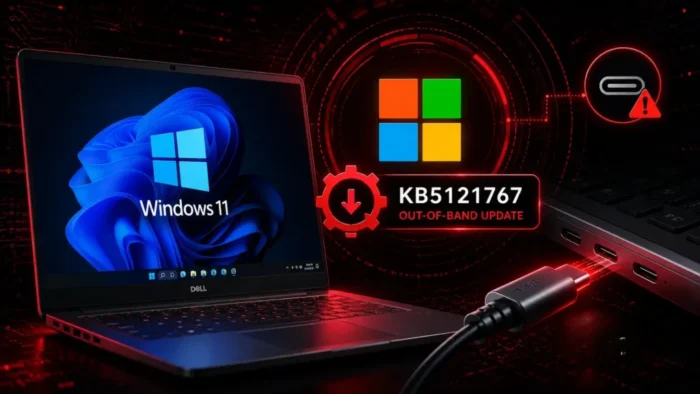
Microsoft has released Windows 11 out-of-band update KB5121767 to fix an Intel driver compatibility problem affecting a limited number of Dell computers. The issue can cause unexpected shutdowns, poor performance, increased heat and faster battery drain.
The KB5121767 out-of-band update was released on July 18, 2026, for Windows 11 versions 25H2 and 24H2. It moves affected devices to OS Builds 26200.8894 and 26100.8894, respectively.

Access content across the globe at the highest speed rate.
70% of our readers choose Private Internet Access
70% of our readers choose ExpressVPN

Browse the web from multiple devices with industry-standard security protocols.

Faster dedicated servers for specific actions (currently at summer discounts)
Microsoft recommends the update only for devices affected by the Intel Innovation Platform Framework driver problem. Computers that are not experiencing the issue do not need to install the optional package.
What KB5121767 Fixes
The problem involves the Intel Innovation Platform Framework, commonly shortened to Intel IPF. This technology helps coordinate power use, system performance and thermal management on supported Intel-based computers.
A conflict between an Intel IPF Processor Participant driver and a Windows interface could prevent those controls from operating correctly. Some affected computers display a yellow warning symbol beside the Intel IPF Processor Participant entry in Device Manager.
Microsoft’s description says the problem can change system performance, power consumption or general device behavior. Earlier reporting on the Dell compatibility issue documented more specific symptoms reported by Microsoft and Dell.
- Unexpected shutdowns
- Reduced system performance
- Increased device temperature
- Higher battery consumption
- A warning symbol beside the Intel IPF driver in Device Manager
Is KB5121767 a USB-C Update?
The underlying conflict is connected to the Windows USB-C Connection Manager interface introduced in the June 23, 2026 preview update. That interface was incompatible with an Intel IPF component on a limited group of Dell devices.
However, Microsoft has not described KB5121767 as a broad fix for USB-C docks, displays, charging equipment or other peripherals. The confirmed effects center on power management, thermal behavior, system performance and unexpected shutdowns.
The distinction matters because a general USB-C problem may have a different cause. Users experiencing only a failed dock, monitor or cable should not assume KB5121767 will resolve the problem unless their computer also matches the affected Intel IPF configuration.
Which Windows 11 Devices Are Affected?
KB5121767 applies to all editions of Windows 11 version 25H2 and version 24H2. The compatibility problem itself affects only a limited number of Dell computers using the relevant Intel IPF driver.
Microsoft has not published a complete list of affected Dell models. A computer is more likely to need the update if the symptoms began after the June 2026 preview update or the July 2026 security update.
The following table summarizes the applicable Windows versions and resulting build numbers.
| Windows release | Update | OS build after installation | Recommendation |
|---|---|---|---|
| Windows 11 25H2 | KB5121767 | 26200.8894 | Install only on affected devices |
| Windows 11 24H2 | KB5121767 | 26100.8894 | Install only on affected devices |
| Windows 11 Enterprise LTSC 2024 using eligible hotpatch management | KB5121768 | 26200.8893 or 26100.8893 | Follow the hotpatch deployment policy |
| Other unaffected Windows devices | No action required | No change required | Continue using normal update policies |
Recent Windows Updates Triggered the Conflict
The root cause first appeared with preview update KB5095093, released on June 23, 2026. That preview introduced the new Windows USB-C Connection Manager interface involved in the incompatibility.
The changes were later included in the July 14 security update, KB5101650 for Windows 11. Microsoft temporarily stopped offering that security update to affected Dell devices while it prepared a correction.
Microsoft and Dell identified the problem during testing. Once KB5121767 became available, the temporary compatibility hold was no longer needed for the affected systems.
How to Check Whether a Dell PC Is Affected
Users should first consider when the problem started. Unexpected shutdowns, unusual heat, rapid battery loss or a sudden performance decline after recent Windows updates can indicate the Intel IPF conflict.
Device Manager provides another useful signal. Open Device Manager, expand System devices and look for Intel Innovation Platform Framework Processor Participant. A yellow warning symbol beside that entry was reported on affected systems.
The documented Intel IPF symptoms on affected Dell PCs include shutdowns, poor performance, increased heat and battery drain. A warning icon alone does not identify every possible driver problem, so administrators should also review update history and Dell diagnostics.
- Open Settings and select Windows Update.
- Choose Update history.
- Check for KB5095093 or KB5101650.
- Open Device Manager.
- Expand System devices.
- Inspect the Intel IPF Processor Participant entry.
- Record any error code displayed in the device properties.
How to Install KB5121767
KB5121767 is classified as an optional update. Users can open Settings, select Windows Update, choose Advanced options and then open Optional updates to install it.
Devices with the Get the latest updates as soon as they are available setting enabled may receive the package automatically. Other affected users can select Download and install when the update is offered.
Microsoft also provides standalone packages through the Microsoft Update Catalog. Users must select the package that matches Windows 11 version 24H2 or 25H2 and the device’s x64 or Arm64 architecture.
Enterprise Deployment Has Important Limitations
Microsoft’s release table states that KB5121767 is not distributed through Windows Update for Business or Windows Server Update Services. This differs from the normal deployment options available for many monthly cumulative updates.
Administrators who require the standard package can download it from the KB5121767 catalog listing. Microsoft notes that the catalog download can contain more than one MSU file and that the packages must be installed in the required order.
Organizations should identify affected Dell systems before deploying the update. A targeted rollout limits unnecessary reboots and allows support teams to confirm that temperature, battery and performance behavior returns to normal.
- Create a device group containing affected Dell computers.
- Confirm the installed Windows version and processor architecture.
- Check for the Intel IPF warning in Device Manager.
- Test the update on representative Dell models.
- Monitor shutdowns, battery use, temperature and performance after installation.
- Confirm that the final OS build is 26200.8894 or 26100.8894.
Hotpatch Devices Receive KB5121768
Microsoft released a separate package for eligible devices managed through Windows Autopatch with hotpatching. The KB5121768 hotpatch update addresses the same Intel IPF compatibility problem.
Eligible hotpatch devices that already installed the July security update can receive KB5121768 without restarting. A restart is required if the July security update has not already been installed.
Administrators should not treat KB5121767 and KB5121768 as interchangeable packages. The correct update depends on whether the endpoint follows the standard cumulative-update channel or an eligible Autopatch hotpatch configuration.
Other Components Included in the Update
Because KB5121767 is cumulative, it includes improvements from earlier Windows security and non-security updates. It also contains servicing stack update KB5120102, which moves the servicing stack to Build 26100.8872.
The package updates Image Search, Content Extraction, Semantic Analysis and Settings Model components to version 1.2605.856.0. Microsoft says these AI component updates apply only to Copilot+ PCs and will not install on standard Windows PCs or Windows Server systems.
The update is not a response to a security vulnerability, and Microsoft has not reported exploitation. Its purpose is to restore reliable power, thermal and performance behavior on the affected Dell hardware.
What Users Should Do After Installation
Users should restart the computer if requested and then confirm the Windows build by entering winver in the Run dialog. Version 25H2 should report Build 26200.8894, while version 24H2 should report Build 26100.8894.
Device Manager should no longer show the Intel IPF compatibility warning related to this issue. Users should also monitor the computer during normal workloads to confirm that shutdowns, excessive heat, battery drain and slow performance have stopped.
If the problems continue, install current Dell firmware and driver updates through approved support channels. Persistent overheating or shutdowns should be investigated as a separate hardware or driver problem rather than repeatedly reinstalling the Windows update.
KB5121767 Update Summary
| Item | Details |
|---|---|
| Release date | July 18, 2026 |
| Windows versions | Windows 11 25H2 and 24H2 |
| Primary fix | Intel IPF compatibility problem on a limited number of Dell devices |
| Reported symptoms | Shutdowns, poor performance, increased heat and battery drain |
| Security vulnerability | No |
| Windows Update status | Optional, or automatic with the early-update toggle enabled |
| Windows Update for Business | Not offered |
| WSUS | Not offered |
| Microsoft Update Catalog | Available |
| Hotpatch alternative | KB5121768 for eligible managed devices |
The earlier KB5101650 release notes now state that the Dell compatibility issue has been resolved. Microsoft is not currently listing a known issue specific to KB5121767.
Affected Dell users should install the correction when offered. Unaffected computers can remain on their normal servicing schedule because Microsoft says no additional action is required.
Full installation instructions, component details and build information are available in Microsoft’s official KB5121767 release notes. Organizations using hotpatching should instead follow the KB5121768 deployment instructions.
FAQ
KB5121767 fixes an incompatibility involving an Intel Innovation Platform Framework driver on a limited number of Dell computers. The issue can cause shutdowns, poor performance, increased heat and battery drain.
No. The underlying conflict involves a Windows USB-C Connection Manager interface, but Microsoft describes the update as a fix for Intel IPF performance, power and system behavior problems on certain Dell devices.
No. Microsoft recommends the optional update only for devices affected by the Intel IPF compatibility problem. Unaffected devices require no action.
Affected users can find it under Settings, Windows Update, Advanced options and Optional updates. It is also available as a standalone download from the Microsoft Update Catalog.
No. Microsoft’s release information says KB5121767 is not offered through Windows Server Update Services or Windows Update for Business. Administrators can use the Microsoft Update Catalog for the standard package.
KB5121767 is the standard cumulative out-of-band update for Windows 11 versions 25H2 and 24H2. KB5121768 is the separate hotpatch release for eligible devices managed through Windows Autopatch and enrolled in hotpatching.


Read our disclosure page to find out how can you help VPNCentral sustain the editorial team Read more


Improve this guide

User forum
0 messages