
Microsoft rolls back Teams update after desktop launch failures leave some users stuck on loading screen


 4 min. read
  Published on
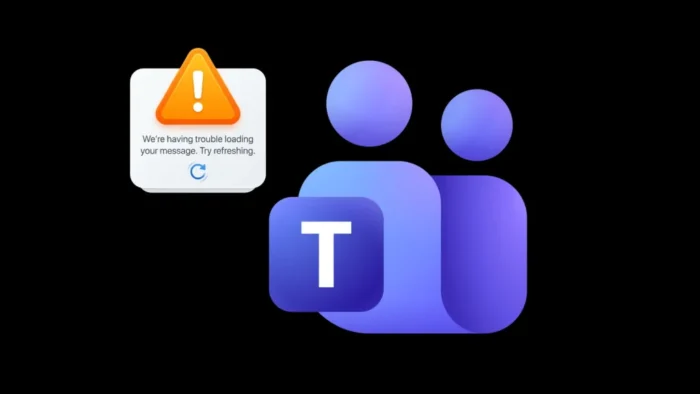
Microsoft has rolled back a problematic update after some users found that the Teams desktop client would not launch properly. Affected users got stuck on the loading screen and saw the message, “We’re having trouble loading your message. Try refreshing,” while Microsoft tracked the incident under TM1283300.
The company says the issue came from a regression in the Teams client build caching system. Microsoft later reverted the offending update and told affected users to fully quit Teams and then restart it so the fix could propagate to the client.

Access content across the globe at the highest speed rate.
70% of our readers choose Private Internet Access
70% of our readers choose ExpressVPN

Browse the web from multiple devices with industry-standard security protocols.

Faster dedicated servers for specific actions (currently at summer discounts)
That makes this a desktop-specific disruption rather than a broad Teams platform outage. Public incident mirrors and coverage indicate the problem hit users trying to open the desktop app, while Microsoft focused its recovery steps on restarting the local client after the rollback.
What caused the Teams issue
According to the incident details mirrored from Microsoft 365 service health updates, a recent client configuration or service update introduced a regression in the Teams client build caching system. Microsoft said that regression pushed some desktop builds into an unhealthy state, which stopped the app from completing its normal startup process.
That explains why a normal refresh inside the app did not solve the problem for many users. If the client could not finish loading in the first place, users had to fully close Teams and relaunch it after Microsoft completed the rollback.
Microsoft also appears to have treated the issue as a meaningful service incident rather than a minor bug. Incident TM1283300 was classified as a service degradation event, which usually signals noticeable user impact for at least part of the customer base.
What users should do
Microsoft’s current guidance is straightforward. Users should fully quit the Teams desktop application, not just close the window, and then launch it again. The company said that restart is necessary so the reverted update can reach the client correctly.
If Teams still fails to launch after one restart, users may need to wait a few minutes and try again. Microsoft said it was continuing to monitor telemetry and gather feedback from impacted users while it checked whether the rollback fully cleared the issue.
For IT teams, the immediate task is communication. Admins should tell affected users to perform a full quit-and-restart cycle and check the Microsoft 365 service health dashboard for updates tied to TM1283300.
Incident summary
| Item | Details |
|---|---|
| Incident ID | TM1283300 |
| Main symptom | Teams desktop client stuck on loading screen with “We’re having trouble loading your message. Try refreshing.” |
| Root cause | Regression in the Teams client build caching system after a recent update or configuration change |
| Microsoft action | Rolled back the offending update |
| User workaround | Fully quit Teams and restart the desktop client |
What this means for enterprises
Teams sits at the center of meetings, chat, and internal coordination for many organizations, so even a limited desktop client launch issue can create fast operational friction. Users may still have browser or mobile options in some cases, but desktop launch failures can interrupt support workflows, meetings, and shared project work across the day.
This incident also shows how client-side caching regressions can create outsized disruption even when core cloud services remain available. The backend may recover quickly, but users still need the updated state to propagate correctly to the app on their machines.
For admins, the lesson is simple. When Microsoft points to a client rollback plus restart as the fix, a full app quit matters. Partial closes or refresh attempts may leave the user stuck in the same broken state.
Quick steps for admins and users
- Fully quit Microsoft Teams from the desktop client.
- Relaunch Teams so the reverted configuration can apply.
- If the issue continues, wait a few minutes and try again.
- Check Microsoft 365 service health for TM1283300 updates.
- Advise affected users to use Teams web temporarily if their organization needs an immediate fallback. This step is an operational inference, not a Microsoft-confirmed workaround.
FAQ
Microsoft said a recent update introduced a regression in the Teams client build caching system.
Many affected users saw Teams hang on startup with the message, “We’re having trouble loading your message. Try refreshing.”
Microsoft rolled back the update and said users need to fully quit and restart Teams for the solution to propagate.
Yes. Microsoft tracked the issue as TM1283300.


Read our disclosure page to find out how can you help VPNCentral sustain the editorial team Read more


Improve this guide



User forum
0 messages