
Microsoft rolls out Teams optimizations for Windows App on iOS and Android


 4 min. read
  Published on
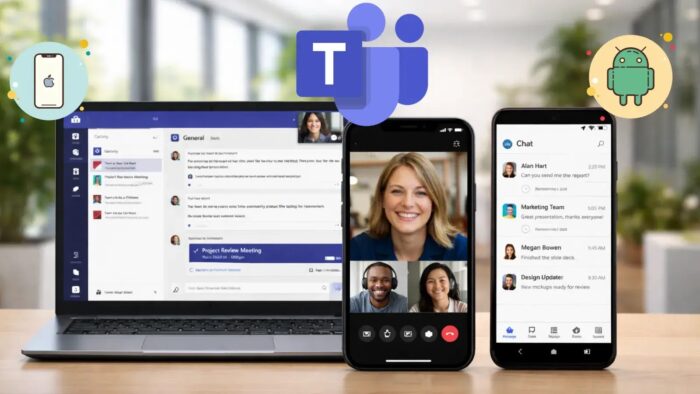
Microsoft has made Teams optimizations for Windows App on iOS and Android generally available, giving mobile users a better calling and meeting experience when they connect to Azure Virtual Desktop and Windows 365. The company says the update uses the WebRTC Redirector Service to improve how audio and video are handled in virtualized environments.
This means audio and video no longer need to be processed entirely inside the remote Windows session. Instead, supported iPhones, iPads, and Android devices can handle media processing locally, which should improve responsiveness during Teams calls and meetings. Microsoft says this approach is designed to deliver more consistent performance across a range of network conditions.
The release matters for organizations that rely on Windows 365 and Azure Virtual Desktop for secure remote work. Teams inside a virtual desktop can often feel heavier on mobile, especially during video meetings. By shifting media work to the local device, Microsoft reduces pressure on the virtual machine while keeping the desktop session in the cloud.
Microsoft announced the rollout on March 18, 2026, and said customers can begin deploying the feature now, provided they meet supported configuration requirements. The company also confirmed that Windows App on iOS and Android now supports Teams media optimizations as a generally available capability, following a public preview phase.
For IT teams, the update is not just about smoother meetings. It can also help reduce server-side compute and media overhead in larger virtual desktop deployments. That could make it easier to support more users without the same level of infrastructure strain seen in older remote media setups. This last point is an inference based on Microsoft’s stated use of local media redirection rather than full in-session processing.
What changed
Microsoft says Teams optimizations for Windows App on iOS and Android are designed to support:
- Improved audio and video handling during Teams calls and meetings
- More consistent media experiences across different network conditions
- A familiar Teams meeting experience for mobile users accessing virtual desktops
Those benefits come from media redirection, where the local device processes call and meeting media instead of routing all of it through the hosted Windows environment.
Supported platforms and versions
Microsoft’s Azure Virtual Desktop documentation says media optimization for Teams is available on these clients:
| Platform | Minimum supported version |
|---|---|
| Windows App on iOS/iPadOS | 11.2.5 or later |
| Windows App on Android/Chrome OS | 11.0.0.78 or later |
The same documentation also notes that Teams on Azure Virtual Desktop supports chat and collaboration across platforms, while calling and meeting optimization depends on supported clients and media redirection components such as SlimCore or the WebRTC Redirector Service.
Why this matters
Microsoft has been working to make cloud PCs and virtual desktops feel more natural on more devices, not just on traditional laptops and desktops. This release pushes that strategy further by improving one of the most demanding workloads on mobile: real-time communication.
For users, that should mean fewer frustrations during calls from a phone or tablet. For businesses, it strengthens the case for letting employees work from secure cloud desktops without giving up a usable Teams experience on mobile hardware.
Quick breakdown
| Item | Details |
|---|---|
| Feature | Teams optimizations for Windows App |
| Status | Generally available |
| Announced | March 18, 2026 |
| Platforms | iOS, iPadOS, Android, Chrome OS |
| Services | Azure Virtual Desktop, Windows 365 |
| Technology | WebRTC Redirector Service |
| Main goal | Better Teams calls and meetings on mobile virtual desktop sessions |
What admins should check before rollout
- Confirm client devices run supported Windows App versions
- Review Teams on Azure Virtual Desktop requirements
- Validate supported configuration and feature support before broad deployment
- Test performance on both Wi-Fi and mobile networks in real use cases
Microsoft says organizations can begin deploying the feature immediately, but only within supported configurations.
FAQ
Microsoft announced general availability for Teams optimizations in Windows App on iOS and Android for Azure Virtual Desktop and Windows 365.
It redirects audio and video processing to the local mobile device instead of handling everything inside the remote virtual session.
Microsoft lists Windows App on iOS/iPadOS and Windows App on Android/Chrome OS as supported mobile clients for Teams media optimization.
No. Microsoft says the feature is now generally available.
Microsoft says you need Windows App version 11.2.5 or later on iOS/iPadOS and version 11.0.0.78 or later on Android/Chrome OS.


Read our disclosure page to find out how can you help VPNCentral sustain the editorial team Read more


Improve this guide




User forum
0 messages