
Proxy Error Meaning: Full Guide to Codes and Fixes


 7 min. read
  Updated on
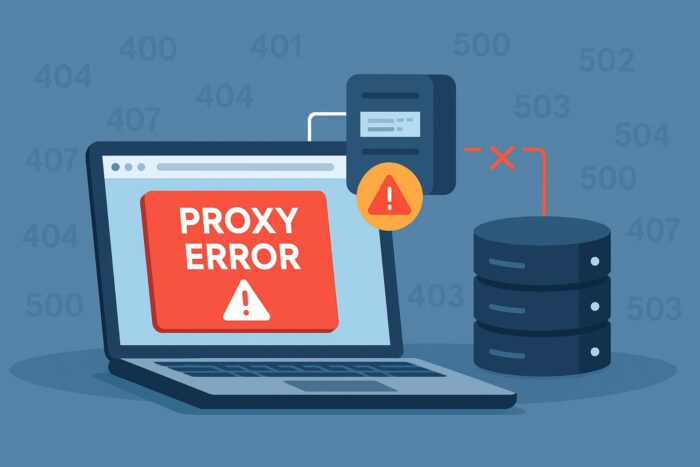
When you connect to a website through a proxy, your request passes through an extra server before it reaches its destination. This helps with privacy, security, and access control. However, if something goes wrong in this chain, you may encounter a proxy error instead of the page you expected.
A proxy error is not just a generic failure. Each error code contains valuable clues about what went wrong and where.
By understanding these codes, you can troubleshoot more effectively and restore access much faster. This guide explains the most common proxy error codes, what they mean in practice, and how you can fix them quickly.
Table of contents
- Common Proxy Error Codes at a Glance
- 400 Bad Request
- 401 Unauthorized
- 403 Forbidden
- 404 Not Found
- 407 Proxy Authentication Required
- 408 Request Timeout
- 413 Content Too Large
- 414 URI Too Long
- 429 Too Many Requests
- 431 Header Fields Too Large
- 500 Internal Server Error
- 502 Bad Gateway
- 503 Service Unavailable
- 504 Gateway Timeout
- 505 HTTP Version Not Supported
- Other Proxy-Specific Errors
- Cloudflare Specific Errors
- Conclusion
- FAQ
Common Proxy Error Codes at a Glance
| Status Code | Meaning | Typical Causes |
|---|---|---|
| 400 | Bad Request | Malformed syntax, wrong headers, bad URL, corrupted cache |
| 401 | Unauthorized | Missing or invalid credentials for origin |
| 403 | Forbidden | Proxy IP blocked, no permission, geo restrictions |
| 404 | Not Found | Wrong path, removed resource, proxy misrouting |
| 407 | Proxy Authentication Required | Proxy demands credentials |
| 408 | Request Timeout | Client or proxy took too long |
| 413 | Content Too Large | Request body exceeds limits |
| 414 | URI Too Long | URL string too long for server |
| 429 | Too Many Requests | Rate limiting triggered |
| 431 | Header Fields Too Large | Headers or cookies too big |
| 500 | Internal Server Error | Proxy or origin crashed |
| 502 | Bad Gateway | Proxy got invalid response from upstream |
| 503 | Service Unavailable | Overloaded or under maintenance |
| 504 | Gateway Timeout | Proxy waited too long for upstream |
| 505 | HTTP Version Not Supported | Protocol mismatch |
| 520–526 | Cloudflare 5xx family | Origin unreachable, timeout, SSL or cert issues |
400 Bad Request
Meaning: The server or proxy cannot parse the request because it is malformed. Common reasons are broken URLs, illegal characters, or corrupted headers.
Quick fixes:
- Correct the URL
- Clear cache and cookies
- Validate headers and payload size
If you encounter unusual request failures, you may also run into cases like proxy error 2606, which signals very specific connectivity or configuration issues.
401 Unauthorized
Meaning: You tried to access a resource but the origin server did not accept your credentials. The proxy often just relays this error back.
Quick fixes:
- Enter valid credentials
- Refresh authentication tokens
- Match the expected login method
403 Forbidden
Meaning: The server understood your request but refuses to let you in. This may happen if your proxy IP is blocked or region access is restricted.
Quick fixes:
- Change proxy IP or location
- Request allow listing
- Review account permissions
Sometimes access issues are not about permissions but about the proxy itself, such as when you see proxy not controllable.
404 Not Found
Meaning: The requested resource does not exist on the server or was misrouted by the proxy.
Quick fixes:
- Double-check the URL
- Remove extra query strings
- Fix redirect rules
In proxy setups, you might encounter related cases like proxy not found or even errors such as proxy not working for this image.
407 Proxy Authentication Required
Meaning: The proxy itself requires authentication before it can forward your request.
Quick fixes:
- Add proxy credentials
- Match the right authentication method
- Confirm your client sends Proxy Authorization
You can find a dedicated walkthrough for handling proxy error 407 with detailed steps to resolve credential issues.
408 Request Timeout
Meaning: The proxy or the origin waited too long for your request and gave up.
Quick fixes:
- Increase timeout settings
- Retry with smaller requests
- Stabilize your connection
413 Content Too Large
Meaning: Your request body is bigger than what the server or proxy allows.
Quick fixes:
- Reduce upload size
- Split files into chunks
- Adjust server or proxy limits
414 URI Too Long
Meaning: Some URLs spiral out of control with long query strings or endless redirects.
Quick fixes:
- Shorten query strings
- Move data into POST body
- Resolve redirect loops
429 Too Many Requests
Meaning: You have exceeded the rate limit imposed by the proxy or target server.
Quick fixes:
- Slow down request rate
- Rotate proxy IPs
- Add backoff strategy
431 Header Fields Too Large
Meaning: Request headers are too big for the proxy or server to handle, often due to bloated cookies.
Quick fixes:
- Clear cookies
- Remove unnecessary headers
- Trim request size
500 Internal Server Error
Meaning: A generic failure indicating the proxy or server crashed or misbehaved.
Quick fixes:
- Restart the service
- Check logs for errors
- Roll back changes
You may also encounter a more specific variant such as proxy error 500, which highlights backend-level breakdowns.
502 Bad Gateway
Meaning: The proxy tried to get a response from the upstream server but received nothing or something invalid.
Quick fixes:
- Check upstream server
- Verify DNS and firewall settings
- Increase proxy read timeouts
When troubleshooting, you can follow step-by-step fixes for proxy error 502 to ensure correct gateway communication.
503 Service Unavailable
Meaning: The server or proxy is temporarily overloaded or under maintenance.
Quick fixes:
- Retry later
- Scale resources
- Exit maintenance mode
A detailed example is proxy error 503, which often happens during high-load events.
504 Gateway Timeout
Meaning: The proxy waited too long for the upstream server to reply.
Quick fixes:
- Increase timeout threshold
- Optimize upstream performance
- Reduce latency
505 HTTP Version Not Supported
Meaning: The server or proxy does not support the HTTP version used by the client.
Quick fixes:
- Switch to HTTP/1.1
- Upgrade server
- Align protocol versions
Other Proxy-Specific Errors
Not all proxy errors come with standard HTTP codes. Some are unique to proxy setups:
- Proxy error no response from bot psg hag2 signals that a bot or automation failed to answer the proxy’s request.
- Proxy error could not proxy request occurs when the proxy cannot forward traffic at all.
- Proxy server cannot establish connection with target indicates a total connection failure between the proxy and the destination.
- Repairing IP address proxy error covers cases where IP mismatches or misconfigurations break proxy sessions.
Cloudflare Specific Errors
When using Cloudflare, you may see custom proxy codes:
- 520 Unknown Error: Unexpected response from origin
- 521 Web Server Is Down: Origin refused connection
- 522 Connection Timed Out: Cloudflare handshake failed
- 523 Origin Is Unreachable: Routing or DNS error
- 524 Timeout Occurred: Origin did not reply in time
- 525 SSL Handshake Failed: TLS negotiation failed
- 526 Invalid SSL Certificate: Origin cert rejected
Conclusion
Proxy errors may seem intimidating at first, but each code provides a clear explanation of what went wrong. By taking the time to understand these messages, you can identify whether the problem lies with your setup, the proxy service, or the target server.
Client-side errors such as 400 or 407 often point to mistakes in requests or missing credentials, while server-side codes like 500 or 502 usually indicate backend or proxy failures. Cloudflare errors go a step further by highlighting issues between the CDN and the origin server.
The key to solving proxy errors is matching the meaning with the right quick fix. Once you know the source of the problem, most solutions are straightforward: correct your URL, adjust proxy settings, provide valid authentication, or retry when the server is ready. With this guide, you will be able to decode proxy errors quickly and get back online with minimal disruption.
FAQ
You usually see a proxy error when something breaks between your device, the proxy server, and the target website. This can happen due to bad configuration, missing credentials, blocked IP addresses, or upstream server failures.
The fastest fixes include double-checking your proxy settings, providing valid login details, switching to a different proxy IP, clearing cookies and cache, or retrying later if the server is overloaded.
A 502 Bad Gateway often happens when the proxy cannot communicate properly with the upstream server. It usually means the issue is on the server side, not yours, but verifying your DNS and connection settings is still useful.
Proxy error 407 means the proxy requires authentication before it can forward your request. Adding the correct username and password in your client or browser settings typically solves it.
Some Cloudflare errors, such as 522 or 524, are caused by issues with the origin server rather than your setup. However, you can fix SSL handshake or certificate errors (525, 526) by updating certificates and ensuring TLS settings match.


Read our disclosure page to find out how can you help VPNCentral sustain the editorial team Read more


Improve this guide

User forum
0 messages