
The Best Password Managers for 2026: Top Apps for Secure Logins and Passkeys


 12 min. read
  Published on
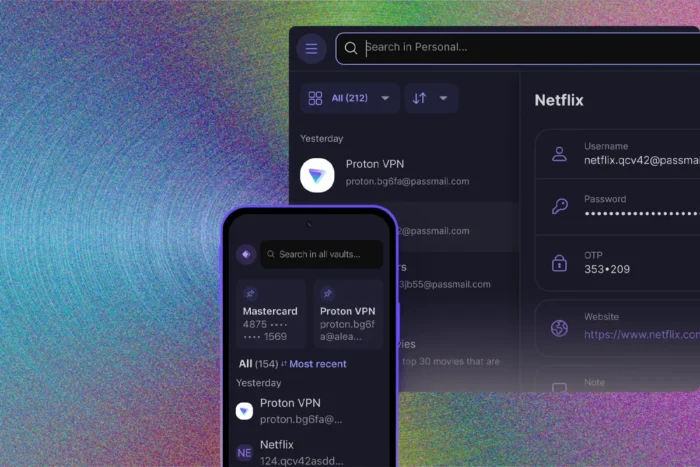
Bitwarden is the best password manager for most people in 2026 because it combines a strong free plan, open-source applications, broad platform support, password sharing, and affordable paid upgrades. Proton Pass offers the strongest alternative for users who want generous free features and built-in email aliases.
Keeper stands out for secure sharing, while 1Password offers polished applications and useful features for families and frequent travelers. Dashlane provides extensive monitoring and scam protection, and NordPass works well for users who already subscribe to other Nord Security products.

Access content across the globe at the highest speed rate.
🔥 Save 81% + 2 bonus months! 🔥
70% of our readers choose Private Internet Access
70% of our readers choose Private Internet Access
2
Browse the web from multiple devices with industry-standard security protocols.
🔥 Save 73%! 🔥

Faster dedicated servers for specific actions (currently discounted)
🔥 Save 69%! 🔥
A password manager stores login credentials in an encrypted vault, generates unique passwords, and fills them into websites and apps. Most leading services also manage passkeys, payment cards, secure notes, identity details, and two-factor authentication codes.
Best password managers for 2026 at a glance
| Password manager | Best for | Free plan | Family option |
|---|---|---|---|
| Bitwarden | Best overall | Yes | Up to six users |
| Proton Pass | Best free alternative | Yes | Up to six users |
| Keeper | Password sharing | Limited | Available |
| 1Password | Premium features and travel | No permanent free plan | Five users with expansion options |
| Dashlane | Scam and breach protection | Trial available | Up to 10 accounts |
| NordPass | Bundled security services | Yes | Up to six users |
| KeePassXC | Local and self-managed storage | Completely free | No managed family plan |
Bitwarden is the best password manager for most people
Bitwarden offers unlimited password storage and access across an unlimited number of devices on its free individual plan. Users can save passwords, passkeys, payment cards, identities, and secure notes without paying for basic synchronization.
The applications are open source, which allows researchers and independent experts to inspect the code. Bitwarden also publishes external security assessments and supports self-hosting for technically experienced users who want greater control over their vault infrastructure.
According to the official Bitwarden pricing page, Premium costs $19.80 per year, while Families costs $47.88 per year for up to six users. Those amounts exclude applicable taxes.
- Unlimited passwords and devices on the free plan
- Open-source applications
- Password and passkey support
- Secure sharing with another user on the free plan
- Emergency access on Premium plans
- Integrated authenticator on paid plans
Premium adds vault health reports, encrypted file attachments, emergency access, and an integrated authenticator for generating two-factor authentication codes. The Families plan gives each member Premium features and adds shared collections for household credentials.
Bitwarden represents particularly strong value for users who need a capable password manager without a subscription. People who want additional reports, storage, and authentication tools can review the current options on the Bitwarden plan comparison.
Proton Pass offers one of the strongest free plans
Proton Pass includes unlimited logins, unlimited device access, passkey management, password generation, secure notes, and hide-my-email aliases. Its free plan does not include advertising and works across desktop computers, mobile devices, and major browsers.
The service comes from Proton, the company behind Proton Mail and Proton VPN. Proton Pass uses end-to-end encryption and publishes its client applications as open source, although some server-side components remain private.
The official Proton Pass pricing page confirms that the free tier includes unlimited logins and devices. Paid plans expand sharing, monitoring, alias management, authentication, and storage features.
| Feature | Proton Pass Free | Paid Proton Pass plans |
|---|---|---|
| Saved logins | Unlimited | Unlimited |
| Devices | Unlimited | Unlimited |
| Passkeys | Supported | Supported |
| Email aliases | Included | More advanced controls |
| Sharing | Limited sharing | Expanded sharing |
Proton Pass makes particular sense for people who already use Proton Mail, Proton VPN, or Proton Drive. A Proton Unlimited subscription can combine these services under one account, although users who only need password management may find a dedicated Pass plan more economical.
The free version covers the essential needs of many individuals. Users should compare the latest Free, Pass Plus, Family, and bundled options on the official Proton Pass plan list before subscribing.
Keeper is the best option for controlled password sharing
Keeper provides detailed sharing controls for individuals, families, businesses, and large organizations. Users can share individual records or folders while controlling whether another person can edit, manage, or redistribute the information.
One-time sharing links can provide temporary access to a record without requiring the recipient to become a permanent vault member. This can help when sending a Wi-Fi password, account credential, or private document to a trusted person.
The Keeper Personal and Family pricing page lists unlimited password storage, synchronization across unlimited devices, biometric login, identity storage, browser extensions, and customer support among the core personal features.
Keeper works well for:
- Families that frequently share subscriptions and household accounts
- Small teams that need structured shared folders
- Users who want time-limited external sharing
- People who need detailed permissions
- Organizations that may later require administrative controls
Some security and monitoring functions may require separate add-ons or higher plans. Buyers should check whether dark web monitoring and encrypted file storage appear in the quoted subscription price or as optional purchases.
Keeper may cost more than Bitwarden, but its sharing system offers more control. The current Keeper plan comparison explains what each personal and family subscription includes.
1Password combines polished apps with premium tools
1Password provides applications for Windows, macOS, Linux, ChromeOS, Android, and iOS, along with extensions for widely used browsers. It stores passwords, passkeys, secure notes, identity documents, payment information, and two-factor authentication codes.
Each account uses an account password and a generated Secret Key. The Secret Key adds protection if an attacker obtains an encrypted copy of the vault, but users must keep their Emergency Kit secure because 1Password cannot recover a lost Secret Key on an individual account.
The official 1Password pricing page lists plans for individuals and families. It also offers a trial, allowing new customers to test autofill, import tools, sharing, and platform support before paying.
Travel Mode separates 1Password from many competitors. Users can mark selected vaults as safe for travel and temporarily remove other vaults from their devices before crossing a border. They can restore the removed data after arriving.
- Polished applications across major platforms
- Strong support for passkeys
- Travel Mode for selected vaults
- Secure item sharing
- Watchtower alerts for weak or compromised credentials
- Family account recovery through organizers
1Password does not offer a permanent free personal plan. Users who value its design, Travel Mode, family recovery options, and Secret Key architecture can find the latest subscription details on the 1Password plan page.
Dashlane provides extensive security monitoring
Dashlane combines password management with breach alerts, password health reports, phishing protection, and scam warnings. It can flag reused or weak credentials and notify users when monitored information appears in a known breach.
The service primarily operates through browser extensions, a web application, and mobile apps rather than a traditional standalone desktop program. Users who prefer a dedicated desktop vault should consider this difference before subscribing.
The Dashlane personal pricing page lists Premium and Friends & Family plans. The family option covers up to 10 accounts, although only the plan manager receives the bundled VPN.
Dashlane’s main features include:
- Unlimited password and passkey storage on paid plans
- Access across supported devices
- Password health analysis
- Breach monitoring
- Secure credential sharing
- Warnings before users enter information on suspicious sites
Dashlane may appeal to users who want active warnings rather than a simple password vault. Its higher cost makes it less attractive for those who only need password generation, storage, and autofill.
A trial allows customers to test the service before committing. Current features and family-plan restrictions appear on the Dashlane subscription page.
NordPass works well with other Nord services
NordPass offers Free, Premium, and Family plans for personal users. It stores passwords, passkeys, payment cards, secure notes, and personal information while synchronizing the vault across supported devices.
The Family plan includes six separate Premium accounts. Each member receives a private vault and can share selected records with other people rather than exposing the entire account.
Users can compare the available subscriptions on the official NordPass plans page. Promotional rates may apply to the initial term, so customers should inspect the total payment and renewal conditions.
NordPass uses XChaCha20 encryption and a zero-knowledge design. The service encrypts vault data before sending it to its servers, which means the provider does not receive the information needed to read stored credentials.
Its paid plans may include password health reports, breach scanning, email masking, file attachments, secure sharing, and emergency access. Feature availability can differ between personal, family, and business subscriptions.
NordPass becomes more attractive when bundled with NordVPN or other Nord Security products. Users who do not need those services should compare the standalone cost on the NordPass pricing comparison with Bitwarden, Proton Pass, and 1Password.
KeePassXC is the strongest option for local storage
KeePassXC stores credentials in an encrypted database file rather than automatically placing the vault on a company-operated cloud platform. Users decide where the database remains and how it synchronizes between computers.
The program is free, open source, and available for Windows, macOS, and Linux. Its browser extension can retrieve saved credentials and fill them into websites without forcing users to copy passwords through the clipboard.
The official KeePassXC website describes the application as cloud-free and tracker-free. The project also supports passkey storage through its browser integration.
KeePassXC gives experienced users significant control, but it also gives them more responsibility. They must create backups, manage database synchronization, protect the master password and key file, and resolve conflicts between copies.
| Managed cloud password manager | KeePassXC |
|---|---|
| Automatic synchronization | User configures synchronization |
| Company account recovery options | User manages backups and recovery |
| Mobile apps from the same provider | Requires compatible third-party mobile apps |
| Subscription may apply | Free and open source |
People comfortable managing their own encrypted files may prefer this model. New users who want effortless synchronization, family recovery, and customer support will usually find Bitwarden or Proton Pass easier.
Technical users can download the application and review its supported platforms through the KeePassXC project page.
Should you use a browser password manager?
Google, Apple, Microsoft, Mozilla, and other browser or operating-system providers include password management features. These tools provide a major security improvement over reusing simple passwords or storing credentials in documents and spreadsheets.
A built-in manager may work well for people who remain inside one ecosystem. Google Password Manager integrates closely with Chrome and Android, while Apple Passwords works across supported Apple devices and Windows through iCloud.
A dedicated password manager usually offers broader platform compatibility, more flexible sharing, detailed vault organization, emergency access, secure document storage, and stronger support for switching between browsers and operating systems.
Users who already rely on a browser manager do not need to migrate immediately. They should first make sure synchronization has strong account protection, enable multifactor authentication, and review whether the platform supports encrypted exports and passkeys.
How to choose the right password manager
The best password manager must work reliably on every device and browser a person uses. Strong encryption has little practical value when poor autofill or missing platform support causes someone to return to weak and repeated passwords.
Check these factors before choosing a service:
- Confirm that it supports your computers, phones, tablets, and browsers.
- Check whether the free plan allows unlimited passwords and devices.
- Review passkey and two-factor authentication support.
- Look for independent security audits and clear technical documentation.
- Compare personal, family, and renewal prices.
- Check how account recovery works before importing your vault.
- Test password import, autofill, sharing, and mobile access.
- Create an encrypted backup or emergency recovery plan.
How to use a password manager safely
A password manager reduces the need to remember hundreds of credentials, but the vault still needs strong protection. Create a long and unique account password that you have never used on another website.
Enable multifactor authentication with an authenticator app, passkey, or hardware security key. Avoid relying on SMS when the provider supports stronger methods.
Users should also keep recovery codes and emergency information in a secure offline location. Losing the account password, Secret Key, security key, or recovery code can permanently lock an individual out of a zero-knowledge vault.
- Use a unique vault password
- Enable multifactor authentication
- Lock the vault automatically
- Keep applications and extensions updated
- Review browser-extension permissions
- Maintain an emergency recovery plan
- Remove old or unused devices from the account
Which password manager should you choose in 2026?
Bitwarden offers the strongest balance for most people because its free plan covers unlimited credentials and devices, while its paid subscriptions remain competitively priced. Its open-source applications and self-hosting option also provide greater transparency and flexibility.
Proton Pass is the leading alternative for users who want a generous free service, email aliases, and integration with the wider Proton ecosystem. Keeper provides better sharing controls, while 1Password offers polished family tools and Travel Mode.
Dashlane suits users who value scam warnings and breach monitoring. NordPass fits people who want a password manager alongside NordVPN, while KeePassXC remains the leading choice for experienced users who want to store and control their vault locally.
Any reputable password manager provides better protection than reusing short passwords. Choose one that works consistently across your devices, secure it with multifactor authentication, and replace repeated passwords with unique credentials as soon as possible.
FAQ
Bitwarden is the best password manager for most people because its free plan supports unlimited passwords and devices. It also offers open-source applications, passkey support, sharing, and competitively priced upgrades.
Bitwarden and Proton Pass offer two of the strongest free plans. Both support unlimited saved logins and devices. Proton Pass also includes hide-my-email aliases, while Bitwarden provides flexible vault storage and open-source applications.
Reputable password managers use strong encryption and zero-knowledge designs to protect stored credentials. Users should still choose a unique vault password, enable multifactor authentication, keep applications updated, and securely store recovery information.
Most leading password managers now support passkeys, including Bitwarden, Proton Pass, Keeper, 1Password, Dashlane, NordPass, and KeePassXC. Support may vary by operating system, browser, and subscription plan.
A browser password manager provides better security than reusing passwords and may suit users who remain in one ecosystem. A dedicated password manager usually offers broader platform support, stronger sharing controls, emergency access, and more flexible organization.
Recovery depends on the provider and plan. Some family and business accounts allow an administrator to help restore access. Individual zero-knowledge accounts may become permanently inaccessible, so users should securely store recovery codes, emergency kits, or backup information.


Read our disclosure page to find out how can you help VPNCentral sustain the editorial team Read more


Improve this guide




User forum
0 messages