
Toggle VPN Review: Newcomer Gets It Right


 9 min. read
  Published on
Key notes
- This fast and secure VPN ticks all the boxes across desktop and mobile.
- Choose the protocol, including ShadowSocks for superior obfuscation.
- Successfully unblock regional Netflix libraries.
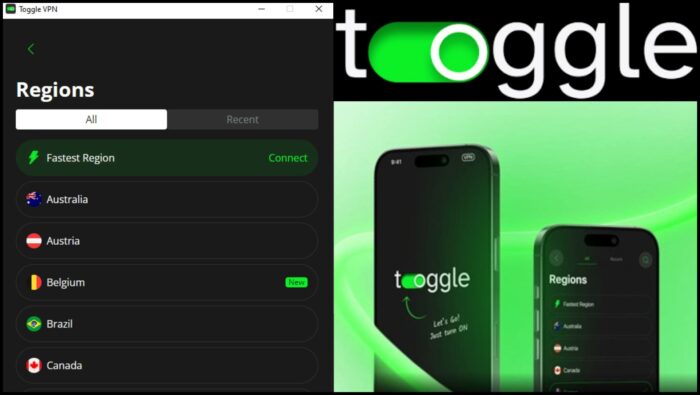
New VPNs are popping up all the time, so it takes a lot to stand out from the crowd. However, Toggle VPN has quickly become our favorite newcomer, offering a strong server network, stable speeds, and a privacy-focused approach that feels refreshingly straightforward compared to many larger competitors.
What is Toggle VPN?
Launched towards the end of 2025, Toggle VPN is a comprehensive VPN service with apps for Windows, macOS, Android, iOS, and Smart TVs. You can use it on up to 10 devices at the same time, making it a great choice for households or users with lots of devices to protect.
With Family Sharing, you can even share your account with 5 additional people, giving them full access to the VPN.
Alongside its growing global server network, it offers key VPN features such as a Kill Switch, Split Tunneling, and protocol selection. It also has extras like the ad blocker, which prevents browser-based tracking.
You can try Toggle VPN for free for 7 days before committing to a paid plan.
Key Features
Let’s take a closer look at what Toggle VPN can do:
VPN Essentials
It ticks all the boxes when it comes to features users expect from a VPN in 2026 and it lets you access these easily within its clean desktop and mobile interfaces.
256-bit Encryption
Out of the gate Toggle VPN is doing something a bit different than most VPNs, venturing beyond standard AES 256-bit encryption. Instead, it uses the modern ChaCha20 256-bit encryption.
This was specifically designed to be fast and efficient on devices that do not have dedicated hardware acceleration for encryption (unlike AES, which relies on specific hardware instructions to be fast). This makes it ideal for smartphones and routers.
Long story short, not only is your internet connection encrypted, but the process is fast and efficient, especially on mobile.
Kill Switch
Like all good VPNs, the automatic kill switch ensures your internet connection is immediately cut if the VPN drops unexpectedly. This prevents any accidental exposure of your real IP address or unencrypted traffic. When using public Wi-Fi or handling sensitive browsing sessions, this is especially important.
Private DNS
Furthermore, it ensures your DNS queries are never exposed by automatically using Private DNS. This routes DNS queries through the VPN connection itself, which are typically handled by Toggle’s own DNS resolvers.
In essence, your ISP or any other snoopers cannot easily see which websites you’re looking up based on the underlying IP address.
Split Tunneling
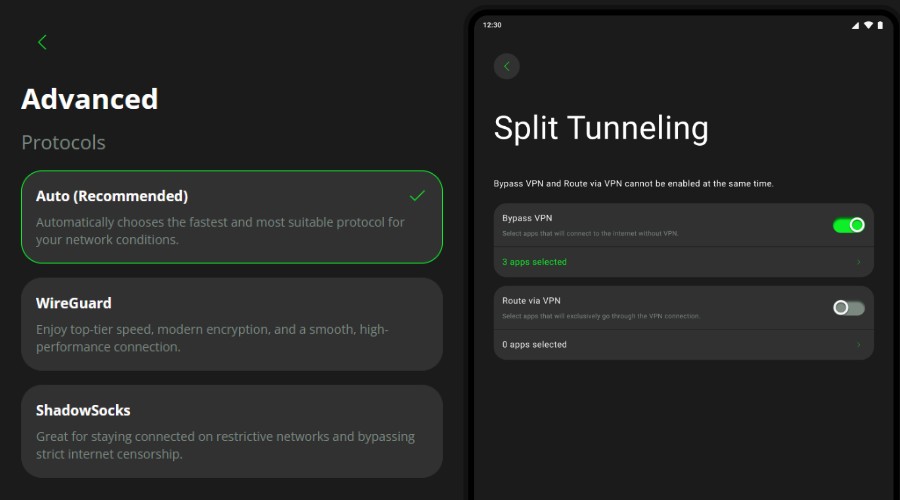
However, you can also choose the precise apps that are routed through the VPN using split tunnelling. E.g., you could keep your banking, browser, or messaging apps running through the secure VPN connection while letting other apps, such as games, or local network tools connect directly to the internet for better performance.
Protocols
Protocol selection is available too. Most users can stick to auto, which uses the most suitable protocol based on your device, network conditions, location, and server availability.
Nonetheless, you can manually select WireGuard. This is a modern, performance-focused option. It’s designed to be lightweight, fast, and more efficient than older VPN protocols.
One unique option is ShadowSocks. Unlike a traditional VPN protocol that tunnels all traffic through a VPN server, ShadowSocks works more like an encrypted SOCKS5 proxy. Its main advantage is that it can make VPN traffic appear more like normal HTTPS traffic, helping it avoid detection and blocking by restrictive networks and ISPs.
No-Logs Policy and Privacy
Toggle VPN’s privacy is further strengthened by a no-logs policy. It promises never to store your browsing activity, connection timestamps, DNS queries, apps used, or IP address history.
Although the company is based in the United States, there are no reports of user data ever being accessed by third parties or the authorities.
Moreover, it uses an open-source approach. This means some of the code behind the apps and VPN infrastructure can be reviewed by the public, which makes it more transparent than many VPNs.
While Toggle VPN doesn’t offer completely anonymous accounts or crypto like Mullvad, on Android I was able to access a free trial without signing up or entering any personal details.
When paying on Android, you never need an account directly with Toggle VPN as it is handled through Google, one step removed.
Locations and Servers
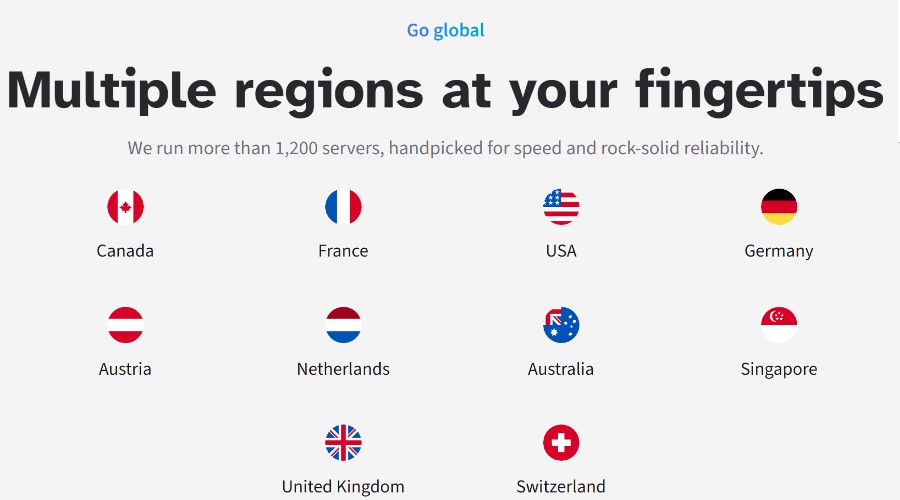
For those looking to unblock region restricted content, the VPN’s locations are very important. Toggle VPN has a good selection of 25 countries to mask your location, including popular streaming regions like the United States, United Kingdom, Canada, Japan, and Australia. On June 3rd, four more locations are set to be added.
With the new countries added, the number of individual servers will nearly reach 1,400, which helps distribute users more evenly across the network and reduce server congestion during peak hours. Rather than overcrowding a small number of locations, the larger server pool helps maintain more consistent speeds for streaming, gaming, and general browsing.
While testing, I was able to perform multiple high-bandwidth tasks at the same time on different devices, including streaming Netflix in HD on my tablet while gaming on my desktop, with no obvious slowdowns.
Ad Blocker
It’s always nice to see extras like an ad blocker when reviewing a VPN. As good as VPNs themselves are at preventing access to your internet activity, they don’t stop sites and services from tracking your habits at the browser level.
AntiTracker, which is on by default, does a good job of preventing tracking scripts, cookies, and intrusive ads from loading and gathering data. I immediately noticed cleaner and faster loading on certain sites that bombard with ads.
While it doesn’t block all ads, it does reduce the worst of the worst.
Unlike other VPN providers, ad blocking isn’t locked behind a high-tier plan. It’s available to all paying users.
Apps
Toggle VPN is available across desktop and mobile, covering Windows, macOS, Android, and iOS devices. As well as Android TV and Apple TV.
You get a uniform experience between devices, with all the core features accessible.
There is no elaborate setup, most users can be protected in seconds by hitting the Toggle switch and letting the VPN connect to the fastest server with the most suitable protocol.
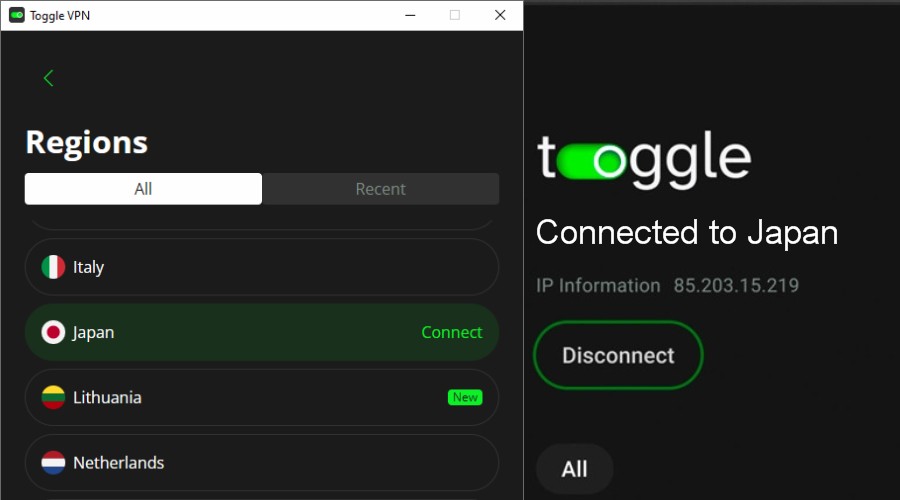
If you want to choose a specific location, it takes just one more click or tap to browse the list of countries.
The app is well rated on Google Play, scoring a 4.4/5 from over 100,000 downloads. Likewise, on the Apple App Store it has a 4/5 rating.
Speed
Free VPNs and many popular premium VPNs feature significant slowdowns and congestion, but I was pleasantly surprised by Toggle VPN’s performance.
I was able to stream up to 4K, perform multiple tasks including HD streaming at the same time, and even download Torrents smoothly, which can often be hit or miss with VPNs.Of course, any VPN will reduce your raw unthrottled connection speed by some degree, because it passes your requests through an additional encrypted server. So, to test Toggle VPN, I recorded my regular internet speed at evening peak time using SpeedTest.net and then turned the VPN on and performed the same test.
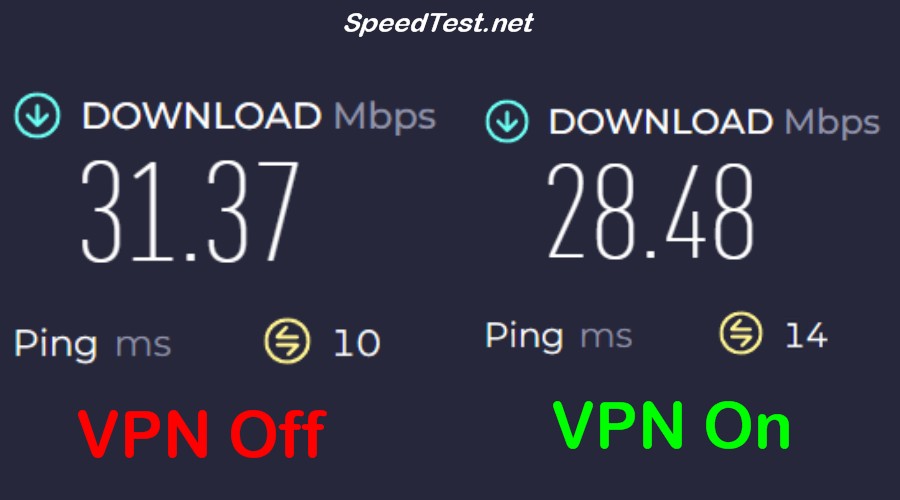
When choosing the auto (fastest) server option, the speed only dropped by 9.2% from 31.37 Mbps to 28.38 Mbps, while maintaining low ping. Less than 10% is an excellent result.
I then chose Australia, which is on the other side of the world from my real location in the UK. As expected, there was a steeper drop to 18.98 Mbps (40%), but this is still well within the industry standard and would not significantly hinder most online activities.
The Netflix Test
Using Toggle VPN, I successfully unblocked the US Netflix library from the UK, with smooth streaming and consistent HD playback. This is a strong real-world test for any VPN, and Toggle VPN handled Netflix’s geo-restrictions effectively, which is notable as Netflix continues to tighten VPN detection.
In my experience, it reliably switched regions without buffering issues or warnings. However, it’s worth remembering that Netflix actively discourages frequent location changes and may block access if you don’t update your account location settings to match.
Unlike some VPNs, you don’t have to mess around choosing certain servers for streaming or streaming regions, as Toggle VPN automatically adjusts for streaming traffic and can unblock content without dedicated servers.
Pricing
Toggle VPN pricing is straightforward and doesn’t bombard you with different tiers, long-term commitments, or confusing discounts.
It offers a single month-to-month $11.99 plan, which is competitively priced.
Moreover, you get a legitimate 7-day no commitment free trial on mobile and desktop.
There is also a 30-day money back guarantee, so you can get a refund if you are not happy within the first month.
Customer Support
Toggle VPN has a wealth of support information across its website, YouTube, and socials.
If you need a direct response, you can use the online contact form or send an email directly to [email protected].
The site also has a live chat, but you will need to bypass the AI agent before being escalated to real human support.
My test query was resolved in a couple of hours via email.
Pros and Cons
PROS:
- Fast and Efficient Performance: Recorded speed drops of less than 10% on the fastest server setting, making it excellent for high-bandwidth tasks.
- Transparent Privacy: Operates with a strict no-logs policy and utilizes an open-source approach.
- Effective Unblocking: Successfully bypassed Netflix geo-restrictions for smooth, consistent HD streaming.
- Extras: Additional features like ad blocking or the ShadowSocks protocol at no extra cost.
CONS:
- No Multi-Hop: Lacks some common VPN features, such as multi-hop, which routes traffic through more than one encrypted server.
- Lacks Fully Anonymous Options: While it offers convenient signup methods, it does not provide options for completely anonymous account creation or cryptocurrency payments.
- Less Locations than Others: For most people its selection of countries is more than enough, but many others offer more locations around the world.
Toggle VPN Review – Verdict
Toggle VPN has firmly established itself as a top-tier newcomer in the crowded VPN market by prioritizing stability, core VPN features, and a transparent user experience.
By leveraging modern ChaCha20 encryption and an open-source approach, it delivers a secure service that excels in real-world testing, including streaming and high-bandwidth tasks.
With its free trial, straightforward pricing, and easy-to-use apps, Toggle VPN is a refreshingly simple and highly capable choice for households looking to protect up to 10 devices at once.


Read our disclosure page to find out how can you help VPNCentral sustain the editorial team Read more


Improve this guide




User forum
0 messages