
VPN Not Working in China: How to Fix It Quickly


 5 min. read
  Updated on

When your VPN stops working in China, you face advanced blocks from the Great Firewall. These blocks rely on traffic analysis, DNS interference, and protocol fingerprinting. You can restore connectivity with the right steps.
Table of contents
- Step-by-step fixes
- 1) Turn on stealth or obfuscation
- 2) Force TCP over port 443
- 3) Disable QUIC and other UDP only modes
- 4) Try another VPN provider
- 5) Rotate servers and IP pools
- 6) Switch protocol families when one fails
- 7) Pin DNS to the VPN and enable encrypted DNS
- 8) Use TLS wrapped or fronted profiles
- 9) Try alternate ports and ciphers
- 10) Turn off IPv6 and captive portal helpers
- 11) Use split tunneling for heavy apps
- Why these fixes work in China
- FAQ
Step-by-step fixes
1) Turn on stealth or obfuscation
- Open your VPN app.
- Go to Settings or Protocol.
- Enable Stealth, Obfuscation, Stunnel, XOR, or Camouflage.
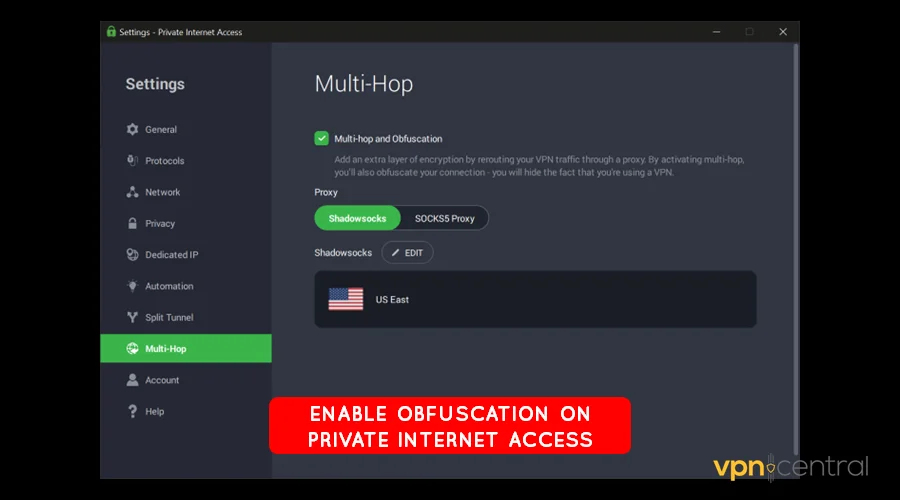
- If available, select Shadowsocks, V2Ray, or Trojan-style transports.
- Reconnect and test key sites.
2) Force TCP over port 443
- Open Protocol settings.
- Switch from UDP or Automatic to TCP.
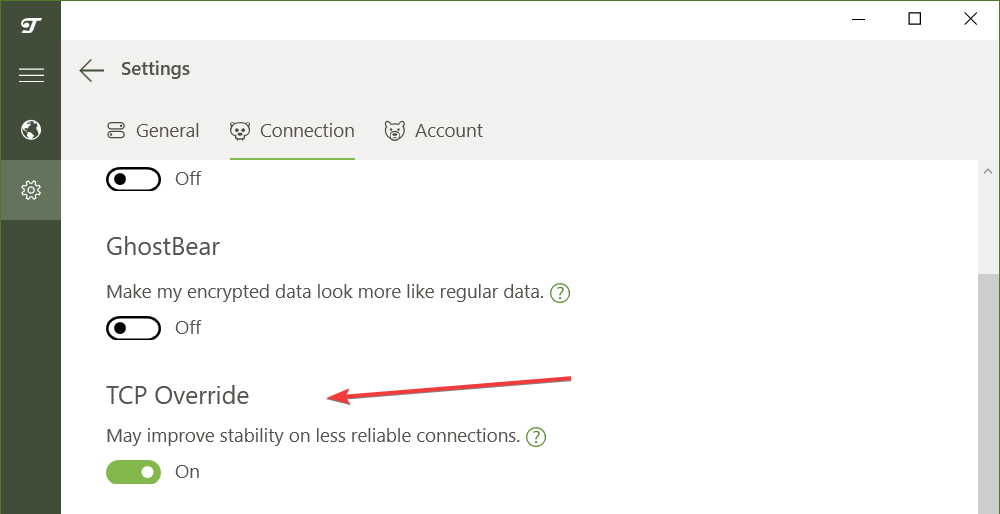
- Set the port to 443.
- Save the profile and reconnect.
- Load several websites to confirm stability.
3) Disable QUIC and other UDP only modes
- In the VPN app, turn off QUIC or HTTP/3.
- Disable any “UDP only” options.
- Keep TCP enabled.
- Reconnect and test streaming or messaging apps.
4) Try another VPN provider
- Download and install ExpressVPN or NordVPN before traveling.
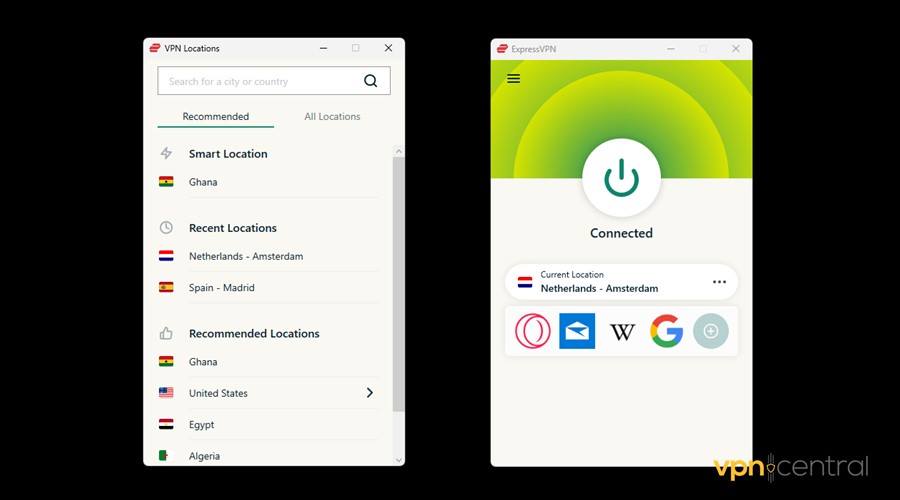
- Import their China-ready configs if available.
- Test them alongside your main VPN for reliability.
- Switch between providers if one gets blocked.
Sometimes one VPN app will stop working in China altogether. If that happens, switch to another provider with strong anti-censorship tools. ExpressVPN is widely recommended for its reliable stealth servers and regular updates. NordVPN is another option, but it can face challenges in China depending on the protocol. You can learn more in our guide on NordVPN not working in China.
5) Rotate servers and IP pools
- Disconnect from your current server.
- Choose a nearby region with lower latency.
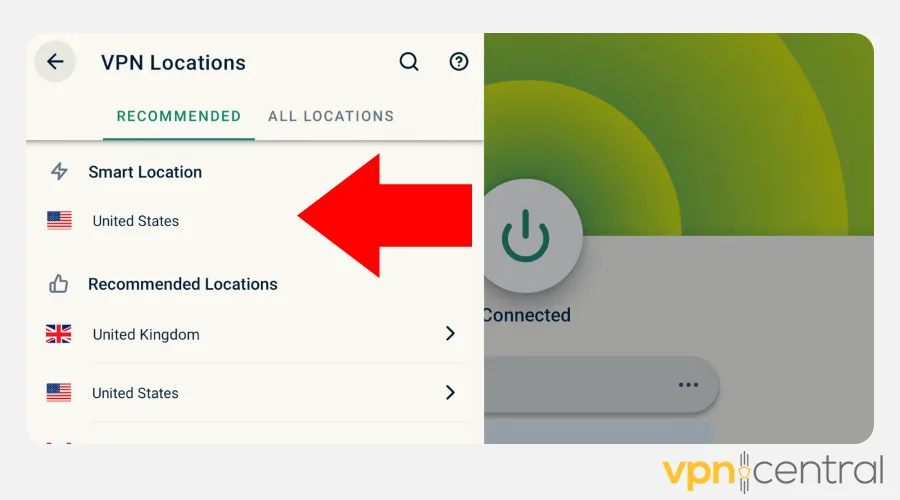
- Prefer smaller or dedicated pools when the app offers them.
- Reconnect and test.
- Repeat with two or three different cities if needed.
6) Switch protocol families when one fails
- If obfuscated OpenVPN fails, try obfuscated WireGuard.
- If WireGuard drops, switch back to OpenVPN TCP 443 with stealth.
- Keep at least two profiles ready and tested.
- For provider-specific quirks, review why NordVPN may not work in China.
7) Pin DNS to the VPN and enable encrypted DNS
- Open DNS settings in your app.
- Enable “Use VPN DNS” or equivalent.
- If supported, enable DoH or DoT inside the tunnel.
- Reconnect and try previously failing domains.
8) Use TLS wrapped or fronted profiles
- Look for “TLS over WebSocket,” “TLS wrapping,” or “domain fronting.”
- Import that profile or toggle it on.
- Connect and test a few blocked services.
- If it fails, rotate the fronting domain if your provider allows it.
9) Try alternate ports and ciphers
- Duplicate your profile so you can roll back.
- Test ports 80, 443, and 8443.
- If the app exposes cipher choices, try AES and ChaCha20 in turn.
- Keep the variant that stays stable the longest.
10) Turn off IPv6 and captive portal helpers
- In your OS network settings, disable IPv6.
- In the VPN app, disable captive portal detection or smart Wi-Fi helpers.
- Reconnect on hotel or café Wi-Fi and test again.
11) Use split tunneling for heavy apps
- Open Split tunneling or App exclusions.
- Add only the critical app to the VPN list.
- Leave bandwidth-heavy or nonessential apps outside the tunnel.
- Reconnect and check stability.
Why these fixes work in China
- Deep Packet Inspection looks for VPN signatures. Stealth and obfuscation change the packet fingerprint so traffic blends with normal HTTPS.
- DNS interference poisons lookups. Pinning VPN DNS and enabling encrypted DNS keeps queries inside the tunnel.
- Active probing tests suspicious connections. Rotating servers, wrapping in TLS, and changing fingerprints reduce detection.
- Protocol filtering targets QUIC and UDP. Forcing TCP 443 makes your traffic look like normal web browsing.
- IP blacklisting removes access to known servers. Frequent rotation and fresh configs restore reachability.
Tips
- Preconfigure multiple profiles before you arrive.
- Keep at least two working apps plus offline backups of configs.
- Expect slower speeds at peak times and prioritize essential tasks.
- Rotate endpoints regularly to stay ahead of new blocks.
FAQ
Rules change and can feel confusing. To see what penalties look like in practice, read our guide to punishments for using VPNs in China.
Start with obfuscated OpenVPN over TCP 443. If that stalls, try Shadowsocks or V2Ray style transports. Keep at least two profiles ready.
You likely hit DNS poisoning or UDP filtering. Pin DNS to the VPN, enable encrypted DNS, and stick with TCP 443, then test again.
Carriers often filter mobile traffic harder. Force TCP, disable QUIC, and switch profiles or servers until one holds.
Free tools rarely keep up with blocks. If you need a plan B, check our practical strategies to bypass censorship in China.
Yes. Pick nearby regions with good reputation and rotate when speeds dip. For context on what different destinations block, see internet censorship across countries.
Use mirror links, offline installers, or direct help from your provider. Follow this step-by-step guide to downloading a VPN in China to get set up.
Conclusion
A VPN that stops working in China still gives you options. Turn on stealth, move to TCP 443, encrypt DNS, and rotate fresh configs. These steps restore access in most cases.
Plan ahead, keep backup profiles, and refresh your setup regularly. With a little preparation, you keep your apps online even under strict network controls.


Read our disclosure page to find out how can you help VPNCentral sustain the editorial team Read more


Improve this guide




User forum
0 messages