
VPN vs Tor: Which Is Best for Privacy?


 5 min. read
  Published on
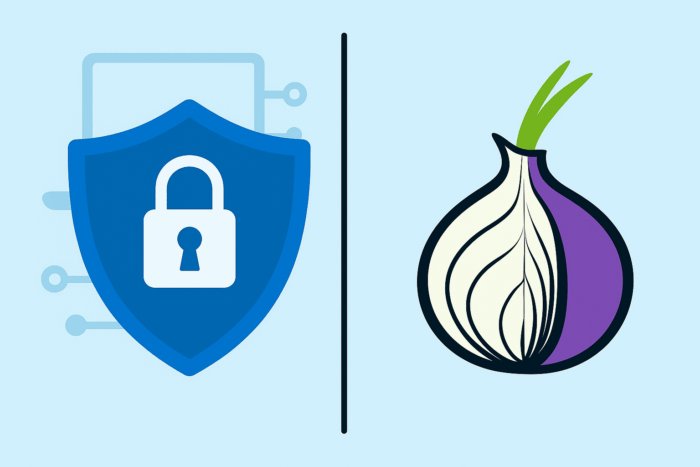
Online privacy tools like VPNs and Tor both hide your IP address and encrypt your traffic, but they work very differently. In this guide, we explain VPN vs Tor in simple terms so beginners can decide which fits their needs. We’ll cover what each is, how they protect you (encryption vs onion routing), key pros and cons (speed, trust, use cases), plus tips.
Table of contents
Before you start
- VPN (Virtual Private Network): Encrypts all your internet traffic by tunneling it through a secure server. It hides your IP address and protects data from your ISP and hackers. Good for everyday privacy (streaming, public Wi-Fi) and bypassing geo-blocks.
- Tor (“The Onion Router”): Routes your traffic through multiple volunteer-run relays using onion routing. Each relay peels away a layer of encryption, so no single node knows both who you are and what you’re doing. Tor gives very strong anonymity, making it popular with activists, journalists, and anyone facing censorship.
- Encryption vs Anonymity: Both tools encrypt data, but VPNs focus on privacy (encrypting traffic to hide it from others), while Tor focuses on anonymity (hiding who you are via multiple hops).
- Performance: VPNs usually offer fast speeds, whereas Tor can be much slower because data zig-zags through the network.
- Trust: VPNs require trusting the VPN provider. Tor is open-source and volunteer-run, with no central logs. However, exit relays can see unencrypted data if you’re not using HTTPS.
- Use cases: Choose a VPN for fast, secure browsing or streaming. Choose Tor for maximum anonymity or bypassing heavy censorship. You can also combine them: e.g. VPN→Tor for extra security (see more in our guide on Double VPN vs Onion over VPN).
1. What is a VPN?
A VPN (Virtual Private Network) is a service that encrypts your internet traffic and routes it through a server run by the VPN company. This creates a “tunnel” from your device to the VPN server: your data is scrambled so that your ISP or anyone on the same network can’t see what you’re doing. The VPN server acts as the source of your traffic: to websites, it looks like the VPN server’s IP address is visiting them, not your real IP.

Access content across the globe at the highest speed rate.
70% of our readers choose Private Internet Access
70% of our readers choose ExpressVPN

Browse the web from multiple devices with industry-standard security protocols.

Faster dedicated servers for specific actions (currently at summer discounts)
Key features of VPNs include encryption of all your traffic, IP masking, and cross-device compatibility. For beginners, VPNs are generally easier to use than Tor. If you’re interested in how a VPN works specifically inside the Tor Browser, check out this guide on using VPN with Tor Browser.
2. What is Tor?
Tor (The Onion Router) is a free, open-source network that provides strong anonymity by bouncing your traffic through several volunteer-run relays. Unlike a VPN, Tor has no central company or single server. Instead, it uses onion routing: your data is encrypted in multiple layers and sent through a random path of nodes. Each relay decrypts one layer, learns only the next hop, and forwards the data on.
Tor provides unmatched anonymity, but it also has limitations. For example, some people wonder if it’s safe to use Tor without any additional protection. We cover this in detail in our article on whether Tor is safe without a VPN.
3. VPN vs Tor: Key Differences
| Tool | Best For + Pros | Cons |
|---|---|---|
| VPN | Fast streaming, gaming, public Wi-Fi, and geo-unblocking. Encrypts all traffic, hides IP, easy to use, and bypasses ISP tracking. | You must trust the provider; not fully anonymous; some websites block VPNs. |
| Tor | Maximum anonymity for activists, journalists, or censorship evasion. Multi-hop routing hides identity, masks IP, free and open-source. | Slow speeds; some sites block Tor; exit nodes can see unencrypted traffic; not good for heavy downloads. |
4. When to Use Each
Choosing between VPN or Tor depends on your needs. For streaming, gaming, and everyday secure browsing, VPNs are ideal. For anonymity in repressive environments, Tor is the stronger option. In fact, many people wonder about combining them. For a deeper dive, see our comparison of Double VPN versus Onion over VPN setups.
Sometimes, users face issues when trying to combine the two. If you’ve tried to use Tor with a VPN and ran into problems, our troubleshooting guide on Tor not working with VPN can help.
Tips for VPN and Tor
- Choose a reputable VPN with a strict no-logs policy.
- Enable a VPN kill switch to avoid accidental leaks.
- Always use the official Tor Browser, and prefer HTTPS websites.
- Keep both VPN apps and Tor Browser updated.
- Be careful with downloads and plugins when using Tor.
Key Takeaways
VPNs are best for fast, private everyday browsing, while Tor excels in strong anonymity. Many users benefit from combining both tools, especially in restrictive environments. To understand how secure browsing also depends on your connection type, see our guide on VPN vs Wi-Fi security.
Conclusion
VPNs and Tor are both powerful tools, but they serve different needs. For most people, a VPN is enough for privacy and speed. For those who need maximum anonymity, Tor is the better choice. And for the cautious, using both together can provide layered security for the most sensitive situations.
FAQs
A: Tor offers stronger anonymity, while VPNs provide fast, encrypted privacy. Your choice depends on whether you prioritize speed or anonymity.
A: Yes. Tor routes through multiple relays, making it much slower than VPNs.
A: Yes, and some providers even support Onion over VPN directly. It adds layers of protection, though speeds may be slower.


Read our disclosure page to find out how can you help VPNCentral sustain the editorial team Read more


Improve this guide


User forum
0 messages