
VPN vs VLAN: What’s the Difference and Which One Do You Need?


 5 min. read
  Updated on
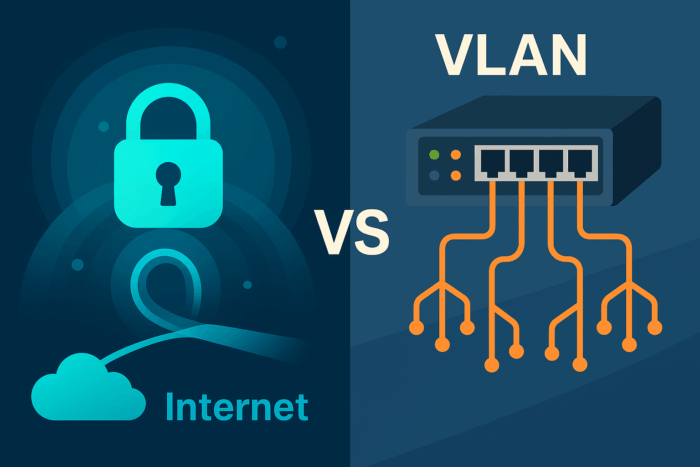
When comparing modern networking tools, two terms often cause confusion: VPN (Virtual Private Network) and VLAN (Virtual Local Area Network).
While they sound similar, they solve very different problems. A VPN secures traffic across untrusted networks like the Internet, while a VLAN segments traffic inside your own network.
To make an informed choice, it’s important to understand their differences, overlaps, and how they can complement each other. Throughout this guide, we’ll reference related resources so you can explore deeper technical details when needed.
Table of contents
Before You Start
- Define your primary goal: secure remote access or internal traffic segmentation.
- List your environments: home users, offices, data centers, and cloud workloads.
- Note compliance requirements: encryption, monitoring, and auditing.
- Check current equipment: switches, firewalls, routers, and servers.
- Decide whether you need a quick solution or long-term scalable design.
Quick Comparison: VPN vs VLAN
| Dimension | VPN | VLAN |
|---|---|---|
| Core purpose | Securely connect users or sites over untrusted networks | Logically segment one physical network into isolated broadcast domains |
| OSI focus | Layer 3 and above, encrypts IP traffic end to end | Layer 2 segmentation with 802.1Q tagging and switch enforcement |
| Works over the Internet | Yes, by design | No, stays inside your switching domain unless tunneled |
| Encryption | Yes, protocol dependent, IPsec, SSL/TLS, WireGuard | No, isolation only, no native encryption |
| Typical use cases | Remote work, site to site, secure SaaS or DC access | Guest vs corporate LAN, PCI segments, voice vs data separation |
What Is a VPN?
A VPN creates an encrypted tunnel that protects data traveling over the Internet or other untrusted networks. This ensures confidentiality and integrity for users working remotely or for branches connecting to central systems. To learn how the encryption process works under the hood, see our detailed guide on how VPN encryption works.
VPNs rely heavily on servers that act as gateways between private and public networks. These servers handle authentication, encryption, and routing. If you want to understand their role better, check our breakdown of what a VPN server is. Since performance varies widely by provider, protocols, and hardware, you can also review our VPN server speed tests for real-world benchmarks.
Example: A remote employee logs into the corporate VPN client from a coffee shop. Their connection is encrypted, giving them secure access to the company’s internal apps as if they were physically in the office.
What Is a VLAN?
In contrast, a VLAN operates inside your own network. It partitions a physical network into multiple logical segments, isolating devices by roles or security needs. Unlike VPNs, VLANs don’t encrypt traffic, but they do limit how far traffic can travel. This makes it harder for malware or misconfigured devices to spread laterally.
Example: In an office, the guest Wi-Fi SSID is mapped to VLAN 20, which is blocked from accessing printers or file shares. Corporate devices on VLAN 10 can access shared resources, while IoT or VoIP devices sit in other VLANs with tailored rules.
VPN vs VLAN: Key Differences That Matter
Now that both terms are clearer, let’s compare how they behave in practice:
- Trust boundary: VPNs assume external networks are hostile and add encryption. VLANs assume your network is trusted and enforce segmentation.
- Scope: VPNs can connect remote users, sites, and cloud workloads. VLANs remain local to your switching domain unless extended through tunnels.
- Security model: VPNs prioritize confidentiality and authentication. VLANs prioritize traffic separation and damage control inside the LAN.
- Performance: VPNs may introduce overhead due to encryption. VLANs work at near line-rate switching speeds.
- Control: VPNs integrate with identity systems and policies. VLANs integrate with switches, NAC, and port-based access controls.
If you’re exploring adjacent technologies, you may find it useful to compare VPN vs proxy or even broader options like VPS vs VPN vs proxy. For mobile scenarios, also check VPN vs mobile hotspot, and for everyday browsing safety, see our guide on VPN vs Wi-Fi security or this breakdown of VPN vs antivirus to understand how each tool protects you differently.
When to Use a VPN
- You need encrypted remote access for employees or contractors.
- You want to secure traffic over the public Internet.
- You need site-to-site connections between branch offices and data centers.
- You rely on identity-based access control with MFA and logging.
When to Use a VLAN
- You need to separate guest, IoT, or VoIP traffic from corporate devices.
- You want to minimize lateral movement risks within your LAN.
- You require segmentation without adding encryption overhead.
Can You Combine VPN and VLAN?
Yes. In fact, many enterprises combine them. For instance, you can map different VLANs inside a site-to-site VPN tunnel, ensuring both encrypted transit and logical segmentation. Similarly, remote users can land in a dedicated VLAN when they connect through VPN, giving admins precise control over what they can access.
How to Choose: A Simple Decision Path
- If your traffic crosses untrusted networks, deploy a VPN.
- If your need is internal segmentation within a trusted LAN, use VLANs.
- If you require both, combine them for maximum security and flexibility.
FAQs
Not directly. VLANs reduce exposure inside your network, while VPNs protect data across external networks. Both serve complementary purposes.
Not natively. VLANs are local constructs. To extend them across locations, you’d need tunnels or VPNs.
No. VPNs encrypt data across untrusted paths. VLANs ensure internal segmentation. Together, they provide layered security.
See our articles on how VPN encryption works, VPN servers, and VPN vs proxy for more in-depth insights.
Conclusion
VPNs and VLANs aren’t competitors—they’re complementary. A VPN protects your data over untrusted networks, while a VLAN partitions your internal traffic for better control. Used together, they form the foundation of secure and scalable networks.


Read our disclosure page to find out how can you help VPNCentral sustain the editorial team Read more


Improve this guide




User forum
0 messages