
How to Watch CBS in Canada: Easy Step-by-Step Guide


 5 min. read
  Published on

Trying to stream CBS from Canada usually triggers a geo-restriction error because CBS only licenses full access inside the United States. The quickest fix is to use a VPN to change your online location to the US.
Below is a comprehensive step-by-step guide that covers all possible scenarios, including extra solutions and troubleshooting tips to make sure CBS works no matter what.
Table of contents
Step-by-step Guide to Watch CBS in Canda
1. Get a US IP address with a VPN
The most reliable way to watch CBS in Canada is to connect through a VPN that provides fast US servers and strong leak protection. This avoids errors like those covered in our troubleshooting guide on CBS All Access not working with VPN.
Do this
- Install a premium VPN app on your device (Windows, macOS, iOS, Android, smart TV, or router).
- Sign in to the app with your account.
- Connect to a US server (e.g., New York or Los Angeles) for low latency and stable speeds.
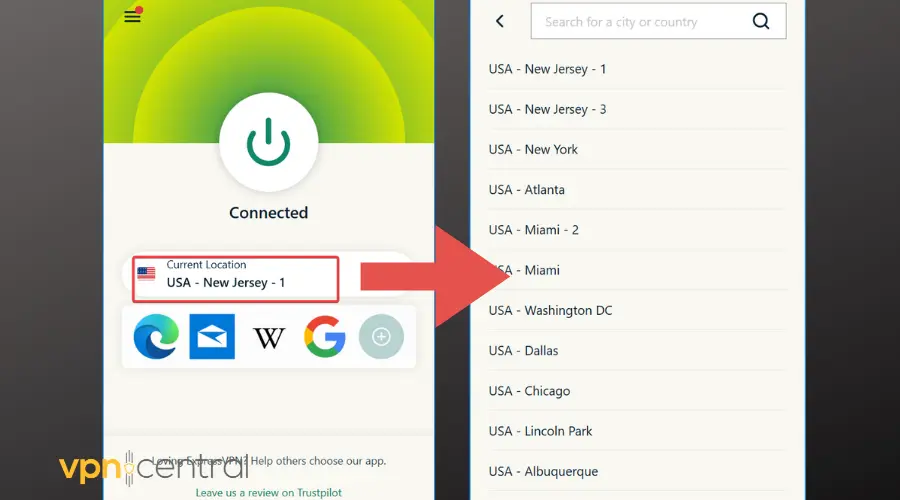
- Open CBS.com or the Paramount+ app with the VPN active so CBS detects a US location.
- Log in or create an account and, if prompted, enter a valid US ZIP code during sign-up.
- Start streaming shows and live TV without the “not available in your location” message.
Tip: If you still see a location error, disconnect, switch to another US server, and clear your browser cookies and cache before retrying. For persistent issues, follow the fixes in CBS All Access not working with VPN.
A reliable VPN like ExpressVPN routes your traffic through a US server and masks your IP, so CBS grants access as if you were physically in the States.
This same approach is also how Canadians unblock US websites and other streaming libraries.

ExpressVPN
Enjoy CBS in Canada in just a few clicks!2. Access the full on-demand catalog
CBS on-demand lives inside Paramount+ (formerly CBS All Access). The Canadian catalog is smaller, but once connected to a US server, you can sign in at paramountplus.com and stream the complete US library.
If you’ve already learned how to watch NBC in Canada, the steps are identical here.
Do this
- Keep the VPN connected to a US location.
- Go to paramountplus.com, sign up or log in, then pick a plan.
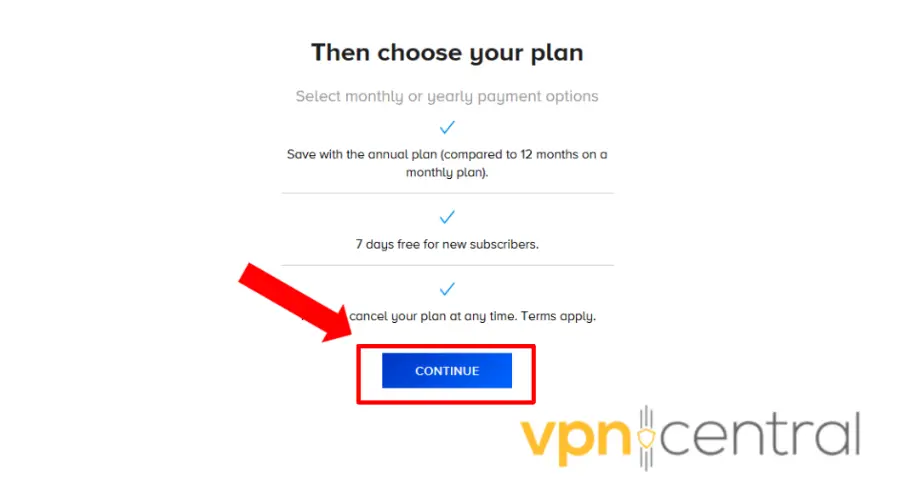
- Start streaming CBS shows from the US catalog whenever the VPN is on.
3. Watch the live channel
Live CBS (news, primetime, sports) also becomes available when your connection appears to be in the US. This is useful for time-sensitive events and game days.
Do this
- Connect the VPN to a US city near you (for better speeds).
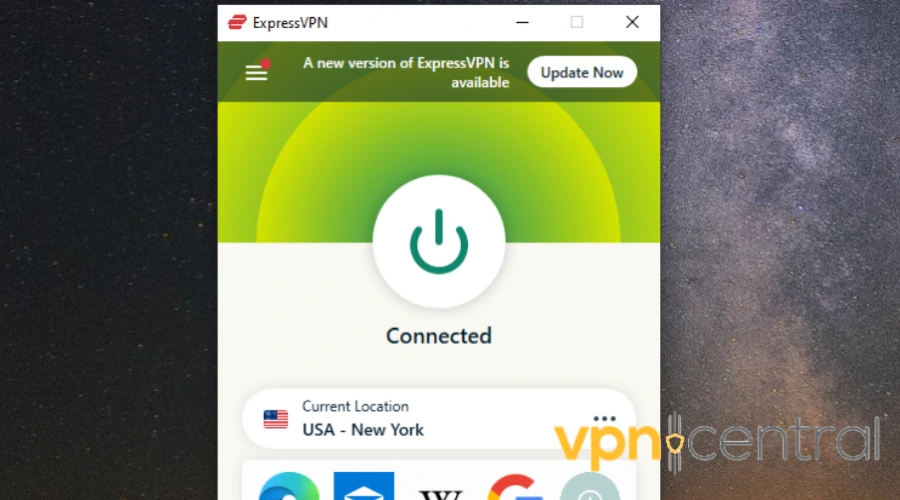
- Open the Paramount+ app and go to Live TV.
- Select CBS Live and keep the VPN on throughout the stream.
Extra solutions if CBS still blocks you
- Try another browser: Sometimes CBS caches old location data in your browser. Switching to Chrome, Firefox, or Edge may solve it.
- Use incognito/private mode: Opens CBS without stored cookies that reveal your location.
- Flush DNS cache: On Windows, open Command Prompt and type
ipconfig /flushdnsto clear cached location data. - Change DNS settings: Switch to public DNS (Google DNS 8.8.8.8 / 8.8.4.4 or Cloudflare 1.1.1.1) to avoid ISP-level caching.
- Install the VPN on your router: This covers all devices at once, including smart TVs and consoles without native VPN apps.
- Use Smart DNS if available: Some VPNs include this feature, which can unblock CBS on devices where VPN apps aren’t supported.
- Contact VPN support: Premium services update US server lists daily. Support can tell you which servers currently unblock CBS.
Why CBS is blocked in Canada
CBS licenses most content only for US distribution and uses your IP to decide access. A VPN changes your apparent location to the US, restoring full streaming. The same method works for other networks and regions (e.g., how to watch international channels like Israeli TV in Canada).
FAQs
Some clips are free once you appear to be in the US. Full live TV typically requires a Paramount+ plan while your VPN stays connected to a US server.
Yes. Using a VPN is legal in Canada. Services may try to block VPN IPs, but you aren’t breaking the law by using one.
No. The Canadian catalog is smaller. Connecting to a US server lets you access the full US library.
Rarely. Free services are often too slow and commonly blocked. A premium provider with many US IPs is far more reliable.
Desktop, laptop, mobile, smart TV, streaming sticks (Fire TV, Roku) all work. Install the VPN on the same device, or set it up on your router for whole-home coverage.
Conclusion
To watch CBS in Canada, follow the steps above to connect through a US server, sign in to CBS/Paramount+, and stream as if you were in the States. If you hit an error, switch servers, flush DNS, or try private browsing. With these solutions, you’ll always have a way to restore access.
Traveling to Britain? Use the same approach, see our step-by-step guide on how to watch CBS in the UK for region-specific setup and billing tips.
Want this method for other platforms too? Start with our walkthrough on how to unblock US websites and apply the same steps to major networks like those covered in how to watch NBC in Canada.


Read our disclosure page to find out how can you help VPNCentral sustain the editorial team Read more


Improve this guide



User forum
0 messages