
How to Download and Install Whoer VPN


 3 min. read
  Published on
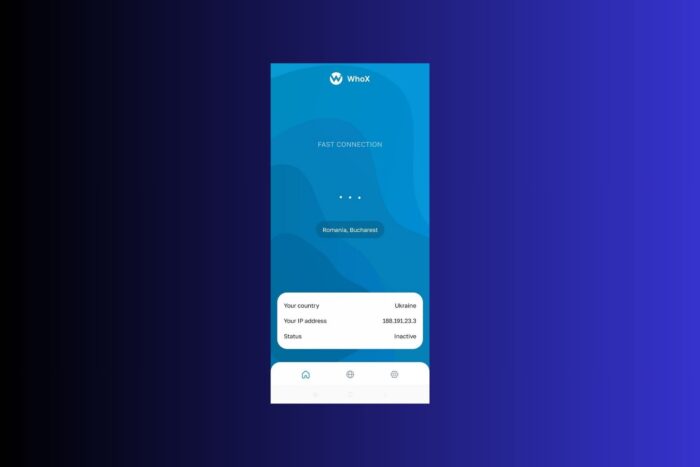
Whoer VPN is an online privacy tool designed to help you browse the web securely and anonymously. By masking your IP address and encrypting your internet traffic, Whoer protects your personal information from tracking and surveillance.
No matter if you’re using a public Wi-Fi network or simply want to enhance your online privacy, Whoer VPN has you covered. In this guide, we’ll walk you through the process of downloading and installing Whoer VPN.
System Requirements
Before installing Whoer VPN, make sure your system meets the following requirements:
- Operating Systems: Windows, macOS, Android, iOS, Linux
- Memory: Minimum 2 GB RAM
- Storage: At least 100 MB of free space
- Internet: Active internet connection for downloading and using the VPN
For more detailed information about Whoer VPN’s features, check out the Whoer VPN Review.
How to Download and Install Whoer VPN
Step 1: Visit the Official Download Page
Go to the official Whoer VPN download page to start the process.
Step 2: Download the Installer
Click the “Download” button for your operating system. The file size may vary, but it’s typically between 10-20 MB depending on the platform.
Step 3: Extract or Open the File
Once the installer is downloaded, locate the file in your downloads folder. If the file is in a compressed format, right-click and select “Extract All” to unzip the contents.
Step 4: Run the Installer
Double-click the extracted installer or executable file. If prompted, select “Run as Administrator” to ensure proper installation on Windows systems.
Step 5: Final Setup
After installation, launch Whoer VPN. You’ll be prompted to log in or create an account. Once logged in, choose your server location and start using the VPN for secure browsing.
For additional context on how VPNs work, you can explore What Is a VPN Server?.
Troubleshooting Tips
- Slow speeds on the free tier: Upgrade to a premium plan for better speeds and more server locations.
- Connection issues: Make sure your internet connection is stable. Try restarting the app or reconnecting to a different server.
- VPN not connecting: Check if your firewall or antivirus software is blocking the VPN. Add the VPN to your exceptions list.
- Not working on Windows 11: Right-click the executable, go to ‘Properties,’ and run it in compatibility mode for Windows 10 or earlier.
For more help with locked files during transfers, check out our guide on Mega VPN Review.
FAQ
The free tier is heavily limited in speed and server locations. For faster speeds, upgrading to a premium tier is recommended.
Yes, Whoer VPN offers AES-256 encryption and a no-logs policy. However, the service has not undergone third-party audits, so some users may find this lacking in terms of transparency.
Yes, Whoer VPN is compatible with Windows 11. If you experience issues, try running the app in compatibility mode for an earlier version of Windows.
For more information on VPN protocols, refer to our article on the Best VPN Protocol.
Conclusion
Whoer VPN provides a reliable option for securing your online privacy with its AES-256 encryption and no-logs policy. While the free version has limitations in speed and server access, the premium plan offers better performance and more server locations. Whether you need basic protection for browsing or more advanced features, Whoer VPN can meet your needs. Try it today and enjoy a more secure browsing experience.


Read our disclosure page to find out how can you help VPNCentral sustain the editorial team Read more


Improve this guide
User forum
0 messages