
Zoom Fixes Critical Windows Account Takeover Flaw


 7 min. read
  Published on
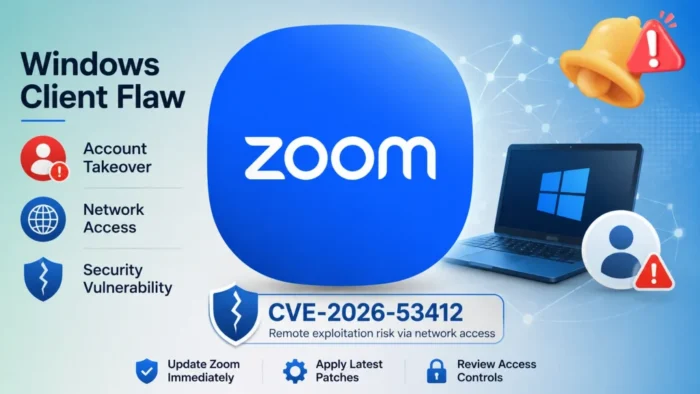
Zoom has patched a critical vulnerability that could allow an unauthenticated attacker to take over accounts through vulnerable Windows clients. The security issue, tracked as CVE-2026-53412, received a CVSS score of 9.8 out of 10.
The official Zoom security bulletin ZSB-26014 identifies improper input validation as the cause. Zoom says an attacker could exploit the flaw through network access without authentication or user interaction.

Access content across the globe at the highest speed rate.
🔥 Save 81% + 2 bonus months! 🔥
70% of our readers choose Private Internet Access
70% of our readers choose ExpressVPN
2
Browse the web from multiple devices with industry-standard security protocols.
🔥 Save 73%! 🔥

Faster dedicated servers for specific actions (currently at summer discounts)
🔥 Save 69%! 🔥
The vulnerability affects Zoom Workplace for Windows before version 7.0.0 and several supported branches of the Zoom Workplace VDI Client for Windows. Zoom urges users and organizations to install the latest available updates.
Which Zoom versions are vulnerable?
Standard Zoom Workplace installations on Windows remain vulnerable if they run a version earlier than 7.0.0. The VDI Client has separate fixed releases for each supported branch.
| Product | Vulnerable versions | Fixed version |
|---|---|---|
| Zoom Workplace for Windows | Versions before 7.0.0 | 7.0.0 or later |
| Zoom Workplace VDI Client for Windows, 7.0 branch | Versions before 7.0.10 | 7.0.10 or later |
| Zoom Workplace VDI Client for Windows, 6.6 branch | Versions before 6.6.15 | 6.6.15 or later |
| Zoom Workplace VDI Client for Windows, 6.5 branch | Versions before 6.5.18 | 6.5.18 or later |
The fixed VDI version depends on the release branch an organization maintains. Administrators should not assume that every VDI deployment must move directly to version 7.0.10.
Zoom Meeting SDK for Windows does not appear in the final affected-products list. Zoom initially included the SDK but removed it when the company revised the advisory on July 15, 2026.
Why CVE-2026-53412 is rated critical
CVE-2026-53412 carries the CVSS vector CVSS:3.1/AV:N/AC:L/PR:N/UI:N/S:U/C:H/I:H/A:H. The rating indicates that an attacker can target the vulnerability over a network with low attack complexity.
The attacker does not need an existing Zoom account or privileges on the affected system. The CVSS assessment also states that exploitation requires no action from the targeted user.
| CVSS metric | Value | Meaning |
|---|---|---|
| Attack vector | Network | The attacker can target the flaw through network access |
| Attack complexity | Low | Exploitation does not require complex conditions |
| Privileges required | None | The attacker does not need authentication |
| User interaction | None | The victim does not need to click a link or open a file |
| Confidentiality impact | High | Successful exploitation could expose protected information |
| Integrity impact | High | An attacker could make unauthorized changes |
| Availability impact | High | Exploitation could affect access to the account or service |
The combination of remote access, no authentication and no user interaction explains the 9.8 score. It also makes patching more urgent than vulnerabilities that require local access or an already compromised account.
Zoom has not published technical exploit details
Zoom describes the vulnerability only as improper input validation. The company has not disclosed which network request, application component or protocol an attacker would need to manipulate.
The advisory also does not describe how an attacker completes the account takeover. No public proof-of-concept code appears in Zoom’s bulletin, and the company has not stated in the advisory whether it has observed exploitation in real-world attacks.
Organizations should avoid relying on speculative detection rules until researchers or Zoom publish more technical information. Version-based identification and rapid patch deployment currently provide the clearest response.
What could an account takeover expose?
A compromised Zoom account could allow an attacker to impersonate the user or access information available through that account. The exact impact would depend on the account’s permissions, enabled Zoom services and the organization’s configuration.
Potential risks may include unauthorized access to meeting details, chat conversations, contacts, cloud recordings or account settings. An attacker could also use a trusted identity to send deceptive messages or meeting invitations to colleagues.
Accounts belonging to executives, administrators, help desk staff and employees who handle confidential meetings may create a higher business risk. Security teams should prioritize these devices while still updating the broader Windows fleet.
- User impersonation through a trusted Zoom identity
- Unauthorized changes to account settings
- Exposure of meeting and contact information
- Access to content available to the compromised user
- Social engineering through authenticated messages or invitations
Meeting SDK removed from the affected list
Zoom published the initial advisory on July 14 and revised it the following day. Revision 1.1 removed Zoom Meeting SDK for Windows from the affected products.
The current CVE-2026-53412 advisory lists only Zoom Workplace for Windows and the Zoom Workplace VDI Client for Windows. Organizations do not need to classify Meeting SDK installations as vulnerable based on this bulletin.
Earlier reports that still list the Meeting SDK likely rely on the original version of the advisory. Administrators should follow Zoom’s revised affected-products table when building their deployment lists.
How to update Zoom Workplace for Windows
Organizations should use endpoint management or software inventory tools to locate affected Zoom installations. Administrators need to check standard desktop clients and VDI clients separately because they follow different version branches.
Updated installers are available through the official Zoom Download Center. Enterprise administrators can distribute the appropriate packages using their existing application-management systems.
After deployment, security teams should confirm that the installed version meets or exceeds the fixed release for its branch. A successful software deployment notification does not always prove that every endpoint completed the update.
- Inventory Zoom Workplace and VDI Client installations on Windows.
- Identify the version and release branch installed on each device.
- Deploy the appropriate fixed or newer release.
- Restart the application if required by the deployment process.
- Verify the installed version after the update.
- Investigate systems that remain offline or repeatedly fail installation.
What users should do
Individual users can open Zoom, select their profile picture and choose the option to check for updates. Managed workplace devices may hide this option or control updates through an administrator.
Users can also install the newest client from the official Zoom download page. They should avoid update links delivered through unexpected emails or messages because attackers frequently imitate software update notices.
Anyone who notices unfamiliar account changes, unexpected meeting activity or messages they did not send should contact their organization’s security team. Administrators can then review account activity and take any necessary containment steps.
Security teams should prioritize the patch
CVE-2026-53412 presents a serious risk because the vendor’s assessment describes a network-based attack requiring no authentication or user interaction. Organizations should treat the fixed versions as minimum security requirements.
Zoom credited its Offensive Security team with discovering the vulnerability internally. The company’s public bulletin provides no exploitation instructions, which limits the immediate value of signature-based monitoring.
Until more technical details become available, defenders should focus on complete version visibility, rapid patching and investigation of unusual account activity. Removing vulnerable clients closes the documented attack path without waiting for a public exploit.
FAQ
CVE-2026-53412 is a critical improper input validation vulnerability in Zoom Workplace and Zoom Workplace VDI Client for Windows. It could allow an unauthenticated attacker to take over an account through network access.
Zoom Workplace for Windows before version 7.0.0 is affected. Vulnerable VDI Client versions include releases before 7.0.10, 6.6.15 and 6.5.18 in their respective branches.
No. Zoom assigned the vulnerability a CVSS vector that indicates no user interaction, no privileges and network-based exploitation.
No. Zoom removed Meeting SDK for Windows from the affected-products list when it revised the security bulletin on July 15, 2026.
Users should install the latest Zoom Workplace release. Organizations should inventory Windows and VDI installations, deploy the correct fixed version for each branch and verify the update afterward.


Read our disclosure page to find out how can you help VPNCentral sustain the editorial team Read more


Improve this guide




User forum
0 messages