
Will a VPN Protect You From Viruses? (What It Can and Can’t Do)


 6 min. read
  Updated on
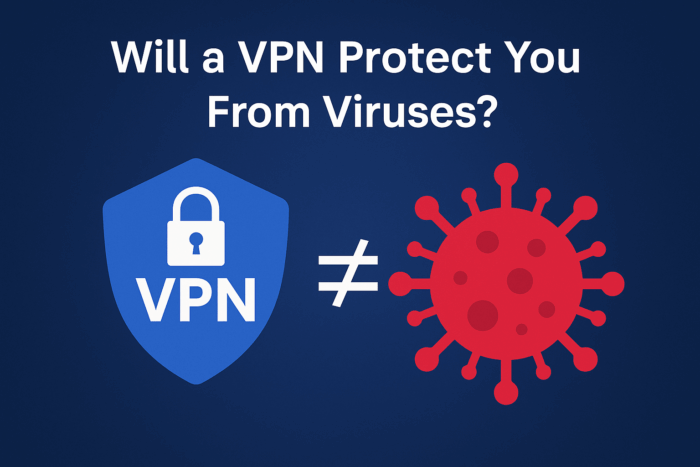
Many people use VPNs to stay private online – but does a VPN also protect you from viruses? It’s an important question, especially with cyber threats on the rise (there were 5.5 billion malware attacks worldwide in 2022 alone). In this guide, we’ll give you a clear answer and show you how to keep your devices secure.
VPN and Viruses: Key Points
- VPN ≠ Antivirus: A VPN will not scan for or remove viruses from your computer. It encrypts your data and hides your IP, but it doesn’t block malware infections.
- Primary Purpose: VPNs are great for privacy and preventing hacker snooping, but they cannot stop viruses or malware on your device. You can still download an infected file while using a VPN.
- Still Use Antivirus: You absolutely need antivirus software (or anti-malware) even if you use a VPN. The VPN protects your connection; the antivirus protects your device by detecting viruses.
- Extra VPN Features: Some VPN services have security extras (like blocking malicious sites or ads), which help reduce risk. But these are supplements, not full protection – they might stop some known threats, but won’t catch every virus.
- Layered Safety: The best practice is to use a VPN together with good cyber hygiene – run antivirus, keep software updated, and avoid suspicious links. This combined approach keeps you safest from viruses.
What Protection Does a VPN Provide (and Not Provide)?
- ✅ Protects your data in transit: A VPN encrypts all your internet traffic and routes it through a secure server. This keeps hackers, ISPs, or anyone spying on the network from reading your data.
- ✅ Hides your IP and location: VPNs mask your real IP address, making you more anonymous online. This can prevent targeted attacks or tracking.
- ❌ Does not block viruses or malware: If you visit a malicious website or download an infected attachment, the VPN won’t flag or remove that virus.
- ❌ Won’t stop phishing or scams: A VPN cannot determine if the website you’re viewing is fake. If you click a phishing link, you can still be tricked – the VPN doesn’t intervene.
- ❌ Won’t clean an infected device: If your computer already has malware, a VPN won’t detect or remove it.
So, Will a VPN Protect You From Viruses?
No – a VPN will not protect your device from viruses.

Access content across the globe at the highest speed rate.
🔥 Save 81% + 2 bonus months! 🔥
70% of our readers choose Private Internet Access
70% of our readers choose Private Internet Access
2
Browse the web from multiple devices with industry-standard security protocols.
🔥 Save 73%! 🔥

Faster dedicated servers for specific actions (currently discounted)
🔥 Save 69%! 🔥
VPNs don’t scan files or block malware. They lock your connection so outsiders can’t spy on you, but encryption doesn’t stop a malicious file from executing. If you download a virus while using a VPN, it will still infect your device.
Even if you’re connected through an encrypted tunnel, malware can spread freely once it’s on your system. For more details, check our article on whether a virus can spread through a VPN connection.
The bottom line: VPN ≠ antivirus. Use both for full protection.
VPN vs. Antivirus: Key Differences
| Aspect | VPN (Virtual Private Network) | Antivirus/Anti-Malware Software |
|---|---|---|
| Primary Purpose | Encrypts your internet traffic and protects data privacy online. | Detects, blocks, and removes viruses/malware on your device. |
| How it Works | Creates a secure tunnel for your data, hiding your IP and activities. | Scans files and programs on your system to catch threats. |
| Protects Against | Hackers & snoops on networks, ISP tracking, data interception. | Viruses, trojans, ransomware, spyware on your device. |
| Does NOT Protect Against | Viruses, malware infections, phishing scams. | Network snooping, IP tracking, data interception. |
| Extra Features | Some VPNs include ad-blockers or malicious site filters. | Many AVs add firewalls, web/email scanning, and more. |
How VPNs Can Indirectly Help Your Security
While VPNs don’t directly block viruses, they can indirectly reduce risks:
- Blocking malicious websites: Some VPNs block access to known dangerous sites. For example, NordVPN’s Threat Protection can stop malicious domains and ads before they reach your device.
- Preventing man-in-the-middle attacks: VPN encryption stops hackers from injecting malware over public Wi-Fi.
- Extra vigilance: Stick with trustworthy providers and learn how to know if your VPN is hacked to avoid compromised services.
What a VPN Won’t Protect You From
- Viruses & malware infections – only antivirus software can handle these.
- Phishing attacks – VPNs don’t block fake sites or scam emails.
- Malicious downloads – unless your VPN has filtering, it won’t block you from visiting infected sites.
- Fake apps or cracked software – pirated tools often contain malware. See our article on VPN crack risks for more.
- Shady VPN apps – Always download VPNs from official sources. Some shady free apps may even carry malware themselves. See our guide on whether a VPN can give you a virus for more.
5 Essential Tips to Stay Safe from Viruses
- Install antivirus software – your first line of defense. A trusted option like TotalAV can detect and remove a wide range of malware threats.
- Enable your firewall – block suspicious connections.
- Update your OS and apps – patch vulnerabilities.
- Be cautious with emails/links – most viruses spread via phishing.
- Practice safe browsing – avoid internet security mistakes like downloading from untrusted sites.
- Use strong passwords & 2FA – protect accounts from hackers.
- Back up your data – stay safe against ransomware.
FAQ
Yes. VPNs and antivirus serve different purposes. You need both for full protection.
No. VPNs don’t scan or remove viruses – antivirus does.
Not directly. Some VPNs block known scam sites, but phishing relies on tricking the user.
A few VPNs block malicious domains, but they aren’t full antivirus tools.
Conclusion
Will a VPN protect you from viruses? No – not by itself. But when paired with antivirus software and safe practices, it forms a solid part of your security toolkit. The smartest move is to combine a secure VPN like NordVPN with a reliable antivirus such as TotalAV – plus safe browsing habits – for the strongest defense.
VPNs can’t remove malware, but some users ask if they help with gaming stability too. In fact, see whether a VPN can help with ping to understand how latency and privacy tools connect — and why you still need antivirus alongside a VPN.
For a deeper breakdown of roles, overlaps, and use cases, see VPN vs antivirus.


Read our disclosure page to find out how can you help VPNCentral sustain the editorial team Read more


Improve this guide




User forum
0 messages