
Iran-nexus APT “Dust Specter” hits Iraqi officials with AI-assisted malware and novel RATs


 5 min. read
  Published on
Zscaler ThreatLabz says a suspected Iran-nexus threat actor targeted Iraqi government officials in January 2026 by impersonating Iraq’s Ministry of Foreign Affairs and delivering two distinct malware chains. The researchers track the activity as Dust Specter and say the campaign introduced four previously undocumented tools: SPLITDROP, TWINTASK, TWINTALK, and GHOSTFORM.
The campaign matters because it mixes classic Windows tradecraft, like DLL side-loading and Registry Run keys, with signs of AI-assisted code development and careful command-and-control validation. ThreatLabz says the operators used randomized URI paths with checksum values, plus geofencing and User-Agent checks, to ensure the C2 only responded to real victims.

Access content across the globe at the highest speed rate.
🔥 Save 81% + 2 bonus months! 🔥
70% of our readers choose Private Internet Access
70% of our readers choose ExpressVPN
2
Browse the web from multiple devices with industry-standard security protocols.
🔥 Save 73%! 🔥

Faster dedicated servers for specific actions (currently at summer discounts)
🔥 Save 69%! 🔥
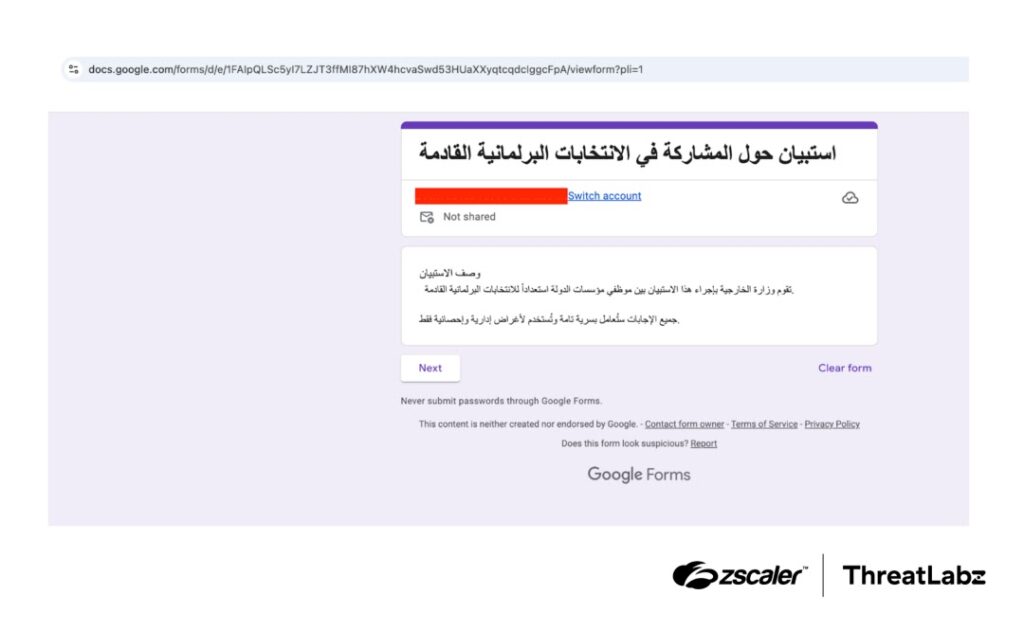
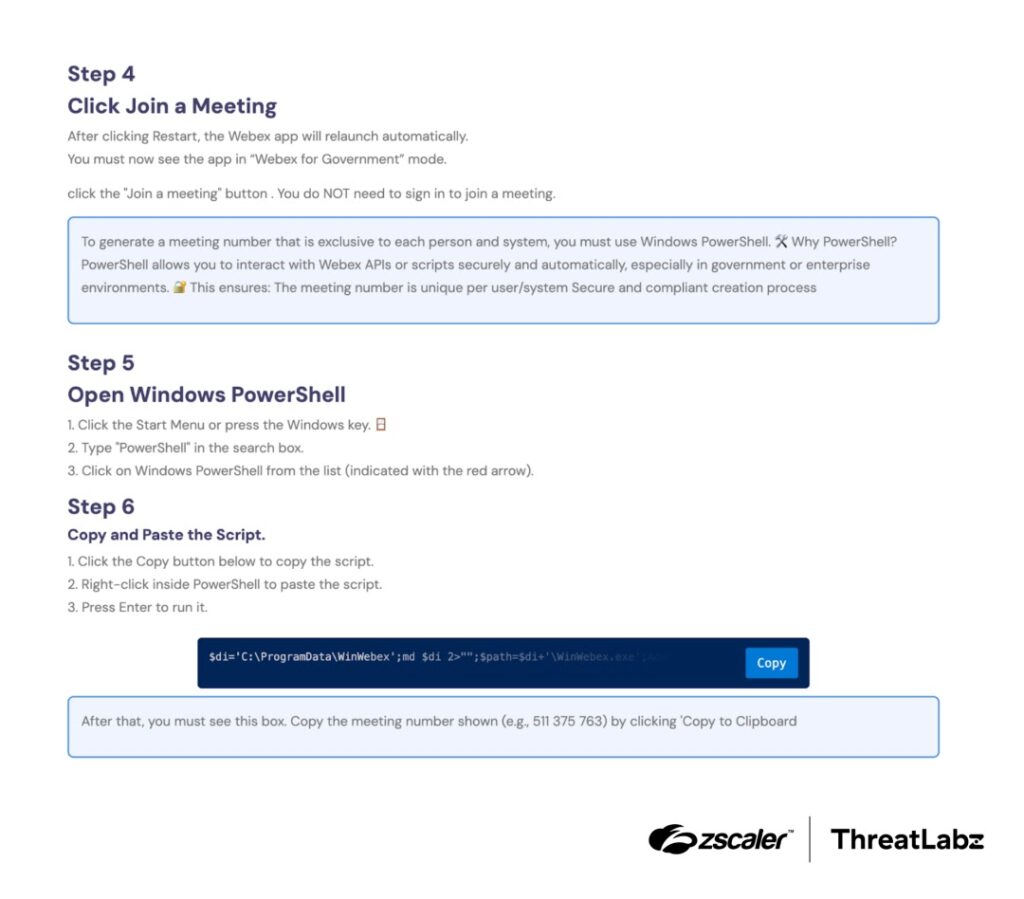
Zscaler also links the cluster to a ClickFix-style lure seen in July 2025, where a fake meeting invite page pushed victims to run a PowerShell command that downloaded malware and created scheduled execution.
What happened in Iraq
ThreatLabz reports two delivery chains aimed at Iraqi officials:
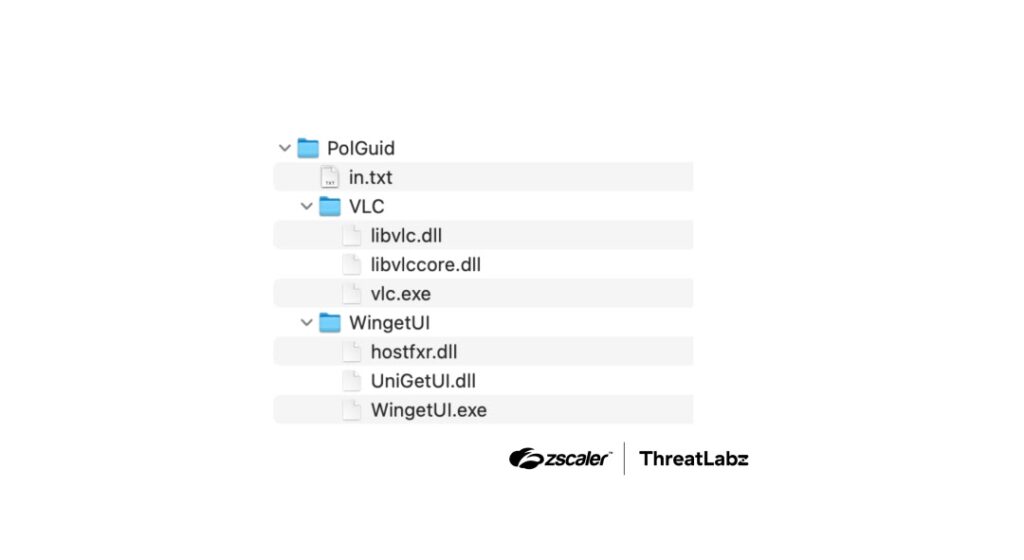
- Attack Chain 1: A password-protected RAR archive led to SPLITDROP, then to a DLL side-loading sequence involving TWINTASK and TWINTALK.
- Attack Chain 2: A separate path delivered GHOSTFORM, which displayed a fake Arabic Google Form lure while the malware ran in the background.
Zscaler says compromised Iraq government-related infrastructure hosted malicious payloads used in the campaign, which raises the stakes for defenders who rely on domain allowlists for trust decisions.
Quick facts
| Item | Details |
|---|---|
| Targeting | Iraqi government officials |
| Impersonation | Iraq’s Ministry of Foreign Affairs |
| Timeframe observed | January 2026 |
| Tools | SPLITDROP, TWINTASK, TWINTALK, GHOSTFORM |
| Key techniques | DLL side-loading, PowerShell execution, Registry Run keys, randomized C2 paths with checksums |
| Attribution | Medium-to-high confidence Iran-nexus, per Zscaler ThreatLabz |
How Attack Chain 1 works
ThreatLabz says Chain 1 started with a password-protected archive that dropped SPLITDROP, a .NET dropper disguised to look like a legitimate app. SPLITDROP decrypted an embedded payload and unpacked the next-stage components.
From there, the operators relied on DLL side-loading. They launched legitimate software placed next to attacker-controlled DLLs so Windows loaded the malicious library from the same folder. MITRE explains that adversaries abuse DLL loading behavior for persistence and defense evasion, including via side-loading and search order hijacking.
ThreatLabz says TWINTASK acted as a worker module that repeatedly polled a local text file and executed Base64-encoded PowerShell commands. TWINTALK handled C2 orchestration and beaconing, using randomized intervals and checksum-tagged URI paths to avoid simplistic pattern detection.
ATT&CK mapping
| Behavior | Likely ATT&CK technique |
|---|---|
| DLL side-loading / search order abuse | Hijack execution flow: DLL (T1574.001) |
| Startup persistence via Run keys | Registry Run keys / Startup folder (T1547.001) |
| PowerShell execution | Command and scripting interpreter: PowerShell (commonly mapped under T1059.001) |
How Attack Chain 2 works
ThreatLabz describes GHOSTFORM as a RAT that opens a fake Arabic Google Form lure while it runs stealthily. The report highlights an unusual evasion idea: an almost invisible Windows form that delays execution while avoiding behavior that would stand out in basic UI monitoring.
Where the “AI-assisted malware” claim comes from
ThreatLabz says it found code-level fingerprints that suggest the actor used generative AI during malware development. It points to specific patterns, including unusual Unicode and emoji usage in source code and placeholder-like constants in logic functions. ThreatLabz frames this as evidence, not absolute proof, and it uses “medium-to-high confidence” language for the actor attribution.
What defenders should do now
- Block or quarantine password-protected archives from untrusted senders, especially when they claim to contain “official” documents.
- Tighten application controls to reduce DLL side-loading risk, especially for common userland apps that load local DLLs.
- Monitor for new or altered Registry Run entries and unexpected autoruns for non-standard application directories.
- Enable PowerShell Script Block Logging and centralize those logs, since this campaign used PowerShell-based tasking. Microsoft says Script Block Logging records “the content of all scriptblocks” PowerShell processes once enabled.
- Alert on outbound HTTPS traffic that uses randomized URI paths and repeated short beacon intervals, especially when paired with uncommon JWT-style authorization headers, which ThreatLabz noted in this operation.
Detection and hunting checklist
| What to hunt | Why it matters |
|---|---|
| Legitimate EXEs launching from user-writable folders with adjacent DLLs | Common DLL side-loading sign |
| Sudden creation of Run key entries for VLC-like or UI helper apps | Persistence pattern in Chain 1 |
| Repeated PowerShell execution with encoded content | Matches TWINTASK execution style |
| Consistent outbound calls with variable URI paths and checksum-like suffixes | Matches TWINTALK validation approach |
| Fake survey or meeting lures leading to “run this command” instructions | ClickFix pattern |
FAQ
Zscaler ThreatLabz uses Dust Specter as an internal tracking name for a suspected Iran-nexus actor targeting Iraqi officials.
ThreatLabz says it discovered SPLITDROP, TWINTASK, TWINTALK, and the GHOSTFORM RAT in this campaign.
ThreatLabz says the campaign used Windows persistence mechanisms including Registry Run keys. MITRE documents Run keys as a common persistence method.
DLL side-loading lets attackers execute malicious code by piggybacking on trusted binaries. MITRE describes DLL abuse as a way to persist and evade defenses.
Enable Script Block Logging and review the Operational event log centrally. Microsoft documents this setting and its logging behavior.


Read our disclosure page to find out how can you help VPNCentral sustain the editorial team Read more


Improve this guide



User forum
0 messages