
Fake imToken Chrome extension caught stealing seed phrases and private keys


 4 min. read
  Published on
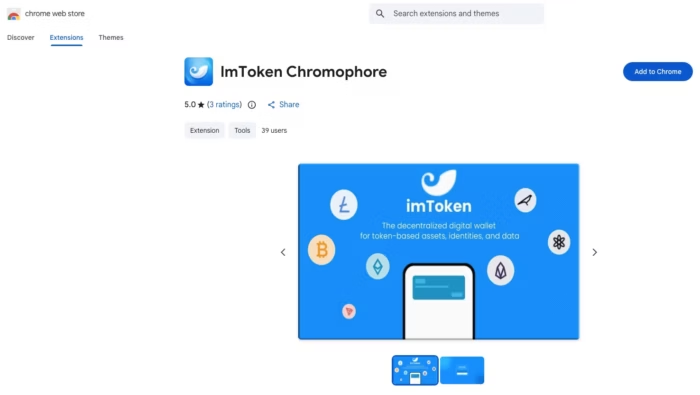
A malicious Chrome extension posing as an imToken tool has been caught redirecting users to a phishing site that steals crypto wallet seed phrases and private keys. Security firm Socket says the add-on, listed as “lmΤoken Chromophore,” was never a real wallet tool and instead acted as a redirector that pushed victims into a fake wallet import flow.
The scam matters because imToken is a well-known non-custodial wallet brand. Socket says the fake extension copied imToken branding while pretending to be a harmless hex color visualizer, and imToken itself has warned users that it has never released a Chrome extension and is available only as a mobile app.

Access content across the globe at the highest speed rate.
70% of our readers choose Private Internet Access
70% of our readers choose ExpressVPN

Browse the web from multiple devices with industry-standard security protocols.

Faster dedicated servers for specific actions (currently at summer discounts)
What Socket found
Socket says the extension used the name “lmΤoken Chromophore” and carried the Chrome extension ID bbhaganppipihlhjgaaeeeefbaoihcgi. The company says the listing was published on February 2, 2026, showed fake legitimacy signals such as five-star ratings and a privacy policy, and remained live in the Chrome Web Store at the time of Socket’s write-up.
According to Socket, the extension did not perform the color-picking task it advertised. Instead, its background code fetched a destination from a hardcoded JSONKeeper endpoint and opened a new browser tab that sent users to a phishing domain designed to mimic a Chrome Web Store style page and then an imToken wallet recovery screen.
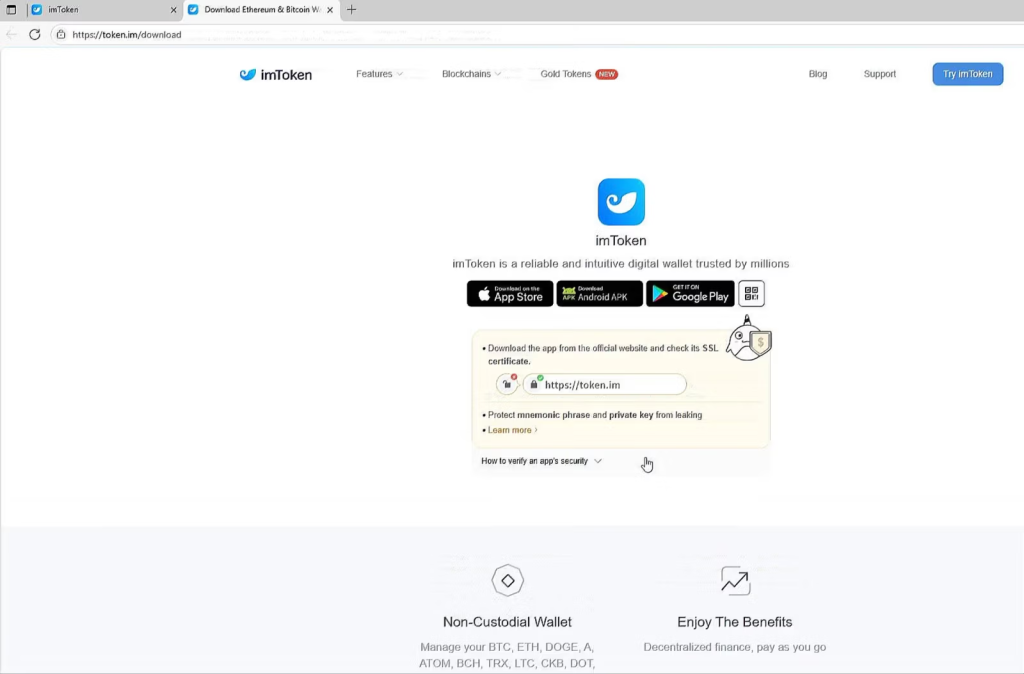
token.im site as a decoy after the wallet secret has already been collected. (Source: Socket)How the phishing chain worked
Socket says the extension automatically opened a lookalike phishing domain, chroomewedbstorre-detail-extension[.]com, right after installation and again when the user clicked the extension. That site used mixed-script Unicode homoglyphs to make fake text look like “imToken” and “Seed Phrase,” which helped the attackers dodge basic text-matching checks and make the page appear legitimate at a glance.
Victims then saw a fraudulent wallet import interface that asked for either a 12-word or 24-word seed phrase or a plaintext private key. Socket says the phishing page also referenced external scripts that appeared to support mnemonic validation and form handling. After the victim entered the wallet secret, the flow continued through a convincing setup sequence and finally redirected to the real token.im website as a decoy.
Why this is dangerous
This kind of attack gives criminals exactly what they need for immediate wallet takeover. A stolen seed phrase or private key can let an attacker import the wallet elsewhere and move funds without needing the victim’s device again. Socket says the extension itself did not steal the secrets locally, but that did not make it less dangerous because its whole job was to deliver victims to attacker-controlled collection pages.
imToken’s own January 2026 security notice reinforces that point. The company warned that fake Chrome extensions had already led to user losses and repeated that the official imToken wallet is only available as a mobile app downloaded through the official site.
Key details
| Item | Verified detail |
|---|---|
| Malicious extension name | lmΤoken Chromophore |
| Extension ID | bbhaganppipihlhjgaaeeeefbaoihcgi |
| Main tactic | Redirect users to a phishing wallet import page |
| Phishing domain | chroomewedbstorre-detail-extension[.]com |
| Remote config endpoint | jsonkeeper[.]com/b/KUWNE |
| Data targeted | 12-word or 24-word seed phrases and plaintext private keys |
| Official imToken position | imToken says it has not released any Chrome extension |
What users should do now
Anyone who installed this extension should remove it immediately and treat any wallet entered into the phishing flow as compromised. If a user typed a seed phrase or private key into the fake page, the safest response is to move funds to a newly created wallet with brand-new keys, because old secrets should no longer be trusted. This follows directly from Socket’s findings about what the phishing page collected.
Users should also avoid installing wallet-related browser extensions unless the vendor explicitly offers one through official channels. In this case, imToken says plainly that there is no official Chrome extension, so any Chrome add-on claiming to be imToken should be treated as fraudulent.
FAQ
No. imToken says its wallet is currently available only as a mobile app and that it has not released any Chrome extension.
Socket says the phishing chain attempted to collect either a 12-word or 24-word mnemonic seed phrase or a plaintext private key.
Socket says the extension mainly acted as a redirector. It fetched a remote destination and pushed victims to a phishing page where the actual credential theft happened.
They should assume the wallet is compromised and move funds to a new wallet with new recovery credentials as fast as possible. That response fits the type of secret theft Socket documented.


Read our disclosure page to find out how can you help VPNCentral sustain the editorial team Read more


Improve this guide


User forum
0 messages