
Best VPN for Streaming in 2026: Six Services Compared


 16 min. read
  Published on
NordVPN is the best VPN for streaming in 2026 for most users. It combines fast connections, a large server network, apps for popular streaming devices, and SmartPlay technology that automatically supports compatible streaming connections.
Proton VPN offers stronger privacy credentials, ExpressVPN provides the simplest setup, and Surfshark gives households the best device allowance. Private Internet Access and CyberGhost remain useful lower-cost alternatives.

Access content across the globe at the highest speed rate.
🔥 Save 81% + 2 bonus months! 🔥
70% of our readers choose Private Internet Access
70% of our readers choose Private Internet Access
2
Browse the web from multiple devices with industry-standard security protocols.
🔥 Save 73%! 🔥

Faster dedicated servers for specific actions (currently discounted)
🔥 Save 69%! 🔥
No VPN can promise permanent access to Netflix, Prime Video, BBC iPlayer, ITVX, Hulu, or another streaming service. Streaming platforms regularly detect and block VPN addresses, which means a server that works today may stop working later.
Best streaming VPNs at a glance
| VPN | Best for | Device allowance | Refund period |
|---|---|---|---|
| NordVPN | Best overall streaming VPN | 10 simultaneous connections | 30 days |
| Proton VPN | Privacy-focused streaming | Up to 10 connections on paid plans | 30 days |
| ExpressVPN | Simple apps and television support | Up to 14 connections | 30 days |
| Surfshark | Large households | Unlimited connections | 30 days |
| Private Internet Access | Customisation and US coverage | Unlimited connections | 30 days |
| CyberGhost VPN | Dedicated streaming servers | 7 simultaneous connections | Up to 45 days |
Each service offers unlimited bandwidth on its paid VPN plans. They also provide apps for the leading desktop and mobile operating systems, although television, console, and router support varies.
The best choice depends on the services you watch, your location, the devices you use, and whether you value simplicity, privacy, customisation, or a low introductory price.
1. NordVPN: Best streaming VPN overall
NordVPN offers the strongest overall package for viewers who use several streaming services. Its network includes more than 9,400 servers across 149 countries, giving users many alternatives when one location becomes slow or blocked.
The provider’s NordLynx protocol uses WireGuard technology to deliver fast connections with relatively little performance loss. This makes it suitable for HD, 4K, and live streaming when the underlying internet connection is fast enough.
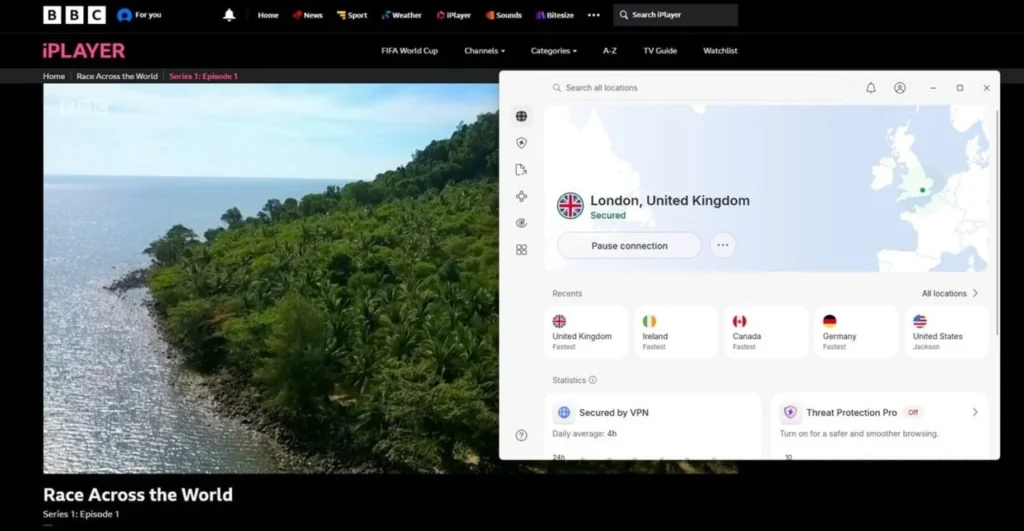
NordVPN also includes SmartPlay, which combines Smart DNS technology with the encrypted VPN connection. The company’s official feature guide says SmartPlay automatically supports streaming without requiring a separate configuration.
- More than 9,400 servers in 149 countries
- Fast NordLynx protocol
- SmartPlay streaming technology
- Applications for major television platforms
- Threat Protection security tools
- Up to 10 simultaneous connections
- 24-hour customer support
Native apps are available for platforms including Android TV and Amazon Fire TV. Smart DNS can help on some devices that do not support VPN software, but it does not encrypt traffic and supports fewer services than the full VPN app.
NordVPN permits up to 10 simultaneous connections. That should cover the phones, computers, tablets, and streaming devices in most households without requiring a second subscription.
The app includes many additional tools, which may make it feel busy to someone who only wants to stream. Monthly subscriptions also cost considerably more than discounted long-term plans.
NordVPN’s current feature information confirms its device allowance, SmartPlay support, browser extensions, security tools, and customer support options.
2. Proton VPN: Best for streaming privacy
Proton VPN is a strong choice for people who want streaming support without compromising on transparency. The company operates from Switzerland, publishes open-source applications, and subjects its no-logs policy to independent audits.
Paid plans support services including Netflix, Disney+, Hulu, Prime Video, and BBC iPlayer in selected countries. Proton VPN also offers native apps for Apple TV, Android TV, and Amazon Fire TV.
The provider’s official streaming guide confirms that streaming support forms part of its paid plans. Free-plan users must upgrade to access the provider’s supported streaming features.
- Strong privacy and transparency record
- Open-source applications
- Audited no-logs policy
- WireGuard and VPN Accelerator technology
- Applications for major television platforms
- NetShield ad and tracker blocking
- No data limits on paid plans
VPN Accelerator aims to improve performance over long-distance connections. This can help users maintain higher video quality when connecting to a server far from their physical location.
Proton VPN also provides its Stealth protocol for restrictive networks. However, obfuscation does not guarantee access to a streaming platform and may reduce performance compared with a standard WireGuard connection.
The free plan includes unlimited data, but it does not provide the full streaming support available to paying customers. Free users also receive less control over server selection.
Proton VPN’s streaming documentation lists supported platforms and explains that video streaming through the service requires a paid subscription.
3. ExpressVPN: Best for easy setup
ExpressVPN has one of the simplest interfaces in the VPN market. Its applications use a consistent design across Windows, macOS, Android, iOS, Apple TV, Android TV, and Fire TV.
The provider operates server locations in 105 countries. Its Lightway protocol connects quickly and aims to maintain a stable connection when users move between Wi-Fi and mobile networks.
ExpressVPN supports up to 14 simultaneous device connections on eligible plans. Its Apple TV VPN page confirms native tvOS support, which removes the need to configure a router for that device.
- Servers in 105 countries
- Simple apps with consistent controls
- Lightway protocol
- Native Apple TV application
- Android TV and Fire TV support
- MediaStreamer Smart DNS
- Up to 14 simultaneous connections
MediaStreamer provides a Smart DNS option for devices that cannot run the ExpressVPN app. It can help with selected services, but it does not encrypt traffic or provide the privacy protection of a VPN tunnel.
ExpressVPN works particularly well for users who do not want to adjust protocols, ports, DNS servers, or other technical settings. The app can automatically select an appropriate protocol.
The main disadvantage is cost. ExpressVPN often charges more than competing services after introductory periods, so customers should check the renewal price rather than comparing only promotional rates.
The company’s current device information confirms support for 14 simultaneous connections and a native application for Apple TV.
4. Surfshark: Best for unlimited devices
Surfshark allows unlimited simultaneous connections. One subscription can therefore cover every compatible device in a household without forcing users to remove old products from their account.
The company advertises more than 4,500 servers in over 100 countries. Its network uses RAM-only infrastructure and includes 10 Gbps servers in many locations.
Surfshark lists its current network and unlimited-device support on its official VPN service page. Apps are available for computers, phones, tablets, smart TVs, streaming devices, and selected routers.
- Unlimited simultaneous connections
- More than 4,500 servers
- Coverage in over 100 countries
- WireGuard support
- Smart DNS for compatible devices
- CleanWeb ad and tracker blocking
- Camouflage Mode on supported protocols
Surfshark offers native apps for Apple TV, Android TV, Fire TV, and several smart television systems. Router installation can protect consoles and other products without dedicated VPN applications.
Its unlimited connection policy makes Surfshark especially competitive for families, shared homes, and users with many devices. The service also offers lower introductory prices than many premium competitors.
Connection times can sometimes take longer than with ExpressVPN or NordVPN. Renewal rates may also rise sharply after the first subscription period.
Surfshark’s current product information advertises unlimited device use, more than 4,500 servers, coverage in over 100 countries, and round-the-clock support.
5. Private Internet Access: Best for customisation
Private Internet Access, commonly known as PIA, gives users more control over their VPN configuration. Its apps allow adjustments to encryption, protocols, DNS behaviour, port settings, split tunnelling, and automatic connection rules.
PIA operates servers in 90 countries and offers streaming-optimised locations in selected markets. It also has servers in every US state, making it a useful option for regional American services.
The company’s streaming VPN page confirms unlimited bandwidth, streaming-optimised servers, and a 30-day money-back guarantee.
- Servers in 90 countries
- Locations in every US state
- Streaming-optimised servers
- Unlimited simultaneous connections
- WireGuard and OpenVPN protocols
- Open-source applications
- Highly adjustable connection settings
PIA works on major desktop, mobile, television, and streaming platforms. It also provides Smart DNS for compatible devices that cannot install its VPN app.
Users can leave all settings at their defaults, but the large number of options makes PIA particularly useful for people who want to balance speed, encryption, and compatibility manually.
Streaming performance can vary more between servers than it does with the leading choices. Its app also feels more technical and cluttered than ExpressVPN’s simplified interface.
PIA’s official streaming information describes its optimised locations, unlimited data allowance, supported devices, and refund policy.
6. CyberGhost VPN: Best dedicated streaming servers
CyberGhost separates many of its streaming connections by service. Instead of choosing only a country, users can select servers labelled for platforms such as Netflix, BBC iPlayer, ITV, Hulu, and Prime Video.
This design makes the service approachable for beginners because users do not need to test every server in a country. CyberGhost regularly checks and updates its optimised streaming locations.
The provider supports up to seven simultaneous connections. Its refund policy gives customers 45 days to test subscriptions longer than six months.
- Servers in 100 countries
- Service-specific streaming locations
- WireGuard, OpenVPN, and IKEv2
- Smart DNS support
- Apps for major streaming devices
- Seven simultaneous connections
- Up to 45-day money-back guarantee
The company provides apps for Apple TV, Android TV, Fire TV, computers, phones, and tablets. Router support can extend the connection to consoles and unsupported smart televisions.
CyberGhost’s seven-device limit falls below every other VPN in this ranking. The app also lacks the more extensive obfuscation options offered by Proton VPN, NordVPN, and Surfshark.
Its long refund period remains an advantage because streaming compatibility depends on the exact service, country, device, and account. Users receive more time to test their preferred platforms.
CyberGhost’s money-back guarantee terms provide 45 days for longer plans and 14 days for monthly subscriptions.
Streaming VPN comparison
| VPN | Network coverage | Smart DNS | TV apps | Best feature |
|---|---|---|---|---|
| NordVPN | 9,400+ servers in 149 countries | Yes | Yes | SmartPlay and fast NordLynx connections |
| Proton VPN | Large global paid network | No separate Smart DNS service | Yes | Open-source apps and strong privacy |
| ExpressVPN | Server locations in 105 countries | Yes | Yes | Simple setup across platforms |
| Surfshark | 4,500+ servers in 100+ countries | Yes | Yes | Unlimited devices |
| Private Internet Access | Servers in 90 countries | Yes | Yes | Advanced configuration options |
| CyberGhost VPN | Servers in 100 countries | Yes | Yes | Dedicated streaming servers |
How a streaming VPN works
A VPN sends internet traffic through an encrypted connection to a server operated by the provider. Websites and streaming platforms then see the server’s IP address rather than the address assigned by the user’s internet provider.
Connecting to a server in another country can make a service believe that the connection originated there. However, the user must still hold a valid account and comply with the platform’s terms and regional licensing rules.
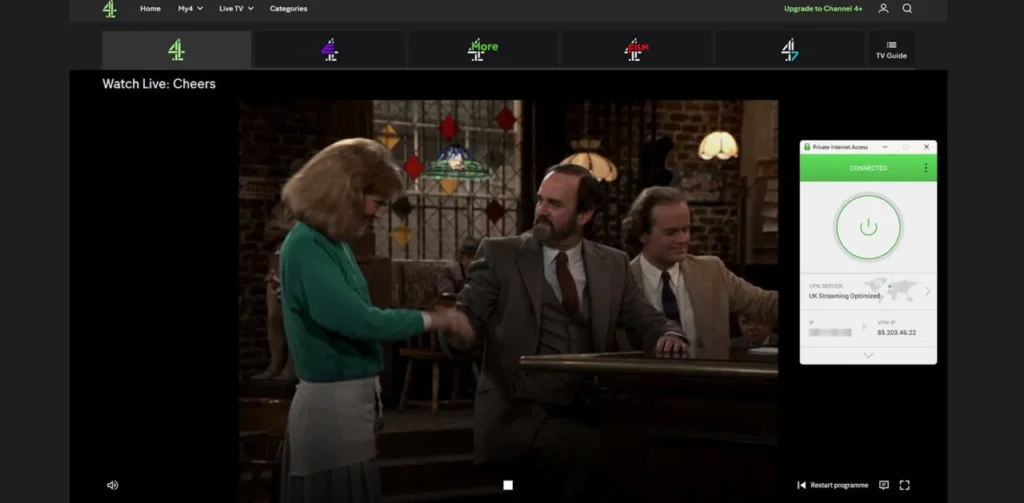
VPN encryption can also protect traffic on public Wi-Fi and prevent a local network operator from seeing the websites a user visits. It does not make online activity completely anonymous or protect against every cyberthreat.
Why streaming services block VPNs
Streaming libraries vary by country because studios, broadcasters, sports organisations, and platforms license content for specific regions. Services therefore use location controls to restrict where programmes can play.
Platforms can identify IP addresses used by large numbers of VPN customers. They may also detect addresses belonging to data centres rather than residential internet providers.
Netflix’s VPN and proxy error guidance says a VPN can make a device appear to connect from somewhere other than its physical location. The service may ask viewers to disable the connection.
- Known VPN and proxy IP databases
- Large numbers of accounts using one address
- Conflicting browser or device location data
- DNS requests that reveal another country
- IP addresses associated with data centres
- Account activity from rapidly changing regions
A provider may replace a blocked address, but the streaming platform can block the replacement later. This creates an ongoing cycle between streaming services and VPN operators.
Netflix also warns that VPN users may only see titles for which it holds worldwide rights. Its official proxy error page recommends switching off VPN or proxy software when playback fails.
How to choose the best VPN for streaming
Server count alone does not determine streaming performance. Location choice, connection quality, available protocols, device support, and the provider’s ability to replace blocked addresses often matter more.
| Feature | Why it matters |
|---|---|
| Nearby servers | Usually provide lower latency and better speeds |
| Multiple locations per country | Give users alternatives when one server fails |
| WireGuard-based protocol | Can reduce speed loss during HD and 4K playback |
| Native TV applications | Make setup easier on compatible televisions |
| Smart DNS | Supports selected devices that cannot run VPN apps |
| Router compatibility | Extends coverage to consoles and unsupported devices |
| Refund policy | Provides time to test specific streaming services |
| Live support | Can identify a compatible server when playback fails |
Check the provider’s renewal price before subscribing. Two-year and three-year plans often look inexpensive because companies display the average monthly cost rather than the total upfront payment.
A long server list does not prove that every location works with every platform. Test the VPN with the exact services and devices you plan to use during the refund period.
How to use a VPN for streaming
The setup process usually takes only a few minutes on a device that supports a native VPN application.
- Choose a VPN with servers in the required country.
- Create an account and download the correct application.
- Install the app and sign in.
- Connect to a suitable server.
- Open the streaming service and sign in.
- Select a programme and test playback.
The nearest suitable server usually offers the best speed. Connecting across a continent creates a longer network route and may increase latency or reduce video quality.
Smart DNS may help on consoles and televisions that do not support VPN apps. It does not encrypt traffic, so use the full VPN application when privacy matters.
What to do when a streaming VPN stops working
A streaming error does not necessarily mean the provider has lost access to the entire service. The platform may have blocked only one server or stored old location information in the app or browser.
Try these fixes in order:
- Disconnect and choose another server in the same country.
- Close the streaming app completely and reopen it.
- Clear browser cookies, cached data, and stored site permissions.
- Restart the VPN app and streaming device.
- Check for DNS or IP address leaks.
- Try another supported VPN protocol.
- Contact the provider’s customer support team.
Changing from WireGuard to OpenVPN can sometimes help when a network blocks a protocol. However, changing protocols does not automatically provide a new IP address, so switching servers remains the most useful first step.
Can a free VPN work for streaming?
A free VPN can occasionally play video, but it rarely provides a dependable long-term streaming experience. Free services usually offer fewer locations, more crowded servers, slower speeds, or monthly data limits.
Proton VPN Free provides unlimited data, but Proton reserves its supported streaming features for paid plans. Other free providers may offer only 2 GB to 10 GB per month, which can disappear quickly during HD viewing.
- Limited server selection
- Monthly data allowances
- Overloaded connections
- Few television applications
- Blocked shared IP addresses
- Limited customer support
- Potential privacy concerns with unknown providers
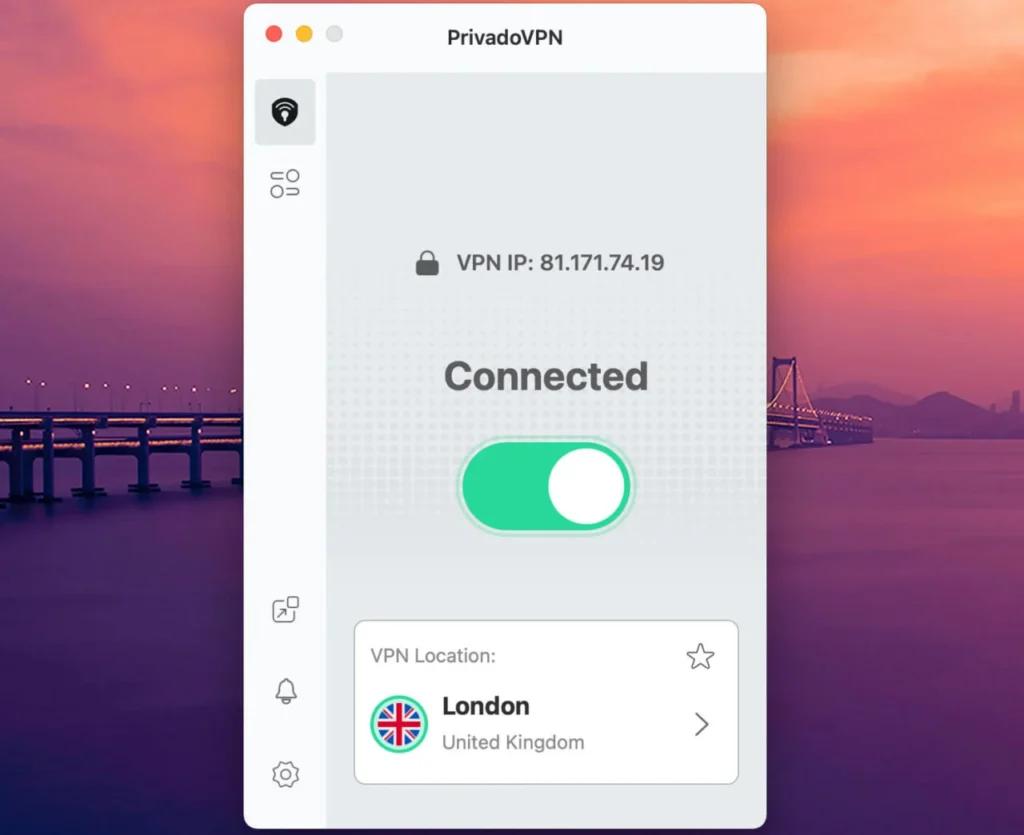
A paid service with a refund period generally provides a better way to test streaming compatibility. Users should avoid unfamiliar free VPNs that do not clearly explain their ownership, logging practices, and revenue model.
How much speed does streaming require?
The required speed depends on the platform, video resolution, compression, and the number of devices sharing the connection.
| Video quality | Suggested connection speed |
|---|---|
| Standard definition | At least 3 Mbps |
| 720p HD | At least 5 Mbps |
| 1080p Full HD | At least 10 Mbps |
| 4K Ultra HD | At least 25 Mbps |
| 4K with several household users | 50 Mbps or more |
A VPN cannot make a slow internet package faster. It may reduce throttling in limited situations when an internet provider slows identifiable video traffic, but it usually introduces some performance loss because of encryption and routing.
For the best results, use a nearby server, select a modern protocol, connect the television through Ethernet when possible, and stop unnecessary downloads on other devices.
Can you install a VPN on a smart TV?
Apple TV, Android TV, Google TV, and Amazon Fire TV support native apps from several major VPN providers. Installation works through the device’s app store.
Some television operating systems do not support VPN applications. In that case, users may need Smart DNS, a VPN-compatible router, or a separate streaming device.
Router installation protects every device connected to that router, but it requires more technical knowledge. It may also count as a single connection even when several products use the router, depending on the provider.
Are VPNs legal for streaming?
VPNs remain legal in many countries, but laws differ. Some governments restrict or prohibit unauthorised VPN services, so users should check local rules when travelling.
A legal VPN connection does not override a streaming service’s terms. Platforms can restrict account access, block playback, or require users to disable VPN software.
Users should access only services and content for which they hold the required subscription or viewing rights. A VPN does not provide a legal right to programmes licensed for another territory.
Which streaming VPN should you choose?
NordVPN provides the best overall combination of speed, network size, device support, and streaming tools. It offers enough connections for most homes and requires little manual configuration.
Choose Proton VPN when privacy and open-source software take priority. ExpressVPN makes sense for users who want the simplest apps, while Surfshark offers better value for households with many devices.
Private Internet Access suits users who want advanced controls and broad US coverage. CyberGhost remains a convenient choice for beginners who prefer servers labelled for individual streaming platforms.
Whichever provider you choose, use its refund period to test your preferred services. Streaming access changes frequently, and results can differ by country, device, internet provider, and server.
FAQ
NordVPN is the best overall streaming VPN for most users because it combines fast NordLynx connections, more than 9,400 servers, SmartPlay technology, television apps, and support for 10 simultaneous devices.
No. Netflix and other streaming services regularly identify and block VPN addresses. A provider may work reliably, but no VPN can guarantee uninterrupted access.
Surfshark and Private Internet Access allow unlimited simultaneous device connections. They suit families and users who want to protect many phones, computers, and streaming devices.
A free VPN may work occasionally, but limited servers, slow connections, data caps, and blocked IP addresses usually make it unsuitable for regular streaming.
Streaming services can recognise shared VPN addresses, data-centre IP ranges, DNS leaks, and conflicting device location information. Switching servers and clearing stored location data may help.
Yes, when the television runs a supported system such as Apple TV, Android TV, Google TV, or Fire TV. Other televisions may require Smart DNS, a compatible router, or an external streaming device.


Read our disclosure page to find out how can you help VPNCentral sustain the editorial team Read more


Improve this guide




User forum
0 messages