
BC.GAME Not Working With VPN? Fixes That Actually Work (2026)


 10 min. read
  Published on
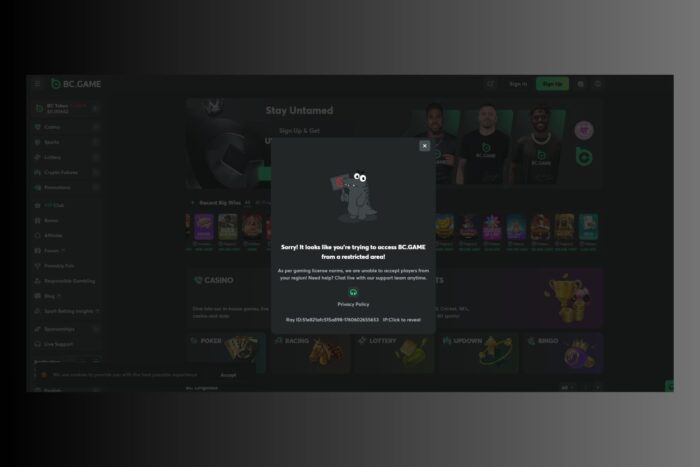
If BC.GAME isn’t loading while your VPN is active it’s probably due to IP conflicts or location leaks. Many users face geo-blocks or connection errors when trying to access this crypto-focused gambling site.
Let’s break down why this happens and how to fix it safely.

Access content across the globe at the highest speed rate.
70% of our readers choose Private Internet Access
70% of our readers choose ExpressVPN

Browse the web from multiple devices with industry-standard security protocols.

Faster dedicated servers for specific actions (currently at summer discounts)
Table of contents
- Why BC.GAME Blocks VPN Connections and Common Error Messages
- How to Fix BC.GAME Not Working With VPN (16 Proven Methods)
- Fix 1: Change to a Supported VPN Server Location
- Fix 2: Enable Obfuscation or Stealth Mode on VPN
- Fix 3: Switch VPN Protocol for Better Compatibility
- Fix 4: Use a Dedicated or Static IP VPN Server
- Fix 5: Clear Browser Cookies and Cache Before Logging In
- Fix 6: Disable Device Location, GPS, and Browser Geolocation
- Fix 7: Prevent WebRTC Leaks in Browser Settings
- Fix 8: Change DNS Settings to a Public Resolver
- Fix 9: Flush DNS and Renew IP Address (Windows & macOS)
- Fix 10: Open BC.GAME in Private or Incognito Mode
- Fix 11: Reinstall or Reset Your VPN App
- Fix 12: Connect Through a Mobile Hotspot Network
- Fix 13: Rotate VPN Exit Nodes and Server Cities
- Fix 14: Ask VPN Support for Updated BC.GAME Access Servers
- Fix 15: Upgrade to a Premium VPN Provider for BC.GAME
- Fix 16: Follow Local Gambling Rules and BC.GAME Terms
- Countries Where BC.GAME Is Blocked
- Is BC.GAME Safe?
- How to Safely Navigate on BC.GAME
- Supported Cryptocurrencies on BC.GAME
- Is It Illegal to Use a VPN With BC.GAME?
- BC.GAME Frozen Account Allegations
- Conclusion
- FAQs
Why BC.GAME Blocks VPN Connections and Common Error Messages
BC.GAME uses anti-fraud and geo-restriction filters to detect VPNs. These measures prevent access from restricted regions or users trying to bypass licensing rules.
Common error messages include:
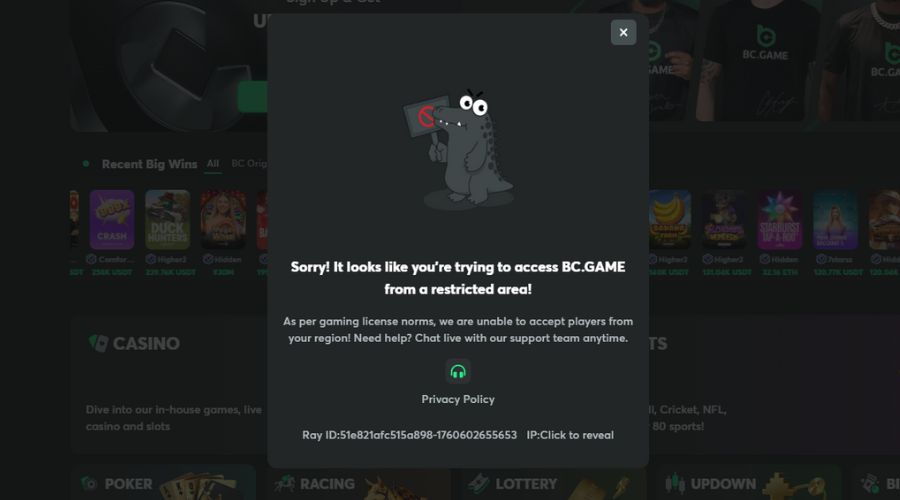
- “Access denied: VPN or proxy detected.”
- “Your country is not supported.”
- “Sorry! It looks like you’re trying to access BC.GAME from a restricted area!”
- “Connection refused by the server.”
The main reasons for blocking include licensing restrictions, risk of bonus abuse, and AML (anti-money laundering) compliance.
If you face similar errors on other platforms, check guides like why your VPN might not work on gambling sites.
How to Fix BC.GAME Not Working With VPN (16 Proven Methods)
Use these proven solutions in order. Each includes simple, actionable steps.
Fix 1: Change to a Supported VPN Server Location
- Disconnect your VPN. Close BC.GAME.
- Open the VPN app and choose a country BC.GAME typically allows (e.g., Brazil or Morocco).
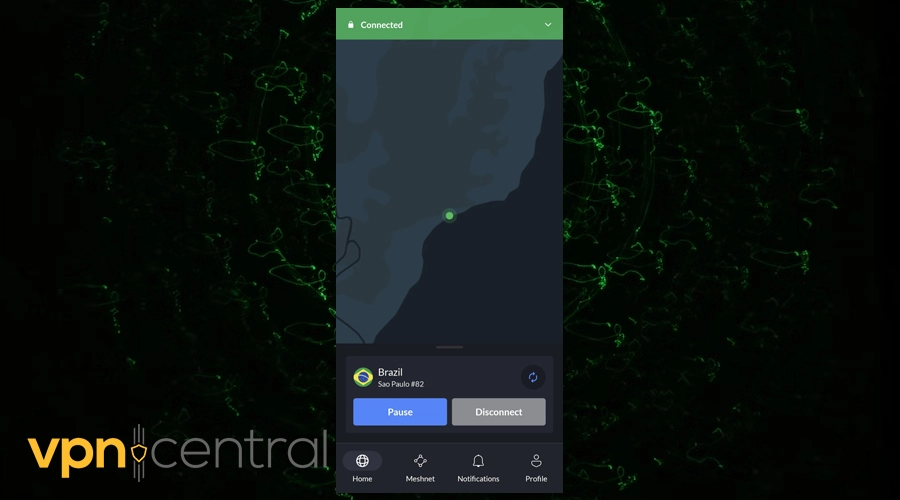
- Connect and wait until the VPN shows “Connected.”
- Clear cookies/cache (see Fix 5) and relaunch BC.GAME.
If the site still blocks you, rotate through 2–3 nearby countries.
Fix 2: Enable Obfuscation or Stealth Mode on VPN
- Open VPN Settings. Look for Obfuscated, Stealth, or Camouflage mode.
- Turn it ON and select an obfuscated server if listed separately.
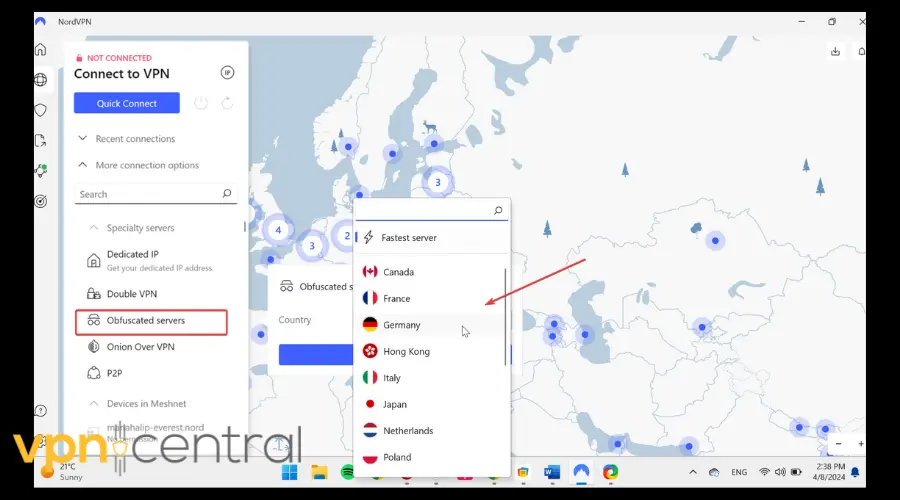
- Reconnect the VPN and try BC.GAME again.
Stealth mode disguises VPN traffic so site filters don’t flag it.
Fix 3: Switch VPN Protocol for Better Compatibility
- In VPN Settings, locate Protocol.
- Try WireGuard first; if blocked, switch to OpenVPN (TCP).
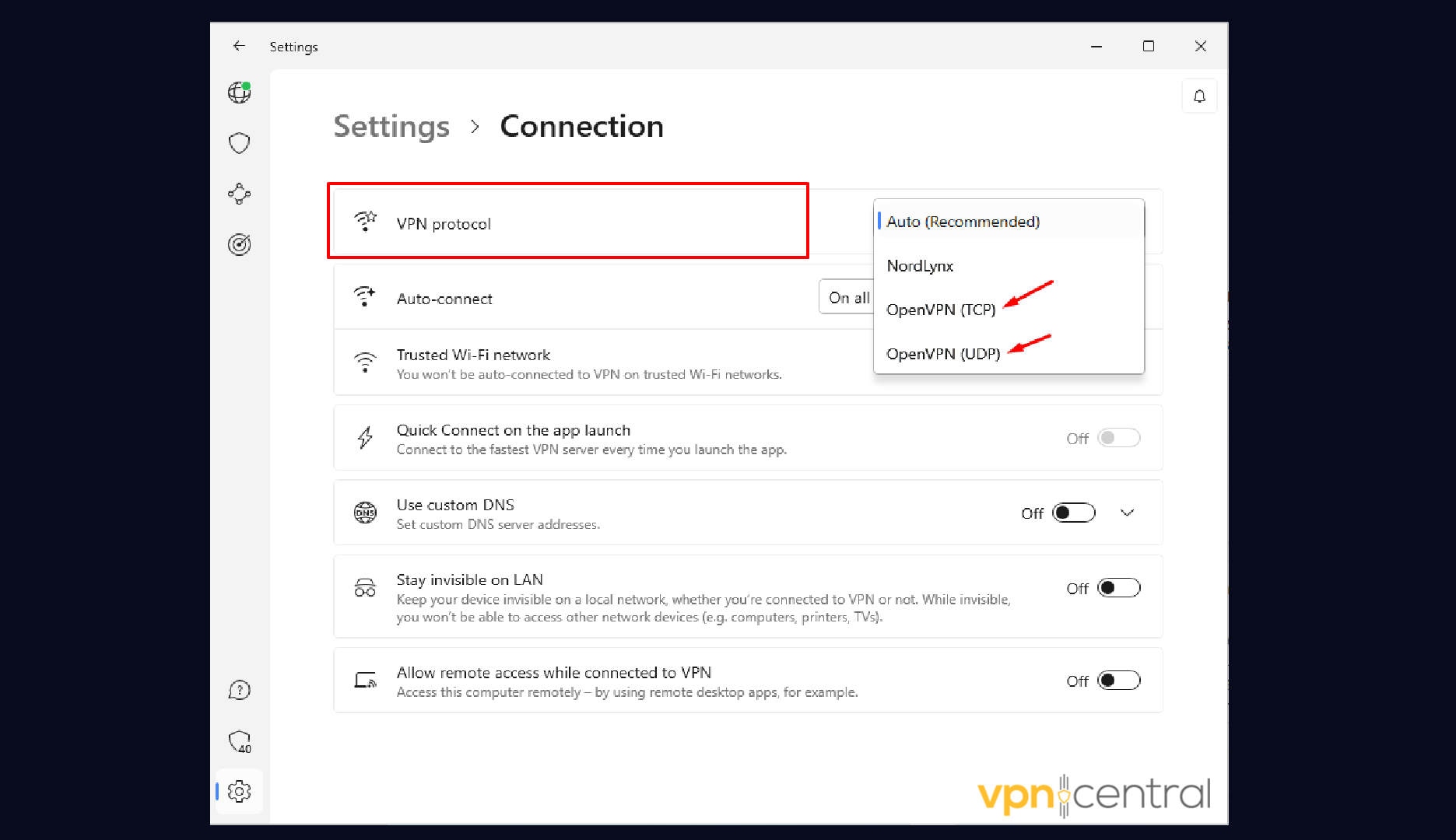
- Reconnect and refresh BC.GAME.
TCP often bypasses strict networks better than UDP.
Fix 4: Use a Dedicated or Static IP VPN Server
- Check your VPN plan for a Dedicated IP add-on.
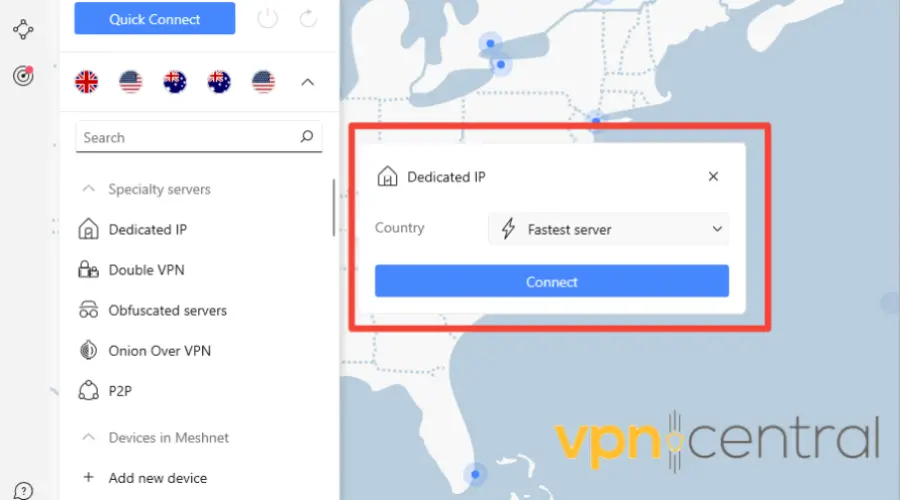
- Activate the dedicated IP and connect to it from the server list.
- Sign in to BC.GAME and test again.
Dedicated IPs are less frequently blacklisted than shared IPs.
Fix 5: Clear Browser Cookies and Cache Before Logging In
- Close BC.GAME tabs.
- Press Ctrl+Shift+Del (Windows) or Command+Shift+Delete (macOS).
- Select Cookies, Cached images/files, and Site data.
- Time range: All time → Clear data.
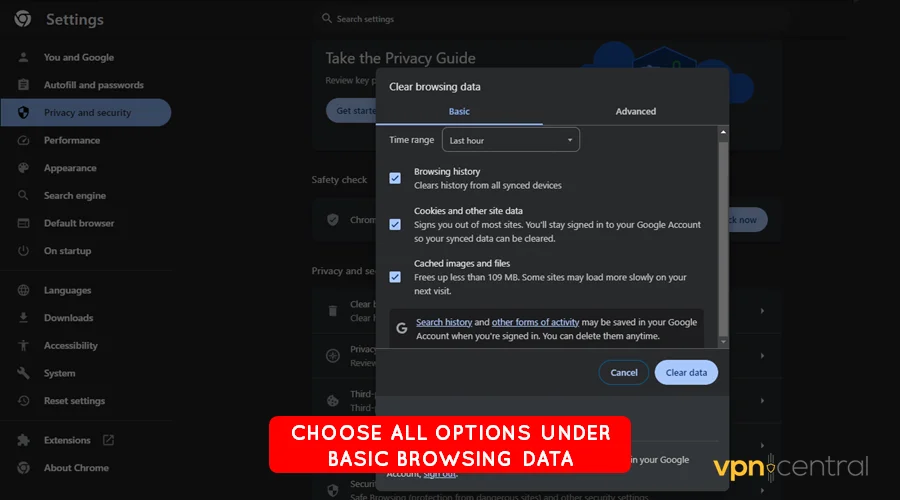
- Reconnect VPN and reload BC.GAME.
This removes old location signals that can trigger blocks. For broader context, see why your VPN might not work on gambling sites.
Fix 6: Disable Device Location, GPS, and Browser Geolocation
- Turn off Location Services in Windows/macOS Settings.
- Disable site location prompts in your browser (Settings → Privacy → Site settings → Location → Block).
- Restart the browser and try again.
Fix 7: Prevent WebRTC Leaks in Browser Settings
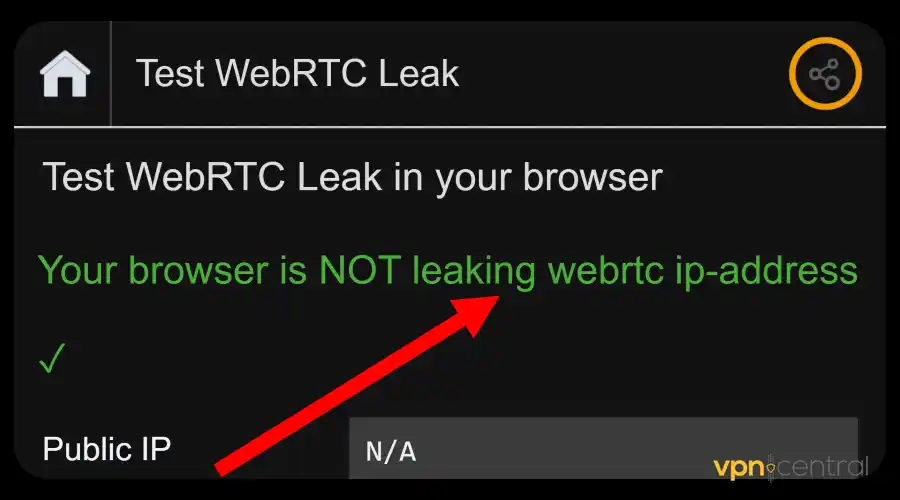
- Install a WebRTC leak blocker extension or use your VPN’s browser add-on with leak protection.
- Disable WebRTC in add-on settings (if available).
- Reconnect and test BC.GAME.
Fix 8: Change DNS Settings to a Public Resolver
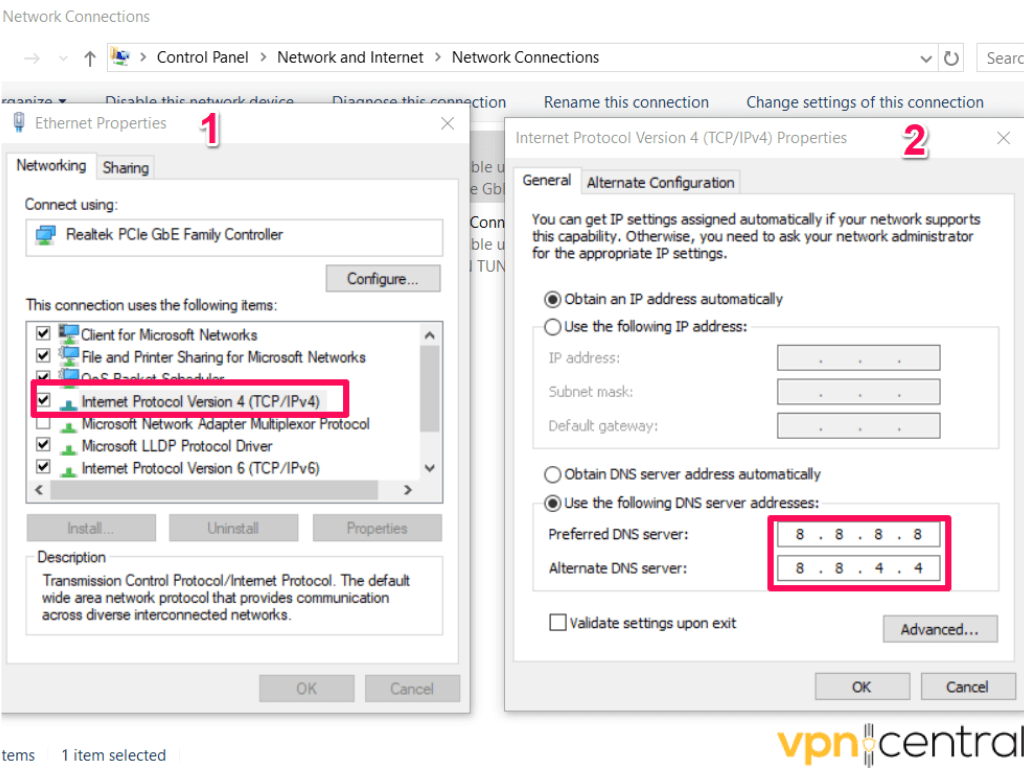
- Open Network Settings on your device.
- Set DNS to 1.1.1.1 and 1.0.0.1 (or 8.8.8.8 and 8.8.4.4).
- Reconnect VPN and refresh BC.GAME.
Fix 9: Flush DNS and Renew IP Address (Windows & macOS)
Windows
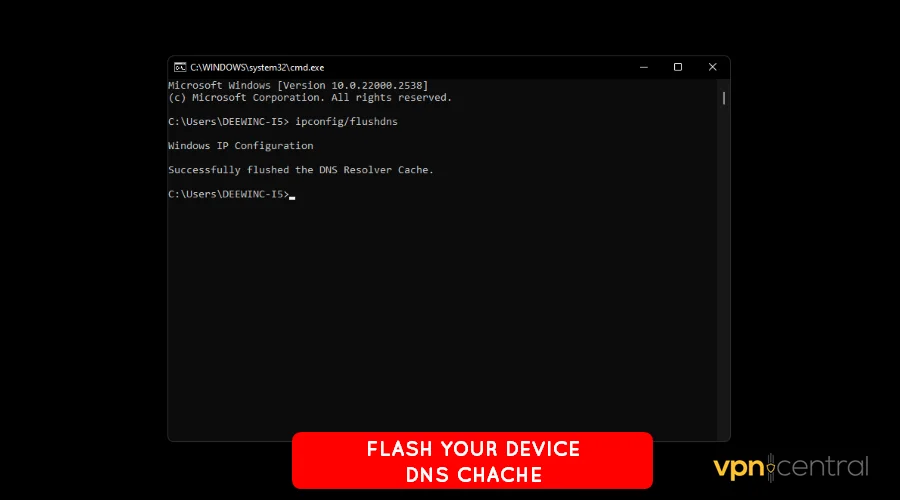
- Open Command Prompt as Administrator.
- Run:
ipconfig /flushdns→ Enter. - Run:
ipconfig /release→ Enter, thenipconfig /renew.
macOS
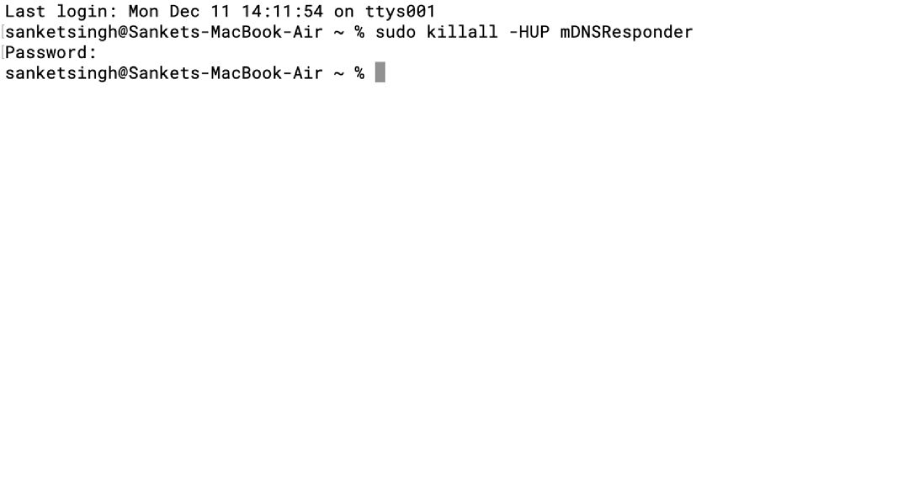
- Open Terminal.
- Run:
sudo dscacheutil -flushcache; sudo killall -HUP mDNSResponder→ Enter.
Fix 10: Open BC.GAME in Private or Incognito Mode
- Open a private/incognito window.
- Test BC.GAME while connected to the VPN.
- If blocked, switch browsers (e.g., Chrome → Firefox) and retry.
Fix 11: Reinstall or Reset Your VPN App
- Log out of the VPN.
- Uninstall the app and reboot your device.
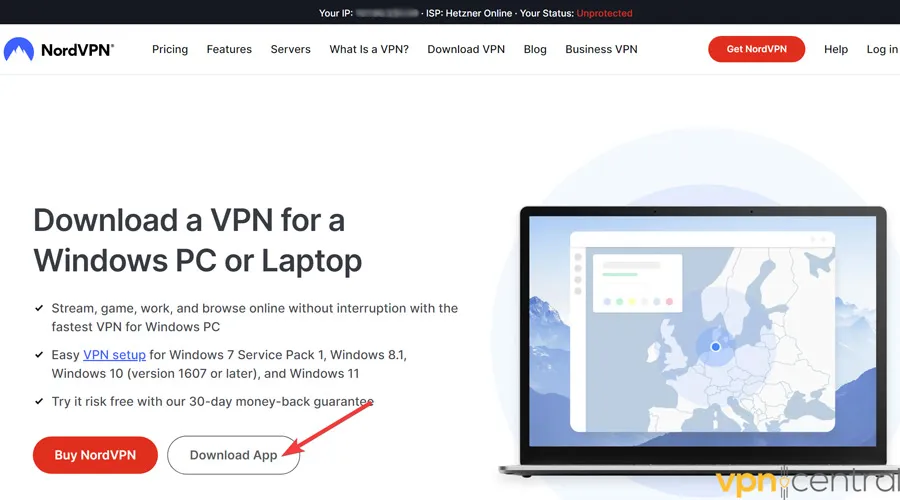
- Download the latest version from your provider and reinstall.
- Reconnect using Fixes 2–3 above.
Fix 12: Connect Through a Mobile Hotspot Network
- Disconnect from home/office Wi-Fi.
- Enable mobile hotspot on your phone.
- Connect your PC to the hotspot → Connect VPN → Test BC.GAME.
Some ISPs and routers apply filters that interfere with VPN traffic.
Fix 13: Rotate VPN Exit Nodes and Server Cities
- Pick 3–5 servers in your chosen country.
- Test each server for 1–2 minutes.
- Save the best performing server to Favorites.
Fix 14: Ask VPN Support for Updated BC.GAME Access Servers
- Open live chat or submit a ticket with your target country.
- Ask for recommended servers for gambling sites or IP refresh.
- Apply their guidance (server IDs, protocol, obfuscation settings) and retry.
Fix 15: Upgrade to a Premium VPN Provider for BC.GAME
- Avoid free VPNs, they’re often blacklisted and slow.
- Compare premium options in this guide to the best VPNs for crypto casinos.
- Pick one with obfuscation and a dedicated IP option. We highly recommend NordVPN, which is proven to work with such platforms.

NordVPN
Get dedicated IPs & obfuscation to get quick and secure access to BC.GAME!Fix 16: Follow Local Gambling Rules and BC.GAME Terms
- Confirm local laws before accessing gambling platforms.
- Avoid KYC evasion. Mismatched IP vs. documents can trigger permanent bans.
- Test a small withdrawal before committing more funds.
If the issue persists, cross-reference troubleshooting logic from other betting platforms, such as this playbook on how to fix Sportsbet not working with VPN.
Countries Where BC.GAME Is Blocked
BC.GAME isn’t accessible everywhere due to gambling laws and crypto regulations. Restricted regions include:
- United States
- China
- Netherlands
- France
- Australia
- Ontario (Canada)
- Hungary
- Curacao
Some other European countries, like Germany, Spain, and Italy, may also be restricted. However, users in Asia, Africa, and Latin America can usually play without issues.
If you use a VPN from a blocked region, configure it like in this guide on how to bet on sports with VPNs.
Is BC.GAME Safe?
BC.GAME’s reputation is mixed. While it claims to offer provably fair crypto games and encrypted transactions, there are reports of frozen accounts, slow payouts, and poor support.
Red flags:
- Complaints on Trustpilot about denied withdrawals.
- Past bankruptcy filing and licensing disputes in Curaçao (2024).
- Lack of recognized regulation (licensed only in Anjouan, Comoros).
Positive aspects:
- SSL encryption and blockchain-backed fairness.
- Support for dozens of cryptocurrencies.
- Active promotions and fast crypto transactions.
If you prefer licensed crypto casinos, explore this comparison of safe VPN for Rainbet casino options.
How to Safely Navigate on BC.GAME
If you still decide to use BC.GAME, follow these precautions:
- Deposit small amounts first. Test withdrawals before adding more funds.
- Enable 2FA. Protects your account from unauthorized logins.
- Avoid KYC circumvention. Using a VPN to bypass verification may lead to bans.
- Keep records. Save screenshots, transaction IDs, and chats for disputes.
- Use hardware wallets. Don’t leave crypto balances on the site.
Supported Cryptocurrencies on BC.GAME
BC.GAME supports over 50 cryptocurrencies for deposits and withdrawals. Commonly used ones include:
- Bitcoin (BTC)
- Ethereum (ETH)
- Tether (USDT)
- Dogecoin (DOGE)
- XRP (Ripple)
- Cardano (ADA)
- Binance Coin (BNB)
- TRON (TRX)
- Solana (SOL)
- Polygon (MATIC)
In 2024, BC.GAME also added DOGS (a meme coin on Telegram/TON) to its payment options.
Is It Illegal to Use a VPN With BC.GAME?
It depends on your country. Using a VPN itself isn’t illegal, but gambling in restricted regions often is.
For example:
- In the U.S. or France, using a VPN to gamble online may violate both law and terms of service.
- In regions where crypto gambling is unregulated, you may not face direct legal action—but withdrawals can be blocked.
For details on gambling laws, read about VPN legality when betting online.
If you’re testing locations, some users use similar methods as shown in how to trick DraftKings location.
BC.GAME Frozen Account Allegations
Numerous Reddit threads and Trustpilot reviews mention frozen or suspended BC.GAME accounts, especially when users request large withdrawals.
Some claim their accounts were flagged for “KYC review” immediately after big wins. Others report waiting weeks for responses from customer support.
While BC.GAME denies wrongdoing, transparency remains questionable. If you’ve faced this issue, using a reputable VPN provider with consistent IP and connection quality can help reduce false fraud triggers.
Conclusion
BC.GAME not working with VPN is often due to regional restrictions or VPN detection systems. With the right VPN settings, obfuscation, and legal awareness, you can access it safely. However, weigh the risks carefully—crypto casinos like BC.GAME operate in gray zones with limited oversight.
For platforms where VPN access is allowed and verified, you can also check free VPNs that work on DraftKings as examples of safer configurations.
FAQs
Because VPNs hide user location, BC.GAME blocks them to comply with local regulations and prevent bonus abuse.
Only in regions where online betting is not prohibited. Always check your local laws first.
It’s a high-risk crypto gambling site. Some users report successful withdrawals; others claim fund losses or account freezes.
Use a premium provider with obfuscated servers, as listed in our guide on best VPNs for crypto casinos.
There are no verified reports of a global breach, but user-level account hacks and losses have been reported.
Legal Disclaimer
This article is provided for informational purposes only and does not constitute legal or financial advice. Online gambling laws vary by country and jurisdiction. Always ensure that your activities comply with local regulations before using BC.GAME or any VPN service for gambling. The author and publisher are not responsible for any legal consequences, account bans, or financial losses that may result from following the information contained herein.


Read our disclosure page to find out how can you help VPNCentral sustain the editorial team Read more


Improve this guide



User forum
0 messages