
How to Fix Lottery App Not Working With VPN


 6 min. read
  Published on
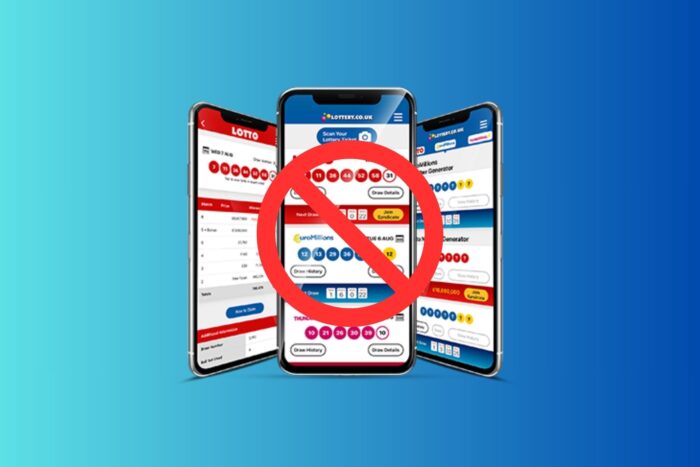
Lottery apps like Jackpocket or Lotto.com often stop working when you’re connected to a VPN. This happens because they must verify your physical location to comply with gambling and lottery laws. If the app detects masked IPs or spoofed GPS data, it will block purchases or show a location-error message.
Below we explain why this happens and how to fix it quickly without losing VPN protection for your other activities.
In this article:
Why Is the Lottery App Not Working With VPN?
Most lottery apps use GPS + Wi-Fi triangulation + IP verification to confirm your real location before allowing ticket orders.
A VPN hides or changes your IP address, which triggers a red flag in the app’s location system.
Common causes:
- The app can’t verify your real GPS location.
- The VPN server is in a non-authorized state or country.
- Split tunneling is disabled, so all traffic (including GPS verification) goes through the VPN.
- The app detects mock-location tools or remote-access software.
This is normal behavior for apps that handle regulated online lottery or gambling transactions.
To learn more about the legal side, check this guide on whether using a VPN for online gambling is illegal.
How to Fix the Lottery App Not Working With VPN
Follow these fixes in order, from basic to advanced:
1. Disable the VPN Temporarily
- Turn off your VPN completely.
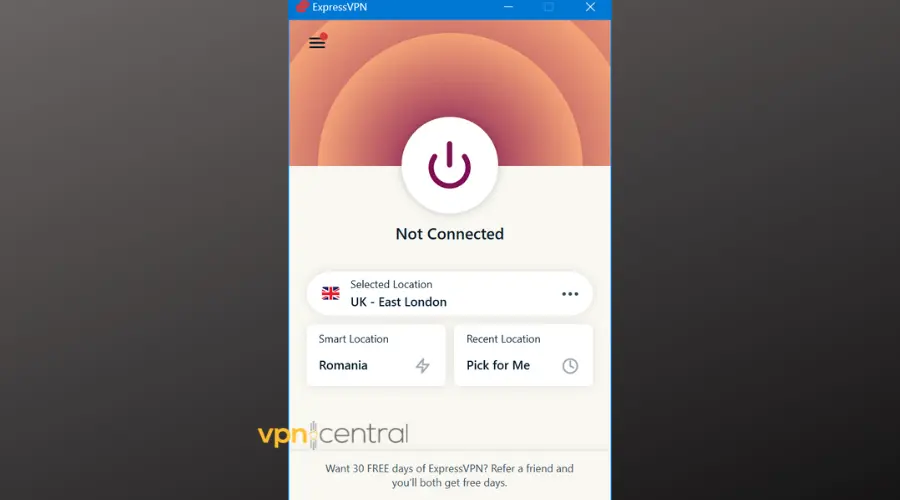
- Reopen the lottery app and allow location permissions.
- Try verifying your location again.
This is the quickest way to confirm that the VPN is the real cause of the issue.
2. Enable Precise Location
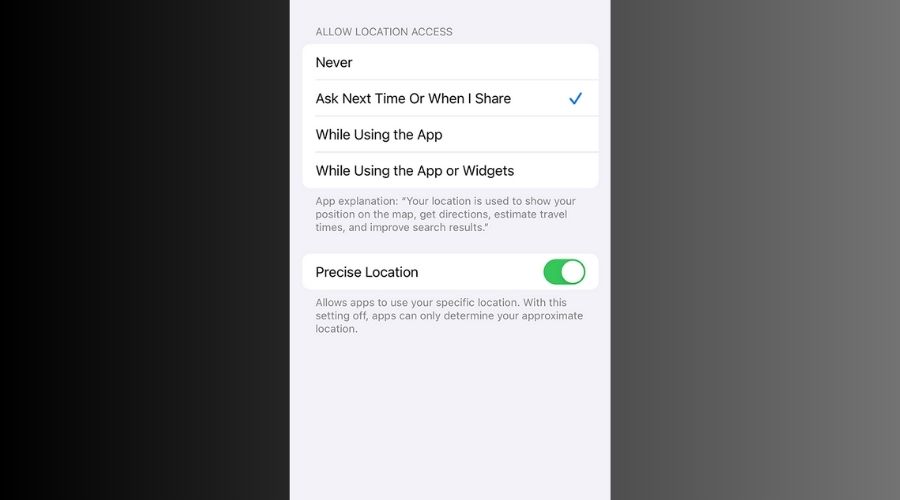
- iPhone: Settings → Privacy → Location Services → Lottery App → While Using App + Precise.
- Android: Settings → Apps → Lottery App → Permissions → Location → Allow all the time.
The app must access exact GPS data to verify you’re in a legal jurisdiction.
3. Turn Off Location Spoofers or Remote Apps
- Uninstall or disable mock location or GPS-spoofing apps.
- Close remote-desktop tools like TeamViewer or AnyDesk.
These tools can interfere with location verification and trigger VPN-like behavior.
4. Clear Cache and Restart the App
- Android: Settings → Storage → Apps → Lottery App → Clear Cache.
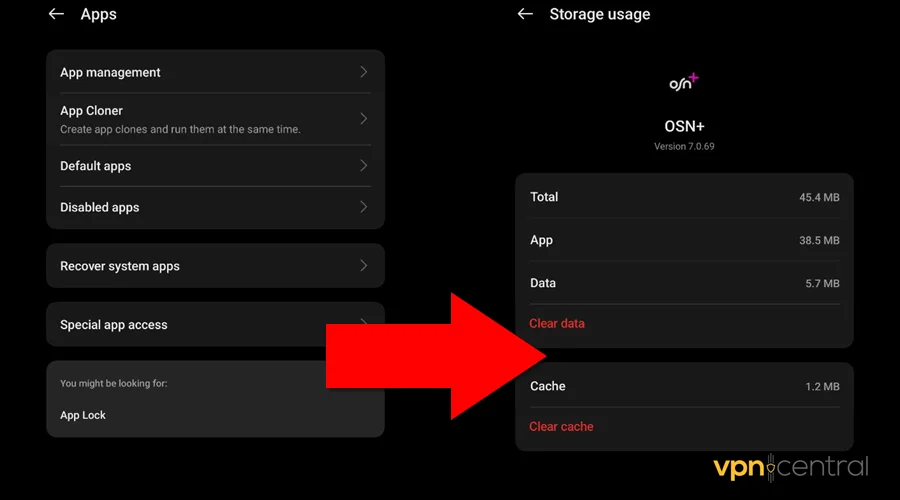
- iPhone: Settings → General → iPhone Storage → Lottery App → Offload App.
Clearing cache resets old data that may still contain invalid geolocation info.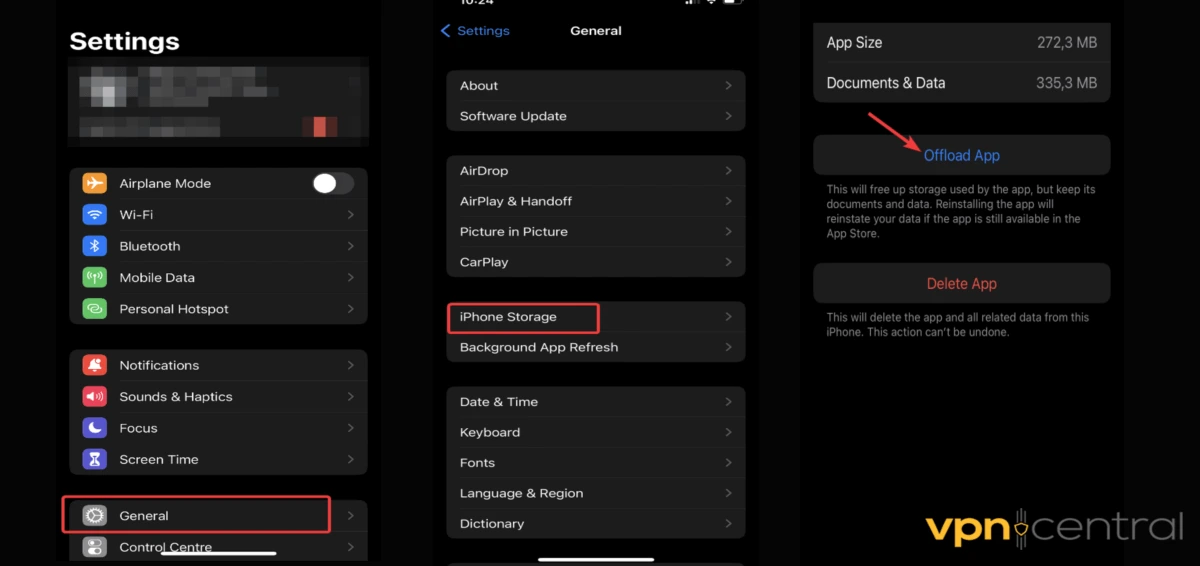
5. Use Split Tunneling
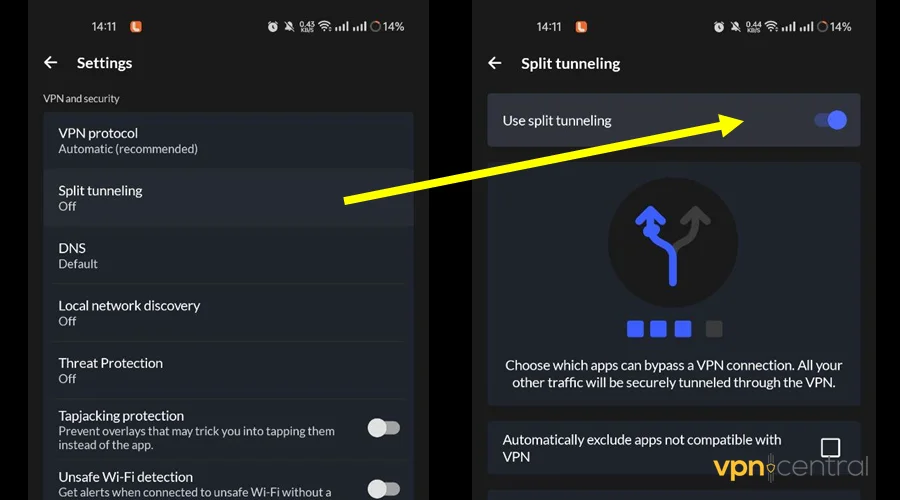
- Open your VPN app (NordVPN, ExpressVPN, or Surfshark).
- Go to Settings → Split Tunneling.
- Add the lottery app to the “Do Not Use VPN” list.
- Reconnect the VPN.
This lets you stay protected online while the lottery app connects directly through your real IP.
6. Change VPN Server or Location
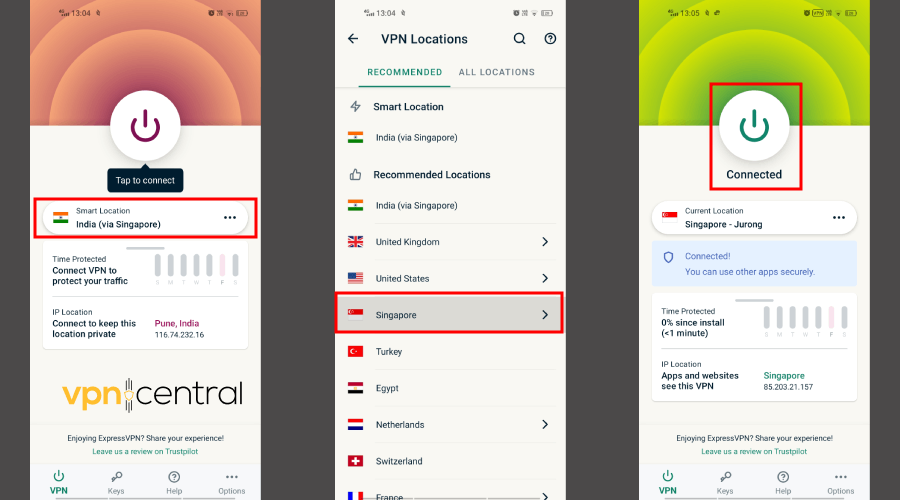
- Open your VPN app and connect to a supported U.S. state, such as New York or New Jersey.
- Avoid servers located outside approved lottery regions.
This may help if the app only checks IP location and not full GPS.
7. Switch to Another VPN
If your current VPN continues to be blocked, try one known to offer better split tunneling and obfuscation support:
- NordVPN: Smart routing and app-level split tunneling on Android and Windows.
- ExpressVPN: Fast and reliable, with strong IP rotation.
- Surfshark: Affordable, supports app exclusions and GPS masking.
Some VPNs use shared IPs or datacenter servers that lottery apps can easily detect. Switching providers often fixes the issue immediately.
8. Contact Lottery App Support
If none of the fixes help, contact support and explain that location verification fails even with your VPN off.
They can confirm whether your region or GPS service is compatible.
How Lottery Apps Detect VPNs
Lottery and gambling platforms use multiple layers of detection to prevent VPN masking.
Here’s how they usually identify VPN activity:
- IP database checks: Apps compare your VPN IP against known VPN and proxy server lists.
- GPS mismatch: If your GPS shows one state but your IP address shows another, the app blocks access.
- DNS leaks: Poorly configured VPNs can expose your real DNS requests, revealing your location.
- Device inspection: Some apps detect active VPN processes or proxy settings at the system level.
This multi-factor detection is why simply switching servers rarely works. The safest method is to disable or exclude the lottery app from VPN routing using split tunneling.
For more troubleshooting guidance, see our detailed post on VPN not working with gambling sites, or explore VPNs that work with crypto casinos.
Legal Disclaimer: Location Requirements for Lottery Apps
Lottery apps operate under strict state or national gaming laws. They must verify that users are physically present in licensed jurisdictions before allowing play or ticket purchases.
Using a VPN to bypass these restrictions might violate local regulations. Always check your state’s lottery terms before using any VPN or GPS-altering tool.
Alternative Ways to Check Results or Play Legally
If the app keeps blocking access, you can still play or view results safely:
- Use your state’s official lottery website to check draw results.
- Try official browser-based lottery portals that verify GPS directly.
- If you’re traveling, disable your VPN temporarily, complete verification, then reconnect for security.
These alternatives keep you compliant while letting you stay updated with lottery results.
Summary
When your lottery app isn’t working with a VPN, the issue is almost always location verification.
To fix it:
- Disable the VPN or use split tunneling.
- Enable precise location.
- Turn off GPS spoofers or remote software.
- Switch to another VPN if detection persists.
- Connect only to authorized regions.
Once done, the app should verify your position and function normally.
FAQs
Because gambling laws require proof that you’re physically inside a licensed state or country. VPNs hide your IP and conflict with these checks.
You can browse with a VPN, but you must disable it or exclude the app when purchasing tickets.
Using a VPN isn’t illegal itself, but buying tickets from an unsupported state may violate lottery regulations. Always check local laws.


Read our disclosure page to find out how can you help VPNCentral sustain the editorial team Read more


Improve this guide

User forum
0 messages