
How to Fix VPN Issues in Valorant: A Comprehensive Troubleshooting Guide


 5 min. read
  Published on
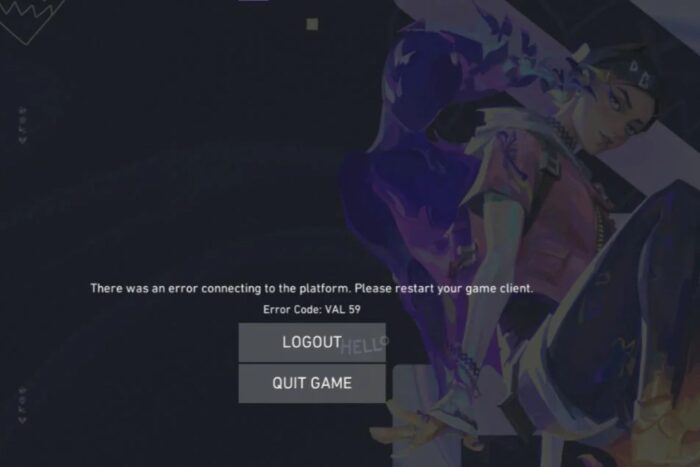
If you’re facing connectivity issues or other problems related to VPN usage not working with Valorant, this guide explains why VPNs don’t always work well with Valorant, who might use a VPN in the first place, and how to resolve the issues.
Valorant, Riot Games’ popular tactical first-person shooter, has become a major hit in the gaming world. However, players looking to optimize their gaming experience may encounter issues when using a VPN (Virtual Private Network) to improve latency, bypass region-locking, or protect their privacy.

Access content across the globe at the highest speed rate.
70% of our readers choose Private Internet Access
70% of our readers choose ExpressVPN

Browse the web from multiple devices with industry-standard security protocols.

Faster dedicated servers for specific actions (currently at summer discounts)
Table of contents
How to Fix VPN-Related Issues in Valorant
If you’re determined to use a VPN with Valorant, here are a few solutions to resolve common issues:
1. Resolving Connection and Login Issues
If you experience errors like “Vanguard is unable to initialize”, try these steps:
- Turn Off the VPN: Disable the VPN before launching Valorant, then try logging in.
- Clear Cache: Clear the Riot Games client cache or your browser cookies (if logging in via a browser).
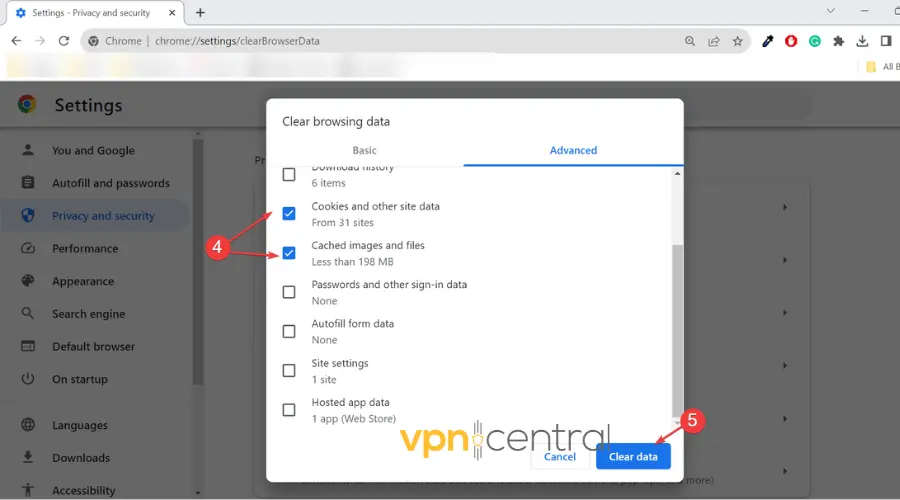
- If you must use a VPN, disable it after logging in and only re-enable it once you’re in the game. For more troubleshooting tips, you can refer to this article on how to fix Riot client not working with a VPN.
2. Fixing High Ping or Latency
If your ping spikes when using a VPN:
- Choose a Server Closer to the Game Server: Select a VPN server near the Valorant server to reduce latency.
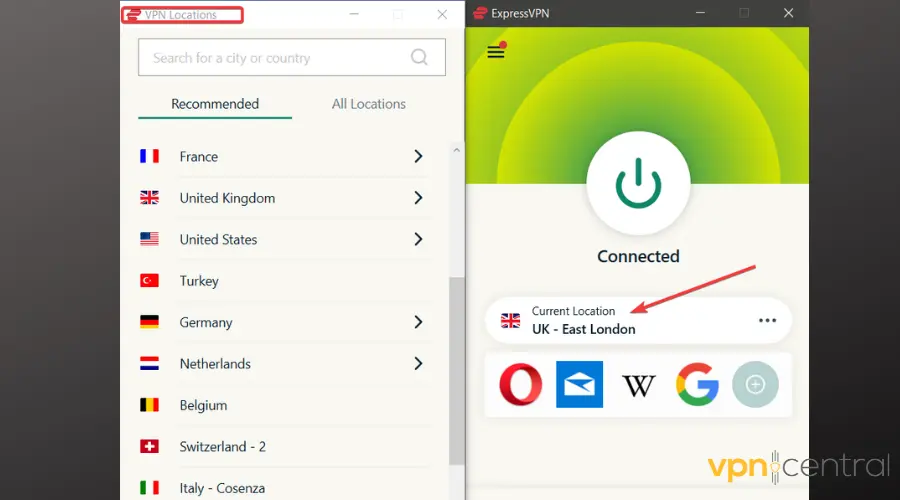
- Use a Gaming-Optimized VPN: VPNs like ExitLag and ExpressVPN are optimized for gaming and offer faster, more stable connections.
3. Preventing IP Leaks
To avoid exposing your real IP address:
- Use a VPN with a Kill Switch: A kill switch disconnects your internet if the VPN fails, preventing accidental IP leaks.
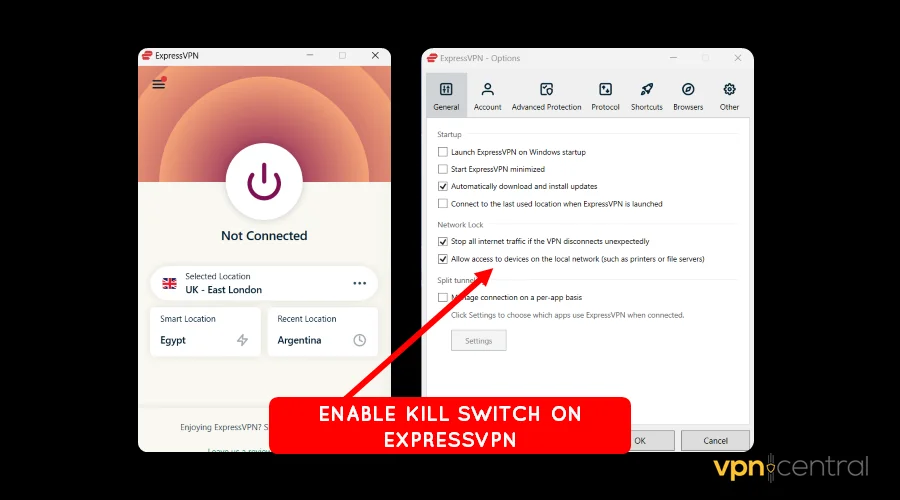
- Test for IP Leaks: Use a tool like IPLeak.net to verify that your real IP is not exposed.
4. Fixing Anti-Cheat Detection Errors
If Vanguard detects your VPN usage as suspicious:
- Disable the VPN Temporarily: Turn off your VPN before playing, and only use it afterward for privacy or security reasons.
5. Resolving Region-Specific Issues
If you’re trying to access a specific region in Valorant:
- Change Your Account Region: Riot Games may require you to change your account’s region, though this can take time and may have restrictions.
- Ensure VPN Properly Routes Traffic: Make sure your VPN allows you to connect to the desired region without issues.
Best VPN Providers for Valorant
If you want to use a VPN with Valorant, here are the best options that provide excellent performance and security:
- NordVPN: Offers fast servers and a large network, making it ideal for reducing latency while playing.
- ExpressVPN: Known for ease of use and gaming-friendly performance.
- CyberGhost: Provides specific gaming-optimized servers to enhance connection speeds.
- ExitLag: Tailored for gamers, ExitLag minimizes latency and optimizes the routing to Valorant servers.
Why Doesn’t Valorant Work Properly with a VPN?
There are several reasons why using a VPN might interfere with Valorant’s connection, including Riot Games’ policies, the game’s anti-cheat system, and technical complications with VPNs themselves.
1. Riot Games’ Policy on VPNs
Riot Games clearly states that using VPNs with Valorant is not recommended, as they can cause various connectivity problems. Here’s why:
- Connection Stability: VPNs reroute your traffic, potentially causing increased latency (ping), packet loss, and lag during gameplay.
- Security Risks: Some VPN services, especially free ones, may expose players to security threats, like data breaches.
- Region Mismatches: Riot Games assigns players to specific regions based on their location. VPNs can cause region mismatches, disrupting matchmaking and server access. To resolve issues with changing regions, you can refer to this guide on how to change your region in Valorant.
2. Anti-Cheat System (Vanguard)
Valorant uses Vanguard, an anti-cheat system designed to detect unusual behaviors in network traffic. VPNs mask your IP address, which Vanguard may interpret as suspicious. This could lead to:
- Detection of VPN Use: Vanguard can easily identify VPN IP addresses and may flag them as potential cheating attempts.
- Penalties: Players who are caught using VPNs to bypass regional restrictions or for any other reason may face temporary or permanent bans. If you’re dealing with a ban and need help, check out this article on how to get unbanned from Valorant.
3. Technical Complications
VPNs can introduce several technical problems that affect gameplay:
- IP Leaks: Some VPNs might fail to mask your real IP address, exposing your actual location and undermining your privacy.
- Region Locking: Using a VPN to switch servers may confuse Valorant’s region-locking mechanism, causing connection errors or failed matchmaking.
- High Ping: VPNs reroute traffic, potentially leading to longer paths that increase ping and reduce gameplay responsiveness. For more on VPN compatibility with Valorant, refer to this detailed guide on using VPNs with Valorant.
Conclusion
Using a VPN with Valorant can provide benefits like improved privacy, reduced ping, and access to restricted content. However, it can also cause a range of issues, from higher latency to potential bans due to the game’s strict anti-cheat system. Understanding the challenges and following the solutions in this guide will help you use a VPN more effectively with Valorant, or alternatively, determine when it’s best to play without one.
By carefully choosing a reputable VPN provider, ensuring the connection is stable, and following the troubleshooting tips above, you can enjoy a smoother, more secure Valorant experience. Always remember to play within Riot Games’ guidelines to avoid any issues with your account.


Read our disclosure page to find out how can you help VPNCentral sustain the editorial team Read more


Improve this guide

User forum
0 messages