
Splunk Fixes Path Traversal, Credential Exposure and SPL Search Flaws


 7 min. read
  Published on
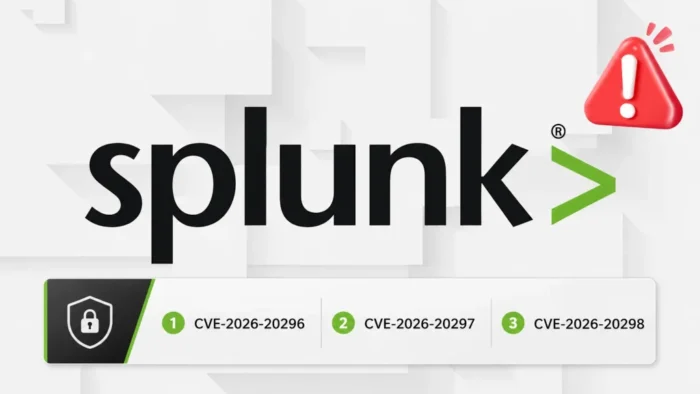
Splunk has released security updates for three vulnerabilities affecting Splunk Enterprise and Splunk Cloud Platform. The flaws could allow attackers to run unauthorized searches, write files outside an application directory or view stored credential hashes.
The vulnerabilities affect Splunk Web and REST API components. Their severity scores range from 5.3 to 8.3, with two rated High and one rated Medium.

Access content across the globe at the highest speed rate.
🔥 Save 81% + 2 bonus months! 🔥
70% of our readers choose Private Internet Access
70% of our readers choose Private Internet Access
2
Browse the web from multiple devices with industry-standard security protocols.
🔥 Save 73%! 🔥

Faster dedicated servers for specific actions (currently discounted)
🔥 Save 69%! 🔥
Splunk Enterprise administrators should upgrade to a fixed release as soon as possible. One of the information disclosure flaws also requires a configuration change after the update.
Three Splunk vulnerabilities patched
| CVE | Advisory | Severity | CVSS | Primary risk |
|---|---|---|---|---|
| CVE-2026-20296 | SVD-2026-0702 | High | 8.3 | Arbitrary SPL searches through CSRF |
| CVE-2026-20297 | SVD-2026-0703 | High | 7.2 | Path traversal during app installation |
| CVE-2026-20298 | SVD-2026-0704 | Medium | 5.3 | Disclosure of stored credential hashes |
The vulnerabilities do not share the same exploitation requirements. CVE-2026-20296 involves an unauthenticated attacker but requires phishing and user interaction. CVE-2026-20297 requires a user with two powerful app-management capabilities, while CVE-2026-20298 requires a low-privileged authenticated account.
CVE-2026-20296 allows unauthorized SPL searches
CVE-2026-20296 is the highest-rated of the three vulnerabilities. It affects Deployment Server endpoints in Splunk Web and carries a CVSS score of 8.3.
The flaw exists because the affected endpoints do not validate cross-site request forgery tokens for GET requests. Splunk also fails to correctly neutralize user-controlled input before placing it inside an SPL search.
An attacker could create a malicious link or webpage and convince a logged-in Splunk user to open it. The targeted user must hold a role containing the list_deployment_server capability.
If the phishing attempt succeeds, the malicious request could run arbitrary Search Processing Language searches on the user’s behalf. The searches execute as splunk-system-user, potentially giving the attacker access to indexed data and stored credentials.
The SPL vulnerability requires phishing
Despite the lack of an authentication requirement for the attacker, CVE-2026-20296 is not a fully automatic remote attack. A suitable Splunk user must open the attacker-controlled link or webpage in a browser.
The CVSS vector confirms that user interaction is required:
| CVSS metric | Value |
|---|---|
| Attack vector | Network |
| Attack complexity | Low |
| Privileges required | None |
| User interaction | Required |
| Confidentiality impact | High |
| Integrity impact | High |
| Availability impact | Low |
Splunk states in its CVE-2026-20296 advisory that the attacker should not be able to exploit the flaw at will. The attacker must first identify and deceive a user with the required capability.
CVE-2026-20297 enables path traversal
CVE-2026-20297 is a path traversal vulnerability in the App Install REST endpoint. It has a CVSS score of 7.2 and can affect the confidentiality, integrity and availability of a Splunk deployment.
The vulnerable app installation workflow does not properly restrict the path supplied through the explicit_appname parameter. A malicious value could direct files outside the intended application folder.
Successful exploitation could write files into $SPLUNK_HOME/etc/ or one of its subdirectories. This location contains applications and configuration data that affect how Splunk Enterprise operates.
The attacker must have an authenticated Splunk role containing both of these capabilities:
edit_local_appsinstall_apps
The user must also perform a valid application installation. CVE-2026-20297 does not provide an unauthenticated path into Splunk, but it could increase the impact of an account that already has app-management permissions.
Splunk 9.3 is affected by the path traversal flaw
CVE-2026-20297 has a wider Splunk Enterprise version range than the other two vulnerabilities. It also affects the 9.3 release branch.
The official path traversal advisory instructs organizations using Splunk Enterprise 9.3 to install version 9.3.14 or later.
| Splunk Enterprise branch | Affected versions | Fixed version |
|---|---|---|
| 10.4 | 10.4.0 | 10.4.1 |
| 10.2 | 10.2.0 through 10.2.4 | 10.2.5 |
| 10.0 | 10.0.0 through 10.0.7 | 10.0.8 |
| 9.4 | 9.4.0 through 9.4.12 | 9.4.13 |
| 9.3 | 9.3.0 through 9.3.13 | 9.3.14 |
The 9.3 branch does not appear in the affected-product lists for CVE-2026-20296 or CVE-2026-20298.
CVE-2026-20298 exposes stored credential hashes
CVE-2026-20298 is a medium-severity information disclosure vulnerability in the storage/passwords REST endpoint. It has a CVSS score of 5.3.
A low-privileged authenticated user without the Splunk admin or power role could access the endpoint through the | rest SPL command:
/servicesNS/-/-/storage/passwords
The endpoint incorrectly includes the encr_password field in its results. This exposes stored credential hashes to users who should not have permission to view them.
The vulnerability requires authentication and has high attack complexity. It does not allow an unauthenticated internet user to retrieve credentials directly.
Updating alone does not complete the CVE-2026-20298 fix
Splunk Enterprise administrators must complete three steps to address the credential disclosure issue. Installing a patched release forms only the first part of the procedure.
The Splunk information disclosure advisory instructs administrators to enable credential masking in limits.conf and restart the instance.
- Upgrade Splunk Enterprise to a fixed or newer version.
- Open the appropriate
limits.confconfiguration file. - Add or update the following stanza and setting:
[storage_passwords_masking]
mask_encr_password = true- Restart the Splunk Enterprise instance.
- Confirm that unauthorized roles can no longer retrieve the
encr_passwordfield.
Administrators should follow Splunk’s configuration-file precedence rules and avoid editing default files that an upgrade could overwrite.
Fixed Splunk Enterprise releases
Organizations running Splunk Enterprise should upgrade to the fixed release for their current branch or move to a newer supported version.
| Branch | Minimum fixed version | Vulnerabilities addressed |
|---|---|---|
| 10.4 | 10.4.1 | All three vulnerabilities |
| 10.2 | 10.2.5 | All three vulnerabilities |
| 10.0 | 10.0.8 | All three vulnerabilities |
| 9.4 | 9.4.13 | All three vulnerabilities |
| 9.3 | 9.3.14 | CVE-2026-20297 only |
Security teams should confirm the version on every search head, deployment server and other relevant Splunk Enterprise component. Distributed environments may contain systems running different release branches.
Splunk Cloud Platform updates
All three vulnerabilities also affect selected Splunk Cloud Platform versions. Splunk says it is actively monitoring and patching affected cloud instances.
| Cloud branch | CVE-2026-20296 fix | CVE-2026-20297 fix | CVE-2026-20298 fix |
|---|---|---|---|
| 10.5.2605 | 10.5.2605.0 | 10.5.2605.0 | 10.5.2605.0 |
| 10.4.2604 | 10.4.2604.7 | 10.4.2604.6 | 10.4.2604.6 |
| 10.3.2512 | 10.3.2512.16 | Not listed | 10.3.2512.15 |
| 10.2.2510 | 10.2.2510.18 | 10.2.2510.18 | 10.2.2510.18 |
| 10.1.2507 | 10.1.2507.24 | 10.1.2507.24 | 10.1.2507.24 |
Splunk Cloud customers should check their service status and contact Splunk Support if they need confirmation about the patch level of a specific environment.
Workarounds and immediate security steps
Organizations that cannot immediately patch CVE-2026-20296 can turn off Splunk Web on systems where the interface is not required. The vulnerability affects instances with Splunk Web enabled.
Administrators should also review roles that contain list_deployment_server, edit_local_apps or install_apps. Removing unnecessary capabilities reduces the number of accounts that could participate in the attack paths.
- Upgrade every affected Splunk Enterprise instance.
- Apply the credential-masking configuration for CVE-2026-20298.
- Restart Splunk after changing
limits.conf. - Disable Splunk Web where it is unnecessary.
- Review users with deployment-server and app-installation capabilities.
- Train privileged users to avoid untrusted links while signed in to Splunk.
- Audit recent app installations and unexpected files under
$SPLUNK_HOME/etc/. - Review unusual REST searches involving the credential-storage endpoint.
Security teams should prioritize deployment servers and systems that expose Splunk Web to broad user groups. They should also inspect recent role changes and app installations for unexpected activity.
FAQ
Splunk patched CVE-2026-20296, which enables unauthorized SPL searches through CSRF; CVE-2026-20297, a path traversal flaw in app installation; and CVE-2026-20298, which exposes stored credential hashes.
The attacker does not need a Splunk account, but exploitation requires phishing. A logged-in user with the list_deployment_server capability must open a malicious link or webpage.
Fixed releases include Splunk Enterprise 10.4.1, 10.2.5, 10.0.8 and 9.4.13. Version 9.3.14 fixes the path traversal vulnerability affecting the 9.3 branch.
No. After upgrading, administrators must set mask_encr_password = true under the [storage_passwords_masking] stanza in limits.conf and restart Splunk Enterprise.
Organizations that cannot patch immediately can turn off Splunk Web on instances where the web interface is not required.


Read our disclosure page to find out how can you help VPNCentral sustain the editorial team Read more


Improve this guide




User forum
0 messages