
How to Get LinkedIn Cheaper: Premium Plans at Low Cost


 6 min. read
  Updated on
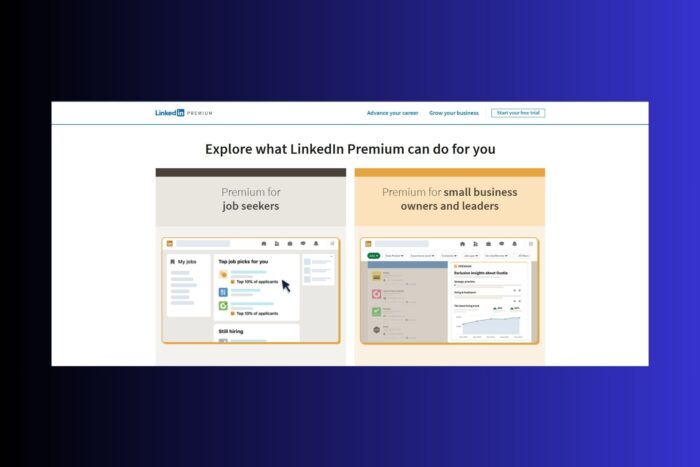
LinkedIn Premium gives you advanced networking and job search tools, but it doesn’t come cheap. Prices vary a lot by country, and in some regions, the cost is a fraction of what users in the U.S. or U.K. pay.
The trick is simple: use a VPN to appear in a lower-cost country, switch your LinkedIn account location, and pay the cheaper rate. In this guide, you’ll learn how to do it step by step, the hurdles to expect, and other ways to save money on Premium.
Table of contents
LinkedIn Premium Plans Explained
Before trying to get LinkedIn cheaper, it helps to know what you’re actually paying for. LinkedIn offers four main Premium options, each with different perks:
| Plan | Monthly Price (U.S.) | Best For | Features |
|---|---|---|---|
| Premium Career | $29.99 | Job seekers | See who viewed your profile, 5 InMail credits, advanced job insights, LinkedIn Learning access |
| Premium Business | $59.99 | Entrepreneurs & SMBs | Unlimited profile browsing, detailed company insights, 15 InMail credits, LinkedIn Learning |
| Sales Navigator | $99.99+ | Sales professionals | Advanced lead search, CRM integrations, lead recommendations, 50+ InMail credits |
| Recruiter Lite | $139.99+ | Recruiters & HR | Advanced search filters, candidate tracking, recruiting insights, 30+ InMail credits |
Tip: If you only need basic perks like seeing who visited your profile and a few InMails, Premium Career is usually enough. Sales Navigator and Recruiter Lite fit power users who prospect or hire every day.
Step-by-Step Guide: Get LinkedIn Cheaper with a VPN
- Step 1: Choose a Reliable VPN
Pick a VPN with global servers and strong privacy. Our top pick is ExpressVPN because it’s safe, private and gives you access to over 100 countries, so you can easily pick a server in a location where LinkedIn is cheaper.
Other good options are explained in this guide on the best VPNs for LinkedIn. These let you change your location securely and unlock the right pricing.
- Step 2: Clear Cookies and Cache
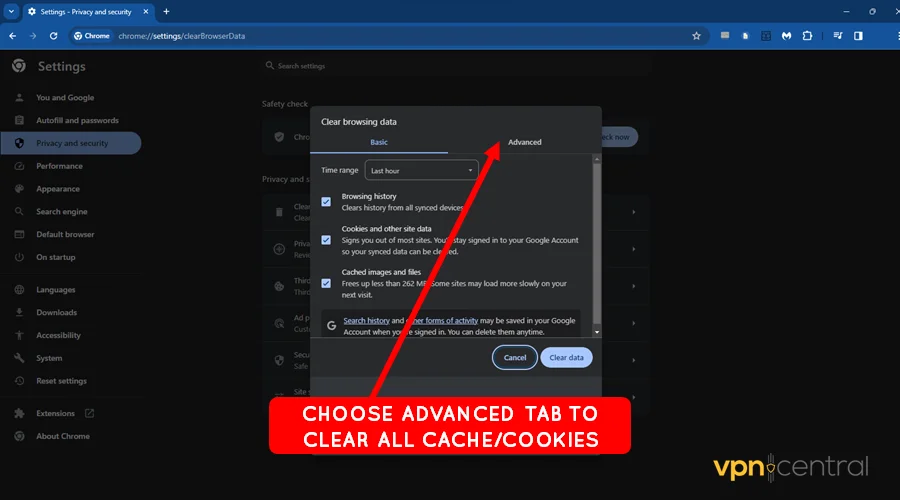
LinkedIn remembers your location through cookies. Clear your browser history and cookies before opening LinkedIn so prices reflect your VPN location, not your real one.
- Step 3: Connect to a Cheaper Country
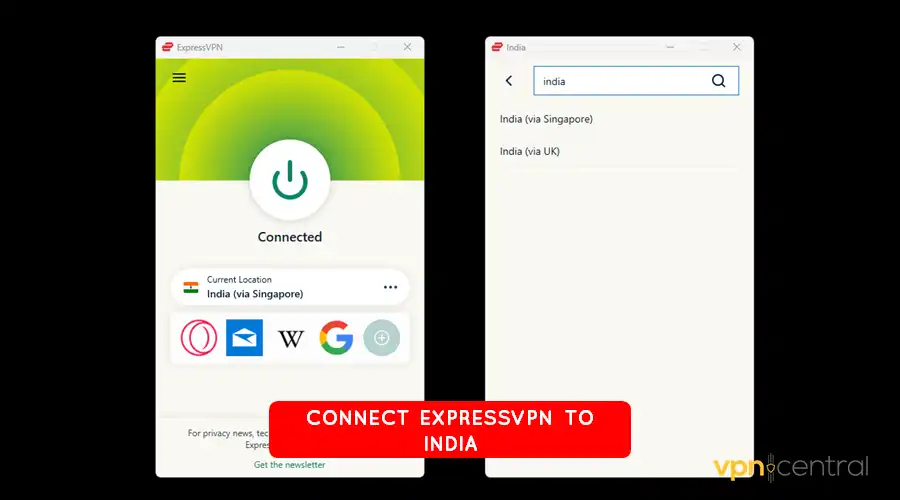
Countries like India, Lebanon, and Argentina often show much lower rates.
- Step 4: Update Your LinkedIn Location
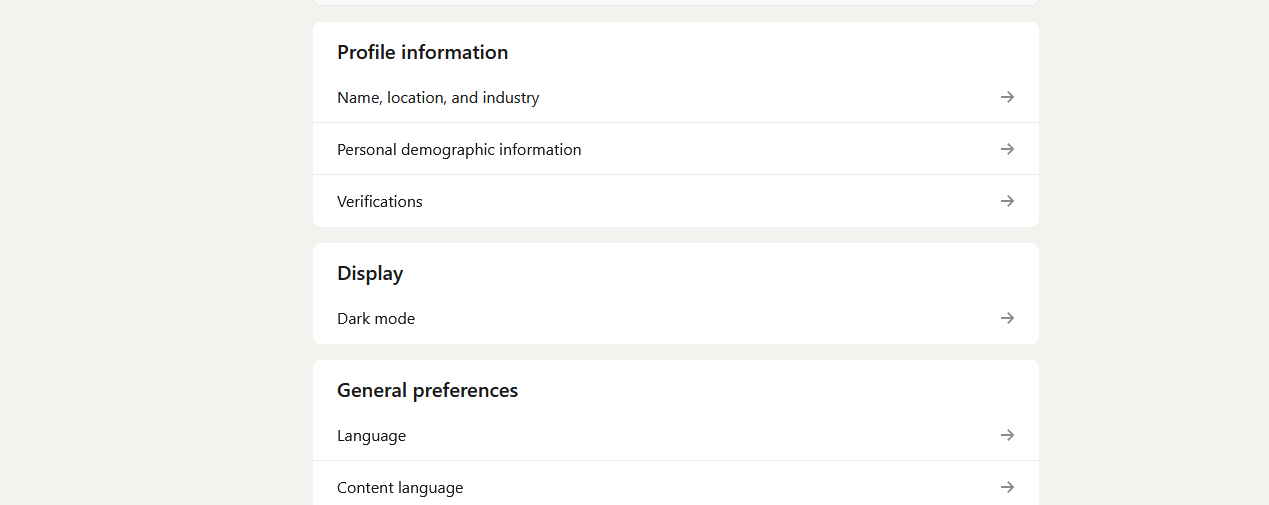
Go to Settings → Account preferences → Site preferences → Location and set your country to match the VPN server. If these don’t match, LinkedIn won’t display the local price.
- Step 5: Fix the Payment Page
LinkedIn often checks that your billing address matches the selected country. If it doesn’t, payment may fail. Try these:
Use your existing card first. Sometimes it still works even if addresses don’t match.
Use a virtual card that can match the cheaper country: Wise — multi-currency balances with local account details.
Revolut — flexible billing addresses and disposable virtual cards.
Privacy.com — U.S.-based virtual cards for American users.
Payoneer — popular with freelancers handling international payments.
If you hit a wall, apply the same logic you’d use to bypass geo-restrictions on streaming or shopping sites.
Note: Check your bank for foreign transaction fees before you commit. - Step 6: Subscribe and Confirm
Once payment clears, you have Premium at the discounted rate. Many users report that the subscription remains active even if they switch their profile back to their real country later.
Common Hurdles and Quick Fixes
| Issue | Why It Happens | Fix |
|---|---|---|
| Account restriction | LinkedIn flags unusual location activity. | Use a stable VPN, avoid frequent country switches, keep usage normal. |
| Payment rejected | Card country and billing info don’t match. | Use a virtual card that matches the low-cost country. |
| Address mismatch | LinkedIn requests a local address. | Provide a valid local address (possible via Wise/Revolut or an address generator). |
| Policy risk | LinkedIn discourages price manipulation. | Know the risk. If you prefer safety, use official discounts and trials. |
Can’t connect while using VPN? Follow the step by step instructions in our how to fix VPN not working with LinkedIn guide.
In workplaces or certain regions, LinkedIn may be limited by network rules. A VPN can also help where access appears on a list of blocked websites.
Other Ways to Save on LinkedIn Premium
- Free trial: LinkedIn gives every user one free month per year.
- Student, veteran, and journalist perks: Some groups qualify for discounts or free access.
- Cancellation discounts: Cancel and cite cost; LinkedIn often offers a limited-time 50% deal.
- Referrals: Friends can sometimes invite you to extended Sales Navigator trials.
Price Comparison: Cheapest and Most Expensive Countries
Most Expensive Countries
| Plan | Country / Region | Monthly Price (Local) / (USD Approx.) |
|---|---|---|
| Various Premium Plans | United States | Career: $29.99 → Business: $59.99 → Sales Nav: $99.99+ |
| Sales Navigator Core & Adv. | United Kingdom | Core: £94.99 → Advanced: £144.99 |
| Premium Career & Business | United Kingdom (annual) | Career: £23.69 → Business: £47.39 |
| Premium Career & Business | Canada | Career: CAD 49.99 → Business: CAD 49.99 |
| Sales Navigator Core & Adv. | Europe (Euro zone) | Core: €119.99 → Advanced: €164.99 |
Least Expensive Countries
| Plan | Country | Reported Pricing / Notes |
|---|---|---|
| Any Premium Plan | Lebanon | ~99% off via country switch during signup |
| Any Premium Plan | Argentina | Deep discounts when setting account location to Argentina |
| Business Plan | India | ₹1,250–₹1,300/year (~₹104/month) unofficial reports |
| Any Premium Plan | South America | Users mention favorable exchange rates and steep discounts |
| Business Plan | India (alt.) | ₹4–5 k/year via redeem codes |
Final Thoughts
You don’t have to pay full price for LinkedIn Premium. With a VPN, a profile location change, and the right payment setup, you can unlock massive savings. Be mindful of the risks, as LinkedIn may flag unusual activity.
This regional pricing pattern also shows up elsewhere: see the cheapest countries for Udemy courses and the cheapest regions for in-app purchases. Even music platforms vary, check the cheapest country for Qobuz for a similar idea.
If you’d rather play it safe, use the free trial, student programs, or cancellation offers. Either way, you’ll unlock Premium features without overpaying.
FAQ
LinkedIn may restrict your account if it detects suspicious activity, but bans are rare.
Premium Career is the most affordable at $29.99/month in the U.S. In low-cost countries like India, it can drop far below that.
India, Argentina, Lebanon, and parts of South America often show the lowest rates.
Yes. After payment, most users report the discounted subscription remains active even when switching back to their real country.
Use the official free trial, referral offers, or cancellation discounts to reduce costs without any account risk.


Read our disclosure page to find out how can you help VPNCentral sustain the editorial team Read more


Improve this guide


User forum
0 messages