
Microsoft warns CAPTCHA and ClickFix tactics are driving credential theft campaigns


 6 min. read
  Published on
Microsoft says attackers used CAPTCHA pages, ClickFix tricks, and rotating attachment formats to make credential phishing harder to detect in the first quarter of 2026.
The company tracked about 8.3 billion email-based phishing threats between January and March. Credential theft remained the main goal, while attackers increasingly used fake security checks to move victims toward phishing pages.

Access content across the globe at the highest speed rate.
70% of our readers choose Private Internet Access
70% of our readers choose ExpressVPN

Browse the web from multiple devices with industry-standard security protocols.

Faster dedicated servers for specific actions (currently at summer discounts)
CAPTCHA-gated phishing saw one of the sharpest jumps. Microsoft said these attacks more than doubled in March, reaching 11.9 million attempts and hitting the highest monthly volume seen in the past year.
Attackers are making phishing look like a security check
Fake CAPTCHA pages help attackers hide malicious links from automated security scanners. A user may see a normal-looking verification page before being sent to a fake sign-in screen.
This creates a sense of trust. Many users already expect CAPTCHA prompts on websites, so the extra step may not feel suspicious during a busy workday.
Microsoft also warned that fake CAPTCHAs can support ClickFix attacks. In these cases, the victim follows fake verification instructions that ask them to copy and run a command on their own computer.
At a glance
| Category | Details |
|---|---|
| Period | January to March 2026 |
| Total email-based phishing threats | About 8.3 billion |
| Main objective | Credential theft |
| CAPTCHA-gated phishing volume in March | 11.9 million attacks |
| CAPTCHA-gated phishing growth in March | Up 125% |
| Major phishing platform | Tycoon2FA, tracked as Storm-1747 |
| Common delivery files | HTML, SVG, PDF, DOC and DOCX attachments |
ClickFix turns the victim into the execution step
ClickFix attacks do not always need a traditional malware download. Instead, the fake page tells the user to complete a verification step by pasting or running a command.
The victim believes they are proving they are human. In reality, they may be launching code that helps attackers steal credentials, install malware, or prepare the device for further compromise.
This tactic can bypass some familiar warning signs because the user performs the action manually. Security teams now need to train users to treat command prompts, Run boxes, PowerShell instructions, and copied clipboard commands as serious warning signs.
Attackers rotated file types through the quarter
Microsoft said attackers changed their delivery formats quickly during Q1. HTML attachments started the year as the most common method for CAPTCHA-gated phishing, while SVG files briefly became the top method in February.
By March, PDF files had surged. Microsoft said PDF attachments leading to CAPTCHA-gated phishing sites increased 356% in March and became the most common delivery method for that category.
DOC and DOCX files also jumped in March, increasing 373% and accounting for 15% of CAPTCHA-gated phishing payloads. This shows that attackers were testing which formats could avoid detection most effectively.
How the phishing chain works
- The victim receives an email that looks like a business alert, invoice, document request, payment notice, voice message, or 401K update.
- The email includes an attachment, such as an SVG, HTML, PDF, or Word document.
- The attachment opens or redirects the user to an attacker-controlled page.
- The page shows a fake CAPTCHA or security check.
- The victim completes the prompt and reaches a fake sign-in page.
- The phishing page collects credentials and may support adversary-in-the-middle activity.
Large campaigns hit thousands of organizations
One campaign between February 23 and February 25 sent more than 1.2 million phishing messages to users at over 53,000 organizations in 23 countries.
Those messages used SVG attachments with business-themed file names. Microsoft said the emails used topics such as invoice notices, payment requests, 401K updates, credit hold warnings, and voice message alerts.
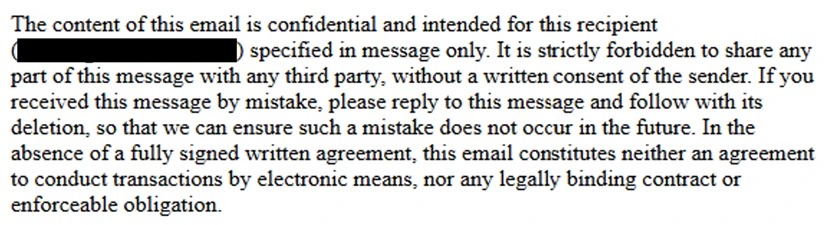
When users opened the SVG files, their browsers loaded content from attacker-controlled domains. After a fake security check, victims landed on a spoofed sign-in page built to steal account credentials.
Another March campaign used HTML attachments at scale
Microsoft also observed a major campaign on March 17 that sent more than 1.5 million malicious HTML messages to over 179,000 organizations in 43 countries.
The messages carried HTML attachments that launched locally and redirected users through a staging page. The final page showed a CAPTCHA challenge before sending users to a fake sign-in page.
Microsoft linked the final phishing infrastructure to multiple phishing-as-a-service providers, including Tycoon2FA, Kratos, and EvilTokens.
Tycoon2FA remains important, but the tactic is spreading
Tycoon2FA has been one of the major platforms behind adversary-in-the-middle phishing activity. Microsoft tracks the actor behind it as Storm-1747.
The platform helps attackers impersonate sign-in pages for services such as Microsoft 365, Outlook, OneDrive, SharePoint, and Gmail. It can also help attackers steal session cookies, which may keep access alive even after a password reset.
However, CAPTCHA-gated phishing is no longer tied to one major platform. Microsoft said Tycoon2FA hosted more than three-quarters of CAPTCHA-gated phishing sites at the end of 2025, but that share fell to 41% in March 2026.
Why this matters for companies
| Risk | Why it matters |
|---|---|
| Credential theft | Attackers can use stolen accounts to access email, files, cloud apps, and internal systems. |
| MFA bypass attempts | Adversary-in-the-middle phishing can capture session cookies and reduce the protection offered by weaker MFA methods. |
| Scanner evasion | CAPTCHA pages can delay or block automated inspection. |
| User-driven execution | ClickFix tricks users into running commands themselves. |
| Rapid format changes | Attackers shift between HTML, SVG, PDF, and Word files to test defenses. |
How organizations can reduce the risk
Microsoft recommends layered protection rather than relying on one email filter. Security teams should combine user training, attachment scanning, URL protection, endpoint controls, and phishing-resistant authentication.
Users should learn that CAPTCHA prompts inside email attachment flows can be suspicious. They should also treat any instruction to copy, paste, or run a command as a possible attack.
For privileged accounts, companies should move toward phishing-resistant MFA, such as FIDO security keys or other passwordless methods. This reduces the risk from phishing pages that try to steal passwords and one-time codes.
Recommended defenses
- Run phishing simulations that include fake CAPTCHA and ClickFix-style prompts.
- Enable Safe Links and Safe Attachments in Microsoft Defender for Office 365.
- Use Zero-hour auto purge to remove malicious emails after delivery.
- Turn on network protection in Microsoft Defender for Endpoint.
- Deploy phishing-resistant MFA for admins and sensitive accounts.
- Investigate suspicious HTML, SVG, PDF, DOC, and DOCX attachments.
- Monitor for users visiting newly created or suspicious phishing domains.
- Use automatic attack disruption in Microsoft Defender XDR where available.
FAQ
CAPTCHA-gated phishing uses a fake or abused CAPTCHA page before showing the victim a malicious page. Attackers use it to make the phishing flow look more legitimate and harder to scan.
ClickFix is a social engineering tactic that tricks users into running malicious commands while pretending to fix an access issue or complete a verification check.
Attackers rotate file types to test what gets through email security tools. Different formats can also help them hide links, scripts, redirects, or fake sign-in flows.
Tycoon2FA is a phishing-as-a-service platform linked by Microsoft to Storm-1747. It supports adversary-in-the-middle phishing and can help attackers steal credentials and session cookies.


Read our disclosure page to find out how can you help VPNCentral sustain the editorial team Read more


Improve this guide
User forum
0 messages