
How to Fix Proxy Error 401 in Janitor AI


 4 min. read
  Published on
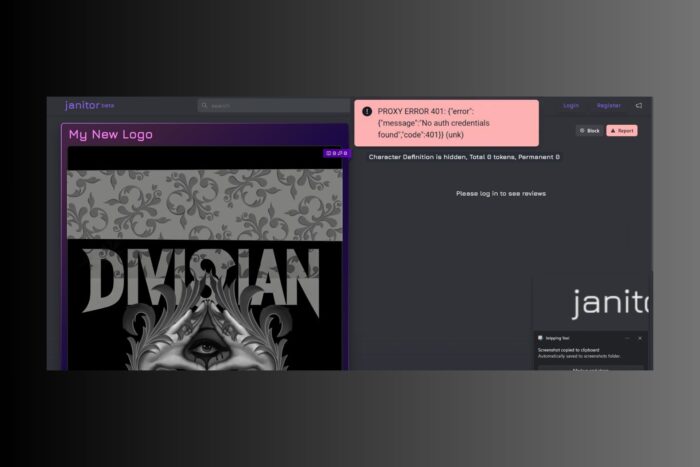
If you’re seeing proxy error 401 in Janitor AI, it means your authentication request is being rejected. This typically happens when proxy credentials are incorrect, expired, or blocked by the target server.
The good news is that this error can usually be fixed quickly with a few adjustments. If instead you’re running into a malformed request, see our full guide on proxy error 400 in Janitor AI.
Table of contents
Before You Start
- Make sure your proxy subscription is still active.
- Double-check your login credentials (username and password).
- Confirm that Janitor AI is not blocking the specific proxy provider you use.
Solutions to Fix Proxy Error 401 in Janitor AI
1. Verify Your Proxy Credentials
A 401 error usually means the authentication details are wrong. Double-check the username and password provided by your proxy service.
- Log into your proxy provider dashboard.
- Locate your proxy list and copy the assigned username and password.
- Paste the credentials into Janitor AI’s proxy settings.
- Save and restart the application.
Sometimes the credentials format differs depending on the connection type. If problems persist, follow this guide on fixing IP proxy errors for extra troubleshooting tips.
2. Reset or Rotate Your Proxy
If the server rejects your request, your IP may be blocked. Resetting or rotating the proxy can bypass this restriction.
- Log into your proxy provider dashboard.
- Look for an option to rotate or refresh your IP.
- Replace the old proxy details in Janitor AI with the new ones.
- Restart and test again.
If this doesn’t solve the problem, check how to handle cases where the proxy server cannot establish a connection with the target.
3. Switch to a Reliable Proxy Provider
Sometimes the issue lies in the proxy service itself. Free or unreliable proxies often cause 401 errors. In this case, switching providers is the best solution.
Steps:
- Choose a premium provider like Decodo (previously Smartproxy)
- Sign up and generate fresh proxy credentials.
- Insert them into Janitor AI’s proxy settings.
- Test the connection to confirm the error is gone.
Smartproxy/Decodo’s rotating residential IPs are especially useful when accessing platforms with strict authentication requirements, reducing the chances of 401 and related proxy errors.

Decodo
Solve proxy 401 issues with Decodo and enjoy reliable authentication.4. Repair Network and IP Conflicts
Sometimes, cached network data or conflicting IP assignments can trigger a 401 error. Flushing your IP settings often resolves this.
- Press Windows + R, type
cmd, and press Enter. - In Command Prompt, type
ipconfig /releaseand press Enter. - Type
ipconfig /renewand press Enter. - Finally, run
ipconfig /flushdns. - Restart your device and reconnect to the proxy.
If you need more guidance, follow this tutorial on repairing IP address proxy errors.
5. Check for Rate Limiting or Error 429
Repeated requests can sometimes cause servers to rate-limit your proxy, returning a 401 or 429 error. To fix this, you can reduce request frequency or switch to rotating proxies.
- Pause automated requests or scripts for a few minutes.
- Enable proxy rotation if your provider supports it.
- Retry connecting to Janitor AI.
Learn more about these cases in our guide on fixing proxy error 429.
FAQ
It means your authentication request failed, usually due to invalid or expired proxy credentials.
Yes. Free proxies often have unreliable authentication systems. It’s best to use a trusted provider like Smartproxy.
Janitor AI may block certain IP ranges or enforce stricter authentication checks. Switching to a different proxy often fixes this.
Use a reputable proxy service, rotate your IPs, and monitor error codes. For example, if you face restrictions on social apps, follow our guide on fixing open proxy issues on Instagram.
Conclusion
Proxy error 401 in Janitor AI is frustrating, but the fixes are straightforward. By double-checking credentials, rotating IPs, or switching to a reliable provider like Smartproxy, you can resolve the issue quickly and get back to using the platform seamlessly.


Read our disclosure page to find out how can you help VPNCentral sustain the editorial team Read more


Improve this guide




User forum
0 messages