
Windows 11 Dev build 26300.8170 adds clearer Secure Boot status and useful storage fixes


 5 min. read
  Published on
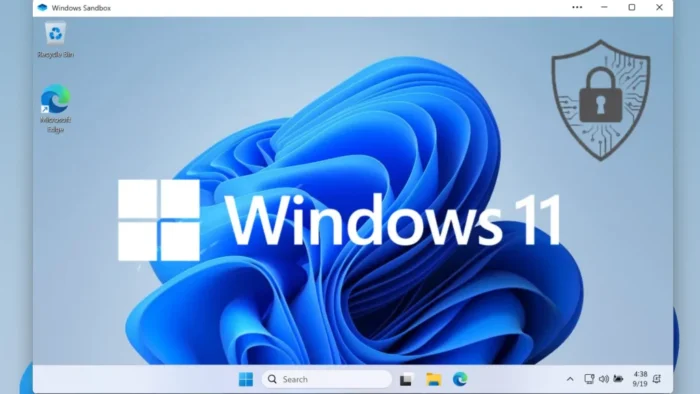
Microsoft has released Windows 11 Insider Preview Build 26300.8170 to the Dev Channel, and the biggest change is a new Secure Boot status view inside Windows Security. The update gives users a clearer way to check whether their device has received Microsoft’s newer Secure Boot certificates and whether anything needs attention.
That matters because Microsoft’s older Secure Boot certificates start expiring in June 2026. Devices that do not move to the 2023 certificates can keep running, but they may lose access to future boot-level security protections, including updates tied to Secure Boot trust and revocation data.

Access content across the globe at the highest speed rate.
70% of our readers choose Private Internet Access
70% of our readers choose ExpressVPN

Browse the web from multiple devices with industry-standard security protocols.

Faster dedicated servers for specific actions (currently at summer discounts)
Build 26300.8170 also includes practical storage changes. Microsoft raised the FAT32 formatting limit in the command line from 32GB to 2TB, improved performance when viewing storage details on large volumes, and adjusted the UAC prompt behavior on the Storage page so it appears only when needed.
Secure Boot monitoring gets easier to understand
Microsoft says the Secure Boot section in Windows Security now shows color-coded badges and descriptive text that reflect certificate state and device readiness. The company’s support guidance says the experience is designed to show whether the updated certificates are present, what the current status is, and whether user action is required.
This is part of Microsoft’s broader effort to prepare Windows devices for the Secure Boot certificate transition. The company says the 2011 certificates begin expiring in June 2026, and the replacement 2023 certificates are being delivered automatically through Windows Update to consumer devices and some business systems.
Microsoft also says the new Secure Boot indicators are disabled by default on enterprise-managed devices and Windows Server systems. That is intentional, because many organizations handle these updates centrally rather than relying on device-level user prompts inside Windows Security.
Storage changes fix old annoyances
The FAT32 change will likely get the most attention from power users and admins. For years, Windows limited FAT32 formatting to 32GB in common workflows, even though the file system itself could support larger volumes in many scenarios. In this build, Microsoft raises the command-line formatting limit to 2TB.
The build also improves navigation speed when users open storage details for large drives under Settings. That sounds minor, but it addresses a real usability problem on systems with big disks or multiple volumes where Settings could feel sluggish.
Microsoft further refined UAC behavior on the Storage settings page. Instead of showing the prompt immediately when users open the area, Windows now waits until they access temporary files, which should make the page feel less intrusive in normal use.
Feedback Hub and rollout details
Feedback Hub also gets an update in this release. Microsoft says version 2.2604.101.0 improves default window sizing, remembers session size more reliably, supports mouse back-button navigation, restores visibility of community feedback, and fixes an upvote button display issue for people using the Chinese display language.
Build 26300.8170 is based on Windows 11 version 25H2 through an enablement package, and Microsoft says many features will roll out gradually through Controlled Feature Rollout. That means not every Dev Channel Insider will see every change at the same time.
Users who want new features sooner can turn on the toggle to get the latest updates as soon as they are available in Settings > Windows Update. Microsoft continues to use that staged delivery model across Insider builds to test changes with smaller groups first before widening distribution.
What’s new in build 26300.8170
| Area | What changed |
|---|---|
| Secure Boot | Windows Security now shows clearer certificate status with icon badges and descriptive text. |
| FAT32 | Command-line FAT32 formatting limit rises from 32GB to 2TB. |
| Storage settings | Faster navigation on large volumes and a less aggressive UAC prompt flow. |
| Data usage | Fix for unrealistic usage values shown in recent builds. |
| Feedback Hub | Better sizing, navigation, and community feedback visibility. |
Why this build matters
- It gives users a simple way to check Secure Boot certificate readiness before the 2026 expiration window.
- It fixes a long-standing FAT32 limitation that annoyed admins and advanced users.
- It improves storage usability in Settings without changing the overall workflow.
- It continues Microsoft’s gradual rollout of Secure Boot update visibility across supported Windows versions.
FAQ
The headline change is the new Secure Boot status experience in Windows Security, which shows whether updated Secure Boot certificates are present and whether action is needed.
Because the older Secure Boot certificates begin expiring in June 2026, and Microsoft wants devices moved to the newer 2023 certificates in time.
No. Microsoft says it is enabled by default for Home and Pro in the normal flow, but disabled by default on enterprise-managed devices and Windows Server.
The FAT32 command-line formatting limit increase to 2TB will probably stand out the most, especially for large removable drives and cross-platform storage use.


Read our disclosure page to find out how can you help VPNCentral sustain the editorial team Read more


Improve this guide


User forum
0 messages