
X-VPN Review: Is It Safe & Really Free?


 12 min. read
  Updated on
Key notes
- Access 10,000+ servers across 80+ countries at the click or tap of a button.
- Exclusive Everest Protocol bypasses geo-restricted content where other VPNs fail.
- 100% free version with unlimited traffic and manual server selection.
- Lots of extra security features, such as safe browsing and ad blocking.
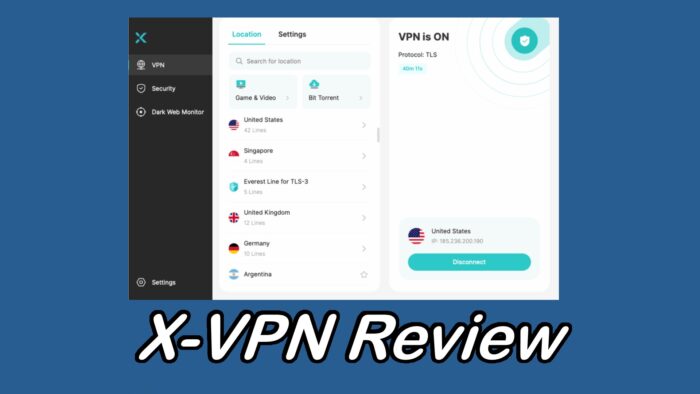
With so many options out there, not many VPNs stand out anymore, but X-VPN is an exception. In this review, I got hands-on with the desktop and mobile apps to see why this VPN provider is growing in popularity.
Here’s everything you need to know about X-VPN, its safety, and all it offers in the free version.
What is X-VPN?
X-VPN is a comprehensive VPN solution from the Singapore-based LIGHTNINGLINK NETWORKS. With a choice of locations in over 80 countries and 10,000+ individual servers, it immediately competes with many of the leading VPN providers.
Is X-VPN Safe to Use?
Yes, X-VPN is a safe VPN that can protect you in every area of online activity. Moreover, a strong no-logs policy, the ability to pay in crypto, and features like double VPN and obfuscation, results in an impressive level of privacy. That’s without mentioning its many extra tools.
Is X-VPN Really Free?
Yes, X-VPN provides a 100% free version for all common devices. No personal information required, no login needed, and absolutely no data limits—this free VPN truly delivers on its promise.
Beyond offering over 1,000 free servers and a Kill Switch, you can even manually select server locations from 26 regions on your phone. Compared to other free VPNs, this is an exceptionally generous offering.
Of course, X-VPN also offers a paid version for just $2.99 a month, featuring more powerful functions, a wider range of additional security tools, and superior performance.
Its apps are available on desktop, mobile, TVs, and other common devices.
Server Network
A VPN is only as good as its network and X-VPN has a solid backbone of over 10,000 individual servers to share the load. This ensures you always get fast performance wherever you are in the world and wherever in the world you wish to encrypt your connection.
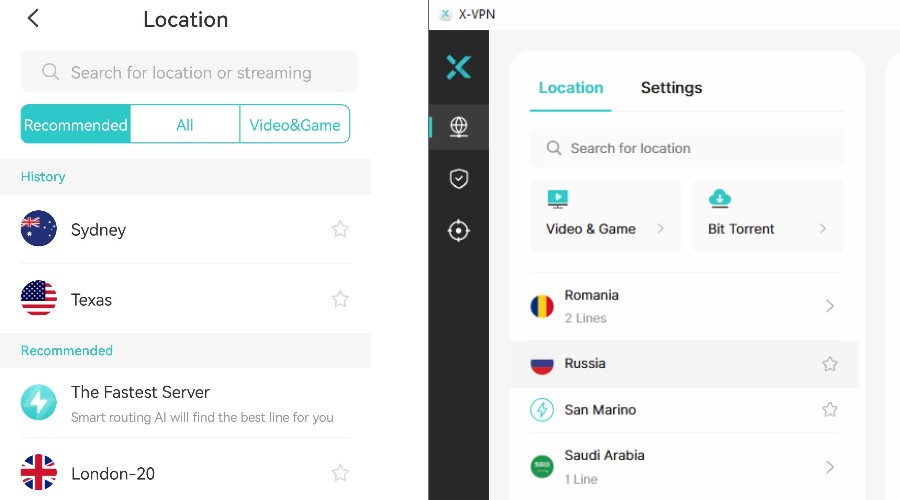
You can choose from over 80 countries, as well as states and cities within those countries. For example, if you want to connect through the United States, you can choose California, Texas, etc, instead of being assigned a location automatically. This is especially useful for unblocking hyper-local content such as regional news or sports.
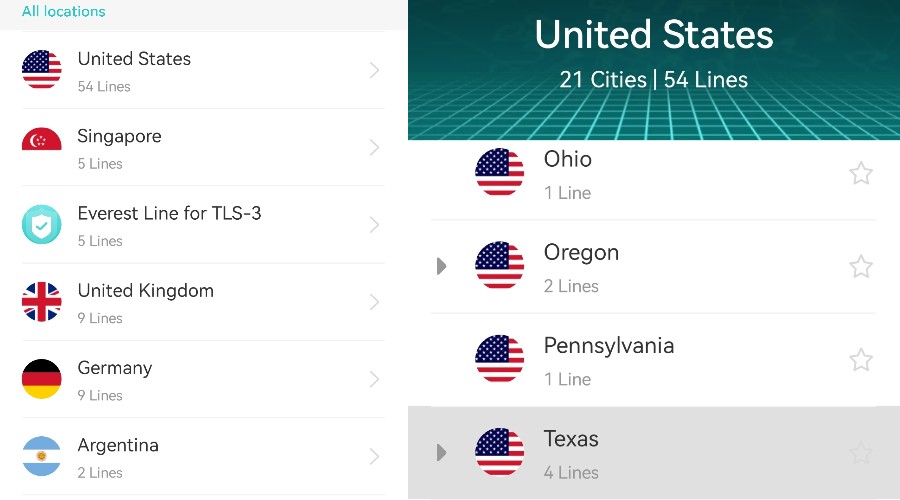
Its country locations span the Americas, Europe, Asia-Pacific, the Middle East, and Africa. So, you’ll have no trouble bypassing geo-restrictions and accessing content from basically anywhere.

What’s more, many of X-VPN’s servers are optimized for specific tasks, such as streaming, gaming, and torrenting. E.g., you can connect to the PUBG, Roblox, or Pokémon TCG servers for the best performance in those games.
Speed
X-VPN uses powerful 10Gbps servers from top providers, such as Google, AWS, and Oracle. It maintains over 10,000, ensuring there is never any congestion or major slowdowns for premium users.
To get an idea of general speed performance, I first recorded my baseline internet speed without the VPN. Using SpeedTest.net. This was 26.37 Mbps with 12 ms of latency.
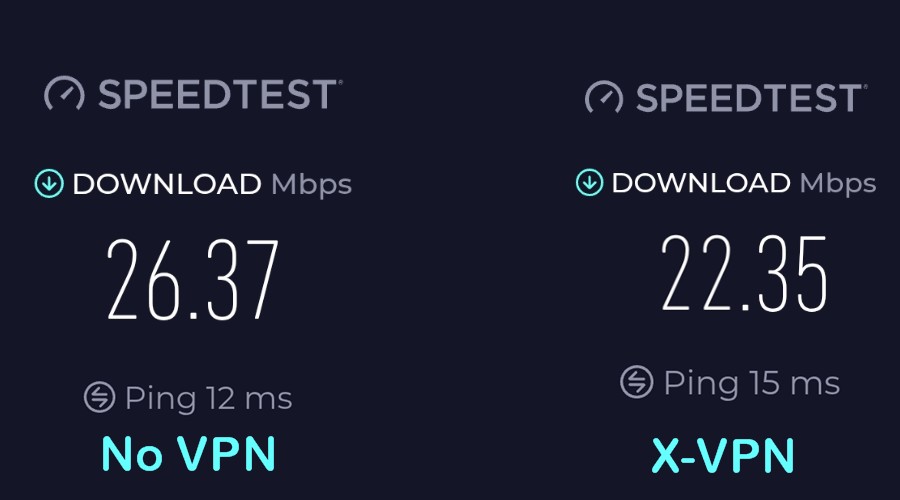
I then used X-VPN’s quick connect, which automatically connects to the fastest server based on your location.
When I ran the test again, the speed was 22.35 Mbps and 15 ms of latency, just a 15% decrease in speed when the VPN is active. This is well within the range expected and competes well with other popular VPN providers.
Next, I connected to a server on the other side of the world in Australia. X-VPN still managed to maintain a respectable speed of 20.39 Mbps.
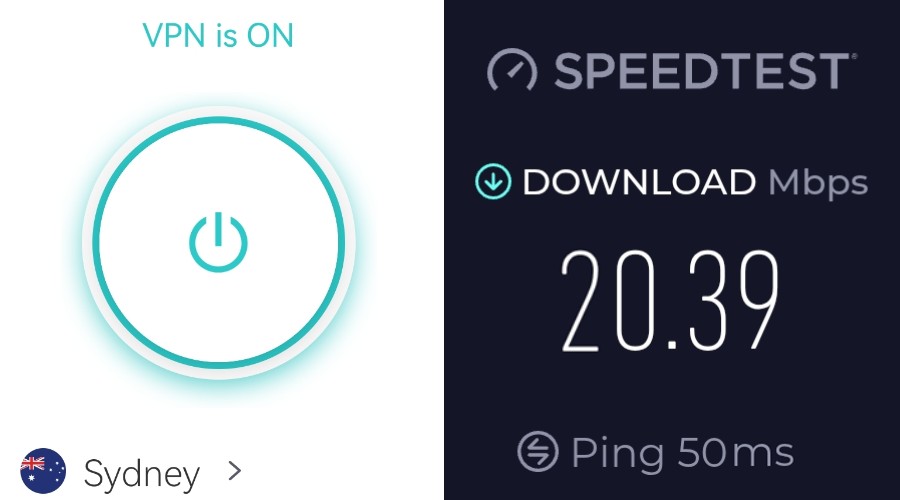
The speed you get will depend on your baseline speed and the location you choose. However, based on these tests, you should have no trouble streaming, torrenting, gaming, or performing other high-bandwidth tasks, as the percentage drop is small.
Other X-VPN Features
Let’s take a closer look at X-VPN’s technical features and what stands out the most:
Encryption
Military-grade encryption protects your connection.
Like all good VPNs, X-VPN uses AES 256-bit encryption, which is the same standard as the military. In short, whenever you turn the VPN on, your internet activity is unreadable, and your IP address is spoofed to the location of the chosen server.
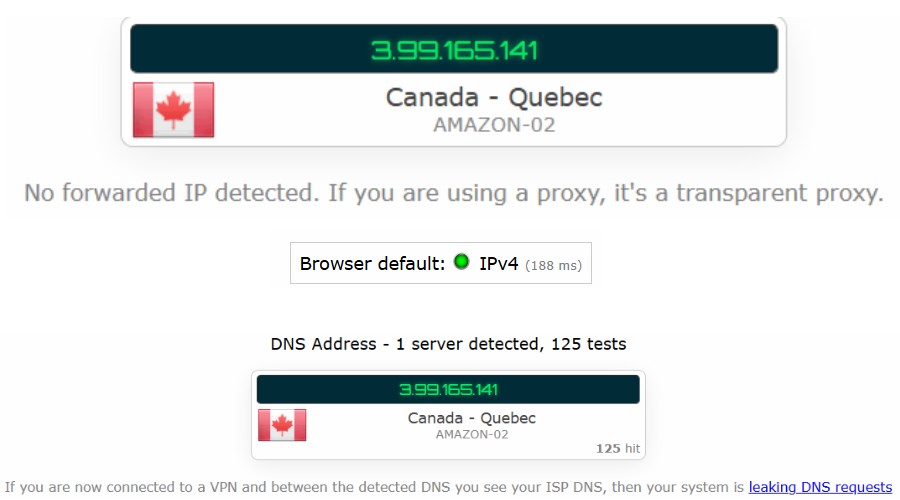
Upon testing a Canadian server using IPLeak.net, we can confirm that there are no leaks and X-VPN’s protection works as intended.
Kill Switch
IP address never leaks if VPN connection drops.
It’s good to see that X-VPN also comes with a working kill switch, which is available for free on Windows, macOS, iOS, and Android. This automatically disconnects your device from the internet if the VPN connection drops or fails.
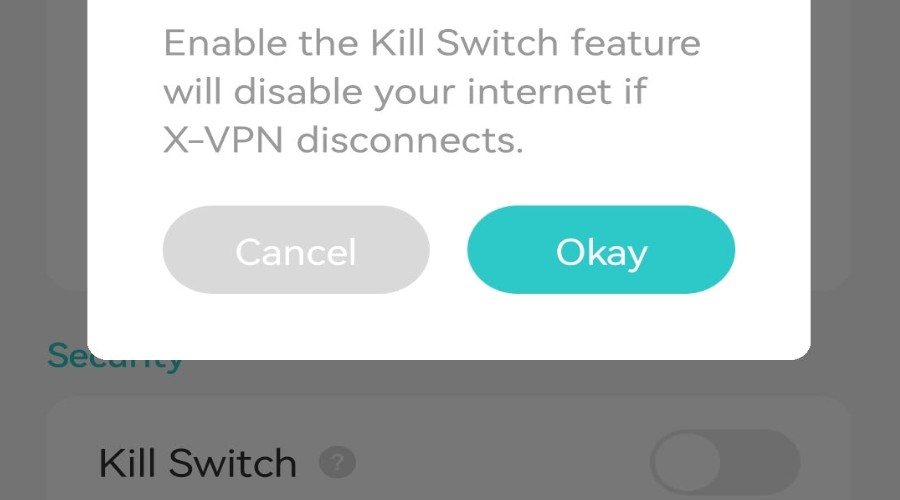
In other words, it prevents your real IP address and online activity from being exposed, ensuring your privacy and security are maintained even when the VPN is not actively protecting your connection.
Everest Protocol
Better at unblocking because Everest is harder to detect.
One of the first things you may notice is that X-VPN uses its own proprietary protocol called Everest. This applies to UDP, TLS, TCP, and HTTP connections.
Most users do not need to worry about these, as while they perform better for different scenarios, X-VPN will automatically choose the best-performing settings for your network.
Everest itself is a proprietary closed-source protocol. The benefit is that it was designed specifically for obfuscation and bypassing restrictions from the strictest regions and services. Since nobody knows its inner workings, a streaming service like Netflix or a repressive regime will have a tougher time blocking it.
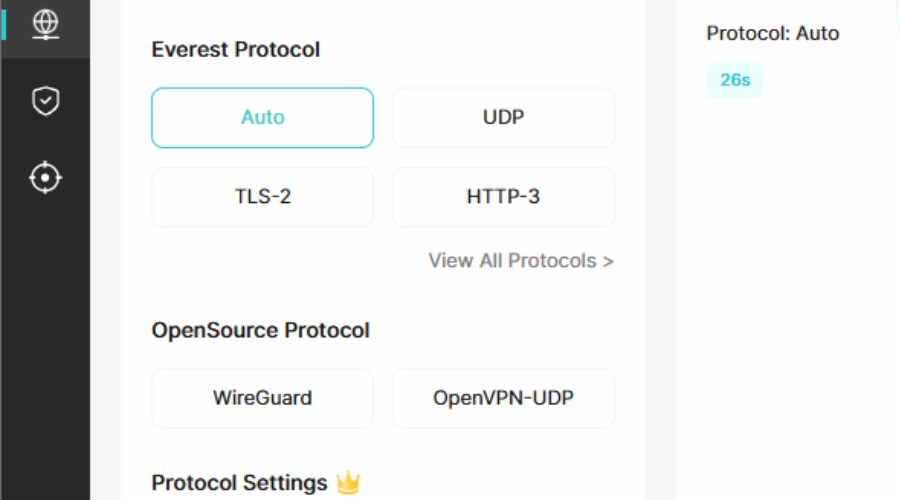
Of course, for more flexibility, the protocol can easily be changed in the settings to a common open-source alternative like WireGuard or OpenVPN.
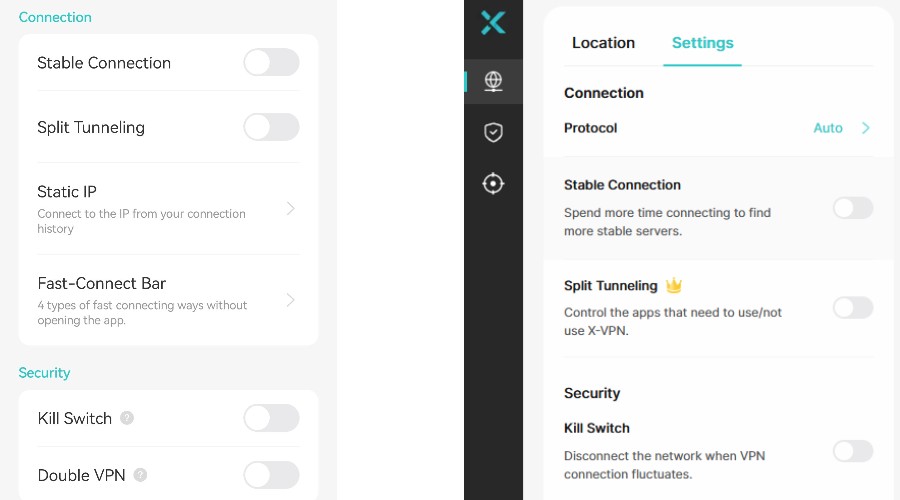
Split Tunneling
Choose the apps to protect or not to protect.
X-VPN supports app-based split tunneling, including on its macOS app, something many VPN providers have yet to implement. This lets you select the apps that should be protected by the VPN and apps that should still use your regular internet connection.
For example, local network devices like printers might not connect if subject to the VPN connection.
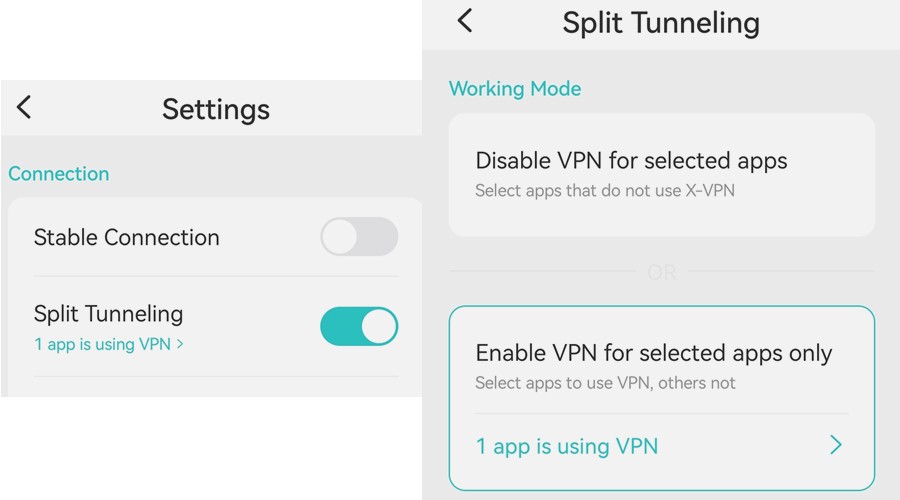
On the other hand, perhaps you only use the VPN to access geo-restricted streaming content. In this case, you might only add the streaming app to the VPN-protected list.
Double VPN
Encryption through two servers for twice the protection.
One way X-VPN makes it even more difficult to trace your internet activity is via Double VPN technology. When enabling Double VPN, traffic is sent through an encrypted server in one location before being routed through a second server. Thus, doubling the encryption.
Although this may have a slight impact on speed, in the very rare chance of a server being compromised, your data will remain secure due to the additional encryption provided by the second VPN server.
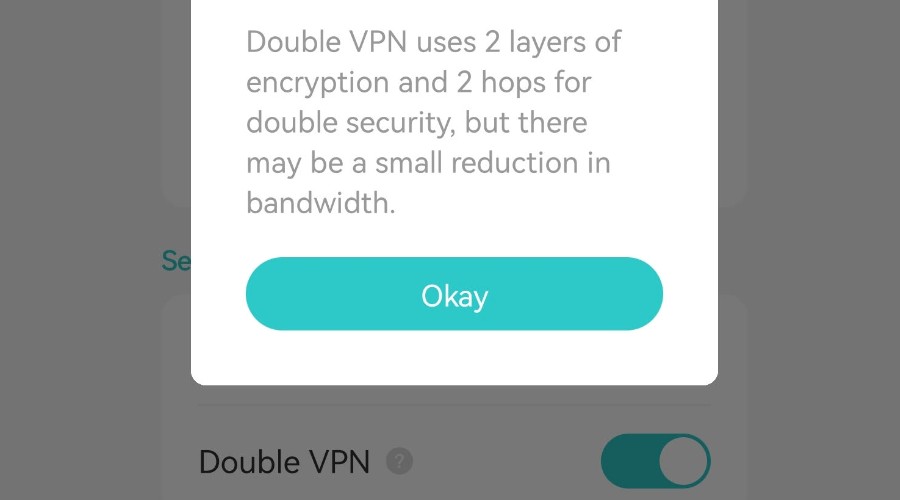
This is particularly beneficial for individuals who require enhanced security, such as journalists, activists, or diplomats, or for those who live in countries where VPNs are actively monitored or blocked by the government.
Manual Obfuscation
Set a dummy URL to obfuscate VPN traffic.
Even though the content of your internet activity cannot be viewed when encrypted by a VPN, sometimes the type of traffic and the fact you are using a VPN can.
For example, your ISP won’t see you are watching a movie on an overseas version of Netflix, but it might detect that the nature of the traffic is streaming. Moreover, it might also recognize that it has been formatted by a VPN.
The solution is obfuscation, the process of scrambling data to be unrecognizable or to make it look like acceptable traffic.
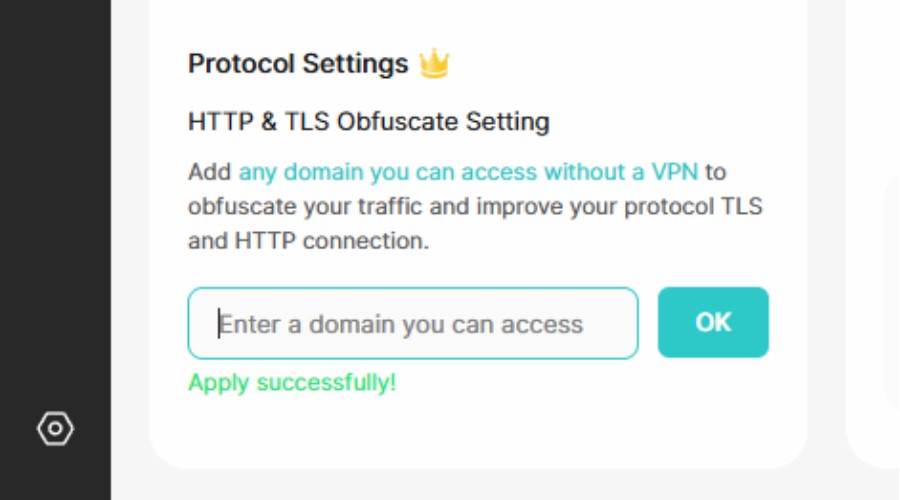
While some VPNs employ a broad form of obfuscation, making all traffic appear to be regular HTTPs traffic, X-VPN goes a step further. It allows you to manually enter a domain to be presented as the source of traffic.
This clean URL serves as a disguise, making it appear as though you are accessing a whitelisted website, while the VPN is actually routing your traffic to the desired, potentially blocked destination.
No-Logs Policy and Anonymous Payment
No records of you using X-VPN.
X-VPN has a robust no-logs policy, pledging to never record user IP addresses, VPN servers connected to, browsing data, DNS queries, or other personally identifiable information.
Since this data isn’t logged, there is nothing for hackers to gain in a security breach or for the authorities to demand in a criminal investigation.
While it does log some information, such as the times a VPN connection was made, this is not linked to you as a user. All reputable VPNs log non-identifiable information to help with maintaining and improving the service.
| Browsing Data | Real IP | Non-identifiable connection logs | Billing Info | |
| X-VPN | ❌ | ❌ | ✅ | Supports crypto and fake email |
| ExpressVPN | ❌ | ❌ | ✅ | Supports Crypto |
| NordVPN | ❌ | ❌ | ✅ | Supports Crypto |
| Surfshark | ❌ | ❌ | ✅ | Supports Crypto |
| Mullvad | ❌ | ❌ | ✅ | Crypto and anonymous accounts) |
X-VPN’s no-logs policy is also bolstered by RAM-only VPN servers, which wipe data after a session ends or the server reboots.
Even if you purchase a premium account, your customer details can be protected by using a pseudonym instead of your real name and paying with cryptocurrency. It does not require a real email address for verification.
X-VPN is currently undergoing its first independent third-party audit, and we will continue to follow the audit results.
Safe Browsing and Ad Blocker
Additional protection from the content you browse.
VPNs offer strong protection against snoopers and hackers intercepting your data, but that doesn’t prevent you from accessing malicious content or being exposed to intrusive ads.
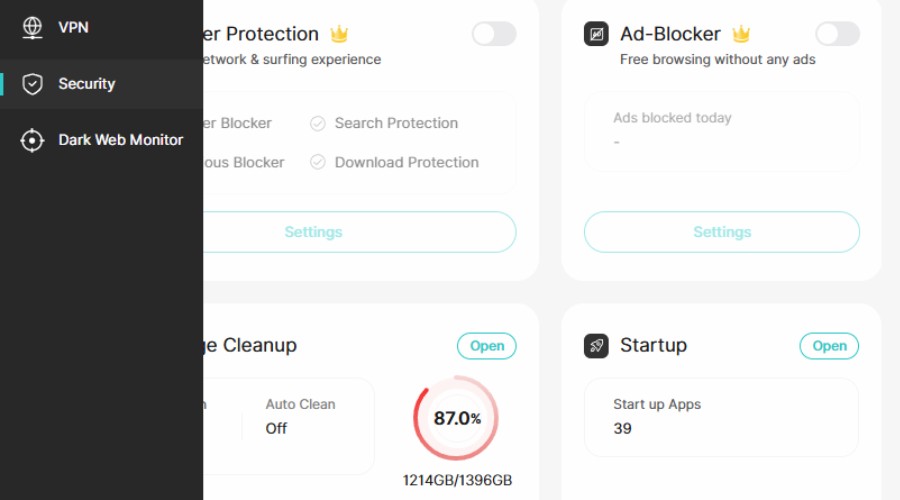
The good news? X-VPN is bundled with safe browsing and ad-blocking features. By toggling on browser protection, it blocks malicious sites and search results, dangerous downloads, and tracking cookies. It also automatically removes tracking tags from URLs, so you can click through without being monitored.
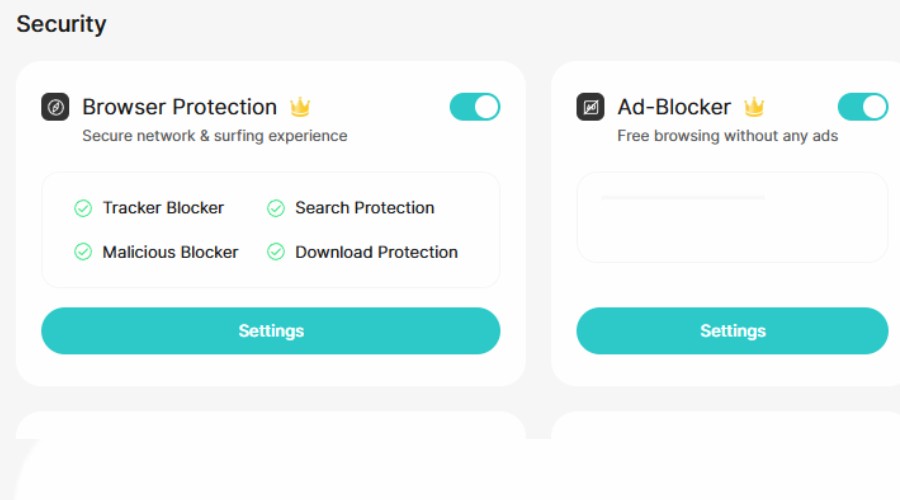
Furthermore, the ad-blocker does a good job of removing annoying ads, including banners, pop-ups, and overlays. This speeds up the browsing experience and reduces the risk of being tracked and targeted.
Dark Web Monitor
Check if your email address has been leaked.
If your email and linked accounts have ever been compromised, you may be wondering where attackers got the information? Chances are, it was on the dark web, where cybercriminals leak and trade in data.
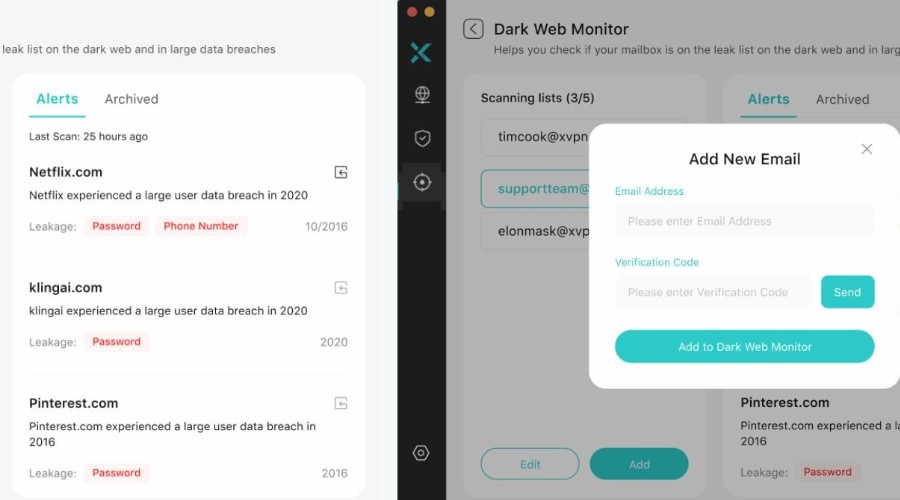
X-VPN’s Dark Web Monitor lets you scan multiple email addresses for potential exposures. The feature sends an alert if your data appears in known dark web breaches, so you can take necessary action to prevent escalation, such as changing passwords, updating security questions, and enabling two-factor authentication.
Extra Utilities
Manage startup programs and cleanup storage.
In the premium version there are few more extra tools for keeping your system running smoothly. With the VPN for PC, you get a startup manager for choosing precisely what programs and services should launch automatically when your PC boots.
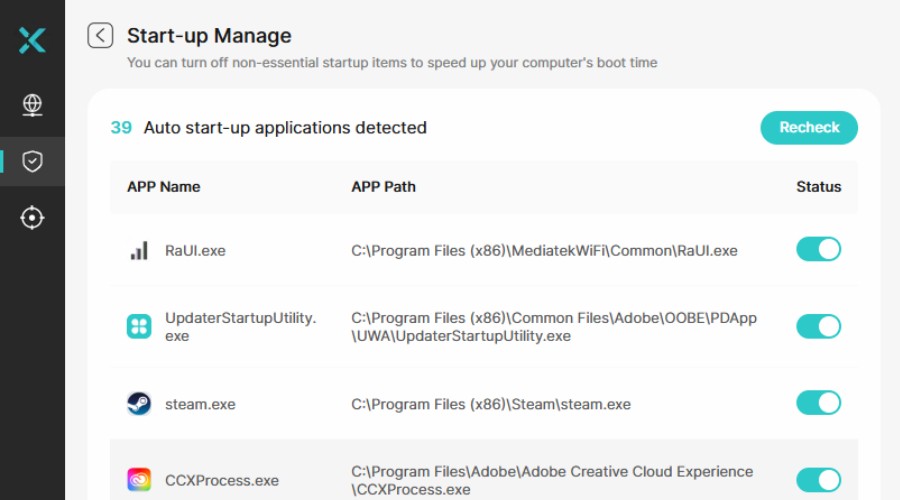
Of course, Windows already lets you do this within Task Manager. However, I found X-VPN’s utility to be more user-friendly and visually appealing. It also displays the path to the app, which Windows does not.
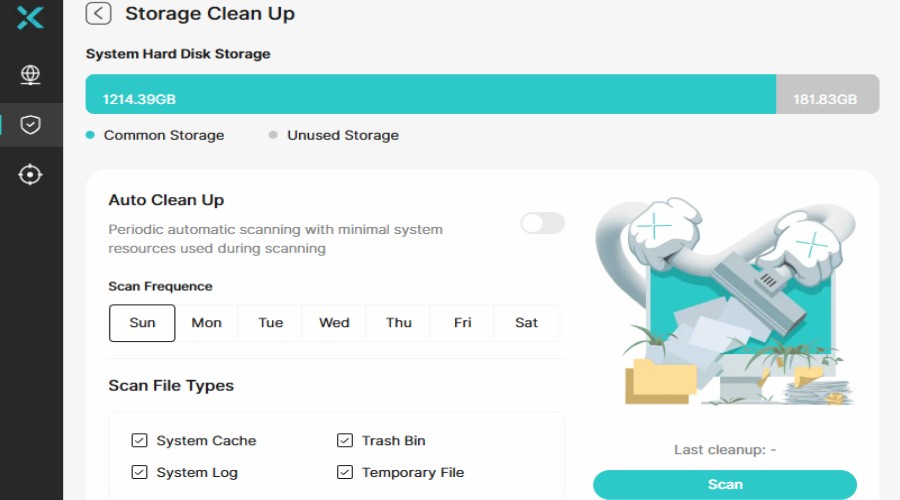
Similarly, it has its own storage cleanup tool for removing unneeded data like temp files, caches, logs, and the recycle bin. You can set this to run automatically on a set schedule.
Apps for All Devices
Protect up to 5 devices at the same time.
X-VPN provides user-friendly apps for all common devices, including Windows, macOS, Linux, Android, iOS, Chromebook, Amazon Firestick, Apple TV, and Android TV.
In conjunction with mobile, it can also be set up on the PS4, PS5, and Switch.
For those that only wish to use the VPN while browsing the web, you may prefer to use the Chrome extension.
A quick way to protect your entire network is to configure X-VPN at the router level. This is a relatively simple process if you follow the steps outlined within your online premium account.
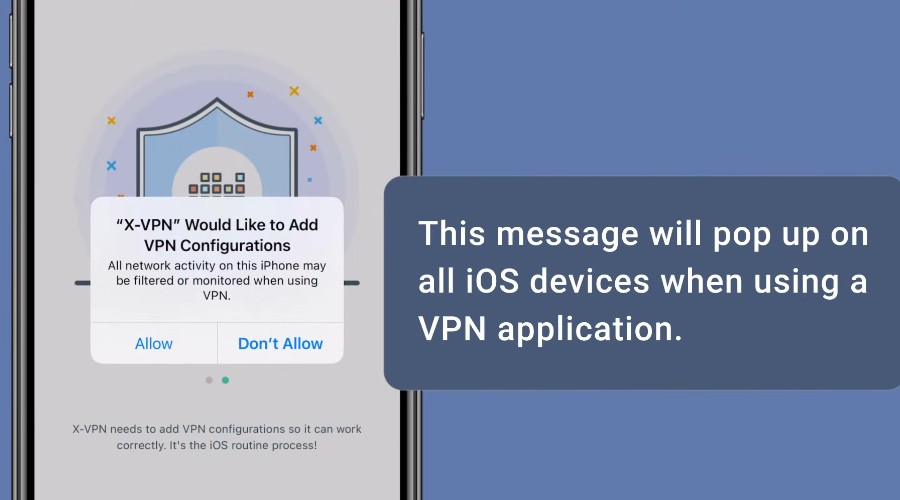
Overall, I found X-VPN to be a consistent experience across desktop and mobile, barring some of the native limitations on iOS for all VPNs.
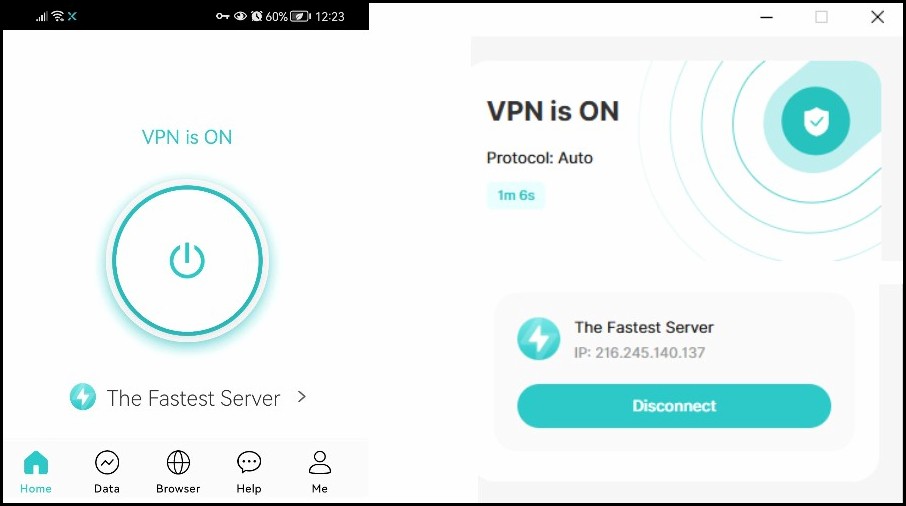
Its intuitive interfaces allow you to connect with a single click or tap, it’s easy to browse the server locations, and the settings all come with helpful descriptions.
Pricing
- FREE Version: Access over 1,000 servers, unlimited usage, and mobile users can manually select servers from 26 regions.
To unlock its full potential, you must purchase one of the following premium plans:
- 24 Months: $69.99 (equivalent to $2.99/mo)
- Monthly: $11.99
- Yearly: $47.99 (equivalent to $3.99/mo)
All plans come with a 30-day money-back guarantee.
Payment options include card, PayPal, and cryptocurrency to give an extra level of anonymity. Bitcoin, Bitcoin Cash, and Ethereum are supported.
How to Use X-VPN
It’s easy to get started with X-VPN. Simply follow these steps to quickly protect your device.
1. Go to XVPN.IO and purchase a premium plan or try the free VPN.
2. On the download page, download the relevant app or apps for your devices. On Android you can get the APK or download the app through Google Play.
3. After installation, launch your desired app and agree to the terms.
4. Tap or click the big button to quickly connect to the fastest server.
5. Alternatively, browse the location list by tapping on the current server name or simply scrolling down on desktop. There is also a search bar.
6. To configure other settings, such as the Kill Switch or Split Tunneling, click or tap the settings button under the main VPN tab.
7. On desktop, extra tools like the ad-blocker and dark web monitor are found on the left-hand menu.
X-VPN Review – Verdict
To conclude this X-VPN review, it is one of the best VPNs we’ve tested in 2025, ticking pretty much every box.
Its large network of fast global servers lets you easily hide your IP and unblock geo-restricted content, with optimized servers for different tasks.
Your internet privacy is further supported by double VPN, obfuscation, and a kill switch. Extras like safe browsing, ad-blocking, and other tools are the icing on the cake.
What’s more, it’s competitively priced and has a genuine free-forever plan.
Try X-VPN today!


Read our disclosure page to find out how can you help VPNCentral sustain the editorial team Read more


Improve this guide


User forum
0 messages