
How to Fix Cloudflare Not Working With VPN (Easy Steps)


 6 min. read
  Updated on
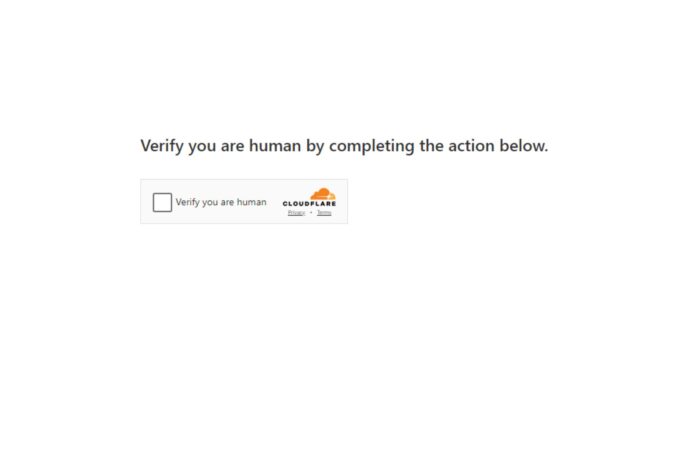
When Cloudflare detects VPN IP addresses, it may block or challenge access to protect websites from malicious traffic.
This leads to errors or captchas when browsing. The good news is there are practical fixes to align your VPN setup with Cloudflare’s checks.

Access content across the globe at the highest speed rate.
70% of our readers choose Private Internet Access
70% of our readers choose ExpressVPN

Browse the web from multiple devices with industry-standard security protocols.

Faster dedicated servers for specific actions (currently at summer discounts)
Table of contents
- Why Cloudflare Is Not Working with VPN
- Step By Step Fixes to Make Cloudflare Work with VPN
- 1) Change Your VPN Server Location
- 2) Clear Browser and DNS Cache
- 3) Disable VPN Temporarily to Test Access
- 4) Adjust Proxy Settings
- 5) Use a Different VPN Provider with Better Cloudflare Compatibility
- 6) Check for IP Blocking or Flagged Status
- 7) Reset Network Settings
- 8) Update VPN App or Client
- 9) Review Firewall and Antivirus Rules
- 10) Use Alternative DNS Servers
- Best VPNs for Cloudflare Without Errors
- How to Choose the Best VPN for Cloudflare
- Conclusion: Fixing Cloudflare Not Working with VPN
- FAQ About Cloudflare and VPN
Why Cloudflare Is Not Working with VPN
Cloudflare blocks or challenges VPN traffic primarily to prevent abuse, spam, and fraud. VPN IP addresses often come from shared pools or known data centers, which Cloudflare flags as suspicious. Regional restrictions and DNS misconfigurations can also trigger blocks. Sometimes account or subscription issues on the VPN side cause routing conflicts, leading to errors.
Cloudflare Issues: Common Symptoms And What They Mean
- Repeated captchas: Cloudflare detects your IP as suspicious and requires verification.
- Access blocked errors: Your VPN IP is blacklisted or rate-limited by Cloudflare.
- Slow or failed page loads: Network routing or DNS mismatches slow down connection.
- Unexpected redirects or error pages: Proxy or firewall conflicts interfere with access.
Typical Cloudflare Error Messages
- “Error 1020 Access Denied”
- “Cloudflare Ray ID …” followed by captcha challenges
- “Your IP has been flagged”
- “Browser integrity check failed”
Step By Step Fixes to Make Cloudflare Work with VPN
1) Change Your VPN Server Location
- Disconnect your current VPN connection.
- Open your VPN app and select a different server location, preferably one closer to your actual region.
- Connect to the new server and retry accessing the site.
Why this helps: This aligns your IP region with Cloudflare’s regional checks and avoids blocked or flagged IP addresses from popular VPN server pools.
2) Clear Browser and DNS Cache
- Clear your browser cache and cookies in settings.
- Flush your DNS cache:
- On Windows, run
ipconfig /flushdnsin Command Prompt. - On macOS, run
sudo killall -HUP mDNSResponderin Terminal.
- On Windows, run
- Restart your browser and try again.
Why this helps: Cached DNS or cookies may retain old or blocked IP info, causing access errors.
3) Disable VPN Temporarily to Test Access
- Turn off your VPN connection.
- Access the website normally.
- If the site works without VPN, the problem is VPN-related.
Why this helps: It isolates whether Cloudflare blocks are triggered by the VPN or something else in your network.
4) Adjust Proxy Settings
Check and adjust your proxy settings to ensure they are compatible with your VPN. For detailed guidance, see how to change proxy settings.
Why this helps: Incorrect proxy configurations can interfere with VPN traffic and cause Cloudflare blocks.
5) Use a Different VPN Provider with Better Cloudflare Compatibility
Some VPNs have better infrastructure to avoid Cloudflare blocks. Recommended providers include:
- ExpressVPN: Offers diverse IP pools and fast servers with reliable Cloudflare access.
- NordVPN: Provides obfuscated servers that mask VPN traffic effectively.
- Surfshark: Affordable and consistently updates servers to bypass restrictions.
Switching VPNs can solve persistent issues caused by IP blacklisting.
6) Check for IP Blocking or Flagged Status
If you see “Your IP has been flagged,” your VPN’s IP may be blocked by Cloudflare. Learn more on how to fix this at your IP has been flagged captchatypers.
Why this helps: Clearing flagged IPs or switching to a clean IP prevents Cloudflare from blocking your connection.
7) Reset Network Settings
- On Windows, go to Settings > Network & Internet > Status > Network reset.
- On macOS, renew your DHCP lease under Network Preferences.
- Restart your device and reconnect your VPN.
Why this helps: Resetting network settings clears conflicting routes and DNS info that cause connection issues.
8) Update VPN App or Client
Ensure your VPN software is up to date with the latest patches and fixes. Updates often improve compatibility and fix bugs related to connection blocks.
Why this helps: Outdated VPN clients may use deprecated protocols or IP pools flagged by Cloudflare.
9) Review Firewall and Antivirus Rules
Temporarily disable firewall or antivirus software to check if they block VPN traffic. Adjust rules to allow VPN connections if needed.
Why this helps: Overly strict security software can interfere with VPN connections causing Cloudflare errors.
10) Use Alternative DNS Servers
Switch to reliable public DNS servers like Google DNS (8.8.8.8, 8.8.4.4) or Cloudflare DNS (1.1.1.1) to improve name resolution accuracy.
Why this helps: Correct DNS resolution prevents routing mismatches that trigger Cloudflare blocks.
Best VPNs for Cloudflare Without Errors
- ExpressVPN: Known for stable connections and extensive server network avoiding Cloudflare blocks.
- NordVPN: Offers obfuscated servers that bypass VPN detection systems effectively.
- Surfshark: Provides unlimited devices and frequent IP updates to stay ahead of blocking.
Using a reputable VPN or proxy provider reduces the chance your IP gets blacklisted or flagged
How to Choose the Best VPN for Cloudflare
- IP reputation: Choose VPNs with clean IP addresses.
- Server variety: More servers reduce chance of blocked IPs.
- Obfuscation: VPNs that mask traffic avoid detection.
- Speed: Fast connections improve browsing experience.
- Support: Responsive customer service helps solve access issues quickly.
Conclusion: Fixing Cloudflare Not Working with VPN
Start by changing your VPN server and clearing your cache. If problems persist, adjust proxy settings and consider switching VPN providers. Checking for flagged IPs and resetting network settings often resolves blocks. Follow these steps in order for the best results.
FAQ About Cloudflare and VPN
A: To prevent abuse from shared or suspicious IP addresses common with VPNs.
A: Yes, switching servers often provides an unblocked IP address.
A: Temporarily disabling VPN helps confirm if it causes the issue.
A: Use system commands like ipconfig /flushdns on Windows or restart your network.
A: No, some providers have better IP reputation and obfuscation to avoid blocks.


Read our disclosure page to find out how can you help VPNCentral sustain the editorial team Read more


Improve this guide




User forum
0 messages