
Fake ChatGPT Download Site Uses Sponsored Search Results to Deliver Windows and Mac Malware


 7 min. read
  Published on
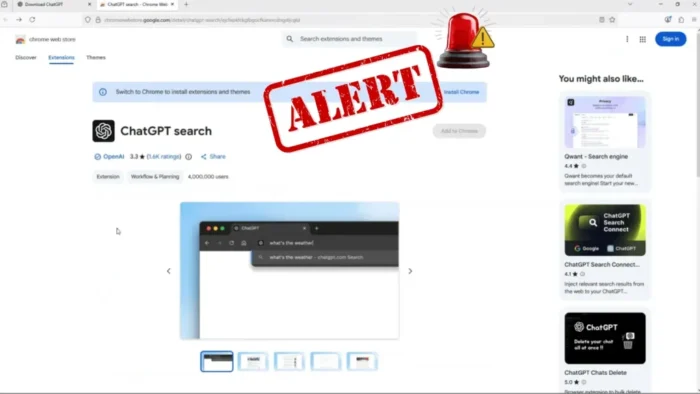
A fake ChatGPT download site is being promoted through sponsored search results to infect Windows and macOS users with malware. The campaign uses convincing OpenAI branding, separate download buttons for different platforms, and a legitimate-looking Chrome extension link to make the page appear trustworthy.
Evalian’s Security Operations Centre team said the malicious site, openew[.]app, impersonates an official ChatGPT download page and delivers platform-specific malware through paid search ads. The Evalian analysis found that the Windows payload uses an Electron-based loader with CAPTCHA gating, obfuscated JavaScript, staged execution, and PowerShell process creation.

Access content across the globe at the highest speed rate.
70% of our readers choose Private Internet Access
70% of our readers choose ExpressVPN

Browse the web from multiple devices with industry-standard security protocols.

Faster dedicated servers for specific actions (currently at summer discounts)
Users looking for ChatGPT should avoid sponsored results and download the app only from the official ChatGPT download page or trusted app stores. Malwarebytes also analyzed the same fake site and warned that the campaign targets both Windows and Mac users with different payloads.
How the fake ChatGPT download campaign works
The attack starts with search ads that target people already looking for ChatGPT downloads. That makes the campaign more dangerous than a random phishing email because victims arrive with clear intent and may expect to see a download page.
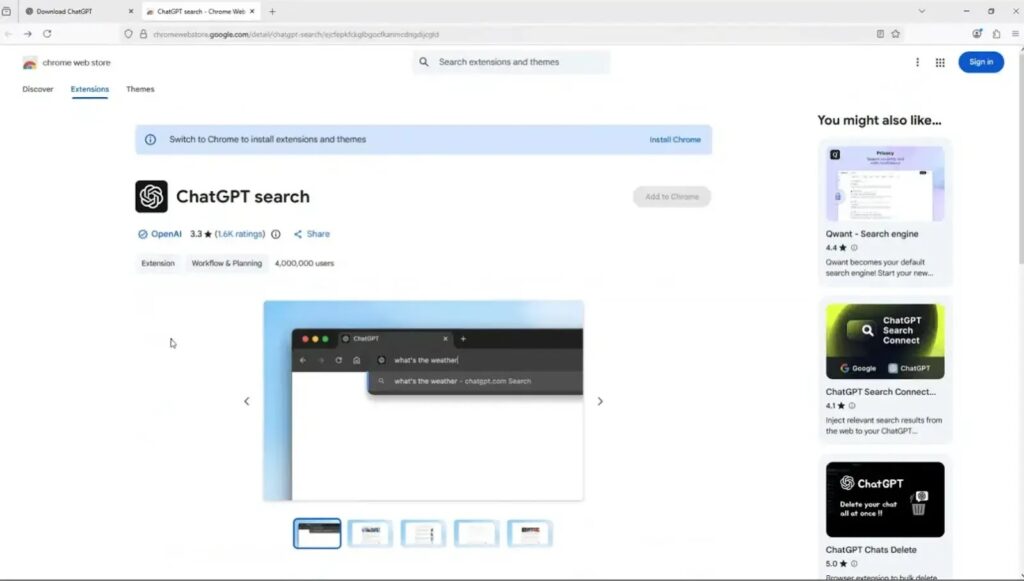
The fake site copies the look and feel of OpenAI’s branding and offers download buttons for Windows, macOS, and a Chrome extension. The extension button redirects to a legitimate listing, which helps build trust, while the Windows and Mac download buttons deliver malicious files.
Malwarebytes reported that the Windows download delivers Chat_GPT.exe, while the macOS option downloads a disk image named ChatGpt.dmg. The firm said the macOS payload is Odyssey Stealer, a fork of the Atomic Stealer family, while the Windows payload acts as a malware loader.
| Campaign element | Details |
| Impersonated brand | OpenAI and ChatGPT |
| Malicious domain | openew[.]app |
| Delivery method | Sponsored search results and fake download page |
| Windows payload | Chat_GPT.exe, an Electron-based loader |
| macOS payload | ChatGpt.dmg carrying Odyssey Stealer |
| Notable evasion | CAPTCHA gating, JavaScript obfuscation, staged execution, and cloaking |
Windows payload uses Electron and PowerShell
The Windows installer is designed to look like a normal desktop app. Evalian found that Chat_GPT.exe uses Inno Setup and deploys an Electron-based application, a framework commonly used by legitimate desktop apps.
The file’s identity does not line up with its claimed purpose. The embedded metadata references a different application name, and the installer is signed by a publisher that does not appear connected to OpenAI. A valid code signature can show who signed a file, but it does not prove that the file is safe.
The SOC report says the extracted app contains an obfuscated JavaScript payload in the app.asar archive. It also includes modules such as child_process, fs, os, http, https, zip-lib, and systeminformation, which give the application access to process execution, file handling, system discovery, and network communication.
CAPTCHA gating helps the malware avoid sandboxes
The Windows malware does not immediately show all of its behavior when launched. It presents a CAPTCHA first, then starts more suspicious activity after user interaction. This can help the campaign avoid automated sandboxes that do not complete the challenge.
After the CAPTCHA step, Evalian observed the application spawning multiple PowerShell processes with execution flags that allow unrestricted script execution. That behavior suggests staged payload delivery, where commands arrive at runtime instead of sitting plainly inside the installer.
The malware also creates a Chromium-style profile under %APPDATA%\Satoshi. That directory name does not match ChatGPT branding and gives defenders a useful clue when hunting for infected systems.
Mac users are also targeted
The campaign does not focus only on Windows users. Its separate Mac download makes the page look more like a real software vendor’s portal. Real vendors often offer platform-specific installers, so attackers copied the same pattern.
Malwarebytes said the macOS payload steals browser passwords, cookies, Telegram sessions, cryptocurrency wallets, and other sensitive files. It also attempts to replace legitimate Ledger and Trezor wallet apps with trojanized versions.
That puts cryptocurrency users at particular risk. A fake ChatGPT installer can become a direct path to wallet theft if users enter their macOS password or later open a replaced wallet app.
- Do not install ChatGPT from sponsored search ads or unfamiliar domains.
- Check the domain before downloading any AI tool or browser extension.
- Download desktop apps from the official OpenAI download page or platform stores.
- Do not trust a file only because Windows shows a valid digital signature.
- Be suspicious if a new app asks for CAPTCHA verification before running.
- Review unexpected PowerShell activity after installing any desktop app.
Why malvertising works so well for fake software downloads
Malvertising remains effective because it reaches users at the exact moment they want to download something. A phishing email has to create urgency, but a sponsored search ad only has to appear above the real result.
This campaign also fits a broader pattern of attackers abusing AI-related search traffic. BleepingComputer reported on a separate campaign that abused ChatGPT share links to show fake outage pages that pushed users toward malware downloads disguised as ChatGPT desktop apps.
Both campaigns show the same trend: attackers are using trusted AI brands, paid search placement, and realistic download flows to reduce user suspicion. The page may look polished, use HTTPS, and even link to a real extension, but the installer can still be malicious.
Detection clues for defenders
Security teams should look for unexpected Electron applications launched from user download folders, temporary folders, or other user-writable paths. Electron apps that repeatedly spawn PowerShell, especially with unrestricted execution policies, should receive immediate attention.
Defenders should also monitor for newly created profile directories such as %APPDATA%\Satoshi, installer metadata that does not match the filename, and code-signing publishers unrelated to the product being advertised. These signals can help catch fake software campaigns even when hashes and domains change.
The BleepingComputer coverage also noted cloaking behavior in related fake ChatGPT malware delivery. Cloaking can show harmless pages to scanners while serving malicious content to real targets, so defenders should not rely only on one URL scan result.
| Signal | Why it matters |
| Electron app spawning PowerShell | May indicate staged malware execution |
| %APPDATA%\Satoshi directory | Matches behavior observed in the fake Windows installer |
| Filename and publisher mismatch | Suggests the app may be masquerading as trusted software |
| Newly registered impersonation domains | Common in short-lived malvertising campaigns |
| CAPTCHA before app behavior begins | May indicate anti-sandbox gating |
| Mac disk image from an unknown AI domain | Can deliver infostealers such as Odyssey or AMOS variants |
What users should do if they installed a fake ChatGPT app
Anyone who installed ChatGPT from openew[.]app or another unfamiliar download page should treat the device as potentially compromised. The safest response is to disconnect it from the network, run a trusted malware scan, and change passwords from a separate clean device.
Users should also revoke active sessions for email, cloud storage, social media, banking, crypto, messaging, and work accounts. A password reset alone may not stop attackers if malware already stole browser cookies or session tokens.
Organizations should review endpoint logs, browser data access, PowerShell execution history, suspicious startup items, and outbound connections. For Mac users, wallet apps and browser extensions should receive special attention because stealer malware often targets cryptocurrency assets and browser-stored secrets.
FAQ
It is a malvertising campaign that uses sponsored search results and a fake ChatGPT download page to deliver malware to Windows and macOS users. The site impersonates OpenAI branding and offers platform-specific downloads.
Researchers linked the campaign to openew[.]app, a fake ChatGPT download domain that mimicked an official OpenAI download page.
The Windows installer uses an Electron-based loader with obfuscated JavaScript, CAPTCHA gating, PowerShell execution, staged behavior, and a Chromium-style profile under %APPDATA%\Satoshi.
Malwarebytes reported that the macOS payload is Odyssey Stealer, a fork of Atomic Stealer, which can steal browser passwords, cookies, Telegram sessions, cryptocurrency wallet data, and other sensitive files.
Users should download ChatGPT from the official ChatGPT download page or trusted platform stores. They should avoid sponsored ads, unfamiliar domains, and installers shared through unofficial pages.


Read our disclosure page to find out how can you help VPNCentral sustain the editorial team Read more


Improve this guide




User forum
0 messages