
Microsoft Unveils Scout, an Always-On AI Agent for Teams, Outlook, OneDrive, and More


 7 min. read
  Published on
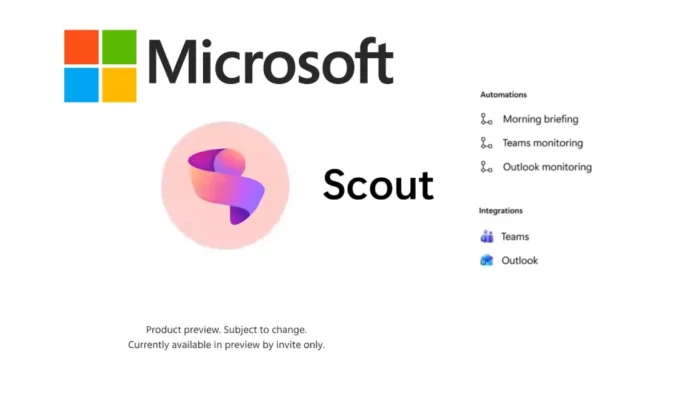
Microsoft has introduced Scout, a new always-on AI agent designed to keep work moving across Microsoft 365 apps without waiting for a user to prompt it every time. The company describes Scout as a personal agent that can monitor work signals, follow up on tasks, and help users stay ahead of meetings, emails, and deliverables.
The company announced the agent in a June 2 post titled Introducing Microsoft Scout. Microsoft says Scout works across Teams, Outlook, OneDrive, SharePoint, browser activity, local files, and Model Context Protocol servers through a desktop app and Microsoft 365 integration.

Access content across the globe at the highest speed rate.
70% of our readers choose Private Internet Access
70% of our readers choose ExpressVPN

Browse the web from multiple devices with industry-standard security protocols.

Faster dedicated servers for specific actions (currently at summer discounts)
Scout is not a standard chatbot. Microsoft is positioning it as part of a new class of agents that can act with more continuity, carry context forward, and work under enterprise identity, permission, and compliance controls.
What Microsoft Scout Is Designed To Do
Scout aims to reduce coordination work that builds up throughout the day. Microsoft says it can help schedule meetings across time zones, flag important meetings, generate preparation materials, identify upcoming deliverables, and block time on a calendar.
The agent can also spot risks, such as stalled decisions, before they become bigger blockers. That makes Scout more proactive than a normal assistant that only answers questions after the user opens a chat window.
Microsoft says Scout uses Work IQ to build context over time. The company’s Microsoft 365 Roadmap describes Work IQ as an intelligence layer that processes signals from email, calendar, meetings, chats, files, people, collaboration patterns, and connected business systems.
Key Details At A Glance
| Product | Microsoft Scout |
| Category | Always-on personal AI agent |
| Main apps | Teams, Outlook, OneDrive, SharePoint, browser, local files, and Microsoft 365 data |
| Technology base | OpenClaw open-source technology and Microsoft Work IQ |
| Current availability | Private preview and Frontier experimental release |
| Desktop support | Windows 11 and macOS 12 Monterey or later |
| License requirement | Microsoft 365 access and GitHub Copilot Business or Enterprise license |
Scout Runs Across Microsoft 365 And The Desktop
Microsoft says users mainly interact with Scout through Teams, while the desktop app extends the agent’s reach into local files, the browser, development tools, and Microsoft 365 data. That gives Scout access to more of the work context that usually sits across separate apps.
The Microsoft Scout setup documentation says the desktop application can take action across files, shell, browser, development tools, and Microsoft 365 data. It also asks users to set a workspace directory where Scout can read and write files.
Once connected to Microsoft 365, Scout can help with email, calendar events, Teams chats, and OneDrive files. Microsoft says actions such as sending email, sharing information, replying, forwarding, or updating visible content require user confirmation before they run.
Why Work IQ Matters For Scout
The biggest difference between Scout and older assistants is context. Microsoft wants Scout to understand how a person works, what matters to them, and which tasks need follow-up.
Work IQ gives Scout that context by connecting signals across Microsoft 365. This is important because autonomous agents need more than a prompt to work well. They need permissioned access to the right work data and a way to understand priorities.
The Microsoft 365 Roadmap says Work IQ APIs are also coming through agent-to-agent, Model Context Protocol, and REST interfaces. That points to a broader Microsoft plan where agents can work across business context instead of operating as isolated tools.
Security Controls Are Central To The Launch
Microsoft is introducing Scout at a time when enterprises remain cautious about autonomous AI. A tool that can read emails, inspect files, draft responses, and manage calendar actions needs clear limits.
According to Microsoft’s Scout announcement, every Scout agent operates under its own governed Microsoft Entra identity instead of a shared anonymous service account. That means its actions can be tied to a known identity inside the organization.
Microsoft also says credentials are scoped to the task, redacted from logs and diagnostics, and protected under first-party service standards. Sensitive actions can require human approval, while Microsoft Purview policies, sensitivity labels, and data loss prevention rules can apply before information is sent or written.
What Scout Can Help With
- Schedule and coordinate meetings across different time zones.
- Prepare summaries and materials before important meetings.
- Identify upcoming deliverables from work context.
- Block calendar time for tasks that need attention.
- Surface stalled decisions before they delay a project.
- Work across Microsoft 365 content, local files, browser tasks, and approved tools.
- Ask for confirmation before external-facing or sensitive actions.
These features show why Microsoft is treating Scout as more than another Copilot chat surface. The product focuses on follow-through, not just answers.
Scout Is Still An Experimental Release
Scout is not broadly available yet. Microsoft says it is extending the early experience to selected customers in private preview and to Frontier organizations.
The official Microsoft Scout Frontier download page describes the app as an early, experimental experience. It says the app can work across local files, browser tasks, Microsoft 365 surfaces, and optional developer tools while keeping sensitive actions under user control.
Microsoft lists version 0.22.333 on the Download Center, with installers for Windows 11 and macOS. The app supports Windows x64, Windows Arm64, macOS x64, and macOS Arm64 installers.
Who Can Access Microsoft Scout Now?
Scout access requires several conditions. Users need Microsoft 365 access, a supported device, local administrator permissions or admin deployment, and an IT administrator who has completed the Scout access setup.
The getting started guide lists Windows 11 or macOS 12 Monterey or later as supported platforms. It also requires a GitHub Copilot Business or Enterprise license for access.
The Download Center adds that an organization must be enrolled in Microsoft Frontier, an admin must opt in and accept the applicable terms, the user must belong to the Frontier access group, and Intune must be enabled for the relevant managed devices.
Why Scout Could Change Microsoft 365 Workflows
Scout shows where Microsoft wants workplace AI to go next. The company is moving from assistants that wait inside apps to agents that can keep working across apps, files, calendars, and business context.
That shift could help users who spend large parts of the day coordinating meetings, preparing briefs, tracking decisions, and moving work between tools. It could also create new governance challenges for IT teams because more actions will come from autonomous agents acting under user-approved authority.
The Microsoft Scout Frontier release gives early customers a way to test that balance before broader availability. For now, Scout looks like a preview of how Microsoft plans to combine Copilot, Work IQ, OpenClaw, Entra, Purview, and Microsoft 365 into a more proactive agent platform.
FAQ
Microsoft Scout is an always-on personal AI agent for Microsoft 365. It can work across Teams, Outlook, OneDrive, SharePoint, local files, browser tasks, and other approved resources to help users manage work and move tasks forward.
No. Microsoft Scout is currently available through private preview and the Frontier experimental release. Access requires organizational setup, Frontier enrollment, Intune configuration, Microsoft 365 access, and a GitHub Copilot Business or Enterprise license.
Microsoft says Scout works across Teams, Outlook, OneDrive, SharePoint, email, calendar, contacts, chats, browser activity, local files, and Model Context Protocol servers through Microsoft 365 and the desktop app.
Scout can help schedule meetings, prepare meeting materials, identify deliverables, block calendar time, surface stalled decisions, and assist with email, calendar, Teams, OneDrive, browser, and local file tasks. Sensitive actions require user confirmation.
Work IQ is Microsoft’s intelligence layer for Microsoft 365 Copilot and agents. It helps Scout understand a user’s work context by using signals from email, calendar, chats, meetings, files, people, and collaboration patterns.


Read our disclosure page to find out how can you help VPNCentral sustain the editorial team Read more


Improve this guide




User forum
0 messages