
FBI warns Kali365 phishing service is hijacking Microsoft 365 access tokens


 6 min. read
  Published on
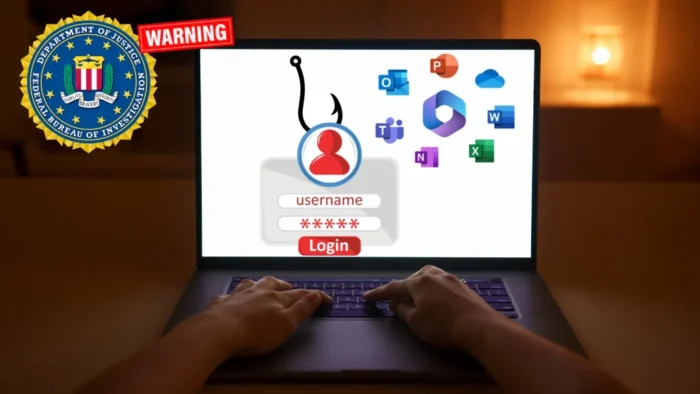
The FBI is warning Microsoft 365 users and administrators about Kali365, an emerging phishing-as-a-service platform built to hijack OAuth tokens and bypass multi-factor authentication protections.
According to the FBI warning, Kali365 first appeared in April 2026 and has mainly spread through Telegram. The platform lets attackers capture Microsoft 365 access tokens without directly stealing a user’s password or MFA code.

Access content across the globe at the highest speed rate.
70% of our readers choose Private Internet Access
70% of our readers choose ExpressVPN

Browse the web from multiple devices with industry-standard security protocols.

Faster dedicated servers for specific actions (currently at summer discounts)
The attack abuses Microsoft’s legitimate device code sign-in process. A victim receives a phishing email with a short code, visits the real Microsoft login page, signs in, completes MFA, and unknowingly authorizes the attacker’s session.
Kali365 turns device code phishing into a service
Kali365 gives cybercriminals a ready-made toolkit for Microsoft 365 phishing. The FBI says subscribers can use AI-generated lures, automated campaign templates, victim tracking dashboards, and OAuth token capture features.
BleepingComputer reported that the platform abuses OAuth device code authentication to steal session tokens and bypass MFA. This makes the attack harder to spot because users still interact with a real Microsoft sign-in page.
The underlying sign-in method is not malicious by itself. Microsoft says the OAuth 2.0 device authorization grant flow helps devices with limited input, such as smart TVs, printers, and IoT hardware, complete sign-in through another browser.
| Attack stage | What happens | Why it works |
|---|---|---|
| Lure | The attacker sends a phishing email with a Microsoft device code. | The message can impersonate a trusted cloud or document-sharing service. |
| Authorization | The victim enters the code on Microsoft’s real device login page. | The login page looks legitimate because it is legitimate. |
| Token capture | The attacker receives OAuth access and refresh tokens. | The victim has authorized the attacker’s session. |
| Persistence | The attacker accesses Microsoft 365 services without another MFA challenge. | The session can remain useful through token refresh activity. |
Why Microsoft 365 accounts are exposed
Microsoft’s device code flow returns access and refresh tokens after successful authentication. In a normal setup, this lets a legitimate app keep a user signed in. In a phishing attack, it gives the attacker a valid session instead.
Once attackers gain access, they can reach services such as Outlook, Teams, OneDrive, and other apps connected through single sign-on. BleepingComputer also noted that this can extend to other SaaS platforms tied to the same identity account, such as Salesforce.
Arctic Wolf researchers saw Kali365 activity before the FBI alert. In an April report, Arctic Wolf said the campaign used high-quality lures that pushed victims to Microsoft’s real device authorization flow, where they unknowingly approved attacker-controlled sessions.
What attackers can do after token theft
A stolen OAuth token can give attackers mailbox access without a stolen password. That access can support business email compromise, internal phishing, data theft, and account persistence.
In some observed cases, Arctic Wolf’s research found that attackers created malicious inbox rules to hide security alerts and warnings. Some attackers also registered new devices inside Microsoft environments after gaining access.
The FBI says attackers can use Kali365 to access Outlook, Teams, and OneDrive without needing the user’s password or another MFA step. That makes device code phishing a direct threat to organizations that depend on MFA alone to stop account takeover.
- Read and exfiltrate email from Microsoft 365 mailboxes.
- Access files stored in OneDrive and SharePoint.
- Monitor Teams communications.
- Create inbox rules that hide security notifications.
- Use the compromised account to target colleagues or customers.
How organizations can reduce the risk
Microsoft now gives administrators policy controls for this attack path. Its Conditional Access guidance recommends getting as close as possible to a broad block on device code flow, then allowing it only for documented and secured business needs.
Security teams should first audit whether their organization still needs device code flow. Some meeting room systems, shared devices, printers, and legacy tools may depend on it. Others may not need it at all.
The FBI also recommends auditing device code usage, blocking authentication transfer where appropriate, and excluding emergency access accounts from restrictive policies to prevent administrator lockouts.
| Defensive action | Purpose |
|---|---|
| Block device code flow where possible | Removes the main path used by Kali365 device code phishing. |
| Audit device code usage first | Identifies legitimate business dependencies before enforcement. |
| Use Conditional Access policies | Limits risky authentication flows across users and cloud apps. |
| Review sign-in logs | Helps detect unusual device code authentication events. |
| Check active sessions and devices | Finds unauthorized sessions or device registrations after compromise. |
What users should watch for
Users should treat unexpected device code requests as suspicious, even if the page they visit belongs to Microsoft. Attackers rely on the fact that victims trust the official login page and focus on completing the requested sign-in step.
A real support request, document share, or Microsoft service should not randomly ask a user to enter a device code from an email. Employees should report these messages instead of completing the sign-in flow.
Administrators can also use Microsoft’s block authentication flows policy to test restrictions in report-only mode before turning enforcement on. That reduces the chance of breaking legitimate device workflows.
How victims should report Kali365 attacks
The FBI asks affected users and organizations to report Kali365 incidents through IC3. Useful evidence includes phishing emails, full headers, suspicious login times, IP addresses, locations, and any unauthorized devices or active sessions added to an account.
Security teams should also revoke suspicious sessions, reset credentials where needed, remove unauthorized devices, review inbox rules, and inspect mailbox forwarding settings. These checks matter because token-based access can leave fewer obvious signs than a normal password compromise.
The rise of Kali365 shows why phishing defenses need to move beyond password theft. MFA remains important, but organizations also need controls for token abuse, risky authentication flows, and trusted sign-in processes that attackers can manipulate.
FAQ
Kali365 is a phishing-as-a-service platform that targets Microsoft 365 accounts by abusing device code authentication and capturing OAuth access and refresh tokens.
Kali365 does not need to steal the MFA code. It tricks the victim into signing in on Microsoft’s real device login page and authorizing the attacker’s session. After that, the attacker receives valid OAuth tokens.
Attackers may access Outlook email, OneDrive files, Teams communications, and other cloud apps connected through the same Microsoft identity account, depending on the victim’s permissions.
Admins can audit device code usage, restrict or block device code flow with Microsoft Entra Conditional Access policies, monitor sign-in logs, and limit exceptions to documented business needs.
Users should not enter unexpected device codes from email messages. They should report the message to their security team, especially if they did not start a device sign-in themselves.


Read our disclosure page to find out how can you help VPNCentral sustain the editorial team Read more


Improve this guide




User forum
0 messages