
GhostLock Shows How Windows File Locks Can Cause Ransomware-Like Outages


 5 min. read
  Published on
A new proof-of-concept tool called GhostLock shows how attackers could block access to Windows and SMB-shared files without encrypting them. The technique abuses normal Windows file-sharing behavior instead of using classic ransomware encryption.
Security researcher Kim Dvash released the research to show that a standard domain user with read access to shared files can create serious business disruption. The affected files remain intact, but other users and applications cannot open them while exclusive handles stay active.

Access content across the globe at the highest speed rate.
70% of our readers choose Private Internet Access
70% of our readers choose ExpressVPN

Browse the web from multiple devices with industry-standard security protocols.

Faster dedicated servers for specific actions (currently at summer discounts)
This makes GhostLock different from traditional ransomware. It does not rename files, encrypt data, change extensions, or write ransom notes. It creates an availability problem by locking files in a way Windows already supports by design.
How GhostLock works
GhostLock relies on the Windows CreateFileW API and the dwShareMode parameter. When a file is opened with dwShareMode set to 0, Windows allows the process to hold the file exclusively and blocks later attempts to open it for read, write, or delete access.
That behavior has legitimate uses. Many applications need file locks to prevent corruption when a document or database file is already open.
The risk appears when the same behavior is repeated across large SMB shares. GhostLock can recursively open many files and keep those handles active, which can trigger sharing violation errors for other users and business applications.
Key facts at a glance
| Item | Details |
|---|---|
| Tool name | GhostLock |
| Researcher | Kim Dvash |
| Main technique | SMB deny-share file handles |
| Windows API involved | CreateFileW |
| Key parameter | dwShareMode = 0x00000000 |
| Admin rights required | No, standard domain access can be enough |
| Files encrypted | No |
| CVE status | No CVE, because the behavior is documented Windows functionality |
Why it can look like ransomware to victims
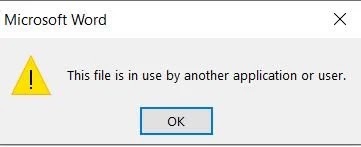
From a user’s perspective, the impact can feel similar to a ransomware outage. Shared documents fail to open, applications that depend on network files can crash, and workflows can stop suddenly.
The difference is technical but important. Ransomware usually changes files to deny access. GhostLock denies access by keeping file handles open.
Access can return when the SMB session ends, the GhostLock process stops, or the affected system reboots. That does not make the disruption harmless, especially if attackers keep reacquiring file handles from one or more compromised machines.
Why common ransomware defenses may miss it
Many ransomware defenses look for mass file writes, encryption behavior, suspicious renames, unusual file extensions, or canary file changes. GhostLock avoids those signals because it does not modify the target files.
Network monitoring may also struggle because the SMB traffic can look like normal file-open activity. Endpoint tools may see behavior that resembles a search indexer, backup pre-scan, or office application opening documents.
The stronger detection signal sits closer to the storage layer. A normal user application rarely holds hundreds or thousands of exclusive file handles at once, while a GhostLock-style attack may accumulate very large numbers of them.
What organizations should monitor
- Watch for single SMB sessions holding unusually high counts of exclusive file handles.
- Monitor bulk SMB CREATE activity that does not have matching write activity.
- Review file server telemetry, not only endpoint or SIEM alerts.
- Look for repeated sharing violation errors across critical file shares.
- Build a joint response process between security teams and storage administrators.
- Test whether NAS and file server platforms expose exclusive handle counts.
Recovery needs storage-side action
GhostLock also exposes a response gap inside many companies. Security operations teams often investigate endpoint alerts, while storage teams control NAS sessions and file server handles.
If those teams do not have a shared runbook, recovery can take longer than expected. Closing the wrong process or restarting one workstation may not help if the active SMB session remains alive or quickly reconnects.
Organizations should document who can terminate SMB sessions, how to identify the offending account, and how to confirm file access has returned across affected shares.
Why this is not a Windows bug
GhostLock does not depend on a memory corruption flaw, privilege escalation bug, or missing patch. It uses documented Windows file-opening behavior.
Microsoft’s documentation for CreateFileW says that when the sharing mode is zero and the function succeeds, the file or device cannot be shared and cannot be opened again until the handle closes.
This is why the research does not describe GhostLock as a patchable vulnerability. The defensive challenge is visibility, response planning, and safer monitoring around file server behavior.
What businesses should do now
- Review which SMB shares support critical business applications.
- Reduce broad read access across large departmental shares where possible.
- Confirm storage teams can quickly terminate suspicious SMB sessions.
- Add detections for abnormal exclusive handle accumulation.
- Run tabletop exercises for file-lock outages without encryption.
- Update ransomware playbooks to include non-encryption availability attacks.
FAQ
Traditional ransomware detections may miss the behavior because there are no mass writes, no encryption, and no renamed files. Storage-layer telemetry provides a better signal.
No. The technique keeps file handles open and blocks access while those handles remain active. It does not need to modify the files.
The research says a standard domain user can create disruption if the account already has access to the targeted SMB files.
No. GhostLock is a proof-of-concept research tool. It can create ransomware-like disruption, but it does not encrypt files or demand payment.
Summary
- GhostLock shows how normal Windows file-locking behavior can block access to shared files.
- The technique uses CreateFileW with dwShareMode set to zero.
- It can cause ransomware-like outages without encryption or file modification.
- Standard ransomware defenses may miss it because there are no mass writes.
- Organizations need storage-layer monitoring and clear SMB session response runbooks.


Read our disclosure page to find out how can you help VPNCentral sustain the editorial team Read more


Improve this guide


User forum
0 messages