
BBC Website Not Working With VPN: How to Fix It


 8 min. read
  Published on
Key notes
Before you begin troubleshooting, try these quick first steps: (more details below)
-
- Refresh the BBC website page
-
- Disconnect and reconnect your VPN
-
- Switch to a different browser
-
- Restart your device
-
- Check that your VPN is set to a UK location
-
- Test your internet connection using Wi-Fi or mobile data
Accessing the BBC website through a VPN is tough when it suddenly stops working. Several BBC-related media are geo-locked and impossible to access outside the UK without a VPN, but the BBC enforces VPN blocks.
Theydo so for a few specific reasons, and they’re getting better at it. Below, we’ll walk through the exact errors, what they mean, and 8+ real fixes. We’ll also look at legal questions, licensing rules, and which VPNs still work in 2025.

Access content across the globe at the highest speed rate.
🔥 Save 81% + 2 bonus months! 🔥
70% of our readers choose Private Internet Access
70% of our readers choose Private Internet Access
2
Browse the web from multiple devices with industry-standard security protocols.
🔥 Save 73%! 🔥

Faster dedicated servers for specific actions (currently discounted)
🔥 Save 69%! 🔥
Table of contents
Why BBC Blocks VPN Access
The BBC restricts VPN access because of strict licensing deals. Most BBC content, especially BBC iPlayer, Sounds, and Sport, is legally available only to users in the UK. VPNs disguise your location, and BBC systems use IP databases, DNS tests, and server traffic to detect and block that. This explains why BBC iPlayer may stop working when using a VPN even if you’re connected to a UK server.
Symptoms and What They Mean
- Black screen on iPlayer: BBC is rejecting the VPN server
- Redirect to international BBC site: You’re being identified as outside the UK
- Videos won’t load or endlessly buffer: Streaming is geoblocked
- Limited menu options (e.g. no iPlayer): Your region is detected as non-UK
Typical Error Messages
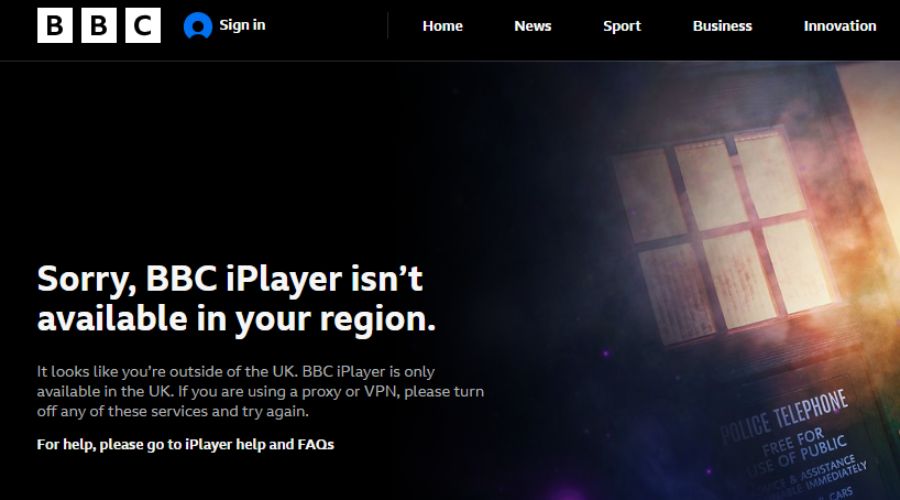
- “BBC iPlayer only works in the UK. Sorry, it’s due to rights issues.”
- “This content is not available in your location.” (learn how to fix the BBC location error)
- “We’re sorry, but this content can only be played in the UK.”
- “You must be in the UK to watch BBC iPlayer.”
- “We cannot play this program because your network connection is outside the UK.”
- “Your account region doesn’t match your current location.”
- “BBC iPlayer error code 02066” (see how to fix BBC iPlayer error 02066)
Step-by-Step Fixes to Make BBC Website Work With VPN
1) Switch to a Different UK Server
- Disconnect from your current VPN server
- Select another UK server from your VPN’s server list
- Clear browser cookies and cache
- Reconnect and try the BBC site again
Why this helps: BBC may have blacklisted the IP range of the first server. A different UK server gives you a fresh IP that might not be blocked.
2) Clear Browser Cookies and Cache
- Open browser settings
- Go to privacy or history section
- Clear all cookies, cached files, and site data
- Restart browser and reconnect VPN
Why this helps: Cookies may reveal past non-UK usage. Clearing them removes conflicting session data.
3) Restart VPN and Browser
- Quit your browser completely
- Disconnect and close the VPN app
- Reopen the VPN app and connect to a UK server
- Reopen the browser and access BBC again
Why this helps: Ensures clean network state and avoids memory leaks or outdated sessions.
4) Disable Location Services
- On desktop, go to system settings > Privacy > Location
- On mobile, turn off location access for browsers and the VPN app
- Refresh BBC site after disabling
Why this helps: If your device sends location metadata that conflicts with the UK IP, BBC may block access.
5) Check for DNS and WebRTC Leaks
- Visit dnsleaktest.com and browserleaks.com
- Run tests with VPN connected
- If leaks show your real location, enable leak protection in VPN settings
Why this helps: Leaks expose your true location. BBC uses DNS and WebRTC data to verify if you’re really in the UK.
6) Use a Different Device or Browser
- Try BBC on a laptop instead of phone
- Or switch browsers (e.g. Chrome to Firefox)
- Reconnect VPN and visit the BBC site
Why this helps: Some devices share GPS or locale data that reveals your true region. Changing platforms can avoid that.
7) Get a Dedicated IP Address
- Check if your VPN offers dedicated IPs
- Order a UK-based dedicated IP
- Connect to the BBC site using this address
Why this helps: Shared IPs are often blocked. A dedicated IP looks more like a residential UK user, reducing the risk of being flagged.
8) Update or Reinstall Your VPN App
- Open your VPN app
- Check for software updates
- If problems persist, uninstall and reinstall
Why this helps: Updates may include new UK server IPs or leak protection features. A fresh install clears outdated settings.
9) Use a VPN That Still Works With BBC
Some VPNs consistently beat BBC’s blocks in 2025 by rotating IPs, using residential servers, and avoiding detection:
Most free VPNs and older services (TunnelBear, PIA, HMA) no longer work reliably with BBC platforms. Paid options with tested UK servers are more dependable.
VPNs That Work With the BBC Website
Here are VPNs that currently work well with the BBC website and other BBC services:
- NordVPN – Offers multiple UK servers that rotate IPs. Use the ‘United Kingdom’ location and enable ‘Obfuscated Servers’ under advanced settings if you face detection issues.
- ExpressVPN – Frequently updated UK server list with excellent speeds. Choose the East London or Wembley location, and enable Network Lock for leak protection.
- Surfshark – Unlimited device support and reliable UK access. Use CleanWeb and rotate between Manchester and Glasgow servers if blocked.
- CyberGhost – Has streaming-optimized UK servers labeled for BBC iPlayer. Simply select the “BBC iPlayer” profile from the server list.
- PrivateVPN – Fewer servers but strong performance. Select UK–London and ensure Stealth VPN mode is turned on for better access.
Make sure your VPN app is updated, and avoid using mobile browsers with location permissions turned on.
Test 2–3 different UK servers if one is blocked. Make sure your provider offers DNS leak protection, streaming-optimized servers, and updated IPs.
Is It Legal To Use a VPN With the BBC Website?
Yes, using a VPN is legal. But accessing BBC iPlayer without a UK TV license or outside the UK violates the BBC’s terms of service. You’re unlikely to face legal penalties, but your access can be blocked.
Do I Need a TV License to Access BBC With a VPN?
Yes. The BBC requires viewers to hold a valid UK TV license if they want to watch live broadcasts or stream on-demand content via BBC iPlayer, regardless of VPN use.
When accessing iPlayer, users are asked to confirm they have a license, which is often done via a checkbox but operates on the honor system.
There is no direct verification mechanism tied to license numbers, but falsely claiming to have one may breach the BBC’s terms of service.
When a TV license is required:
- Watching BBC One, BBC Two, or other channels live via iPlayer or online stream
- Using BBC iPlayer to watch any shows on demand
- Streaming from BBC apps like BBC Sounds (for some content)
When it may not be required:
- Reading news articles or accessing general BBC Online content
- Watching shows made available internationally through official BBC global services (e.g. BBC World News or BBC Select)
For non-UK users:
If you live outside the UK, even with a VPN, you are expected to hold a valid license to use BBC iPlayer. Some users attempt to access content using a UK IP and self-certify license ownership. While enforcement is light, this can violate BBC terms.
If you want legal access without a license:
- Use official BBC international services like BBC Select, BritBox (in US, Canada, Australia), or BBC World News
- Check regional partners or streaming services that license BBC content legally in your country
Where Is the BBC Website Available?
The main BBC website is globally accessible. But features vary:
- UK users see the full UK edition (iPlayer, Sounds, regional news).
- Outside the UK, access is limited to international versions with ads.
- iPlayer and Sounds are geo-restricted to UK IP addresses.
If you’re facing geo-restrictions on audio streams, follow this BBC Sounds VPN troubleshooting guide for specific fixes.
Conclusion: Fixing BBC Website VPN Problems
To restore BBC website access with a VPN, start by switching servers, clearing cookies, and disabling location tracking. If that fails, test for leaks or try a different VPN provider with stronger UK infrastructure. Follow the order of fixes and you’ll likely resolve the issue.
FAQ About BBC and VPN Access
No, but it blocks most known VPN IPs. Only a few providers still bypass detection reliably.
Your VPN IP might be blacklisted, or your device leaks location data.
No, but it violates terms of service and may require a valid TV license.
It usually means playback failed due to network or VPN detection issues. Learn how to fix error code 02066 on BBC iPlayer.


Read our disclosure page to find out how can you help VPNCentral sustain the editorial team Read more


Improve this guide




User forum
0 messages